3OM-1050-002.pdf - 第222页
5 . 3 "Nozzle Message Rate" T ab The corresponding tab sheet displays the pick-up rates (managed for each individual nozzles) based on the nozzle message rates specified in the auto operation setup data. • Shee…

(4) [C: comp. Vertical] Button
Each text box shows the number of vertical component errors de-
tected by the linear measure detection sensor for each individual
feeders.
(5) [D: comp. Recog.] Button
Each text box shows the total number of errors detected through
recognition operation for each individual feeders.
(6) [E: comp. Thick] Button
Each text box shows the total number of errors in component thick-
ness detected by the linear measure detection sensor for each indi-
vidual feeders.
(7) [F: pick-up Diff] Button
Each text box shows the total number of pick-up difference errors
detected through recognition operation for each individual feeders.
(8) [G: Comp. Reverse] Button
Each text box shows the total number of reversed component er-
rors detected through recognition operation for each individual feed-
ers.
(9) [Feeder Message Rate (Total Errors/Total Components)] But-
ton
Each text box shows the rate of pick-up errors (the number of pick-
up errors per number of picked components) for each individual
feeders.
(10) [Component ID.] Button
Each text box shows the component ID for each individual feeders.
0307-005 4-45
AFO01EDTP
5.2 "Feeder Message Rate" Tab
5.3 "Nozzle Message Rate" Tab
The corresponding tab sheet displays the pick-up rates (managed for
each individual nozzles) based on the nozzle message rates specified
in the auto operation setup data.
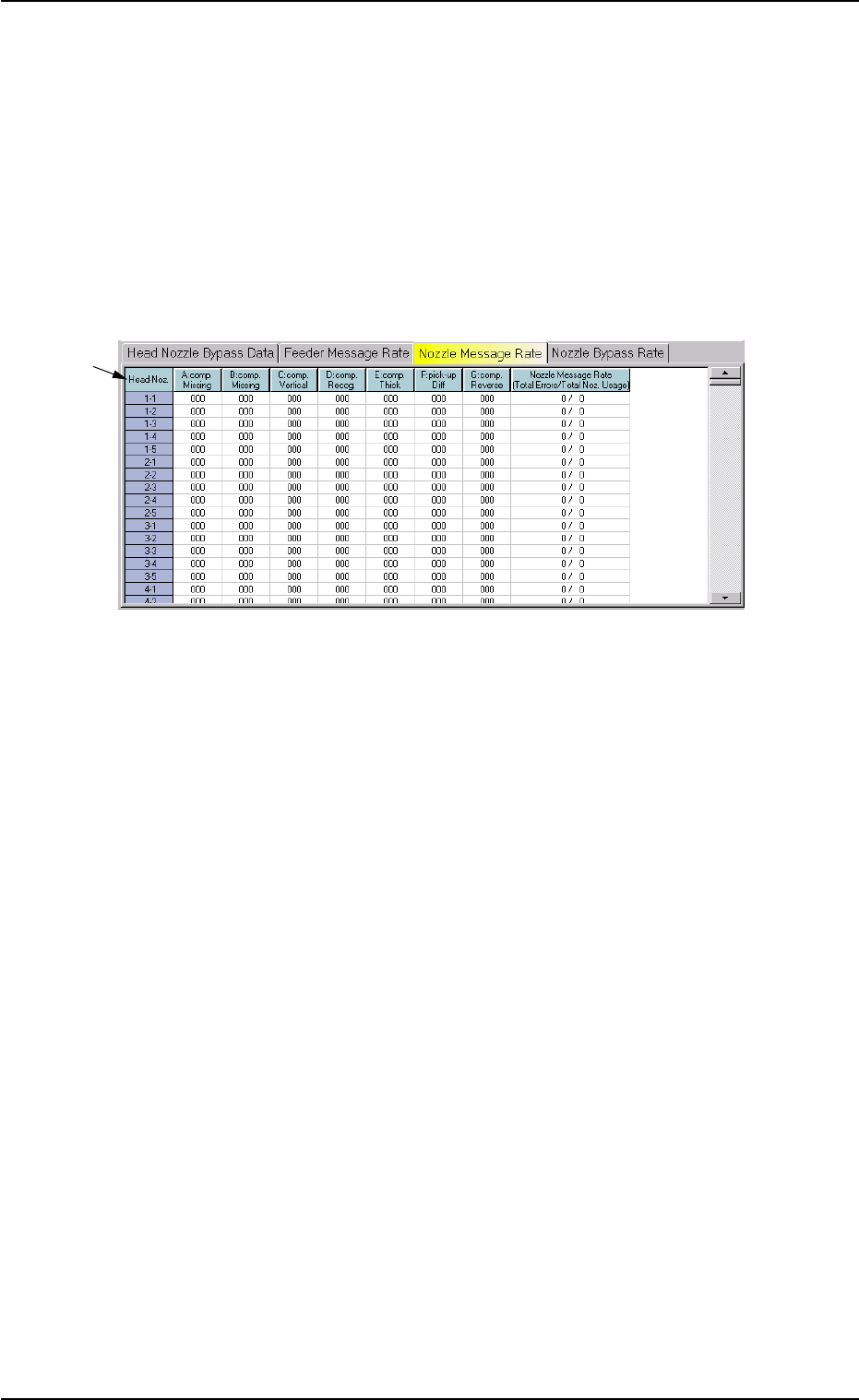
• Sheet Layout
When the "Nozzle Message Rate" tab is pressed in the "Bypass & Rate
Data" window, the following tab sheet appears inside the window.
Fig. 3D23 "Nozzle Message Rate" Tab Sheet
• Sheet Composition
*1 Items
The following items are displayed.
(1) [Head-Noz.] Button
Shown are the nozzle Nos. on each head No.
(2) [A: comp. Missing] Button
Each text box shows the number of missing component errors de-
tected by the linear measure detection sensor.
(3) [B: comp. Missing] Button
Each text box shows the number of missing component errors de-
tected through recognition operation.
(4) [C: comp. Vertical] Button
Each text box shows the number of vertical component errors de-
tected by the linear measure sensor for each individual nozzles.
0301-006 4-46
AFO01EDTP
*1
5.3 "Nozzle Message Rate" Tab

(5) [D: comp. Recog.] Button
Each text box shows the number of component recognition errors.
(6) [E: comp. Thick] Button
Each text box shows the number of errors in component thickness
detected by the linear measure sensor for each individual nozzles.
(7) [F: pick-up Diff] Button
Each text box shows the number of pick-up difference errors de-
tected through recognition operation for each individual nozzles.
(8) [G: Comp. Reverse] Button
Each text box shows the number of reversed component errors
detected through recognition operation for each individual nozzles.
(9) [Nozzle Message Rate (Total Errors/Total Noz. Usage)] But-
ton
Each text box shows the rate of pick-up errors (the number of pick-
up errors per number of picks) for each individual nozzles.
0210-005 4-47
AFO01EDTP
5.3 "Nozzle Message Rate" Tab