3OM-1050-002.pdf - 第281页
(3) Select a component ID from the list of component IDs and press the [Enter] button. (a) [Filter ...] Button When pressed, the "LibFilterDialog" dialog box opens, making it possible to select a type of compon…
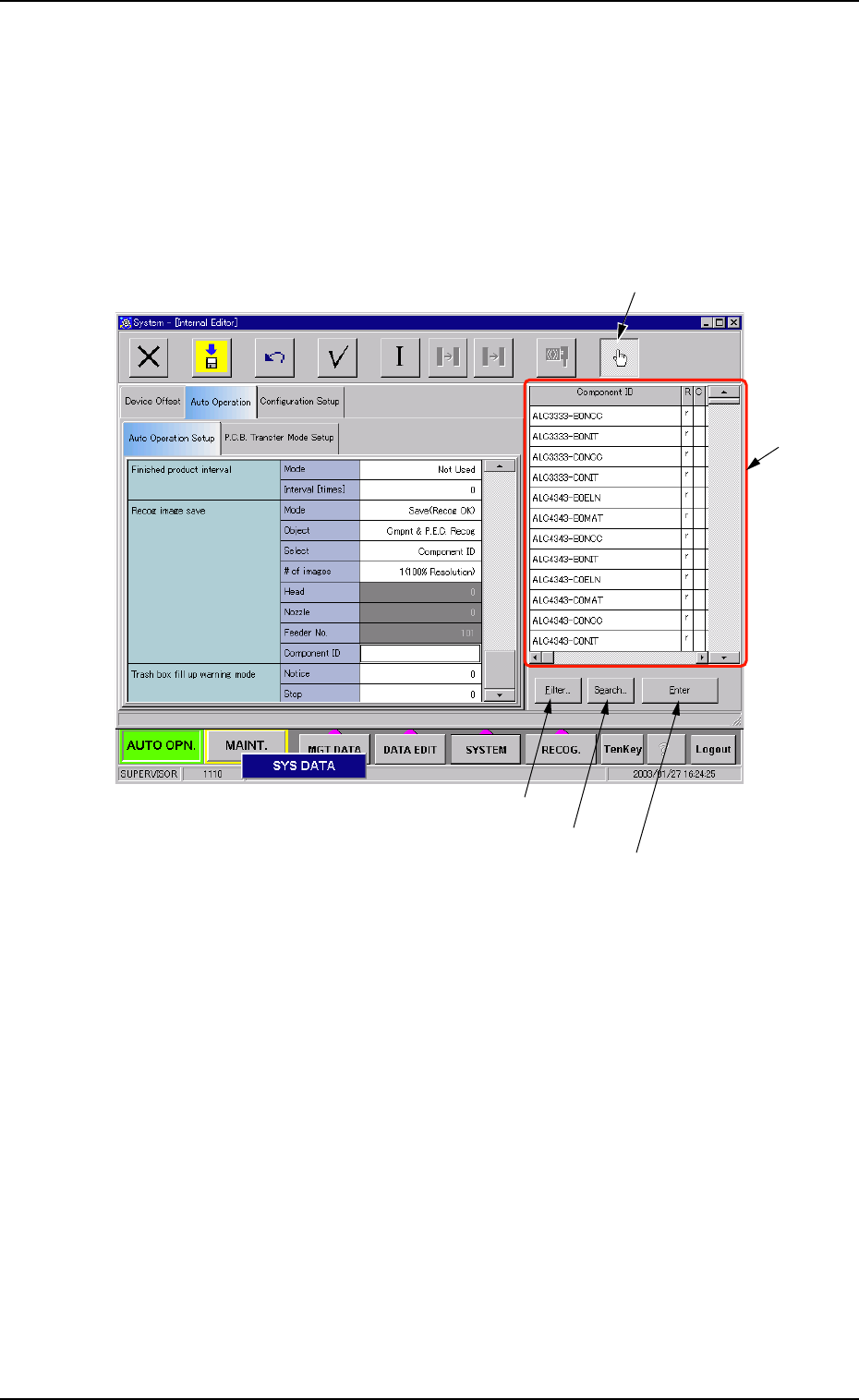
• How to specify a component ID name
(1) Set "Component ID" in the "Select" text box of the label "Recog im-
age save". The "Component ID" text box turns white.
(2) While selecting the "Component ID" text box, press the "Selecting
the component ID" button. A list of component IDs is displayed.
Fig. 3E39-1
3.3 "Auto Operation" Tab
"Selecting the component ID" Button
"List of
Component
IDs" Pane
[Filter...] Button
[Search...] Button
[Enter] Button
0301-001 5-49-1 AFO01EDTP
(3) Select a component ID from the list of component IDs and press
the [Enter] button.
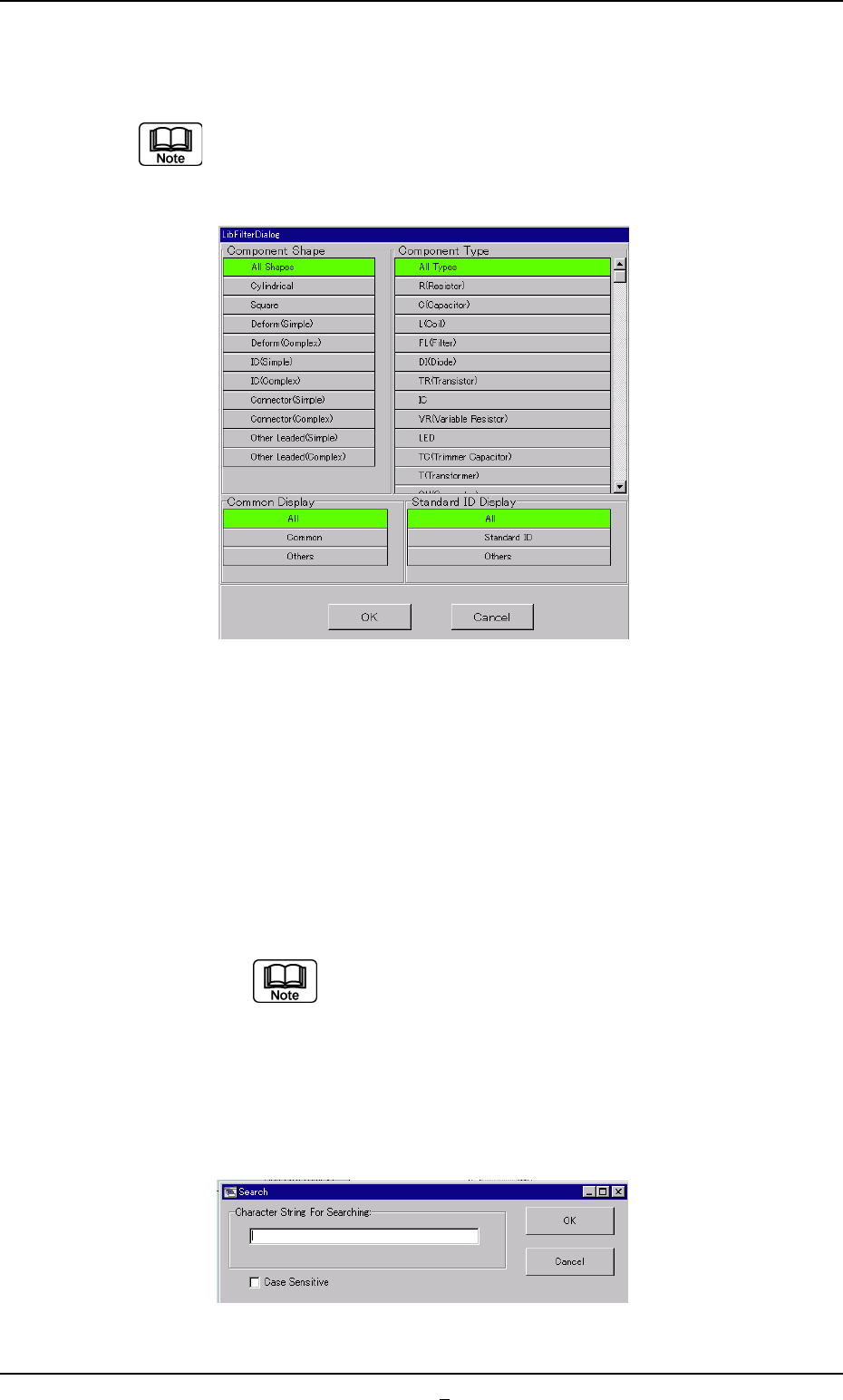
(a) [Filter...] Button
When pressed, the "LibFilterDialog" dialog box opens,
making it possible to select a type of component IDs.
Fig. 3E39-2
(b) [Search...] Button
When pressed, the "Search" dialog box opens, making it
possible to search a component ID.
When the button is pressed, the "Search" window (virtual
keyboard) appears. Enter characters in the blank field and
press the [Set] button. The "Search" window closes and
the program names which start with the entered charac-
ters are displayed in "List of Model Names"
"*" (asterisk) and "?" (question mark) can be used
as wild cards.
abc* : The search function retrieves the compo-
nent ID names which start with "abc"
a?c : The search function retrieves the compo-
nent ID names which start with "a" and
contain "c" as the third character.
Fig. 3E39-3
3.3 "Auto Operation" Tab
0301-001 5-49-2 AFO01EDTP
3.3.2 "P.C.B. Transfer Mode Setup" Tab
• Sheet Layout
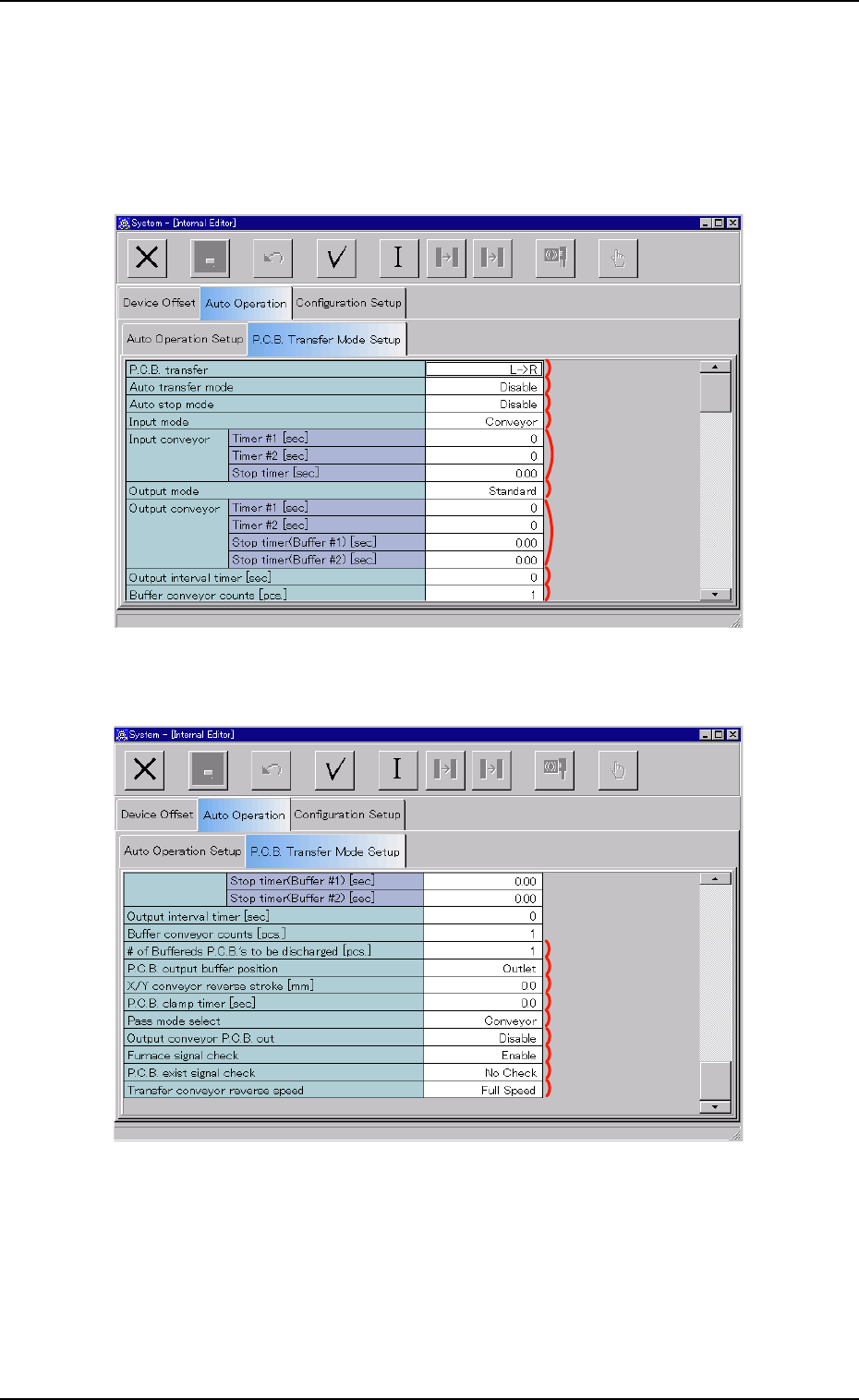
When the "P.C.B. Transfer Mode Setup" tab is pressed in the "Auto Op-
eration" tab sheet, the following tab sheet appears.
Fig. 3E40-1 "P.C.B. Transfer Mode Setup" Tab Sheet (1)
Fig. 3E40-2 "P.C.B. Transfer Mode Setup" Tab Sheet (2)
0307-006 5-50
AFO01EDTP
3.3 "Auto Operation" Tab
*1
*2
*3
*4
*5
*6
*7
*8
*9
*10
*11
*12
*13
*14
*15
*16
*17
*18