3OM-1050-002.pdf - 第298页
• Operation Procedure New Addition of Nozzle T ype When a special nozzle is attached, the nozzle type data must be registered. (1) Press the [New Addition] button. The "Nozzle T ype Property" window opens. Fig.…
(a) When a special nozzle is attached, the nozzle type data
must be registered.
(b) Refer to "4. Vacuum Nozzle Types" in "Section 1 (Vol. 2:
Operation (Supervisor))" for shape of each nozzle and ap-
plicable components.
(c) Be sure to enter the numerical values in Table 3E5-1 as
outside diameters of Nozzles Z093, Z094, Z115, and Z118
for front lighting recognition.
••
••
• Nozzle Type Names
The nozzle types are named based on the following regulations.
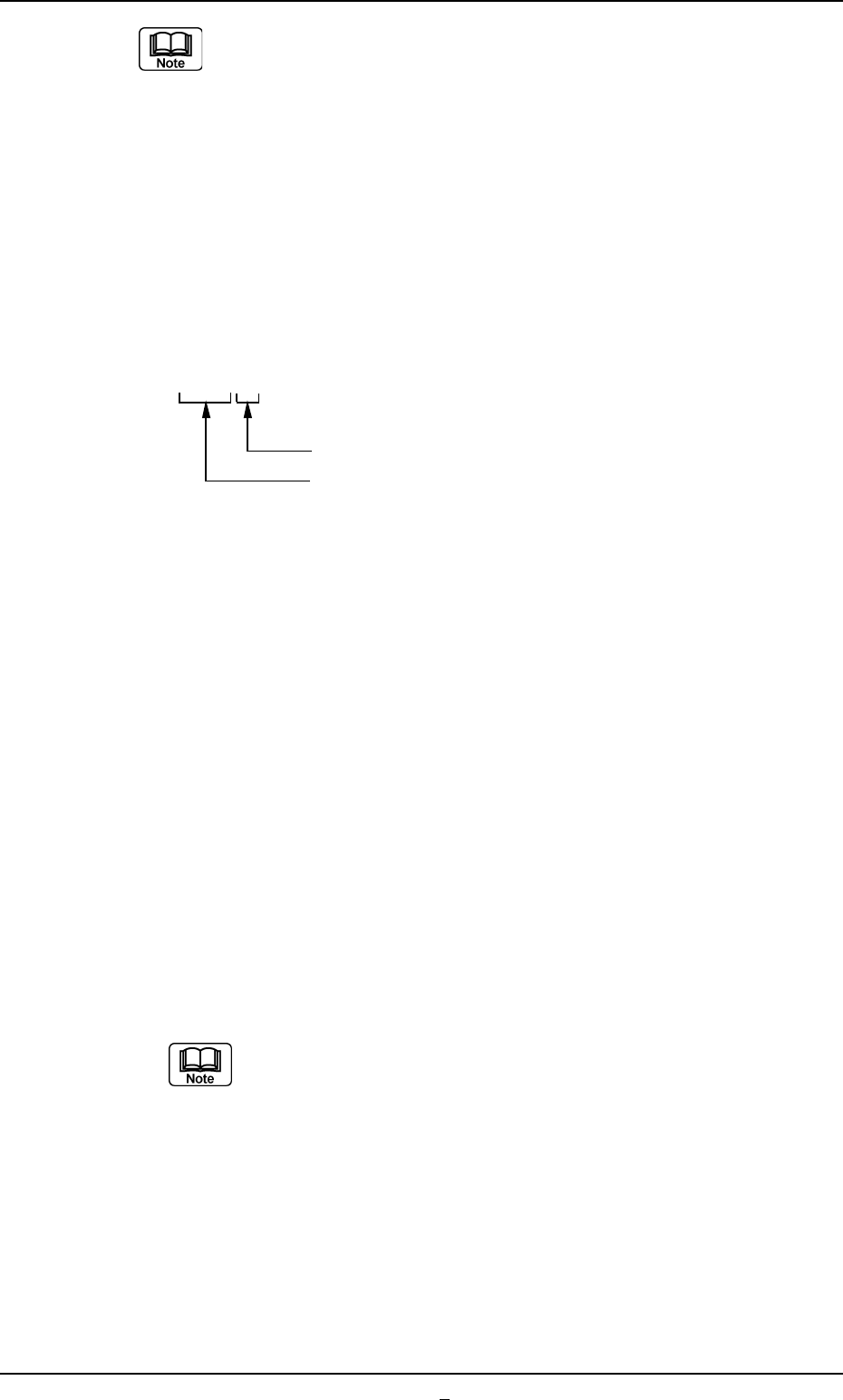
Z { { { (3 digits)
The last digit must be filled with 1 through 9.
01 to 89 : Group of Standard Nozzle Types
90 to 97 : Group of Special Nozzle Types
98 and 99 : Not used in actual cases. This digit
is prepared for a jig nozzle or a
dummy one.
There are some regulations on the last digit for the group of standard
nozzle types.
• "1" must be set for all prototypes.
• Whenever a prototype is modified for improvement and its identifi-
cation is required, numbers are allocated.
Example:
Z011 and Z012 (Temporary)
Both have almost no difference in their coverage of applicable com-
ponents because they belong to the group of nozzles having a 010th
digit. However, "Z011" shows a prototype nozzle but "Z012" means
that some modification is made to the nozzle.
As for the group of the special type nozzles Z901 through
Z979, it does not make up a family.
Numbers are allocated sequentially and each type is differ-
ent.
4.2 "Nozzle Data" Tab
0301-001 5-64-1 AFO01EDTP
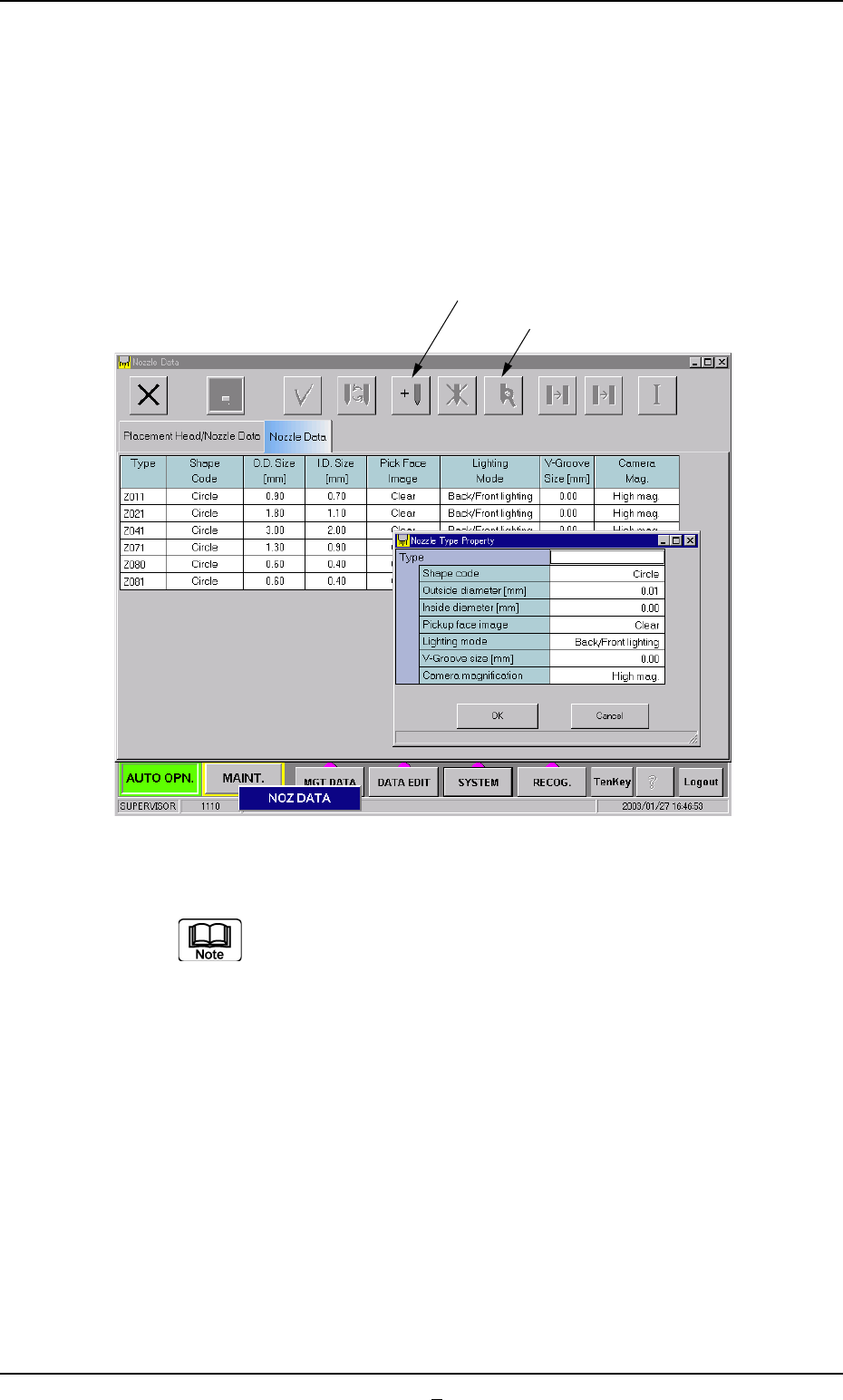
• Operation Procedure
New Addition of Nozzle Type
When a special nozzle is attached, the nozzle type data must be
registered.
(1) Press the [New Addition] button.
The "Nozzle Type Property" window opens.
Fig. 3E51
(2) Enter the nozzle data.
Refer to "4. Vacuum Nozzle Types" in "Section 1 (Vol. 2:
Operation (Supervisor))" for shape of each nozzle and ap-
plicable components.
(3) Press the [OK] button.
The nozzle data is newly added.
[New Addition]
[Property]
0301-005 5-65 AFO01EDTP
4.2 "Nozzle Data" Tab

4.2 "Nozzle Data" Tab
How to change the nozzle type
(1) Select the nozzle data to be changed.
(2) Press the [Property] button.
The "Nozzle Type Property" window opens.
(3) Change the data.
(4) Press the [OK] button.
The nozzle data is changed.
When the [Cancel] button is pressed in the "Nozzle Type
Property" window, the window closes without newly add-
ing or modifying the data.
0301-001 5-65-1 AFO01EDTP