3OM-1050-002.pdf - 第99页
4. "Pattern Program" Edit Window 4 . 1 Basic Operations in Edit Windows 4.1.1 Window Layout Described below is how to open the "P A TTERN PROGRAM EDIT" win- dow . • New Data Creation (1) Press the [DA…
(4) Creation of Placement Data
• Model A
A program must be created such that the machine places compo-
nents repeatedly on three identical patterns.
Follow the same procedure as described in "3.3 Repetitive Patterns".
(a) It is required to create the following placement data.
• Placement Data (P-data) U01
• Placement Data (O-data) U01
(b) Each pattern origin (coordinates) must be based on the
placement coordinate reference point.
• Model B
A program must be created such that the machine places compo-
nents repeatedly on four identical patterns.
Follow the same procedure as described in "3.3 Repetitive Patterns".
(a) It is required to create the following placement data.
• Placement Data (P-data) U02
• Placement Data (O-data) U02
(b) Each pattern origin (coordinates) must be based on the
placement coordinate reference point.
• Model C
Although this is a single pattern, follow the same procedure as de-
scribed in "3.3 Repetitive Patterns" to create placement data in place
of a single pattern program.
It is required to create the following placement data.
• Placement Data (P-data) U03
• Placement Data (O-data) U03
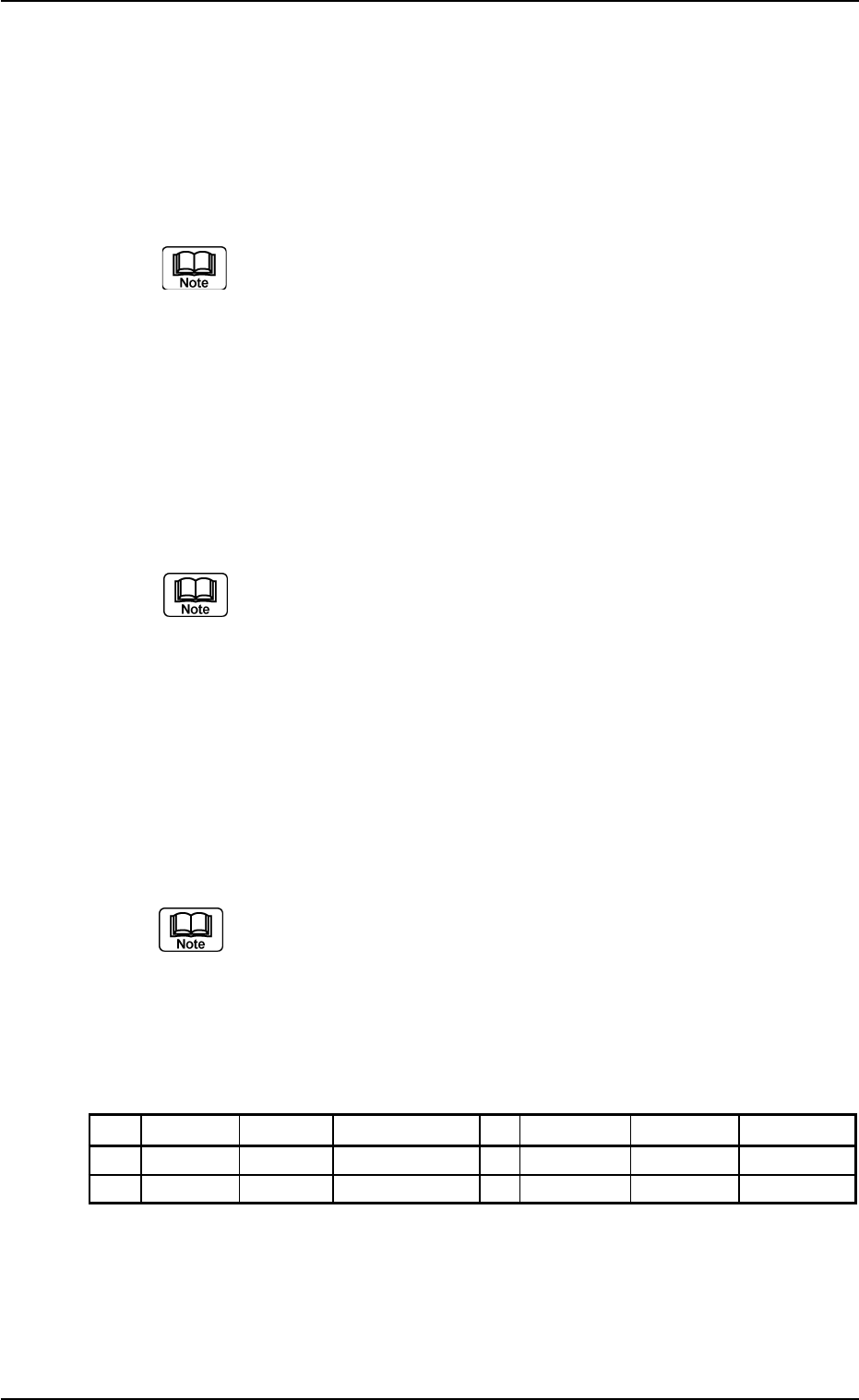
Refer to the following example.
Example of Placement Data (O-data) U03
Table 3B37
O-No. X [mm] Y [mm] Z = theta [deg] C Comment B-X [mm] B-Y [mm]
1 OX
1
OY
1
+000.00 - +000.000 +000.000
2 +000.000 +000.000 +000.00 E +000.000 +000.000
0210-004 2-77 AFO01EDTP
3.8 Multi-Model Repetitive Patterns
4. "Pattern Program" Edit Window
4.1 Basic Operations in Edit Windows
4.1.1 Window Layout
Described below is how to open the "PATTERN PROGRAM EDIT" win-
dow.
• New Data Creation
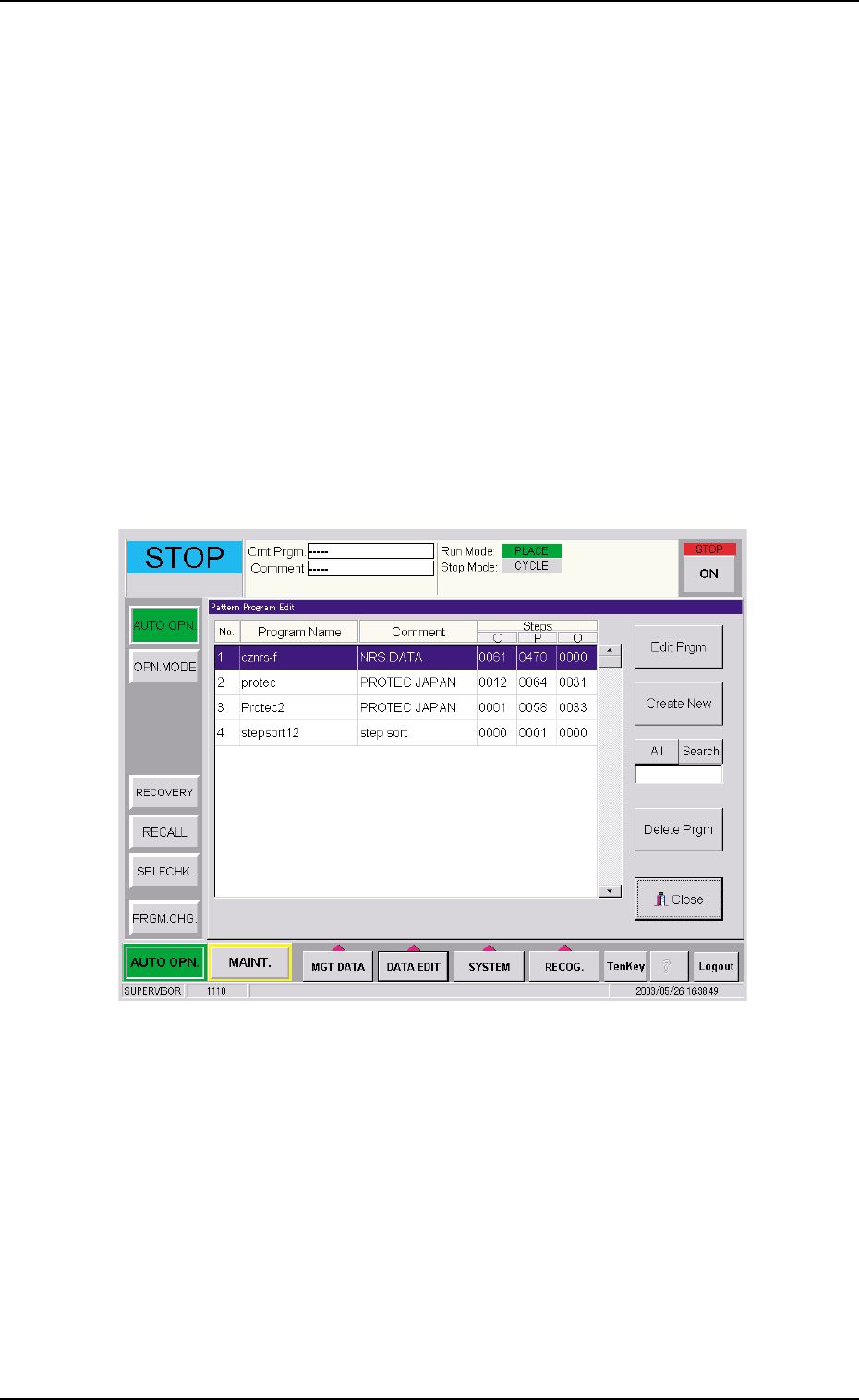
(1) Press the [DATA EDIT] button on the main menu bar. An "EDIT SEL."
menu opens.
(2) Press the [PATT PRGM] button. The "Pattern Program Edit" win-
dow opens.
Fig. 3B131 "Pattern Program Edit" Window
(3) Press the [Create New] button. The "Pattern Program" edit window
opens.
4. "Pattern Program" Edit Window
0307-005 2-78 AFO01EDTP
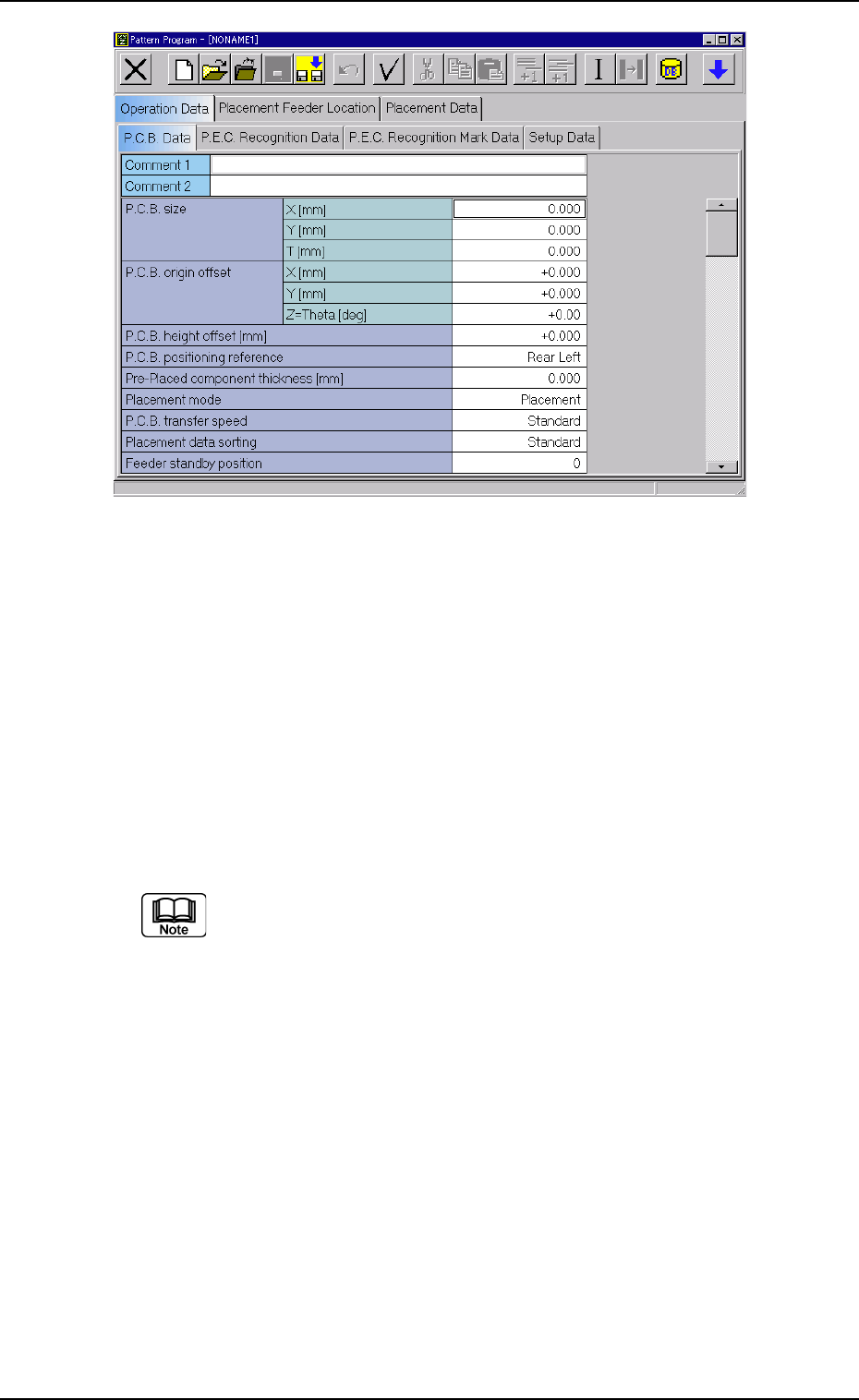
Fig. 3B132 "Pattern Program" Edit Window
• Use of Existing Pattern Program
(1) Press the [DATA EDIT] button on the main menu bar. An "EDIT SEL."
menu opens.
(2) Press the [PATT PRGM] button.
The "Pattern Program Edit" window opens.
(3) Select the pattern program to be edited and press the [Edit Prgm]
button.
The search function can be used to quickly find appropriate
pattern programs.
Enter characters in the text box under the [All] and [Search]
buttons and press the [Search] button. The program names
which start with the entered characters are displayed in the "Pro-
gram Name" pane.
"*" (asterisk) and "?" (question mark) can be used as wild cards.
abc* : The search function retrieves the program names which
start with "abc".
a?c : The search function retrieves the program names which
start with "a" and contain "c" as the third character.
When the [All] button is pressed, all pattern programs are dis-
played.
0307-005 2-79 AFO01EDTP
4.1 Basic Operations in Edit Windows