3OM-1050-002.pdf - 第47页
Overall P .C.B. B.B.R. Detection Function If most of the unit P .C.B.’s are not defective (bad mark attachment not required) but the machine implements the unit P .C.B. bad board reject function on every unit P .C.B., th…

(A01_17) Overall P.C.B. B.B.R.
Mode
Select one of the following options for the overall P.C.B. B.B.R.
function.
Disable : The overall P.C.B. B.B.R. detection function is not
used.
Enable : The overall P.C.B. B.B.R. detection function is used.
X [mm], Y [mm]
When "Enable" is selected, the coordinates (X and Y) of the bad
mark should be set for the overall P.C.B. B.B.R. detection function.
Unit: mm
0210-004 2-27
AFO01EDTP
2.3 Operation Data
Disable
Mode
Fig. 3B37
Fig. 3B38
X [mm]
Y [mm]
000.00
000.00
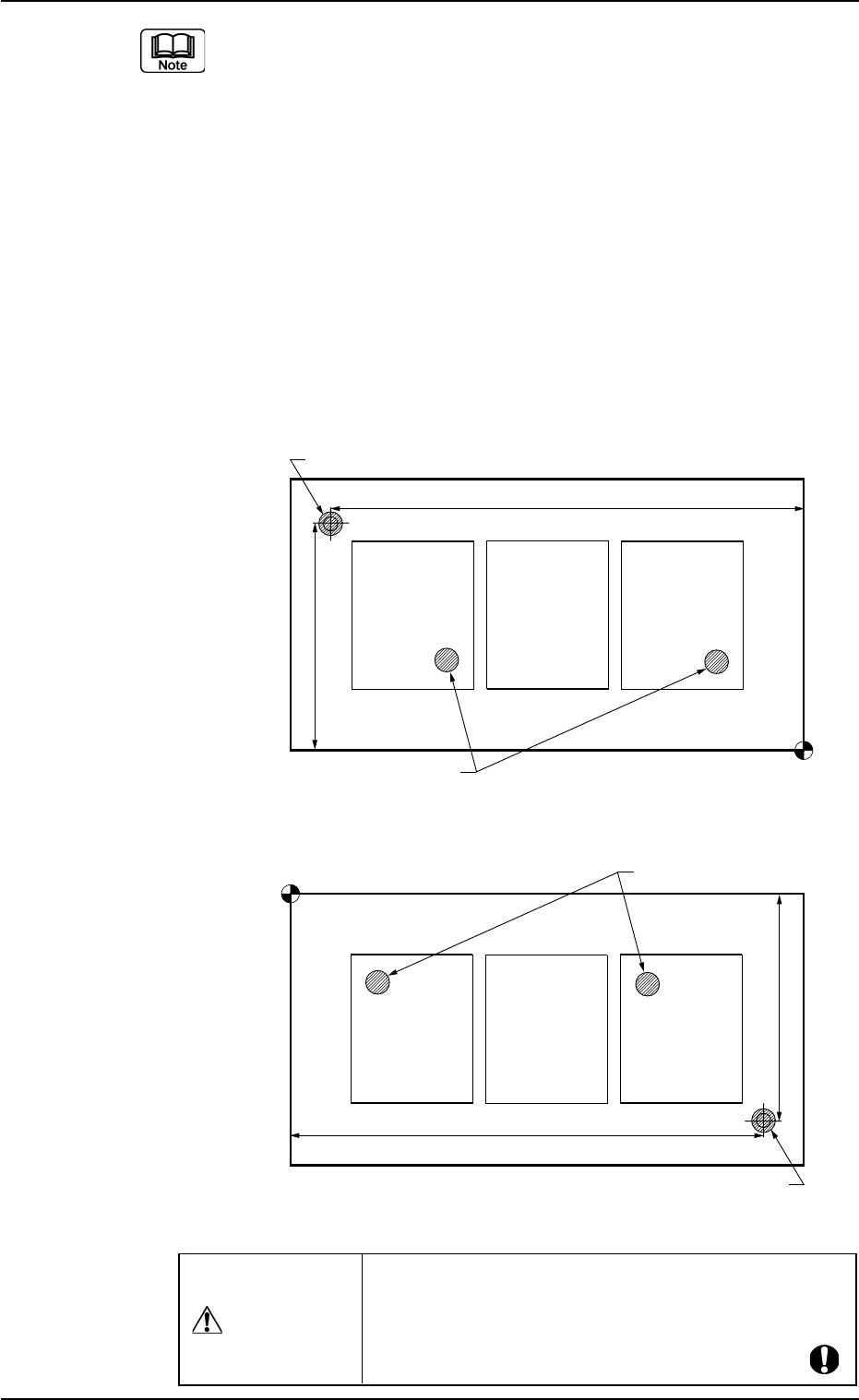
Overall P.C.B. B.B.R. Detection Function
If most of the unit P.C.B.’s are not defective (bad mark attachment
not required) but the machine implements the unit P.C.B. bad board
reject function on every unit P.C.B., the production rate of the ma-
chine will deteriorate. To avoid this, the overall P.C.B. B.B.R. detec-
tion function becomes effective.
When this function is activated, the machine implements the overall
P.C.B. B.B.R. detection function to detect a bad mark on the overall
P.C.B. before the implementation of the unit P.C.B. B.B.R. detection
on each unit P.C.B. If no bad mark is detected on the overall P.C.B.,
the machine does not implement the unit P.C.B. B.B.R. detection
function on each unit P.C.B. of the multi-unit P.C.B. because each
unit P.C.B. is considered "Defect-Free".
Fig. 3B39
Placement Coordinate Reference (N
0
)
Bad Mark for Overall P.C.B. B.B.R. Function
Normal Bad Marks
Y (Vertical)
X (Horizontal)
Placement Coordinate Reference (N
0
)
Bad Mark for Overall P.C.B. B.B.R. Function
Normal Bad Marks
Y (Vertical)
X (Horizontal)
TCM-X100
TCM-X200 TCM-X300
0210-004 2-28 AFO01EDTP
2.3 Operation Data
When "Enable" is set in the "Overall P.C.B. B.B.R."
text box, be sure to put overall P.C.B. B.B.R. bad marks
on the bad-marked P.C.B.’s. Otherwise,
all unit P.C.B.’s are regarded as "Defect-Free".
CAUTION
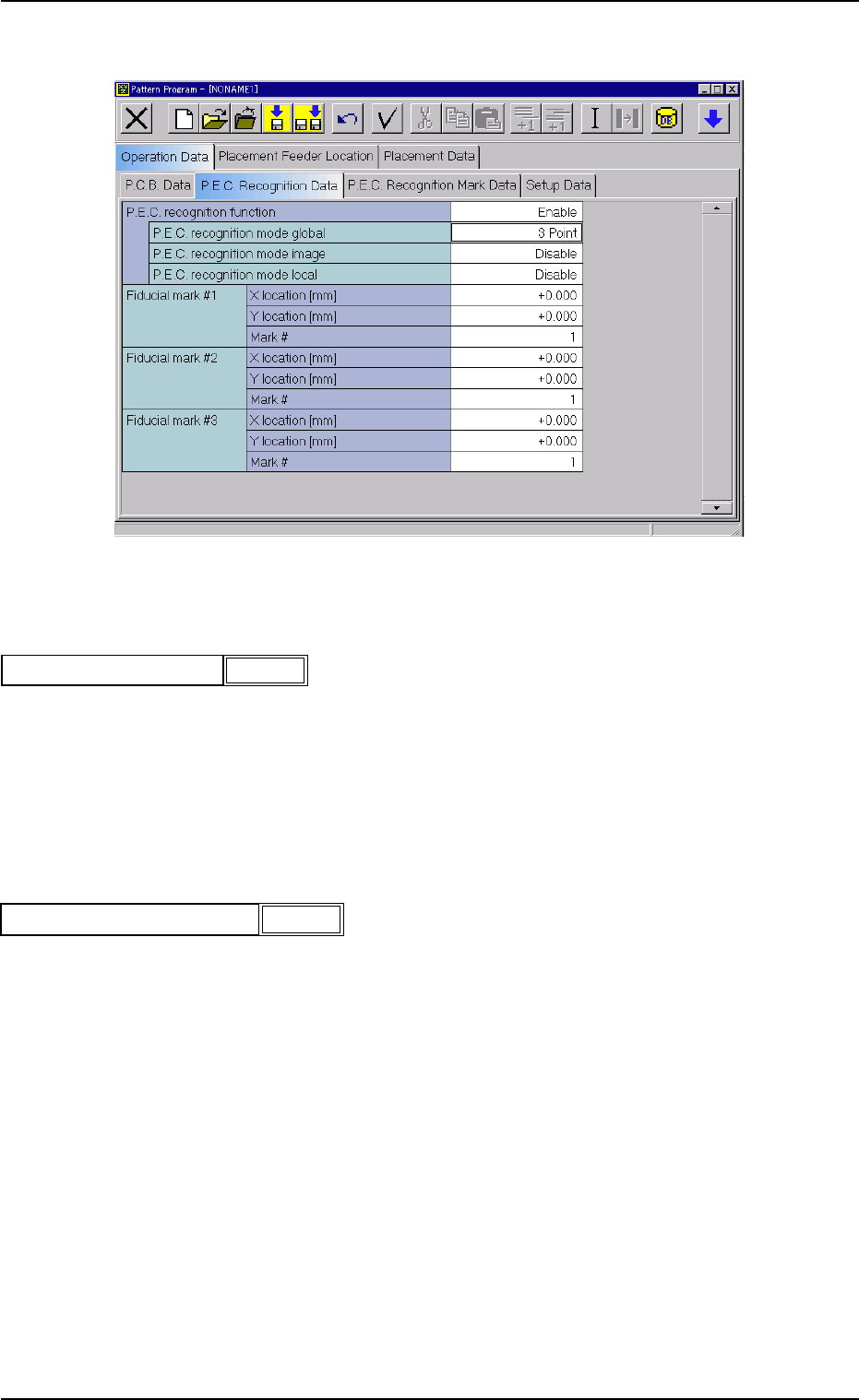
(A02) P.E.C. Recognition Data
Fig. 3B40 Edit Window (Example)
(A02_01) P.E.C. recognition function
Select one of the following options to determine whether or not this
function should be used.
Disable : The P.E.C. recognition function is not used.
Enable : The P.E.C. recognition function is used.
P.E.C. recognition mode global
When "Enable" is selected, select one of the following options as a
global recognition mode.
Disable : The global recognition function is not activated.
1 Point : The global recognition function is implemented, using one
fiducial mark.
2 Point : The global recognition function is implemented, using two
fiducial marks.
3 Point : The global recognition function is implemented, using three
fiducial marks.
0210-005 2-29
AFO01EDTP
2.3 Operation Data
Enable
P.E.C. recognition function
Fig. 3B41
Fig. 3B42
P.E.C. recognition mode global
2 Point