3OM-1050-002.pdf - 第118页
4 . 3 "Placement Feeder Location" T ab 4.3.1 "Feeder Carriage" T abs • Sheet Layout When the "Feeder Carriage #1" tab is pressed in the "Placement Feeder Location" tab sheet, the f…
4.2.4 "Setup Data" Tab
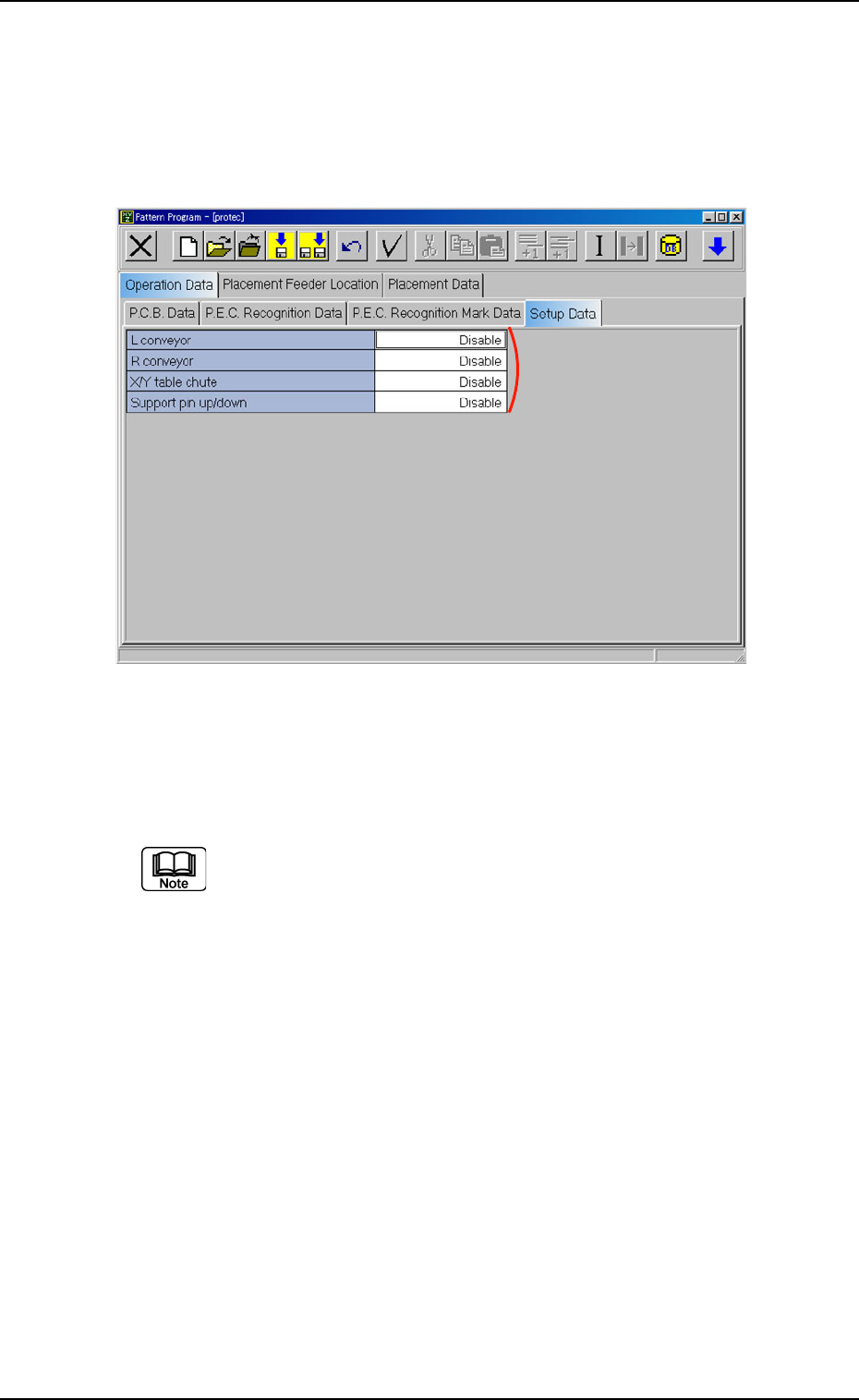
• Sheet Layout
When the "Setup Data" tab is pressed in the "Operation Data" tab
sheet, the following tab sheet appears.
Fig. 3B153 "Setup Data" Tab Sheet
• Sheet Composition
Each parameter is displayed or can be entered.
Refer to "4.1.3 Basic Usage of Text Boxes" for the detailed in-
formation on how to enter parameters.
*1 L conveyor, R conveyor, X/Y table chute, and Support pin up/
down
*1
0110-003 2-96 AFO01EDTP
4.2 "Operation Data" Tab
4.3 "Placement Feeder Location" Tab
4.3.1 "Feeder Carriage" Tabs
• Sheet Layout
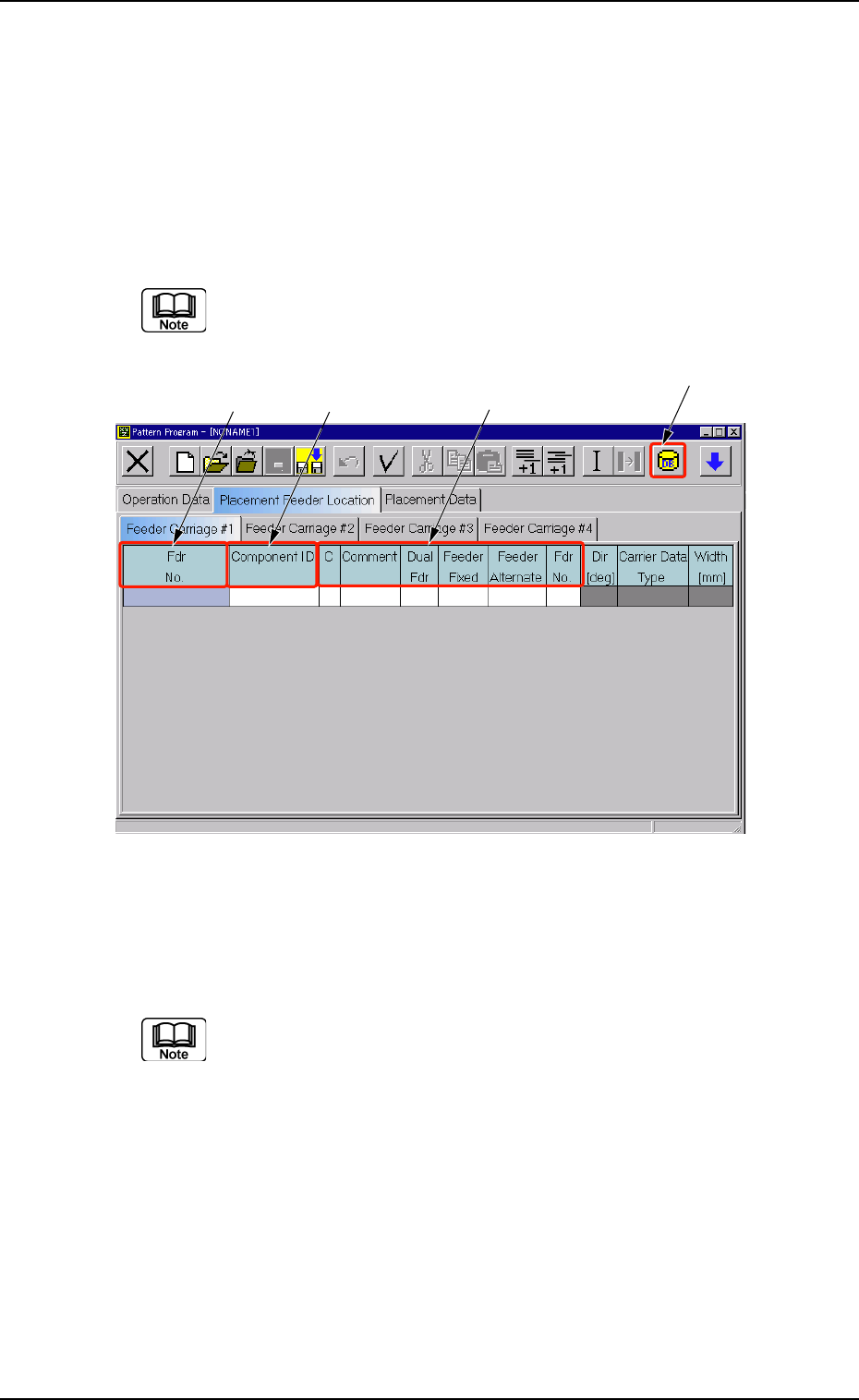
When the "Feeder Carriage #1" tab is pressed in the "Placement
Feeder Location" tab sheet, the following tab sheet appears.
Follow the same procedure to make the "Feeder Carriage #2",
"Feeder Carriage #3", or "Feeder Carriage #4" visible.
Fig. 3B154 "Feeder Carriage #1" Tab Sheet
• Sheet Composition
Each parameter is displayed or can be entered.
Refer to "4.1.3 Basic Usage of Text Boxes" for the detailed in-
formation on how to enter parameters.
*1 [Component ID List] Icon
When this icon is pressed, the "Component ID List" window opens.
This window enables you to select a component ID from the com-
ponent library and allocate it to an arbitrary feeder (Fdr. No.)
Refer to "4.3.2 "Component ID List" Window" for details.
*1
*2 *3
*4
0210-004 2-97 AFO01EDTP
4.3 "Placement Feeder Location" Tab
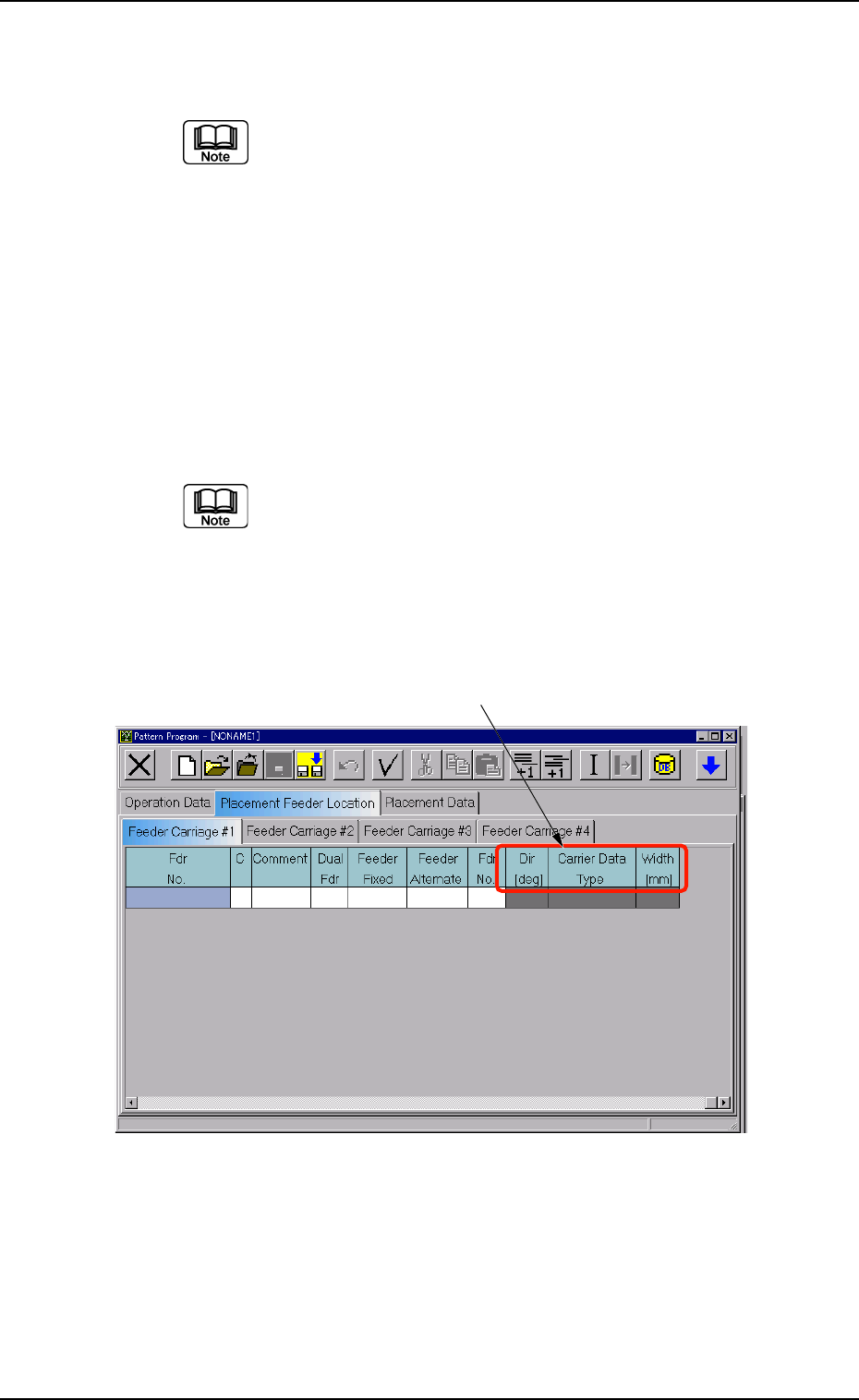
*2 Fdr No.
Shown under this key are the feeder Nos.
(a) Refer to "• Operation Procedure" (described later) for
the detailed information on how to add or delete feeder
Nos. (Fdr Nos.).
(b) When the background color is black, it indicates that
the feeders have exceeded the maximum installable
number.
Avoid this by deleting a feeder No. (Fdr. No.).
*3 Component ID
Displayed are the currently allocated component IDs.
Refer to "4.3.2 "Component ID List" Window" for how to
enter or delete a component ID.
*4 C, Comment, Dual Fdr, Feeder Fixed, Feeder Alternate, and
Fdr No.
Enter a parameter in each text box.
Fig. 3B155 "Feeder Carriage #1" Tab Sheet
*5 Dir [deg], Carrier Data Type, and Width [mm]
Displayed are the parameters specified in the component library.
*5
0301-005 2-98 AFO01EDTP
4.3 "Placement Feeder Location" Tab