3OM-1050-002.pdf - 第280页
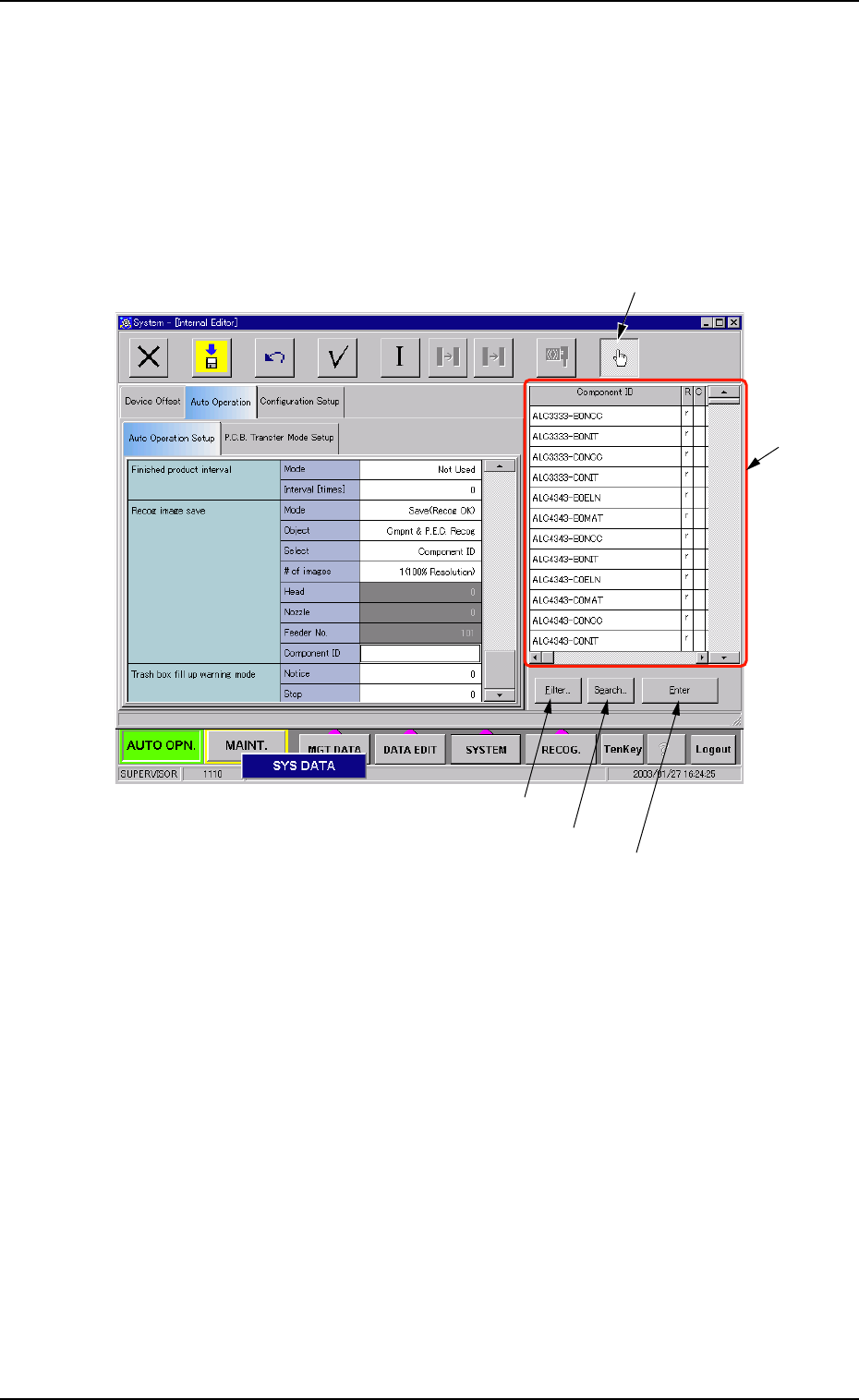
• How to specify a component ID name (1) Set "Component ID" in the "Select" text box of the label "Recog im- age save". The "Component ID" text box turns white. (2) While selecting…
0301-005 5-49 AFO01EDTP
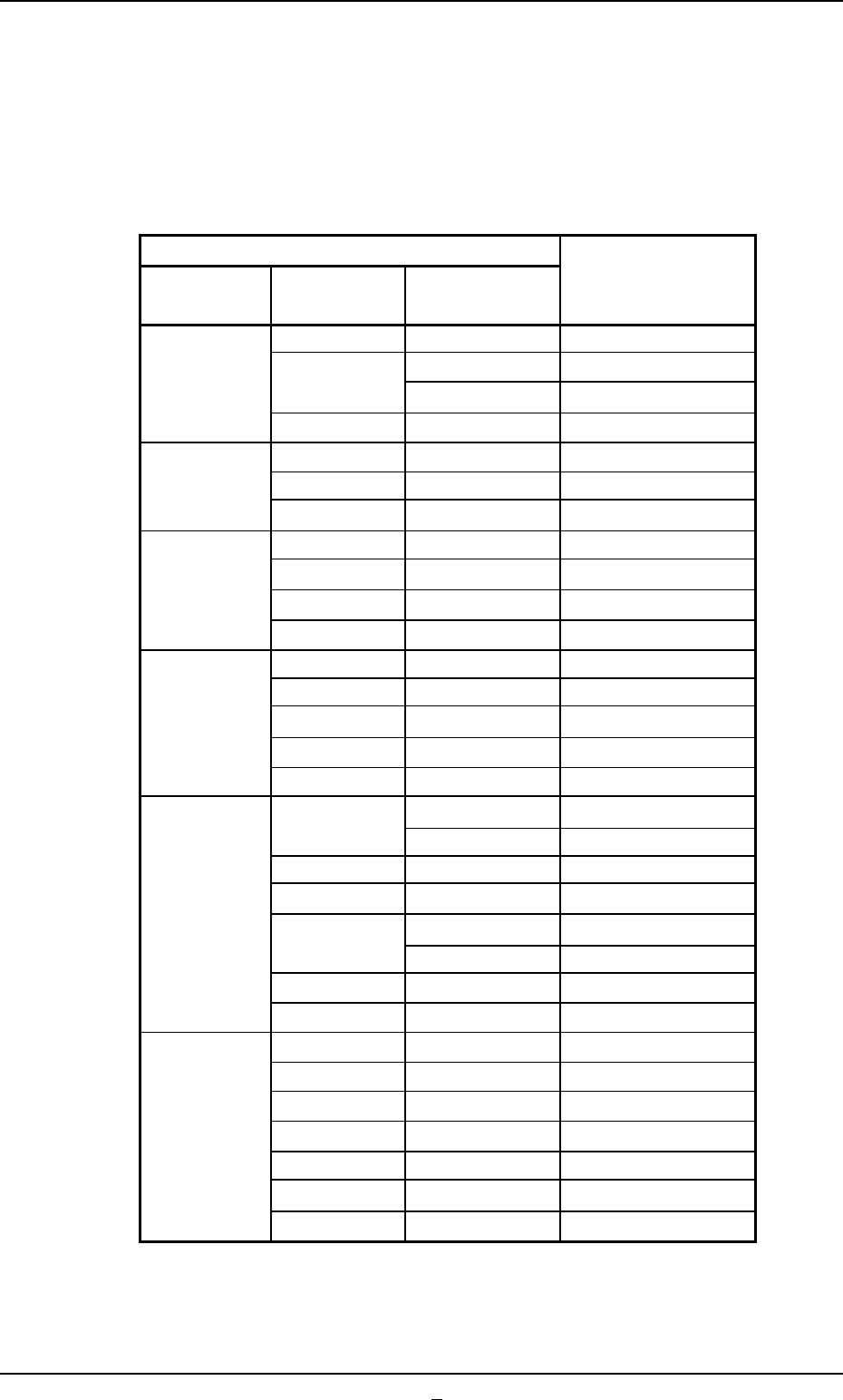
Counts of Tape Waste Chips
The counts of tape cuts differ, depending on the components being used.
The table below depicts the counts per cutting for the applicable com-
ponents.
Table 3E5
Carrier Data Counts per Cut
Tape Feed Feed Pitch
Type
(mm) (mm)
2 Paper 1
8
4
Paper 2
Embossed 4
8 Embossed 8
4 Embossed 6
12 8 Embossed 18
12 Embossed 27
4 Embossed 8
16 8 Embossed 24
12 Embossed 36
16 Embossed 48
8 Embossed 36
12 Embossed 54
24 16 Embossed 72
20 Embossed 90
24 Embossed 108
12
Embossed 72
Adhesive 24
16 Embossed 96
20 Embossed 120
32
24
Embossed 144
Adhesive 48
28 Embossed 168
32 Embossed 192
12 Embossed 99
16 Embossed 132
20 Embossed 165
44 24 Embossed 198
28 Embossed 231
32 Embossed 264
36 Embossed 297
*10 Component box fill up warning mode
Notice [%]
Enter a parameter in the "Notice [%]" text box.
3.3 "Auto Operation" Tab
• How to specify a component ID name
(1) Set "Component ID" in the "Select" text box of the label "Recog im-
age save". The "Component ID" text box turns white.
(2) While selecting the "Component ID" text box, press the "Selecting
the component ID" button. A list of component IDs is displayed.
Fig. 3E39-1
3.3 "Auto Operation" Tab
"Selecting the component ID" Button
"List of
Component
IDs" Pane
[Filter...] Button
[Search...] Button
[Enter] Button
0301-001 5-49-1 AFO01EDTP
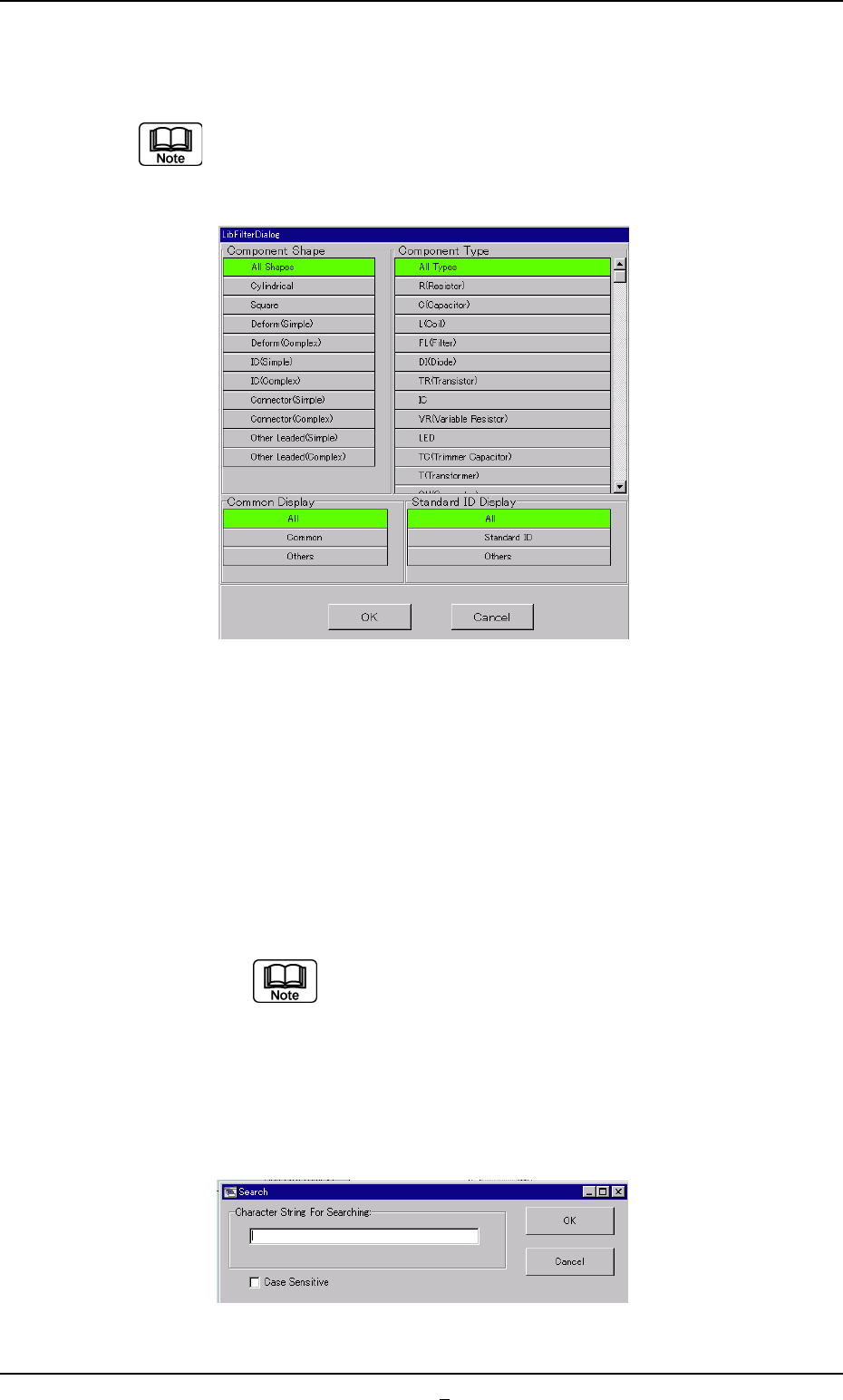
(3) Select a component ID from the list of component IDs and press
the [Enter] button.
(a) [Filter...] Button
When pressed, the "LibFilterDialog" dialog box opens,
making it possible to select a type of component IDs.
Fig. 3E39-2
(b) [Search...] Button
When pressed, the "Search" dialog box opens, making it
possible to search a component ID.
When the button is pressed, the "Search" window (virtual
keyboard) appears. Enter characters in the blank field and
press the [Set] button. The "Search" window closes and
the program names which start with the entered charac-
ters are displayed in "List of Model Names"
"*" (asterisk) and "?" (question mark) can be used
as wild cards.
abc* : The search function retrieves the compo-
nent ID names which start with "abc"
a?c : The search function retrieves the compo-
nent ID names which start with "a" and
contain "c" as the third character.
Fig. 3E39-3
3.3 "Auto Operation" Tab
0301-001 5-49-2 AFO01EDTP