3OM-1050-002.pdf - 第309页
5.3.2 "Time Zone" T ab Sheet • Sheet Layout When the "T ime Zone" tab is pressed, the following tab sheet appears. Fig. 3E52-9 "Time Zone" T ab Sheet • Sheet Composition *1 Zone List Select …
• Operation Procedure
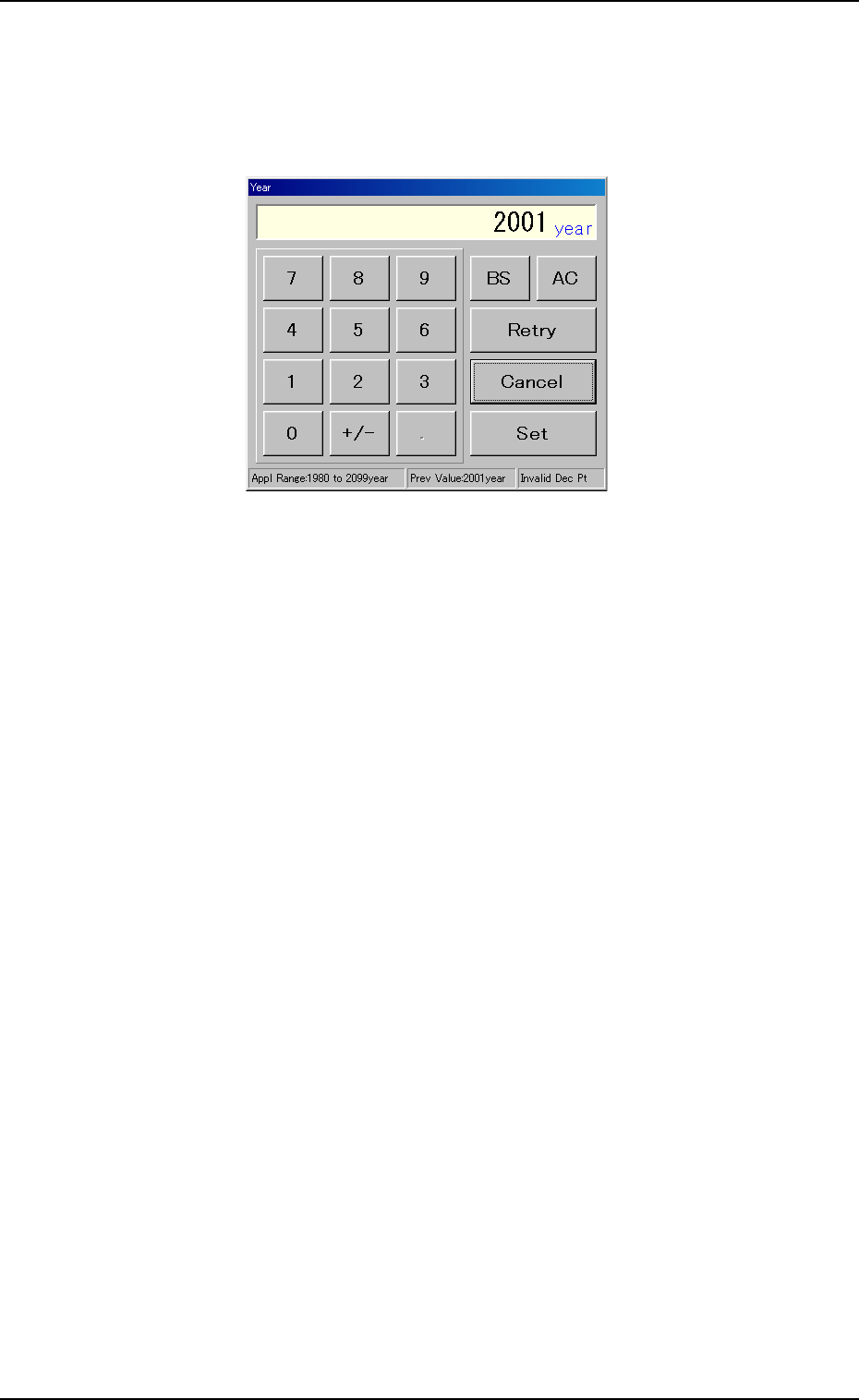
(1) When the [Year] button is pressed, the following "Year" edit window
opens.
Fig. 3E52-8 "Year" Edit Window
(2) Enter a year in the entry field of the "Year" edit window and press the
[Set] button.
The entered year is set in the text box beside the [Year] button of the
"Date & Time" tab sheet.
(3) Follow the same procedure to specify a month, a day, hours, min-
utes, and seconds.
(4) When the [Set] button of the "Date & Time" tab sheet is pressed, the
settings are determined.
5.3 "Data & Time Dt" Tab
0207-004 5-74 AFO01EDTP
5.3.2 "Time Zone" Tab Sheet
• Sheet Layout
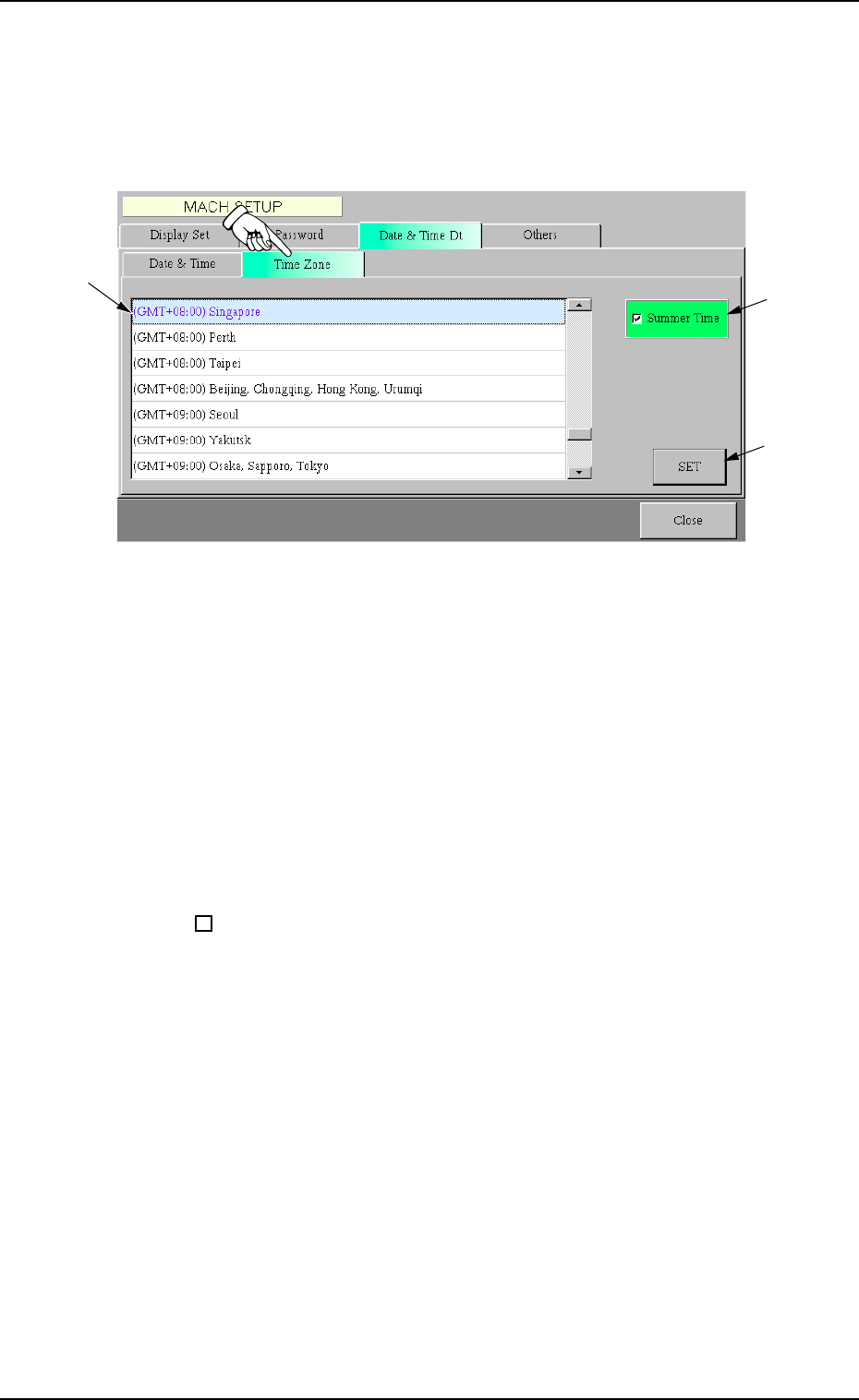
When the "Time Zone" tab is pressed, the following tab sheet appears.
Fig. 3E52-9 "Time Zone" Tab Sheet
• Sheet Composition
*1 Zone List
Select the local zone (the region where the machine is used).
*2 "Summer Time" Check Box
When the check box is turned on (checked), the summer time is
applied.
: The summer time is not applied.
99
99
9 : The summer time is applied.
*3 [SET] Button
When this button is pressed, the selected time zone is specified.
0301-005 5-75
AFO01EDTP
5.3 "Data & Time Dt" Tab
*1
*2
*3
5.4 "Others" Tab
The corresponding tab sheet enables the operator to connect the com-
puter system of the machine to the local network.
• Sheet Layout
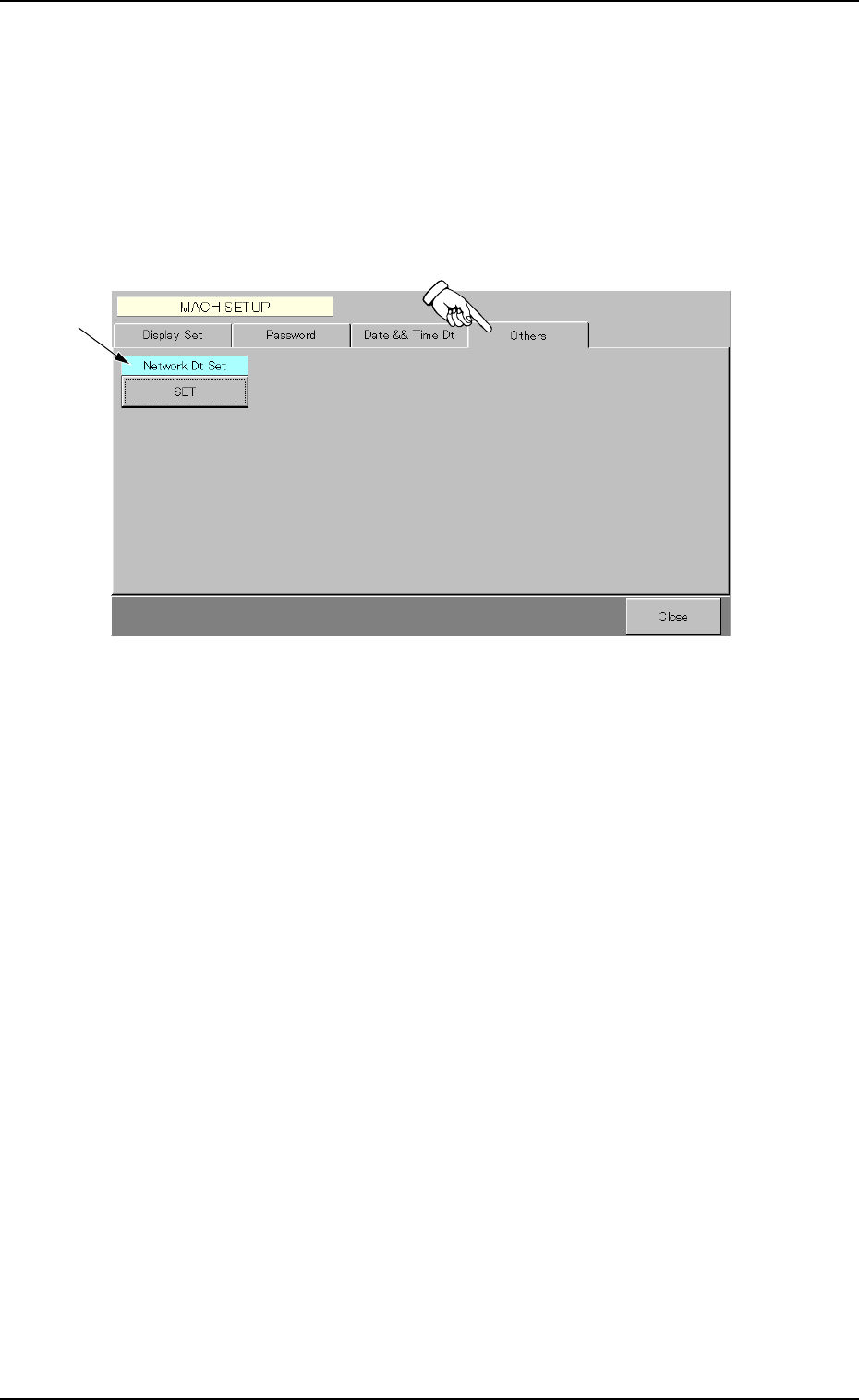
When the "Others" tab is pressed, the following tab sheet appears.
Fig. 3E52-10 "Others" Tab Sheet
• Sheet Composition
*1 Network Dt Set
To connect the computer system of the machine to the local net-
work, press the [SET] button.
5.4 "Others" Tab
0207-001 5-76 AFO01EDTP
*1