3OM-1050-002.pdf - 第49页
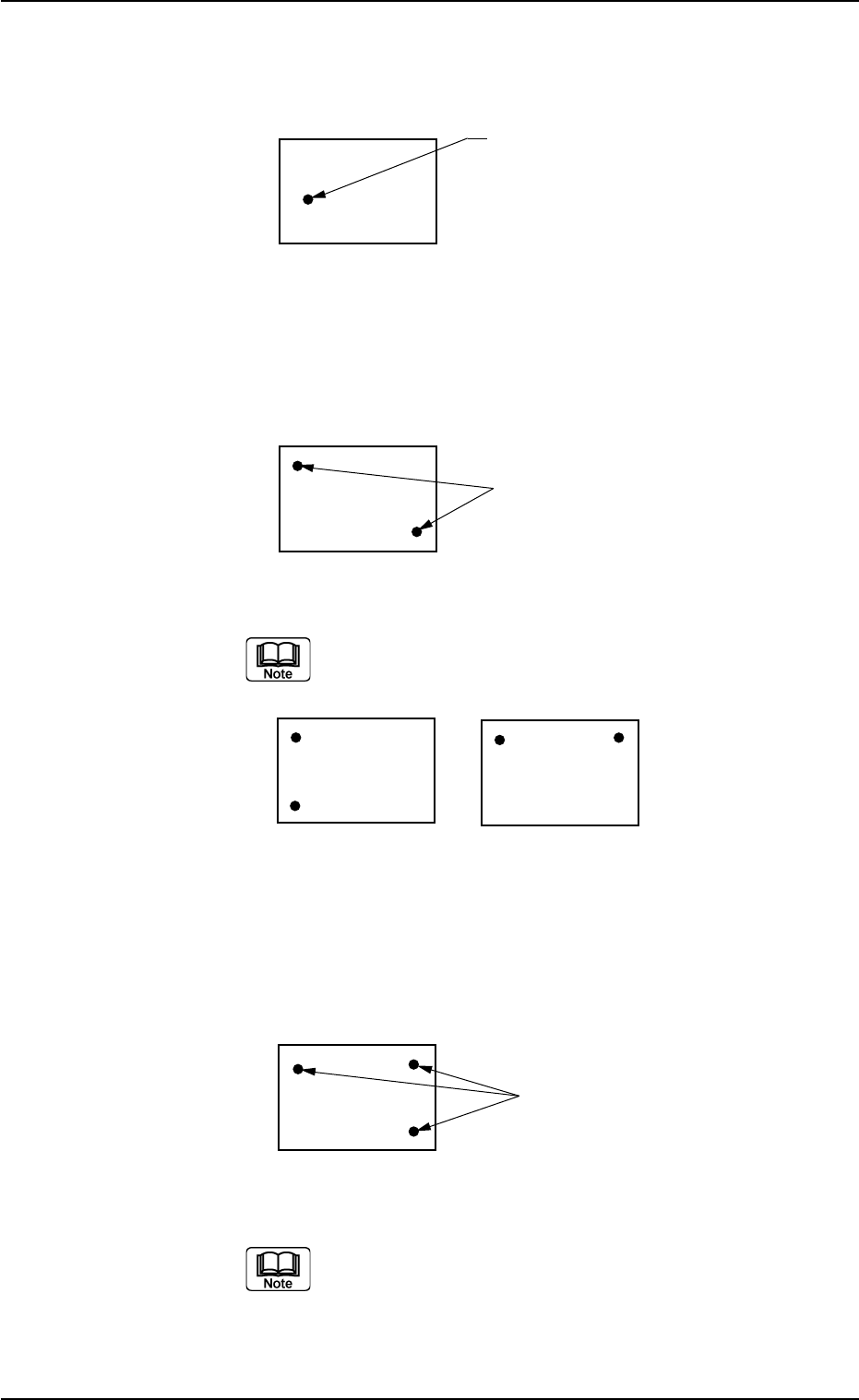
1-Point Recognition Only the X and Y elements are corrected. The θ element (expansion, etc.) is not corrected. Fig. 3B43 2-Point Recognition Specify fiducial mark positions so that one fiducial mark is kept as diagonally…
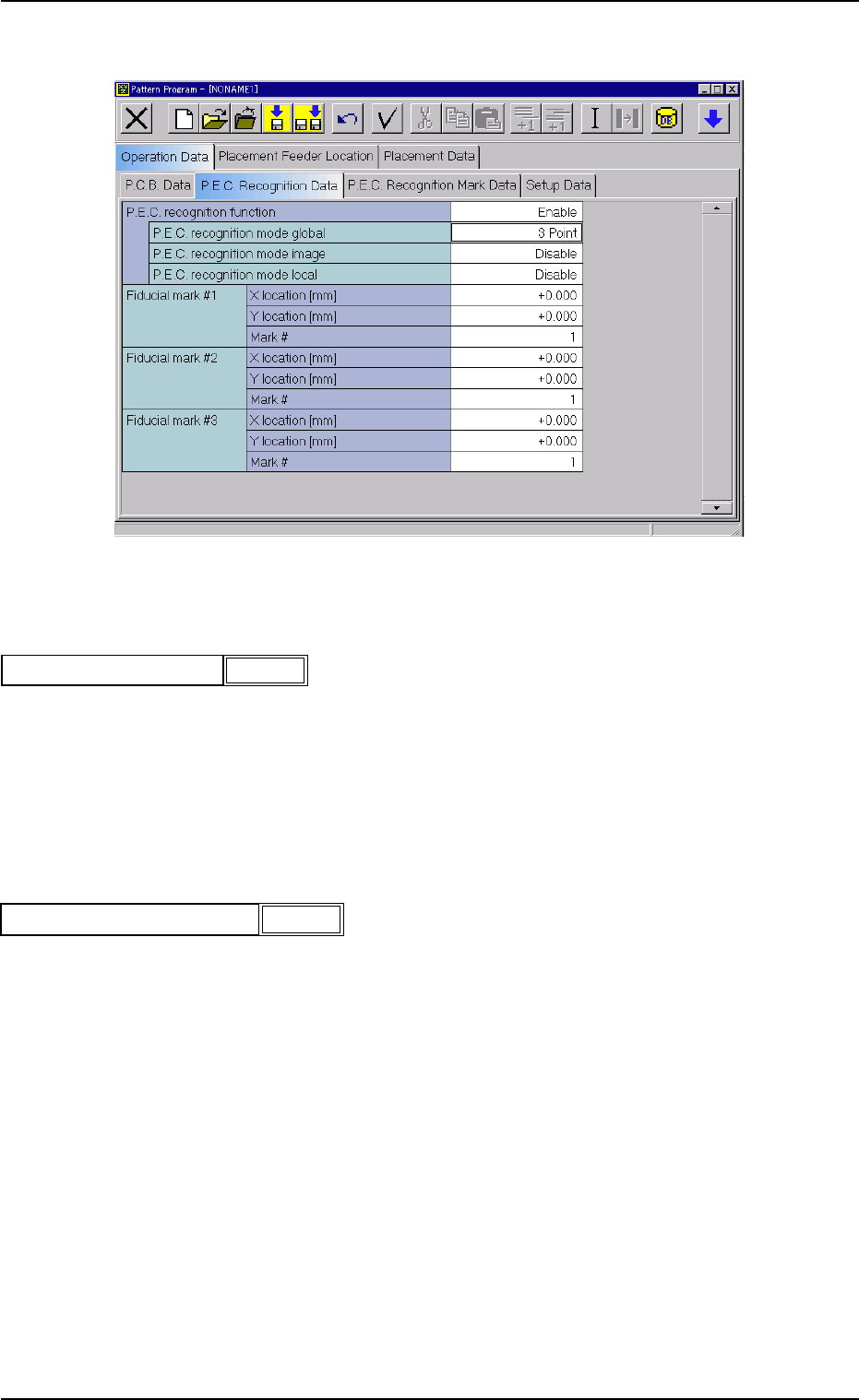
(A02) P.E.C. Recognition Data
Fig. 3B40 Edit Window (Example)
(A02_01) P.E.C. recognition function
Select one of the following options to determine whether or not this
function should be used.
Disable : The P.E.C. recognition function is not used.
Enable : The P.E.C. recognition function is used.
P.E.C. recognition mode global
When "Enable" is selected, select one of the following options as a
global recognition mode.
Disable : The global recognition function is not activated.
1 Point : The global recognition function is implemented, using one
fiducial mark.
2 Point : The global recognition function is implemented, using two
fiducial marks.
3 Point : The global recognition function is implemented, using three
fiducial marks.
0210-005 2-29
AFO01EDTP
2.3 Operation Data
Enable
P.E.C. recognition function
Fig. 3B41
Fig. 3B42
P.E.C. recognition mode global
2 Point
1-Point Recognition
Only the X and Y elements are corrected. The θ element (expansion,
etc.) is not corrected.
Fig. 3B43
2-Point Recognition
Specify fiducial mark positions so that one fiducial mark is kept as
diagonally away from the other as possible.
Fig. 3B44
Avoid fiducial mark positions aligned horizontally or vertically
with each other as shown below.
Fig. 3B45
3-Point Recognition
Specify fiducial mark positions so that the triangle area formed by con-
necting the three points (three fiducial marks) becomes as large as
possible.
Fig. 3B46
When any two of the three fiducial marks are designated to
be positioned as close as possible to each other, the results
of the correction will be almost the same as "2-Point Recog-
nition".
Fiducial Mark
P.C.B.
Fiducial Marks
0110-003 2-30 AFO01EDTP
2.3 Operation Data
Fiducial Marks
P.E.C. recognition mode image
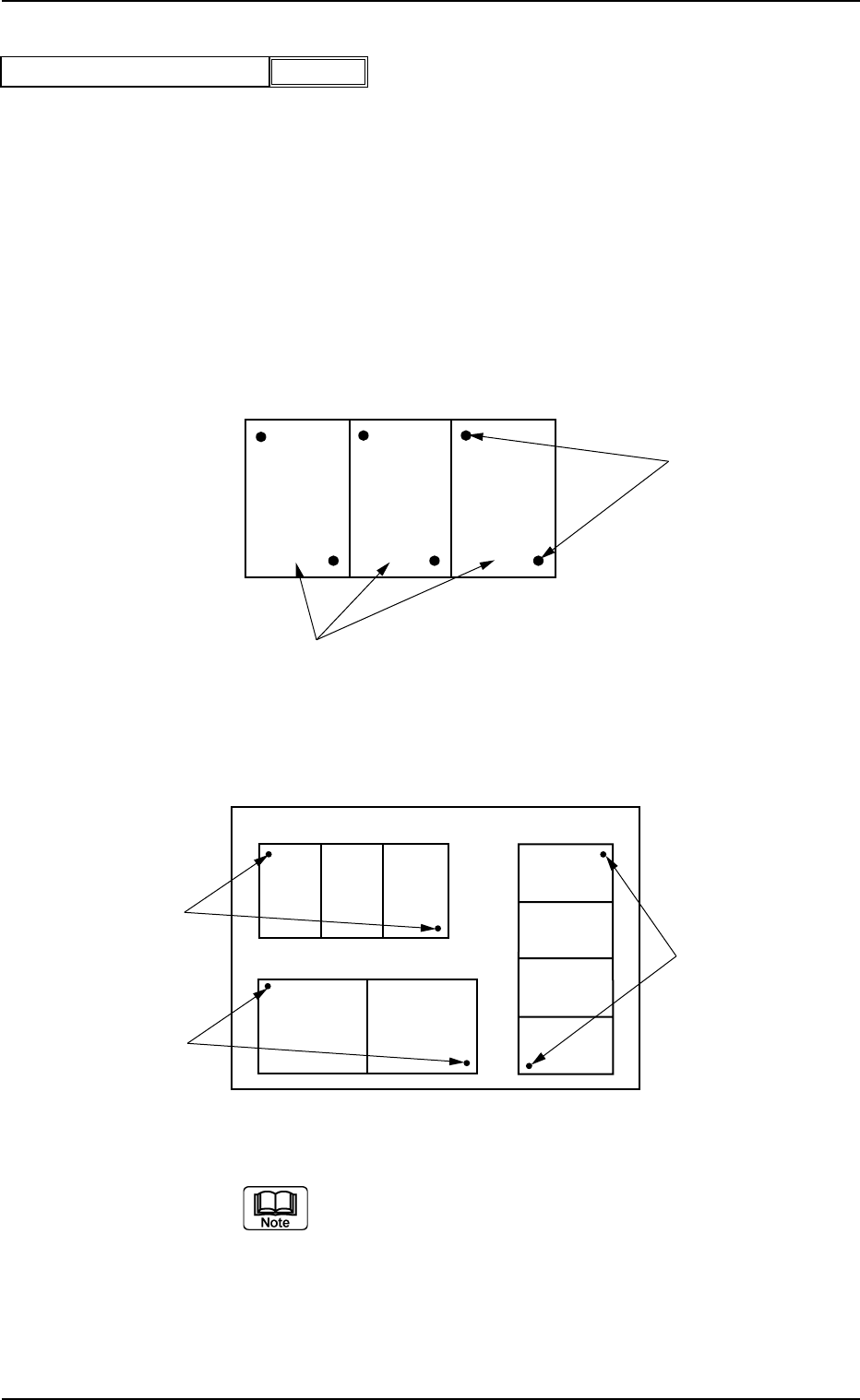
When "Enable" is selected, select one of the following options as an
image recognition mode.
Disable : The image recognition function is not used.
Enable : The image recognition function (2 point) is used.
U-N : The P.E.C. recognition is performed, regarding
a unit P.C.B. as one unit on the multi-unit P.C.B.
Example: "Enable" in "P.E.C. recognition mode image"
Text Box
Fig. 3B48
Example: "U-N" in "P.E.C. recognition mode image" Text Box
Fig. 3B48-1
When the global recognition function is used together with the
image recognition function, both recognizing actions take
place but the placement coordinates are corrected according
to the result of the image recognition.
Fiducial Marks
Unit P.C.B.'s (Multi-Unit P.C.B.)
0207-004 2-31 AFO01EDTP
2.3 Operation Data
Enable
P.E.C. recognition mode image
Fig. 3B47
U01
U02
U03
Fiducial Marks
Fiducial Marks
Fiducial Marks