3OM-1050-002.pdf - 第146页
(3) Enter a link ID to be created in the "New Component ID After Linking" text box and press the [OK] button. A new link ID is created. 2.3.6 Merging Component IDs (1) Select the component ID to be merged. The …
(3) Enter a new component ID in the "New Component ID:" text box
and press the [OK] button. The original component ID is copied
and created as a new one.
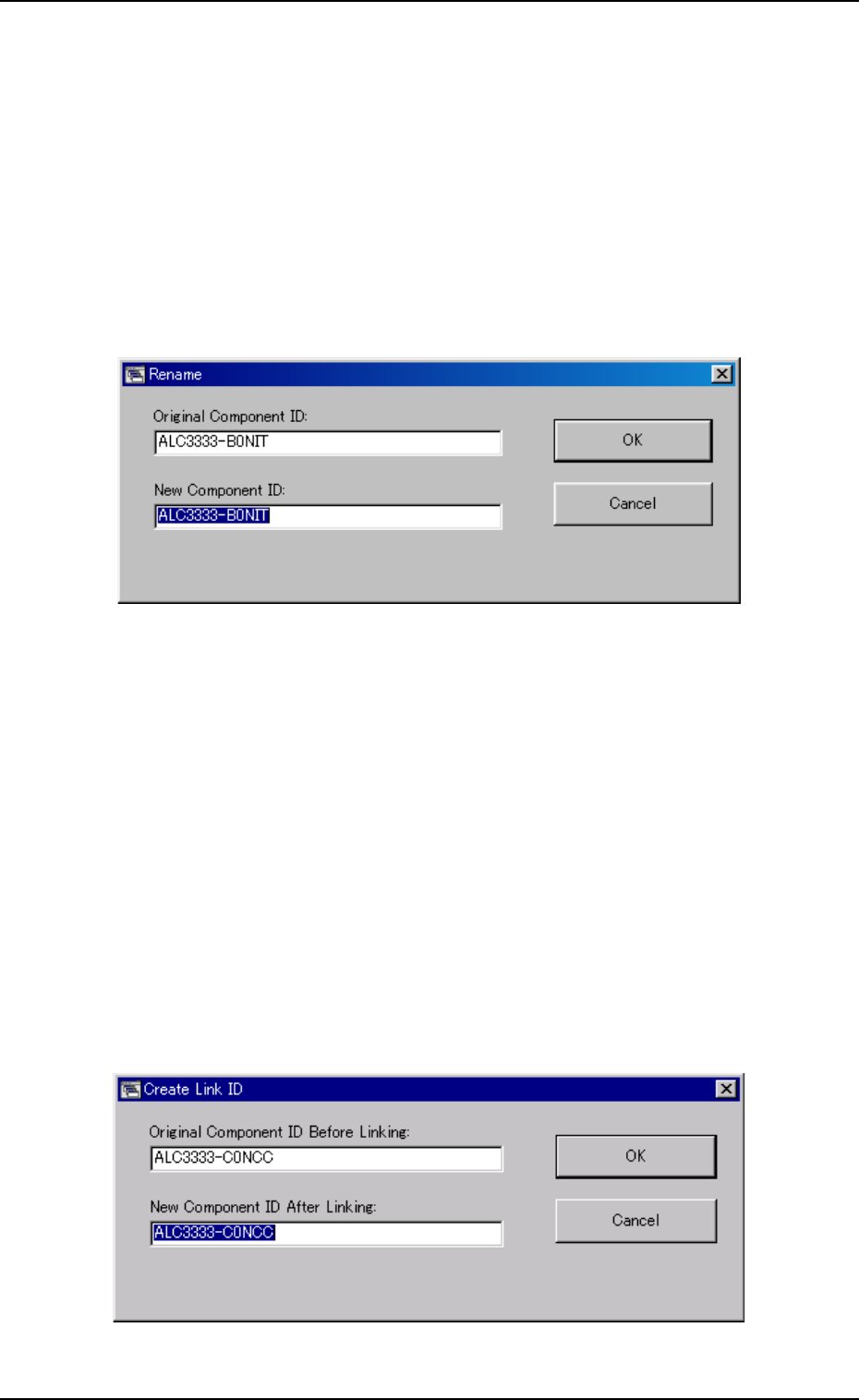
2.3.4 Renaming a Component ID
(1) Select the component ID to be renamed.
The selected component ID turns blue, indicating that it is se-
lected.
(2) Press the [Rename...] button.
The "Rename" dialog box opens.
Fig. 3C5-3
(3) Enter a new component ID in the "New Component ID:" text box
and press the [OK] button.
The name of the original component ID is changed to the new
one.
2.3.5 Creating a Link ID
(1) Select the component ID as an original component ID before link-
ing.
The selected component ID turns blue, indicating that it is se-
lected.
(2) Press the [Create Link ID] button.
The "Create Link ID" dialog box opens.
Fig. 3C5-4
0210-005 3 - 9
AFO01EDTP
2.3 Basic Usage of the "Selection of component ID" Window
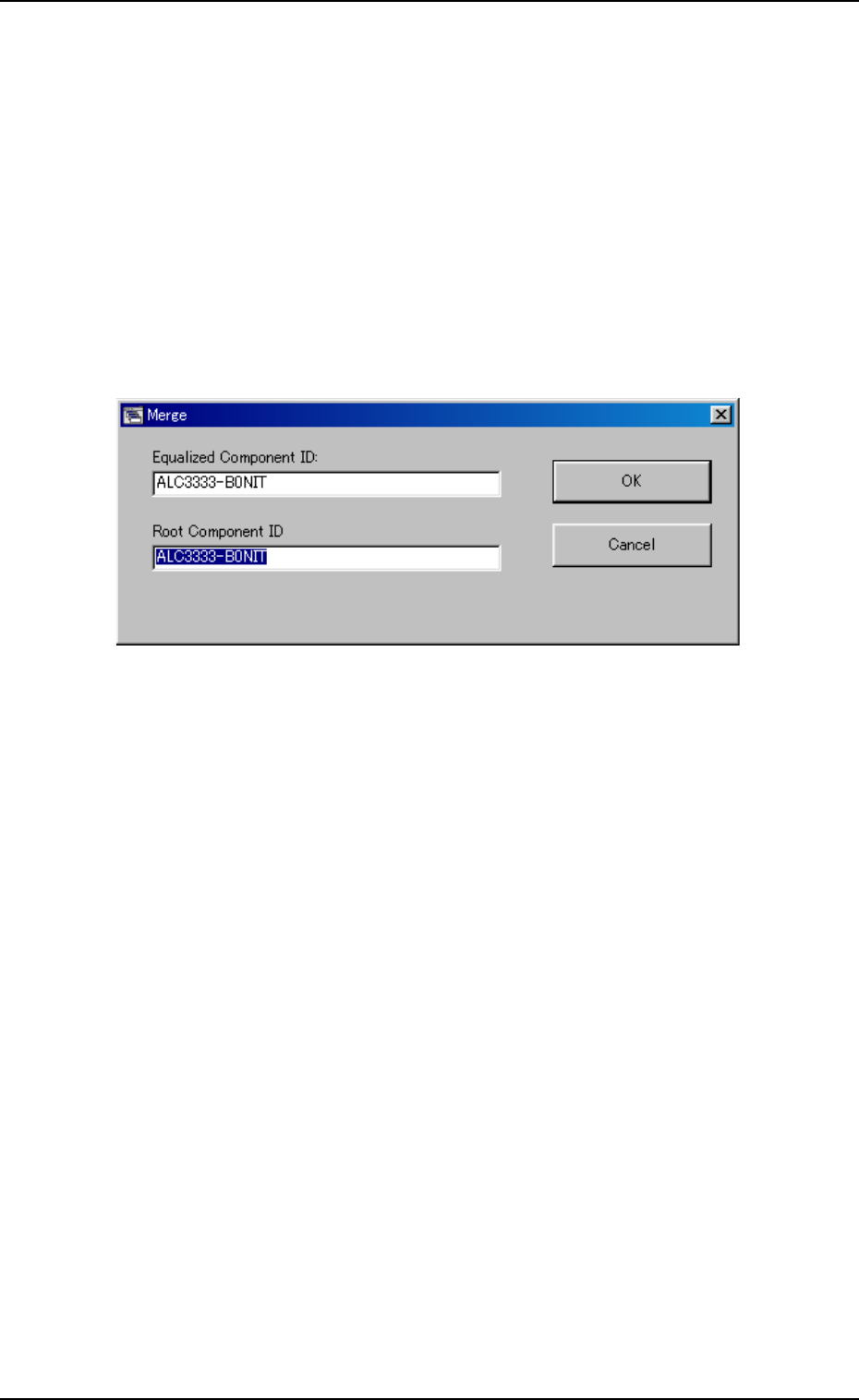
(3) Enter a link ID to be created in the "New Component ID After
Linking" text box and press the [OK] button.
A new link ID is created.
2.3.6 Merging Component IDs
(1) Select the component ID to be merged.
The selected component ID turns blue, indicating that it is se-
lected.
(2) Press the [Merge...] button.
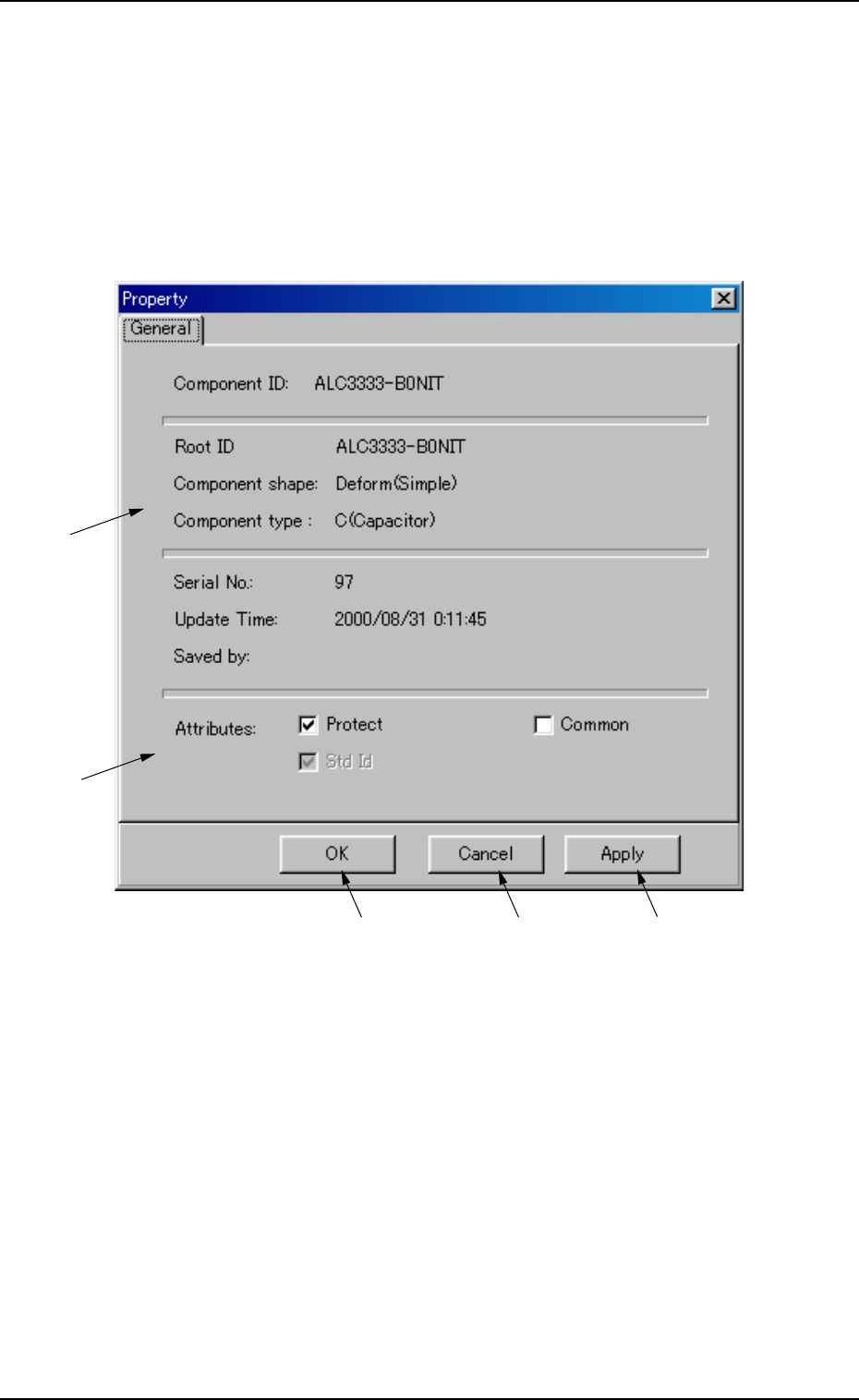
The "Merge" dialog box opens.
Fig. 3C5-5
(3) Enter a component ID to be linked in the "Root Component ID"
text box and press the [OK] button.
The component ID is merged.
2.3 Basic Usage of the "Selection of component ID" Window
0207-004 3-10 AFO01EDTP
2.3.7 Property of Component ID
(1) Select the component ID to view its property.
The selected component ID turns blue, indicating that it is selected.
(2) Press the [Property...] button.
The "Property" window appears.
Fig. 3C6 "Property" Window
• Composition of "Property" Window
*1 Component ID, Root ID, Component shape, Component type,
Serial No., Update Time, Saved by
The property of the component ID is displayed.
*2 Protect, Common, Std Id
The attributes of the component ID are displayed.
The check boxes enable the operator to change the corresponding
attributes.
0207-004 3-11
AFO01EDTP
*1
*2
*3
*4
*5
2.3 Basic Usage of the "Selection of component ID" Window