3OM-1050-002.pdf - 第237页
3. "System" Window 3 . 1 Outline of "System" Window The "System" window is composed of the following items. "System" Window T a b T abs (T ab Sheets) Reference Item Nos. Device Off…
2.1.3 "MACH SETUP" Window
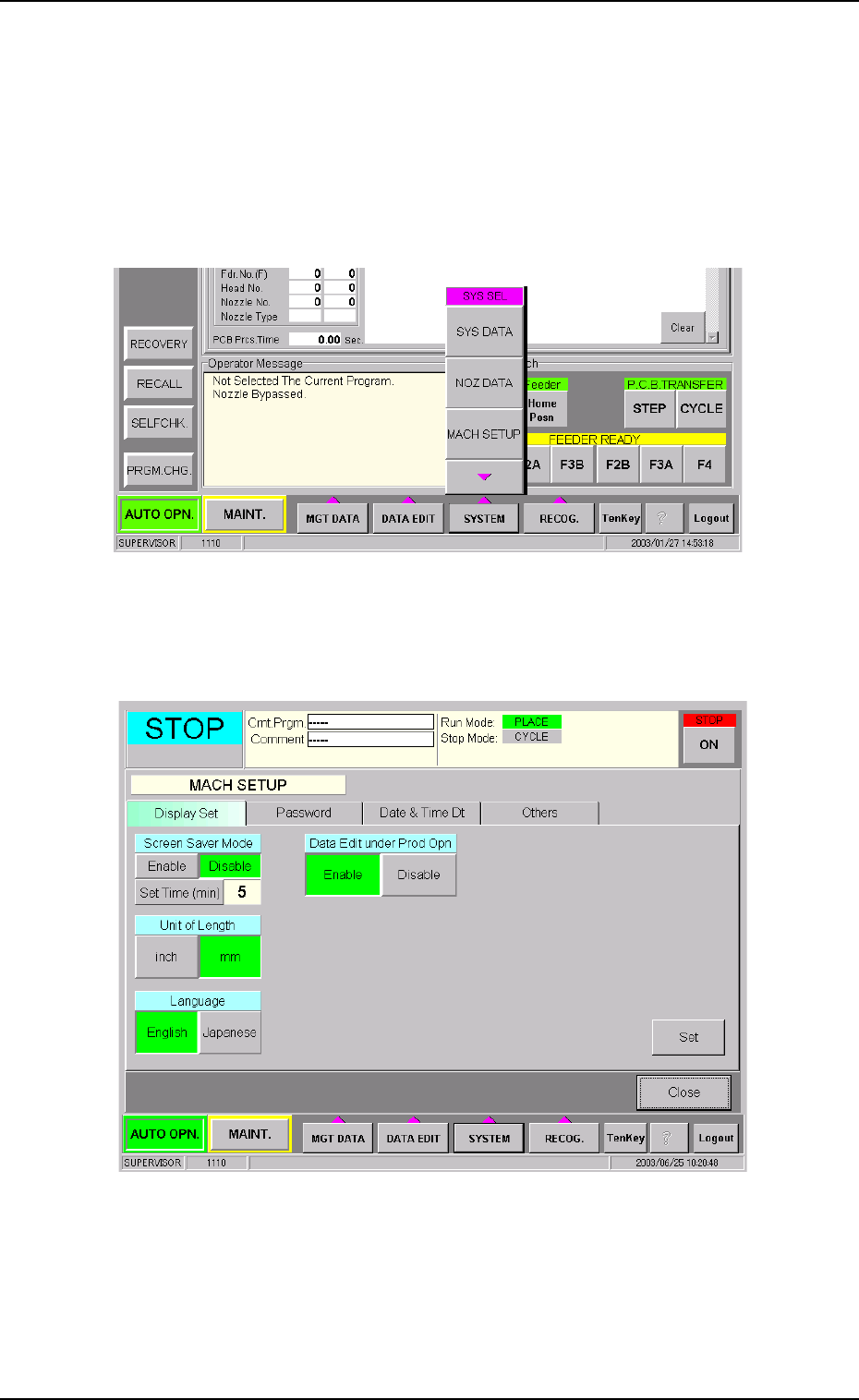
The following describes how to open the "MACH SETUP" window.
• Window Layout
(1) Press the [SYSTEM] button on the main menu bar. The "SYS SEL"
menu opens.
Fig. 3E8
(2) Press the [MACH SETUP] button. The "MACH SETUP" window
opens.
Fig. 3E9 "MACH SETUP" Window
0307-005 5-9
AFO01EDTP
2.1 Display of Each Window
3. "System" Window
3.1 Outline of "System" Window
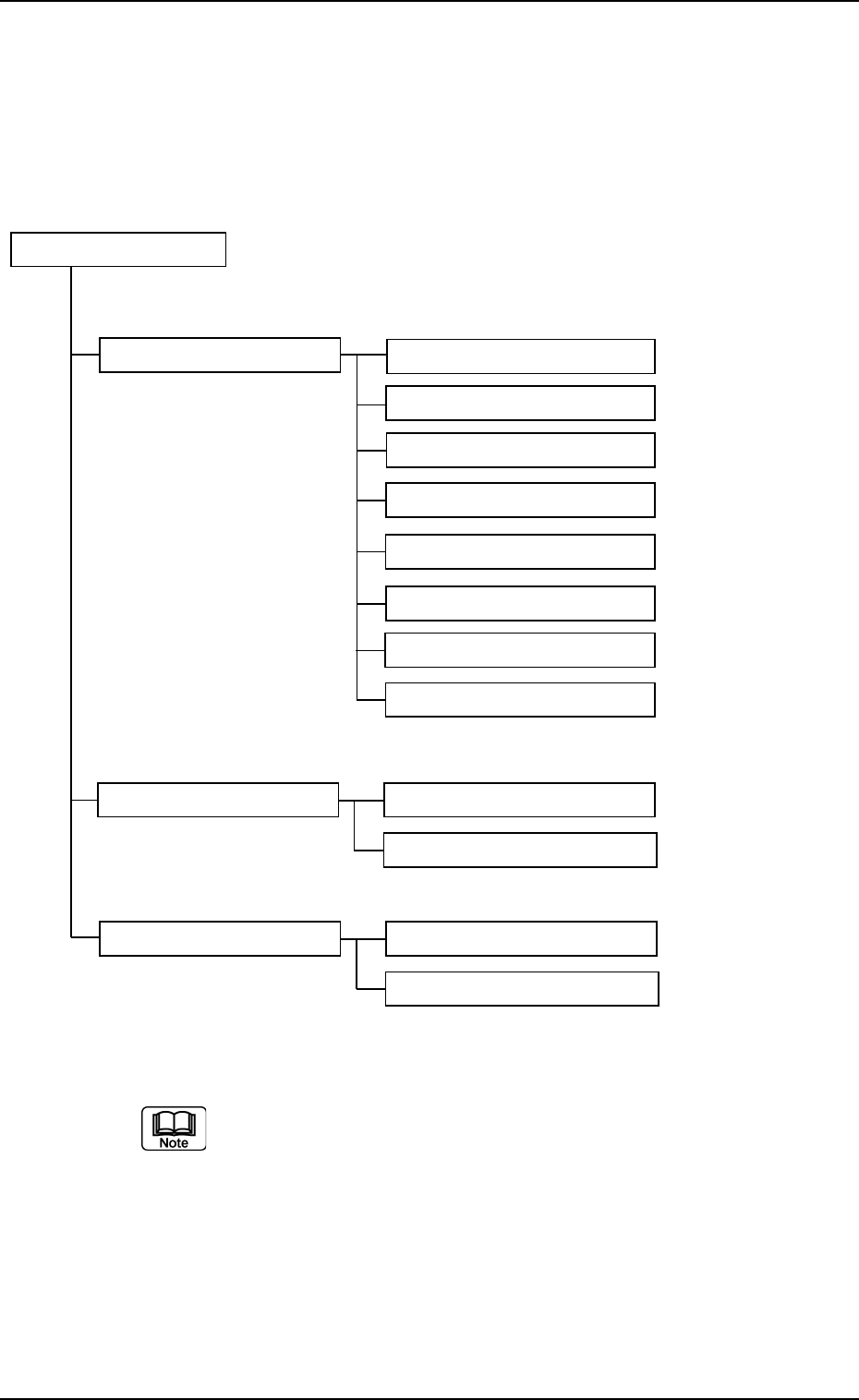
The "System" window is composed of the following items.
"System" Window
Tab Tabs (Tab Sheets) Reference Item Nos.
Device Offset (3.2) Device Offset (3.2.1)
Head (3.2.2)
CPK Offset (3.2.3)
Feeder-A (3.2.4)
Feeder-B (3.2.4)
Nozzle (3.2.5)
Camera Offset (3.2.6)
Lighting (3.2.7)
Auto Operation (3.3) Auto Operation Setup (3.3.1)
P.C.B. Transfer Mode Setup (3.3.2)
Configuration Setup (3.4) Light Tower Setup (3.4.1)
Alarm Setup (3.4.2)
Fig. 3E10
(3.2) through (3.4.2) show the item Nos. to be referred to.
01 10-003 5-10
AFO01EDTP
3.1 Outline of "System" Window
3.2 "Device Offset" Tab
This session describes how to set various kinds of offset data for each
device position adjustment related to machine operation, for the cam-
era system related to placement accuracy, for the heads, and for the
nozzles.
CAUTION
Do not change the parameters unless necessary.
These parameters are factory-adjusted upon shipment
of the machine.
• Some parameters are automatically calculated through teaching op-
erations.
3.2.1 "Device Offset" Tab
• Sheet Layout
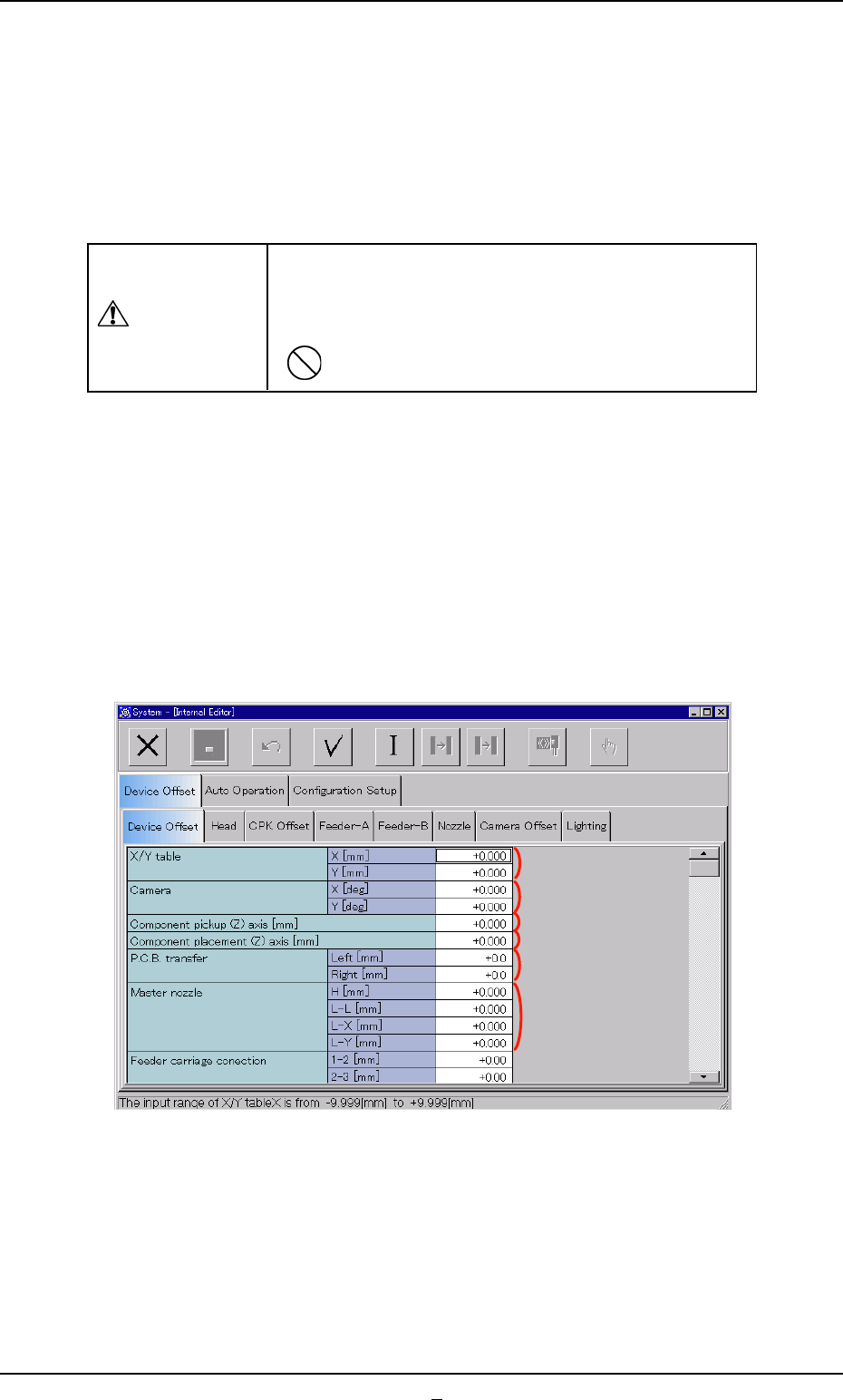
When the "Device Offset" tab is pressed in the "Device Offset" tab sheet,
the following tab sheet appears.
Fig. 3E11 "Device Offset" Tab Sheet
0301-005 5-11 AFO01EDTP
*1
*2
*3
*4
*5
*6
3.2 "Device Offset" Tab