3OM-1050-002.pdf - 第271页
3.2.7 "Lighting" T ab Displayed are the parameters related to the lighting systems. • Sheet Layout When the "Lighting" tab is pressed in the "Device Offset" tab sheet, the following tab shee…

0207-004 5-41 AFO01EDTP
*3 Back Lighting Gain, Back Lighting Level, Front Lighting 12 Gain,
Front Lighting 12 Level, Front Lighting 1 Gain, Front Lighting
1 Level, Front Lighting 2 Gain, Front Lighting 2 Level, Front
Lighting 3 Gain, Front Lighting 3 Level
These parameters are used to set amplifications at which the back-
and front-lighting image signals of Camera #1 (Component Recog-
nition Camera (High Magnification)) is converted into picture infor-
mation representing brightness.
(a) The lower the gain is, the better the contrast becomes.
(b) The smaller the level is, the brighter the whole view be-
comes.
(c) Parameters can be set for both back- and front-lighting
systems.
3.2 "Device Offset" Tab
3.2.7 "Lighting" Tab
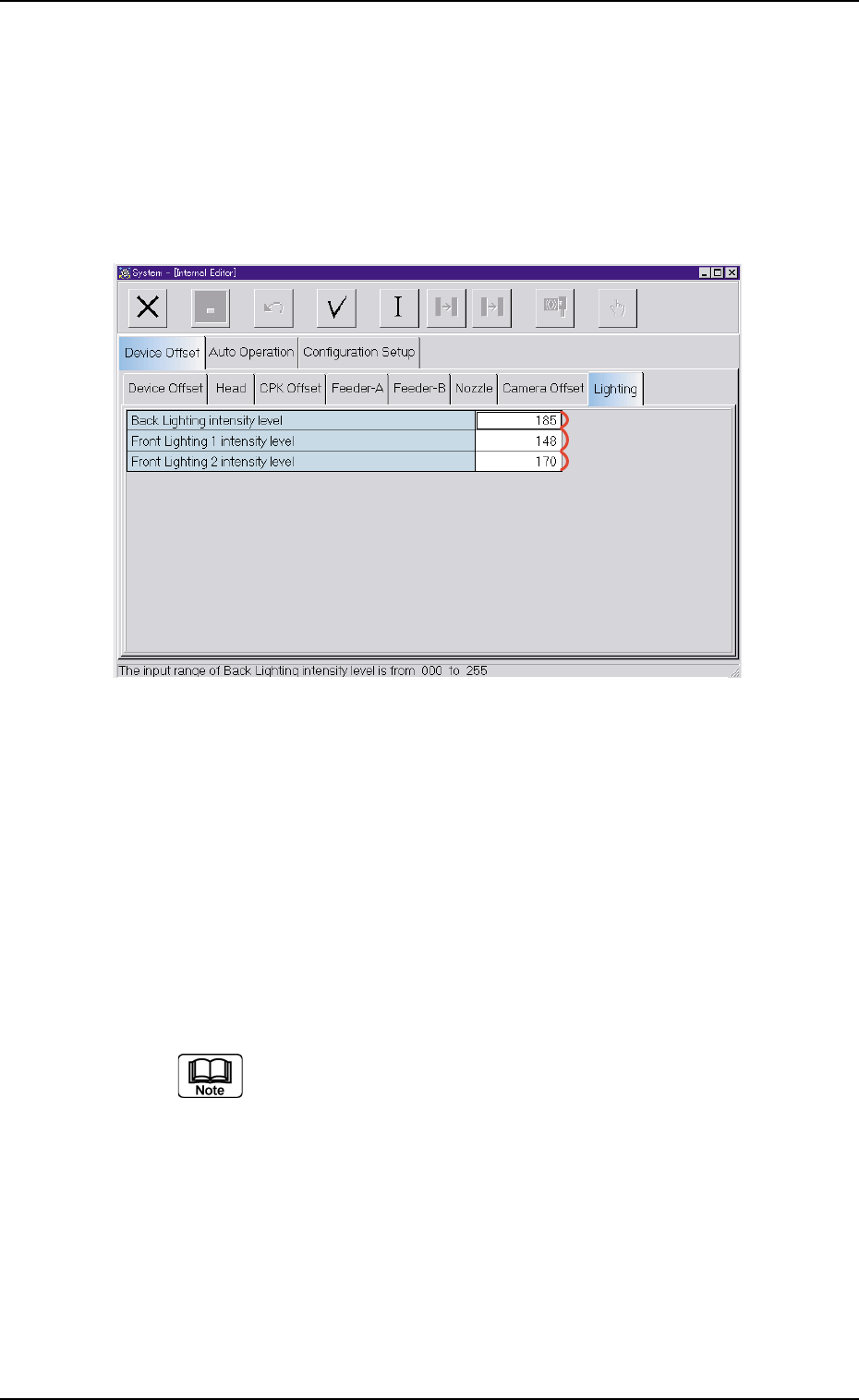
Displayed are the parameters related to the lighting systems.
• Sheet Layout
When the "Lighting" tab is pressed in the "Device Offset" tab sheet, the
following tab sheet appears.
Fig. 3E37 "Lighting" Tab Sheet
• Sheet Composition
*1 Back Lighting intensity level
Set the brightness (intensity level) of the back lighting system.
*2 Front Lighting 1 intensity level
Set the brightness (intensity level) of "Front Lighting 1".
*3 Front Lighting 2 intensity level
Set the brightness (intensity level) of "Front Lighting 2".
(a) The bigger the value is, the more the intensity level
(brightness) increases.
(b) The data input range is "0 to 255".
0307-006 5-42
AFO01EDTP
*1
*2
*3
3.2 "Device Offset" Tab
3.3 "Auto Operation" Tab
3.3.1 "Auto Operation Setup" Tab
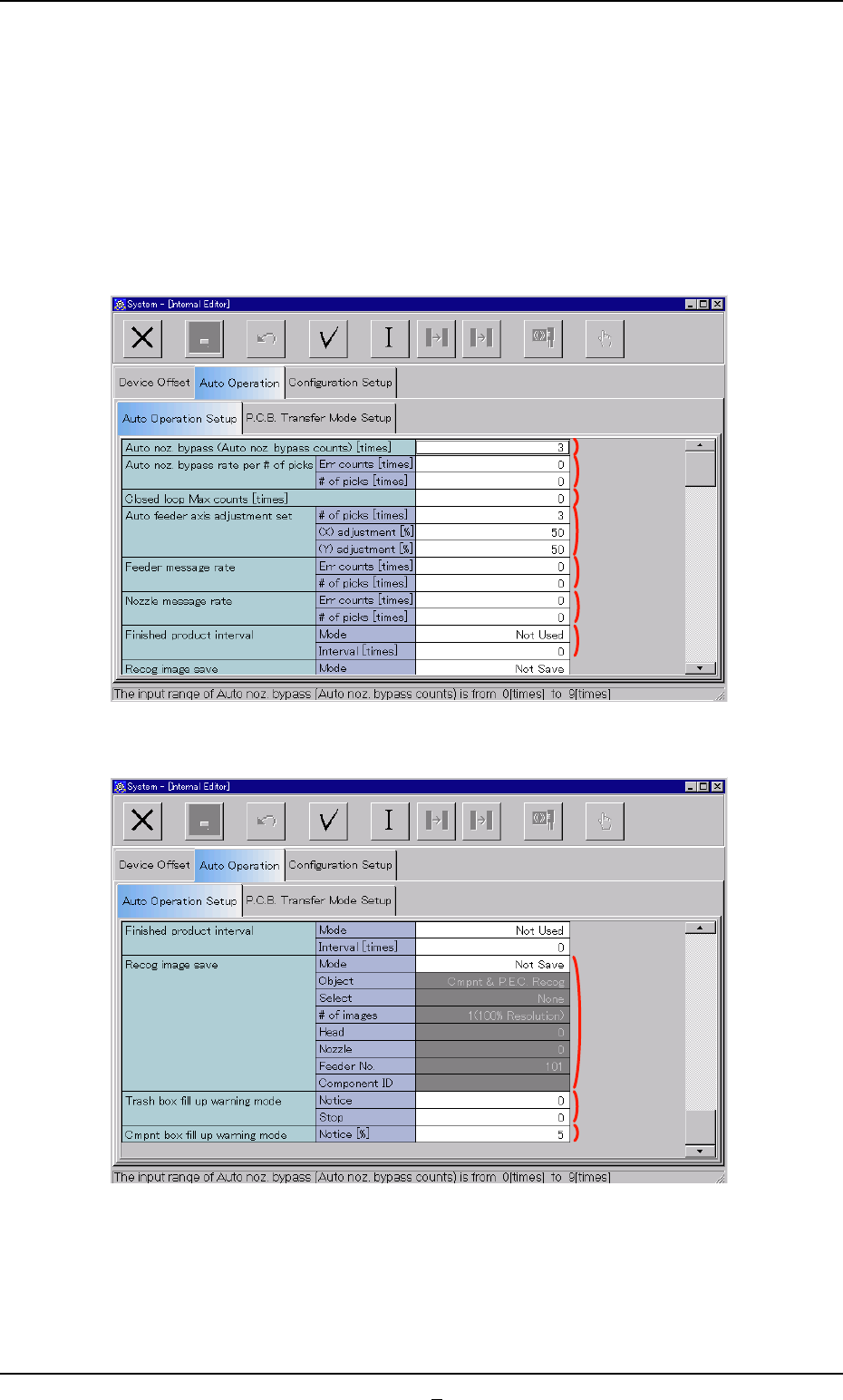
• Sheet Layout
When the "Auto Operation Setup" tab is pressed in the "Auto Operation"
tab sheet, the following tab sheet appears.
Fig. 3E38-1 "Auto Operation" Tab Sheet (1)
Fig. 3E38-2 "Auto Operation" Tab Sheet (2)
0307-006 5-43 AFO01EDTP
3.3 "Auto Operation" Tab
*1
*2
*3
*4
*5
*6
*7
*9
*8
*10