3OM-1050-002.pdf - 第297页
(a) When a special nozzle is attached, the nozzle type data must be registered. (b) Refer to "4. V acuum Nozzle T ypes" in "Section 1 (V ol. 2: Operation (Supervisor))" for shape of each nozzle and ap…

0301-004 5-64 AFO01EDTP
*6 Lighting Mode
Displayed are the lighting modes.
*7 V-Groove Size [mm]
Displayed are the V-groove sizes.
*8 Camera Mag.
Displayed are the camera magnification factors.
••
••
• List of Parameters
Table 3E5-1
4.2 "Nozzle Data" Tab
Shape
Code
Parame-
ter
O.D.
Size
[mm]
I.D.
Size
[mm]
Pick
Face
Image
Lighting
Mode
V-Groove
Size
[mm]
Camera
Mag.
Remarks
Nozzle
Type
Z011
Z021
Z031
Z041
Z052
Z552
Z062
Z071
Z081
Z093
Z094
Z115
Z118
Z901
Circle
Circle
Circle
Circle
Circle
Circle
Circle
Circle
Circle
Circle
Circle
Circle
Circle
Circle
0.9
1.8
6.0
3.0
1.3
1.3
2.5
1.3
0.6
1.9
1.8
1.4
0.7
2.6
Clear
Clear
Clear
Clear
Clear
Clear
Clear
Clear
Clear
Dark
Dark
Dark
Dark
Clear
Back/Front
lighting
Back/Front
lighting
Back/Front
lighting
Back/Front
lighting
Back lighting
Back lighting
Back lighting
Back/Front
lighting
Back/Front
lighting
Front
lighting
Front
lighting
Front
lighting
Front
lighting
Back/Front
lighting
0.7
1.1
4.5
2.0
0.9
0.9
1.2
0.9
0.4
0.4
0.4
0.2
0.2
1.8
High mag.
High mag.
Low mag.
High/Low
mag.
High mag.
High mag.
High mag.
High mag.
High mag.
High mag.
High mag.
High mag.
High mag.
High mag.
V-Groove
V-Groove
exclusively used
for bulk feeders
V-Groove
For Front
Lighting Recog-
nition
For Front
Lighting Recog-
nition
For Front
Lighting Recog-
nition
For Front
Lighting Recog-
nition
For Special
Specifications
0
0
0
0
0.7
0.7
1.0
0
0
0
0
0
0
0
(a) When a special nozzle is attached, the nozzle type data
must be registered.
(b) Refer to "4. Vacuum Nozzle Types" in "Section 1 (Vol. 2:
Operation (Supervisor))" for shape of each nozzle and ap-
plicable components.
(c) Be sure to enter the numerical values in Table 3E5-1 as
outside diameters of Nozzles Z093, Z094, Z115, and Z118
for front lighting recognition.
••
••
• Nozzle Type Names
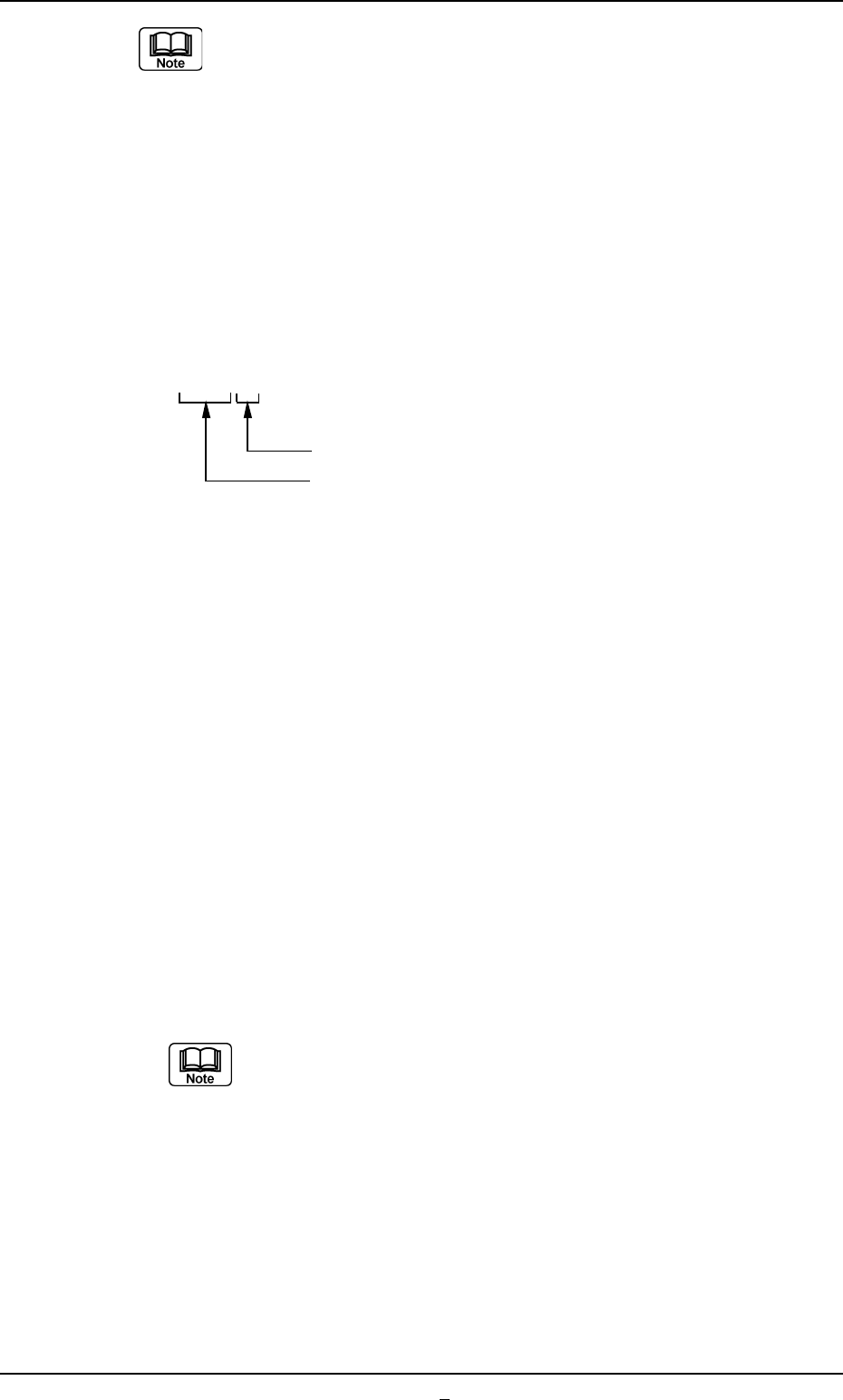
The nozzle types are named based on the following regulations.
Z { { { (3 digits)
The last digit must be filled with 1 through 9.
01 to 89 : Group of Standard Nozzle Types
90 to 97 : Group of Special Nozzle Types
98 and 99 : Not used in actual cases. This digit
is prepared for a jig nozzle or a
dummy one.
There are some regulations on the last digit for the group of standard
nozzle types.
• "1" must be set for all prototypes.
• Whenever a prototype is modified for improvement and its identifi-
cation is required, numbers are allocated.
Example:
Z011 and Z012 (Temporary)
Both have almost no difference in their coverage of applicable com-
ponents because they belong to the group of nozzles having a 010th
digit. However, "Z011" shows a prototype nozzle but "Z012" means
that some modification is made to the nozzle.
As for the group of the special type nozzles Z901 through
Z979, it does not make up a family.
Numbers are allocated sequentially and each type is differ-
ent.
4.2 "Nozzle Data" Tab
0301-001 5-64-1 AFO01EDTP
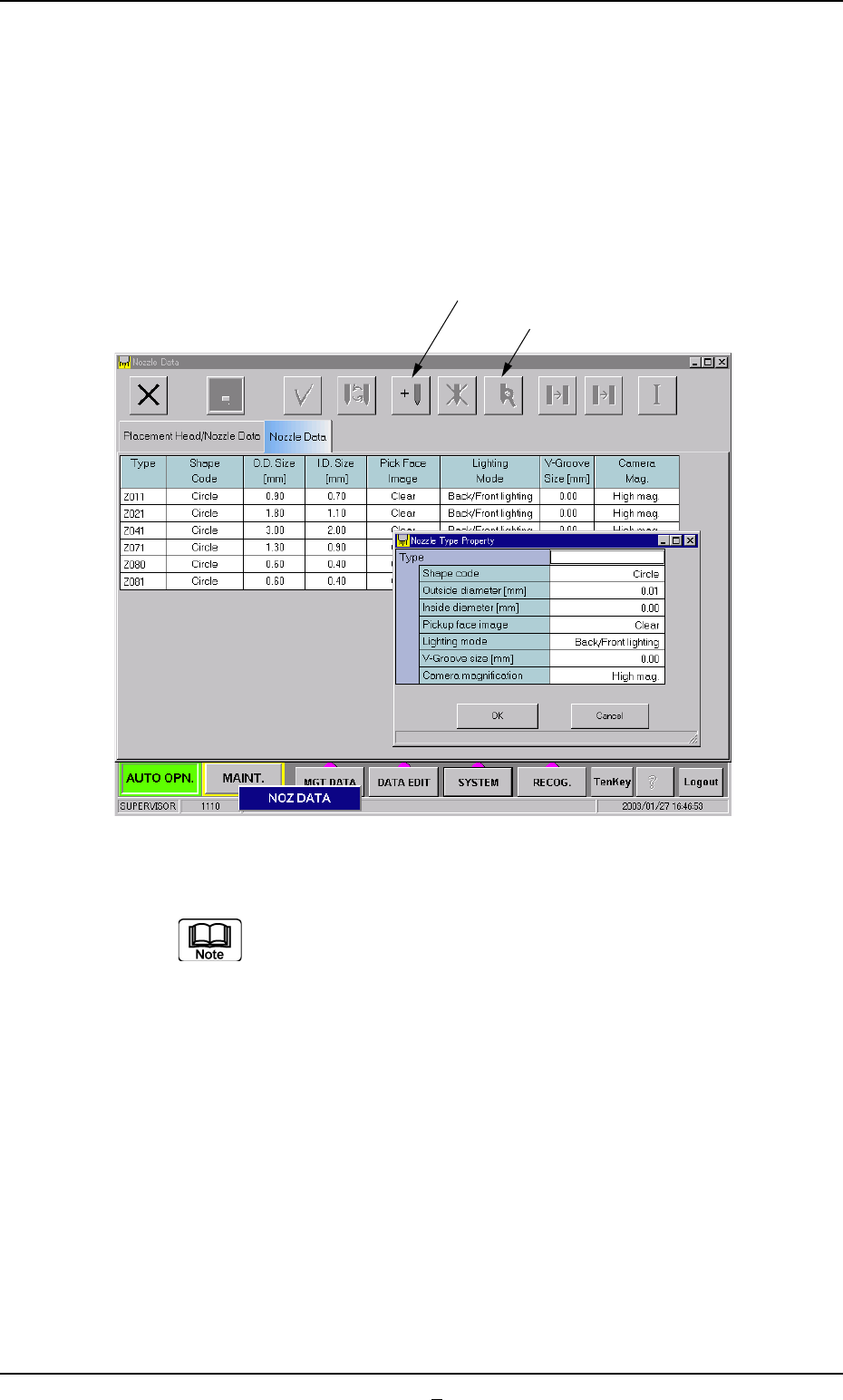
• Operation Procedure
New Addition of Nozzle Type
When a special nozzle is attached, the nozzle type data must be
registered.
(1) Press the [New Addition] button.
The "Nozzle Type Property" window opens.
Fig. 3E51
(2) Enter the nozzle data.
Refer to "4. Vacuum Nozzle Types" in "Section 1 (Vol. 2:
Operation (Supervisor))" for shape of each nozzle and ap-
plicable components.
(3) Press the [OK] button.
The nozzle data is newly added.
[New Addition]
[Property]
0301-005 5-65 AFO01EDTP
4.2 "Nozzle Data" Tab