3OM-1050-002.pdf - 第262页
(4) "Nozzle-L" and "Nozzle-H" T abs Follow the same procedure for the "Nozzle-H" tab sheet. • Sheet Layout When the "Nozzle-L" tab is pressed in the "Nozzle" tab sheet, t…
(3) "Nozzle Position" Tab
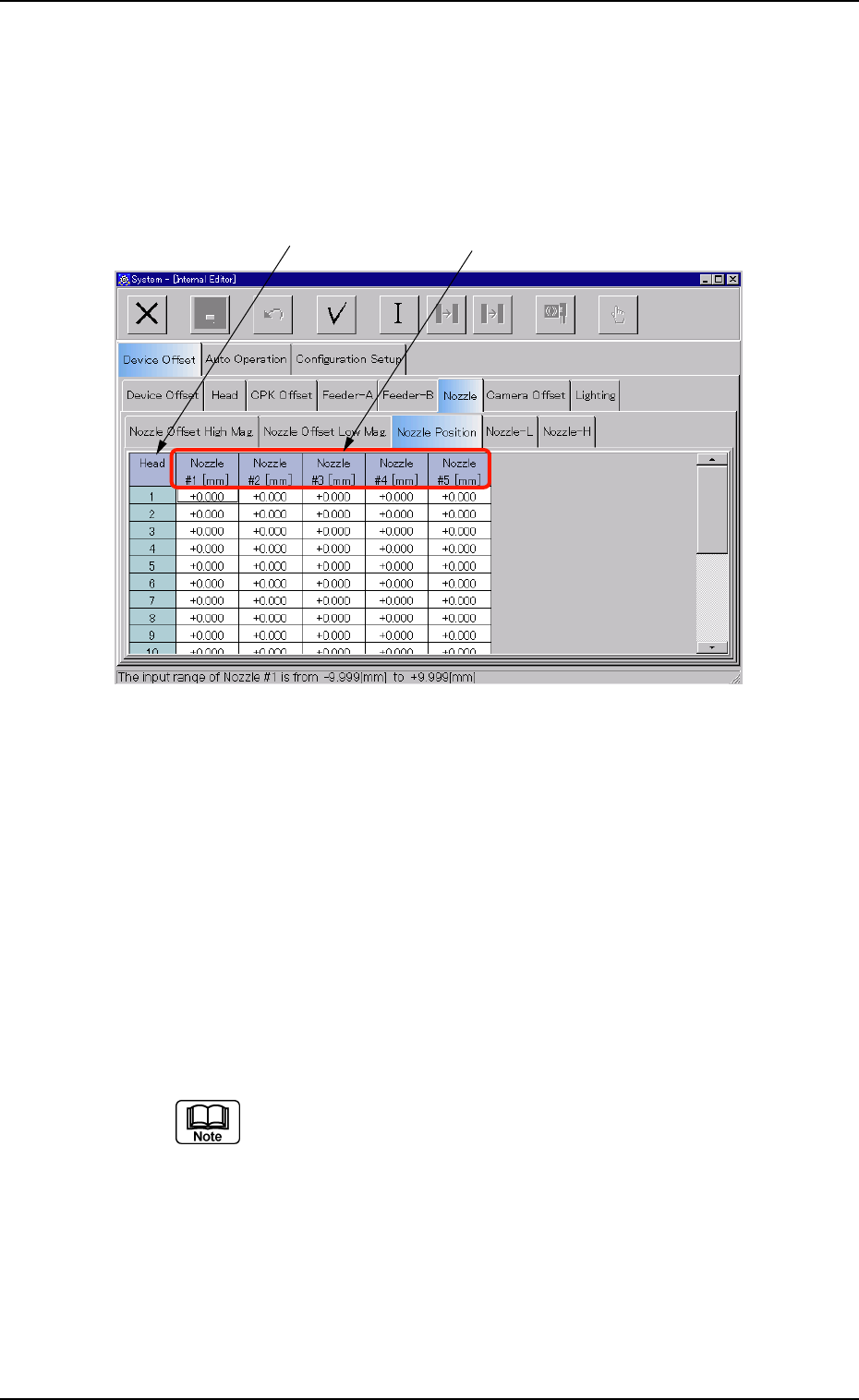
• Sheet Layout
When the "Nozzle Position" tab is pressed in the "Nozzle" tab sheet, the
following tab sheet appears.
Fig. 3E32 "Nozzle Position" Tab Sheet
• Sheet Composition
*1 Head
The head Nos. are displayed.
*2 Nozzle #1 [mm], Nozzle #2 [mm], Nozzle #3 [mm], Nozzle #4
[mm], Nozzle #5 [mm]
Each text box shows an offset value that is used to manage the
distance (rotation radius) between the head rotational center and
each nozzle.
(a) These parameters are used to calculate the track of
nozzle rotation for pickup position correction.
Plus or minus values are allocated on the basis of the
design value (R = 7.500 mm).
(b) These offset parameters are automatically calculated
through teaching operation.
0301-005 5-33
AFO01EDTP
*1
*2
3.2 "Device Offset" Tab
(4) "Nozzle-L" and "Nozzle-H" Tabs
Follow the same procedure for the "Nozzle-H" tab sheet.
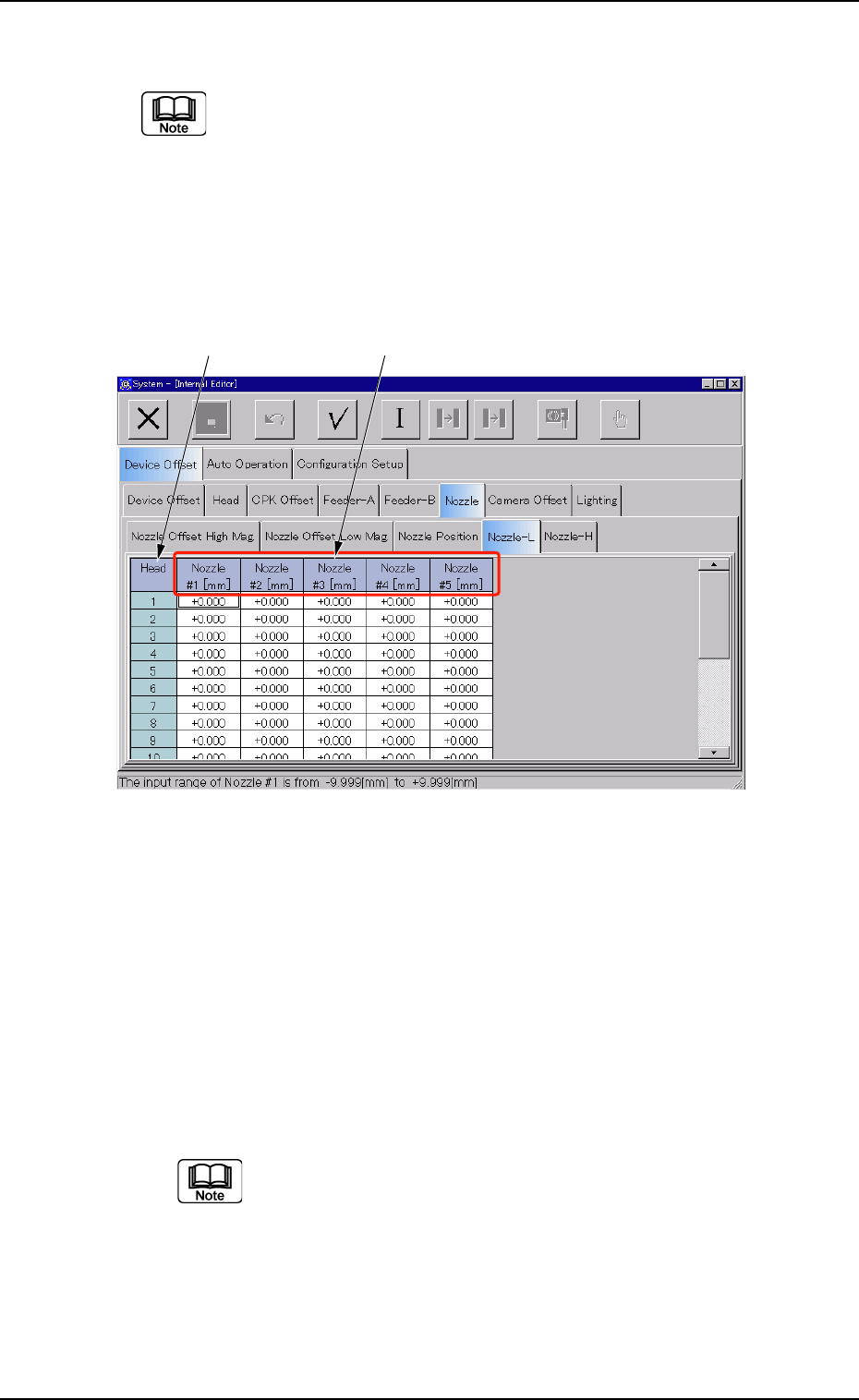
• Sheet Layout
When the "Nozzle-L" tab is pressed in the "Nozzle" tab sheet, the fol-
lowing tab sheet appears. When the "Nozzle-H" tab is pressed, almost
the same tab sheet appears.
Fig. 3E33 "Nozzle-L" Tab Sheet
• Sheet Composition
*1 Head
The head Nos. are displayed.
*2 Nozzle #1 [mm], Nozzle #2 [mm], Nozzle #3 [mm], Nozzle #4
[mm], Nozzle #5 [mm]
Each text box shows an offset value that is used to correct varia-
tions in each nozzle height when the nozzle U/D selector (L/H se-
lection) is set to "L" (Low Level) or "H" (High Level).
(a) A plus or minus value is allocated according to the level
variation of each nozzle compared with the origin of the
linear measure detection sensor.
(b) When a nozzle is located above the origin level of the
linear measure detection sensor, a minus (-) value
must be entered as the offset data.
0301-006 5-34
AFO01EDTP
*1 *2
3.2 "Device Offset" Tab
3.2.6 "Camera Offset" Tab
The "Camera Offset" tab sheet is composed of the "Camera Offset",
"Individual Nozzle Camera #1 Gain/Level", and "Individual Nozzle Cam-
era #2 Gain/Level" tabs.
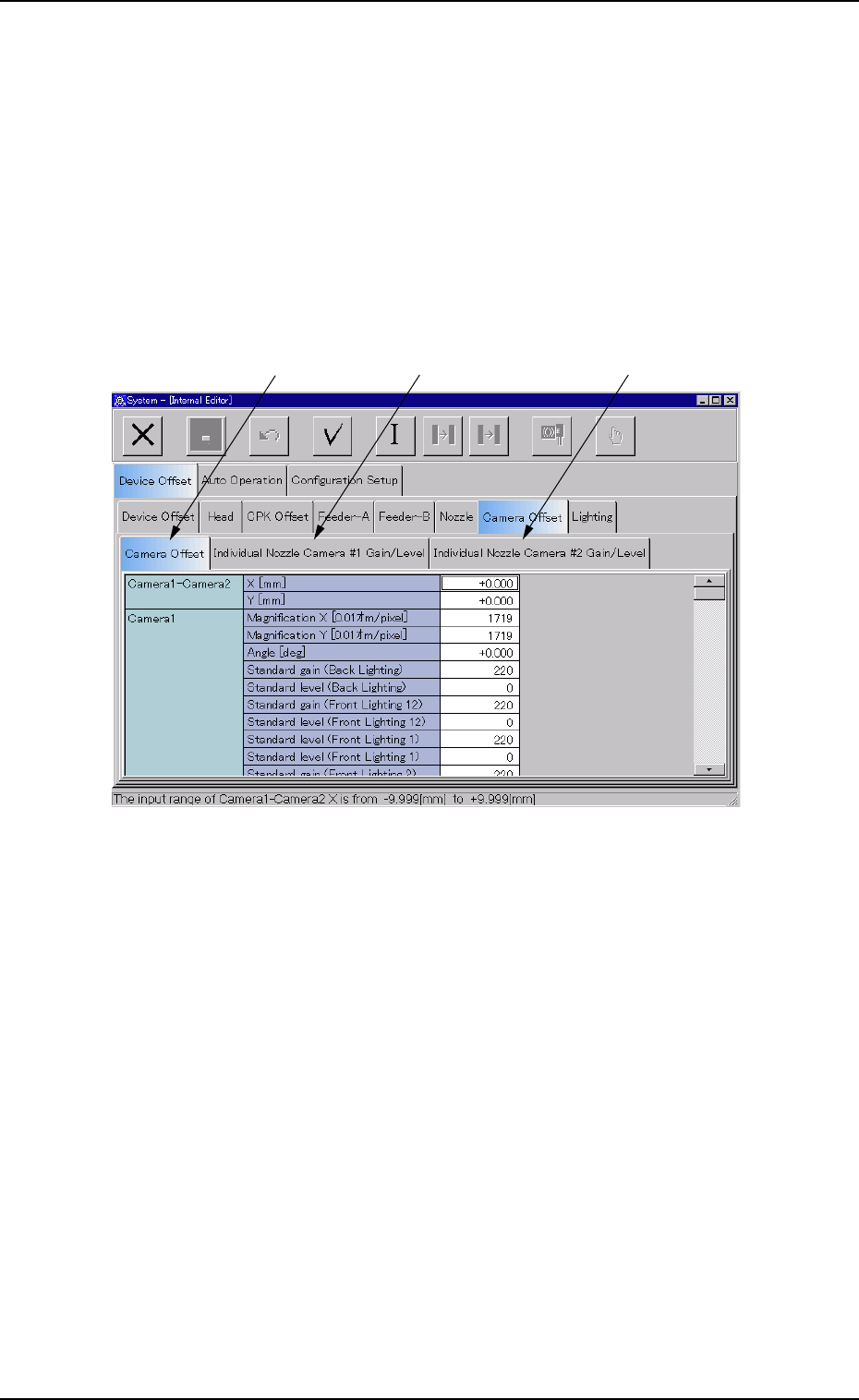
• Sheet Layout
When the "Camera Offset" tab is pressed in the "Device Offset" tab
sheet, the following tab sheet appears.
Fig. 3E34 "Camera Offset" Tab Sheet
• Sheet Composition
*1 "Camera Offset" Tab
When selected, the "Camera Offset" tab sheet appears.
*2 "Individual Nozzle Camera #1 Gain/Level" Tab
When selected, the "Individual Nozzle Camera #1 Gain/Level" tab
sheet appears.
*3 "Individual Nozzle Camera #2 Gain/Level" Tab
When selected, the "Individual Nozzle Camera #2 Gain/Level" tab
sheet appears.
0301-005 5-35
AFO01EDTP
*1 *2
*3
3.2 "Device Offset" Tab