N7201A652E.pdf - 第116页
NPM- TT2 EJM1EE-MB-02 O-04 File opera- tion Loading pr oduction da ta 2 Operating procedure 2-3-3 1 2 6 3 Select a destination to l oad Confirm the message Load production data separately to the lane 1 and 2. Even thoug …
NPM-TT2 EJM1EE-MB-02O-04
Preparation
2-3-3-2
4
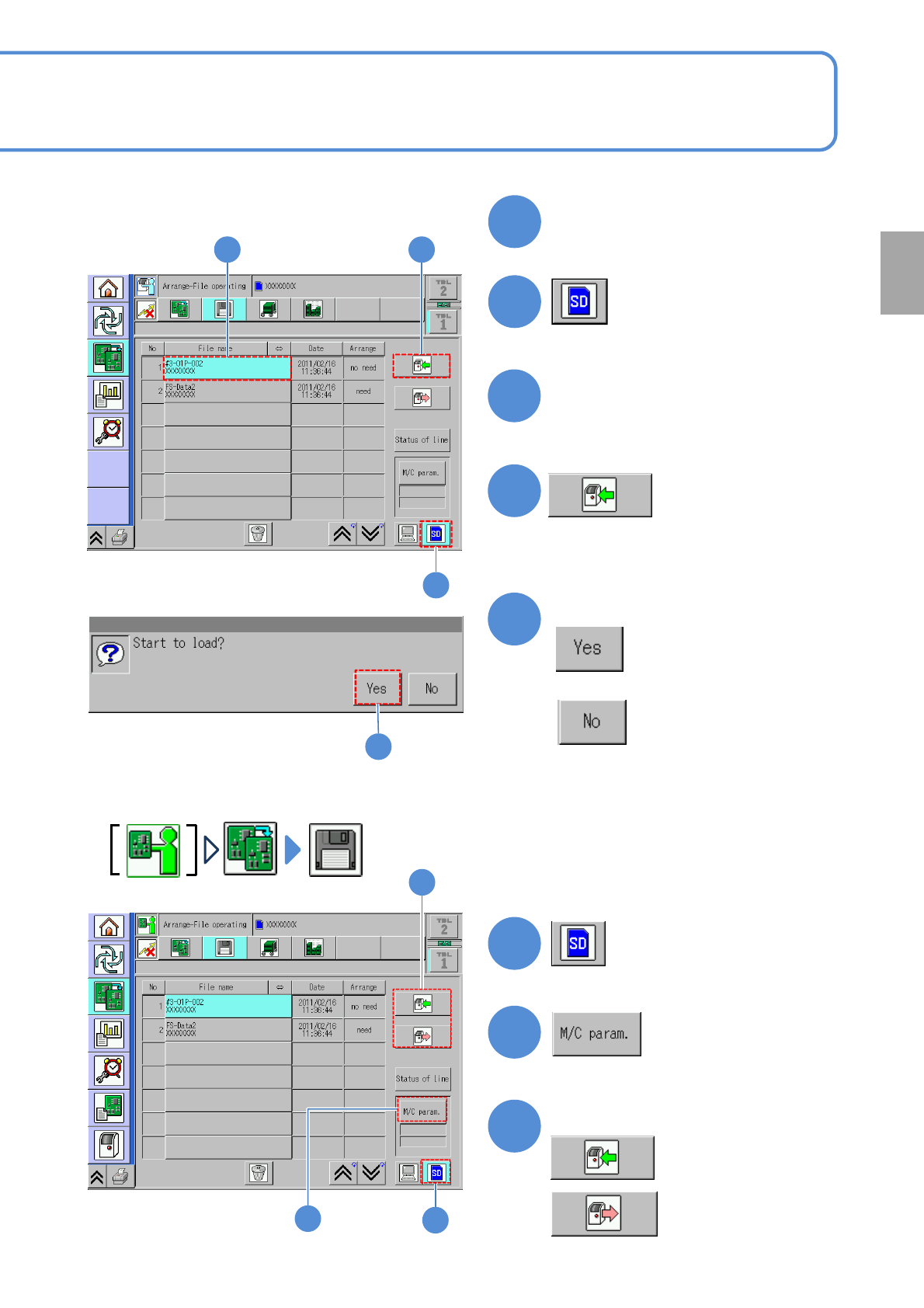
Confirm the message
1
2
2
3 4
3
Select a file
Insert the SD card (parameter
disk)
5
■This explains how to load machine parameters from the SD card to the machine,
or save machine parameters from the machine to the SD card.
:Save
1
2
3
Select data load or save
:Load
1
2
3
5
■If you do not load data
NPM-TT2 EJM1EE-MB-02O-04
File
opera-
tion
Loading production
data 2
Operating procedure
2-3-3
1
2
6
3
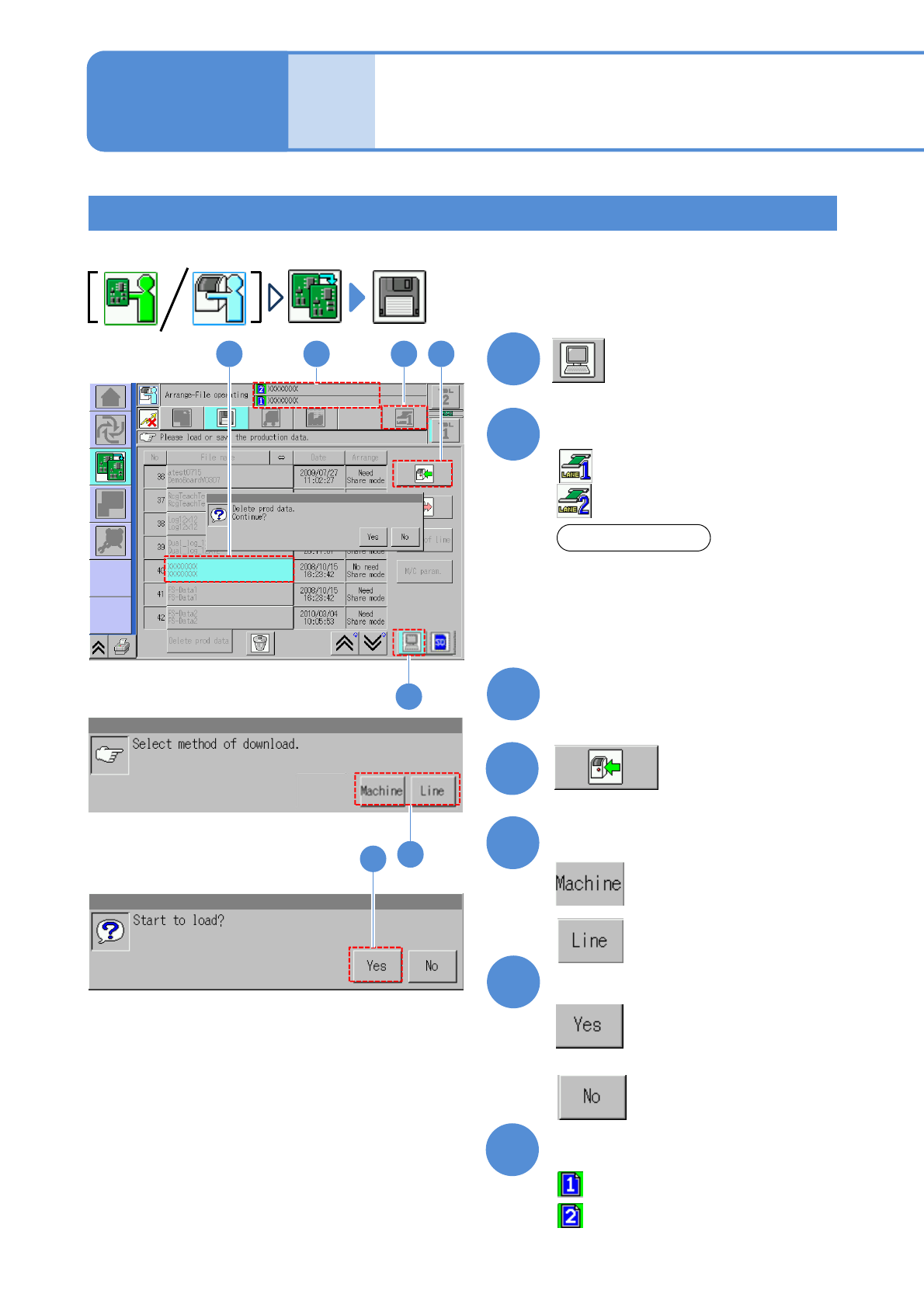
Select a destination to load
Confirm the message
Load production data separately to the lane 1 and 2. Even though you produce the same product, load it
separately.
: Single machine
: Entire line
5
Select a file
6
■If you do not load data
Select a lane
4
:Lane 1
:Lane 2
7
Data check
:Production data name of lane 1
:Production data name of lane 2
ATTENSION
●If you use only one lane for production,
load the production data only for one
lane.
●You cannot load neither alternate mode
nor independent mode for lane 1 and 2
at once. (→P. 2-3-2)
5
2-3-3-3
Loading data from DGS to the machine via LNB/Dual lane mode
3 427
1
NPM-TT2 EJM1EE-MB-02O-04
5
Confirm the message
1
2
4
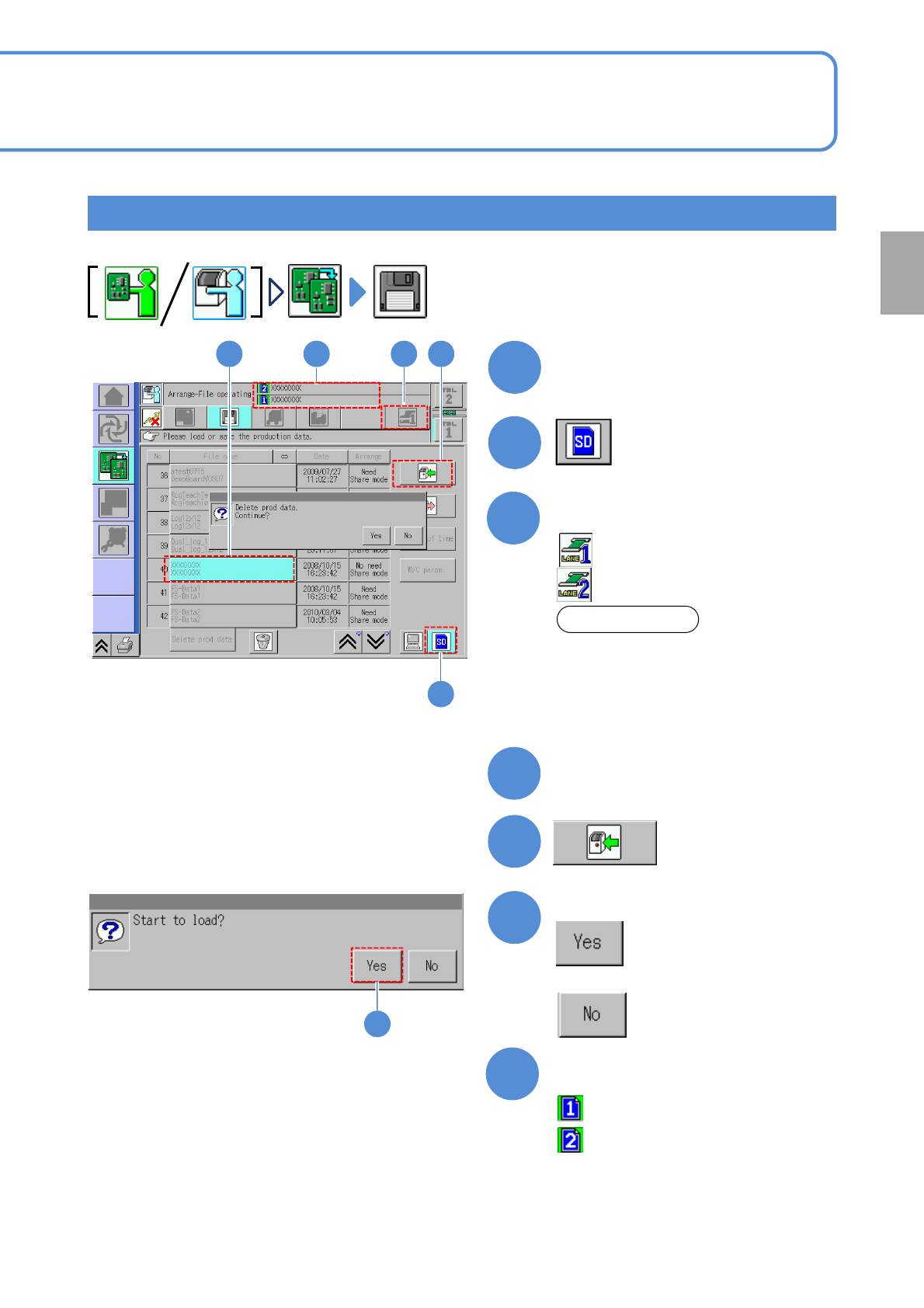
Select a file
Insert the SD card (parameter
disk)
6
■If you do not load data
3
Select a lane
:Lane 1
:Lane 2
Load production data to the machine with the SD card inserted.
7
Data check
:Production data name of lane 1
:Production data name of lane 2
ATTENSION
●If you use only one lane for production,
load the production data only for one
lane.
●You cannot load neither alternate mode
nor independent mode for front and rear
lanes at once. (→P.2-3-2)
Preparation
2-3-3-4
Loading data from SD card to the machine/Dual lane mode
6
2
4 537