N7201A652E.pdf - 第81页
NPM- TT2 EJM1EE-MB -02O-04 2-1-5 -3 7 ■ To give operating authority ■ Not to give opera ting authority ■ To restore the default settings Define the scope of operating authority 7 8 9 Confirm the message ■ If you do not s…
NPM-TT2 EJM1EE-MB-02O-04
2-1-5-2
C D
4
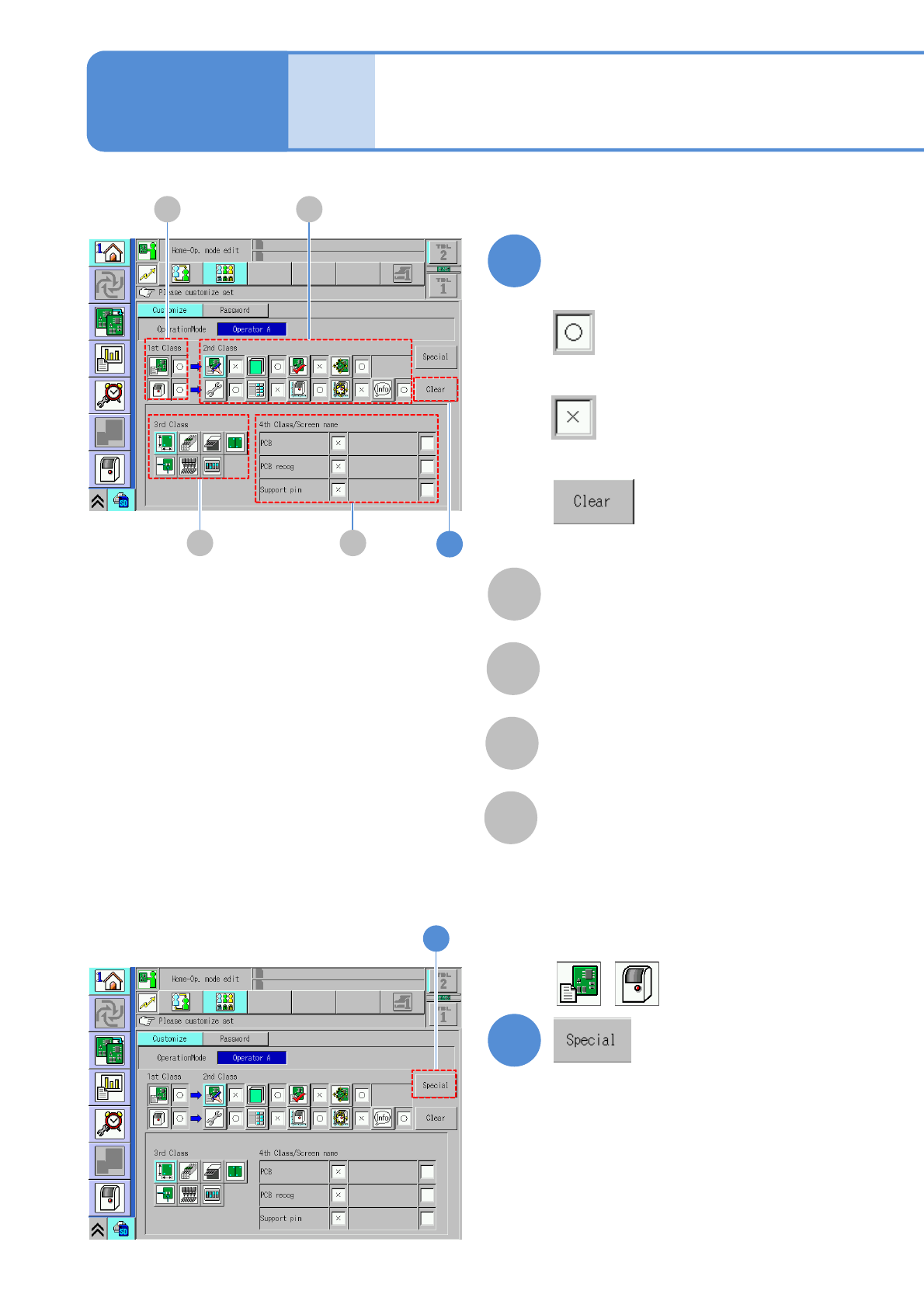
Define the scope of operating
authority
A
Scope of operating authority of 1st
class
B
Scope of operating authority of 2nd
class
C
Scope of operating authority of 3rd
class
D
Scope of operating authority of 4th
class
■To give operating authority
■Not to give operating authority
4
■To restore the default settings
A B
5
■To give operating authority to 1st class
besides .
5
Basic
opera-
tion
Customize setting 2
Operating procedure
2-1-5
NPM-TT2 EJM1EE-MB-02O-04
2-1-5-3
7
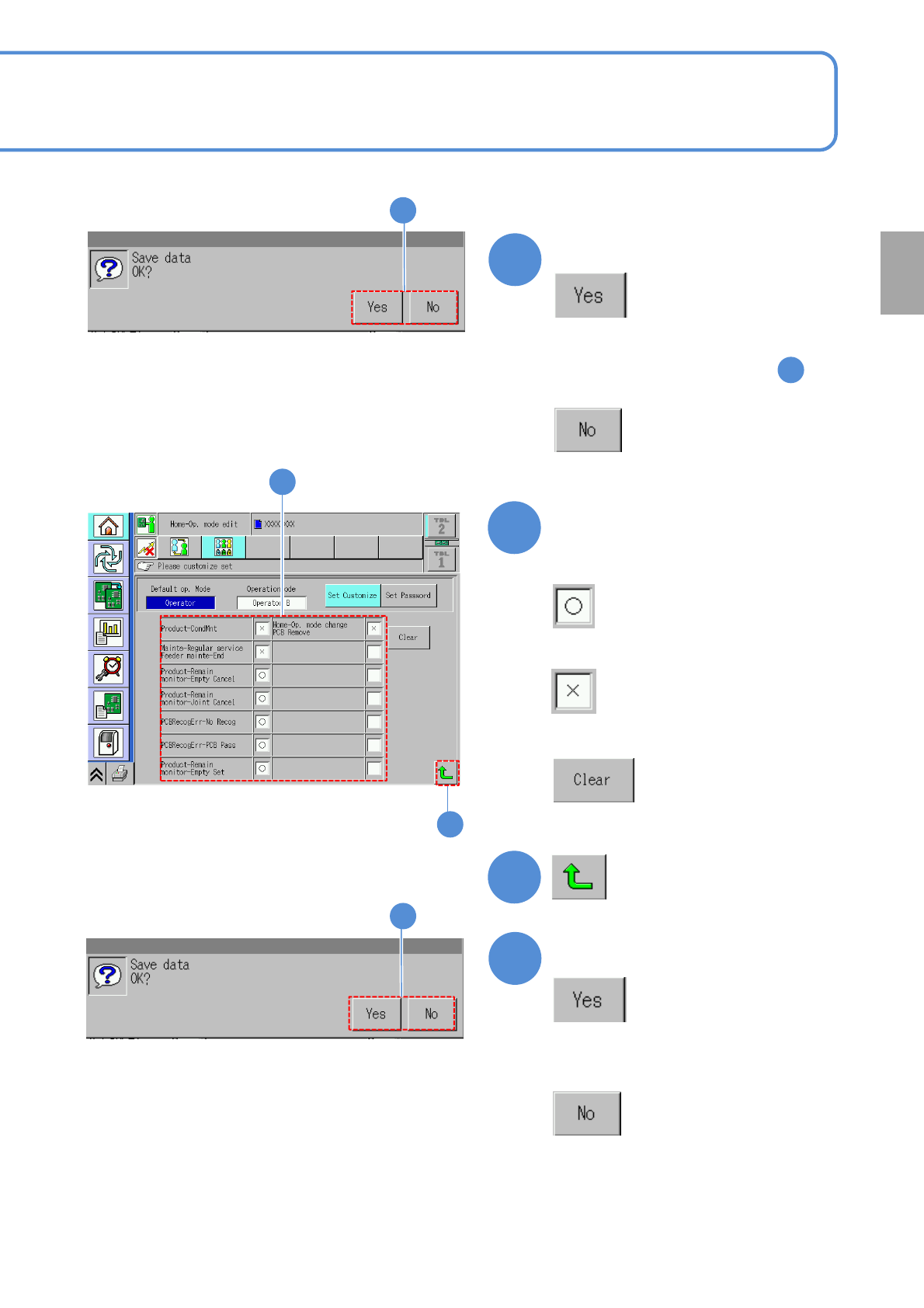
■To give operating authority
■Not to give operating authority
■To restore the default settings
Define the scope of operating
authority
7
8
9
Confirm the message
■If you do not save data
9
(Returns to the previous screen)
6
Confirm the message
■If you do not save data
6
●The same message is displayed even
by pressing another button in
5
8
Preparation
NPM-TT2 EJM1EE-MB-02O-04
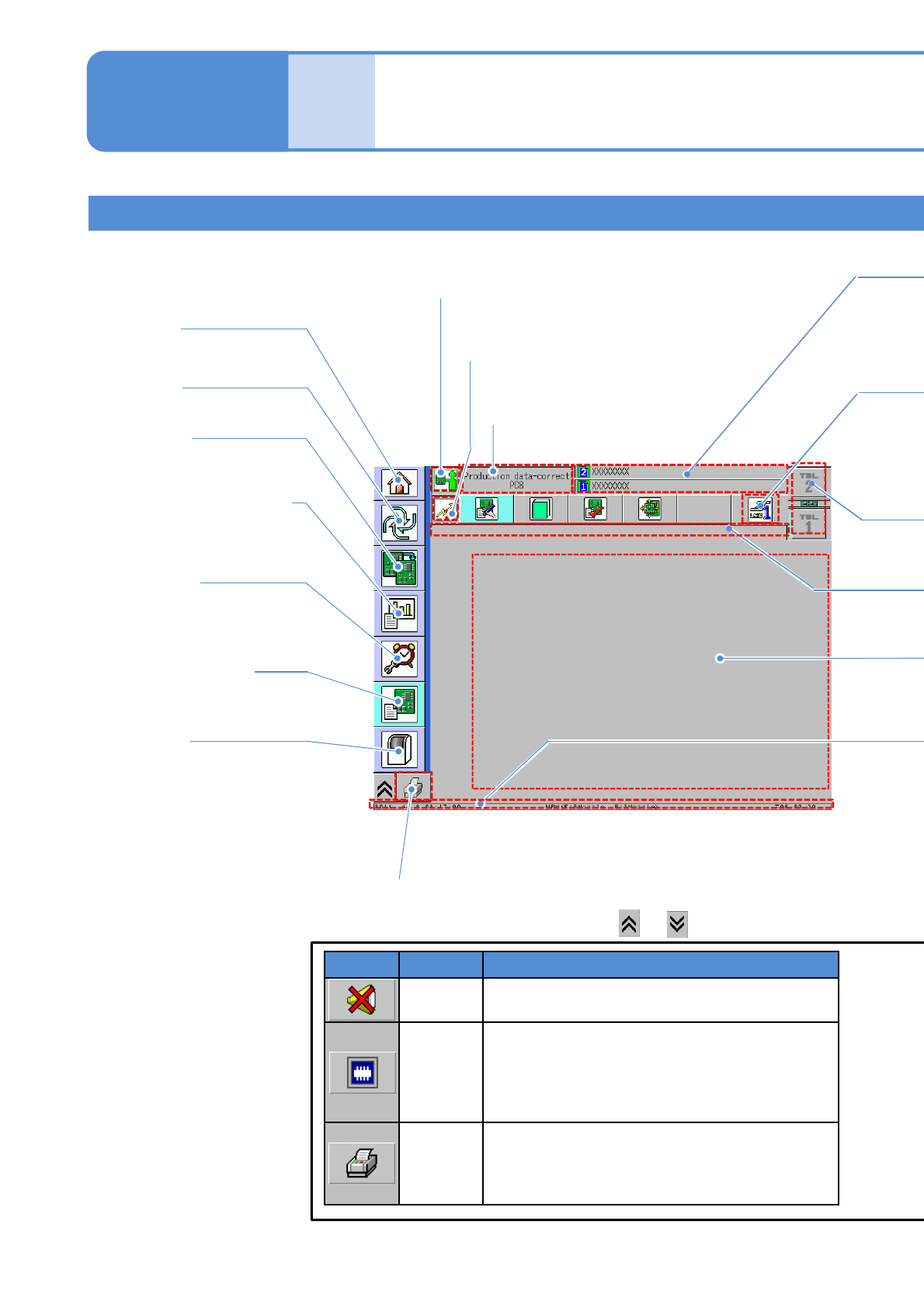
Explains the contents displayed in each area on the touchscreen.
Basic screen structure
Mode Icon
●Current mode.
Network status icon
●Current network status.
Screen name
●Name of the screen
currently displayed.
Home
●Changes the operation mode.
Production information
●Displays information obtained
during automated production.
Maintenance
●Confirms maintenance
information and performs
maintenance.
Production data *1)
●Creates, modifies or
teaches production data.
Production
●Starts automatic production.
Preparation
●Prepares for production.
Machine *1)
2-2-1-1
*1) Displayed only in Engineer mode
or the customized Operator mode.
Compo-
nent
names
Touchscreen 1
Operating procedure
2-2-1
●Confirms information or
performance of each machine
part and configures various
settings.
Name Functions
Buzzer
stop
Stops the buzzer sound.
Superimp-
ose
The recognition screen is superimposed.
Change in the following order;
full size ½ size (upper left)
½ size (upper right) ½ size (lower right)
½ size (lower left) deletion.
Screen
print
Output the screen data.
●[Screen print SD output] (→P.5-1-1)
・Output to an SD card when it is “ON.”
・Sent to LNB when it is “OFF.”
Function keys
● Select the desired function key with or .