N7201A652E.pdf - 第123页
NPM- TT2 EJM1EE-MB -02O-04 Preparatio n 2-3-6 -2 :Save 1 3 4 Select data load or save :Load 1 3 2 2 Select a lane : Lane 1 : Lane 2 5 Data check Dual lane mode 4 5 : Production data name of lane 1 : Production data name …
NPM-TT2 EJM1EE-MB-02O-04
File
opera-
tion
Loading/saving
machine parameters
Operating procedure
2-3-6
2-3-6-1
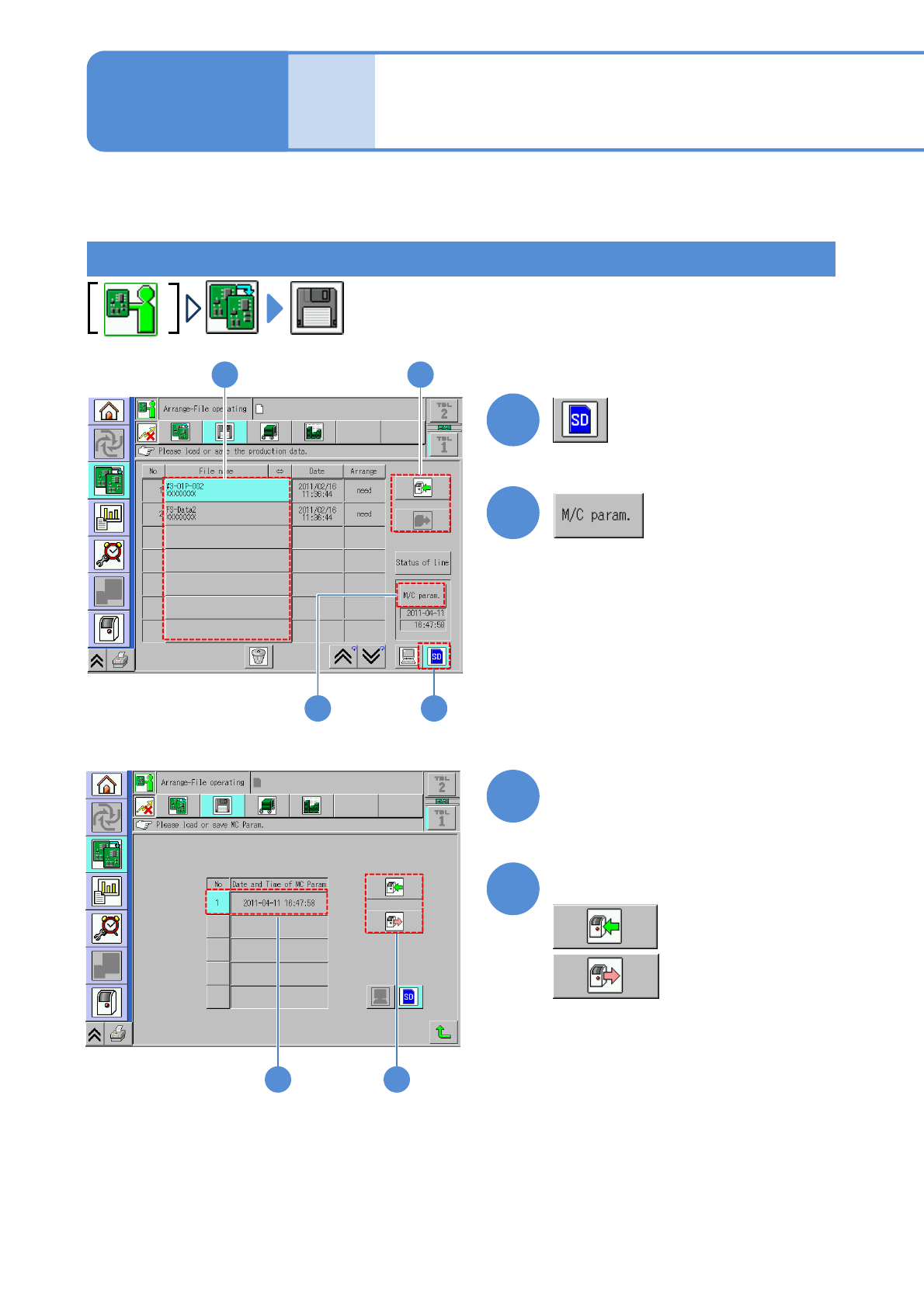
This explains how to load machine parameters from the SD card to the machine or save machine parameters
from the machine to the SD card.
1
2
2
4
3
Select data
:Save
4
Select data load or save
:Load
1
3
3 4
Single lane mode
NPM-TT2 EJM1EE-MB-02O-04
Preparation
2-3-6-2
:Save
1
3
4
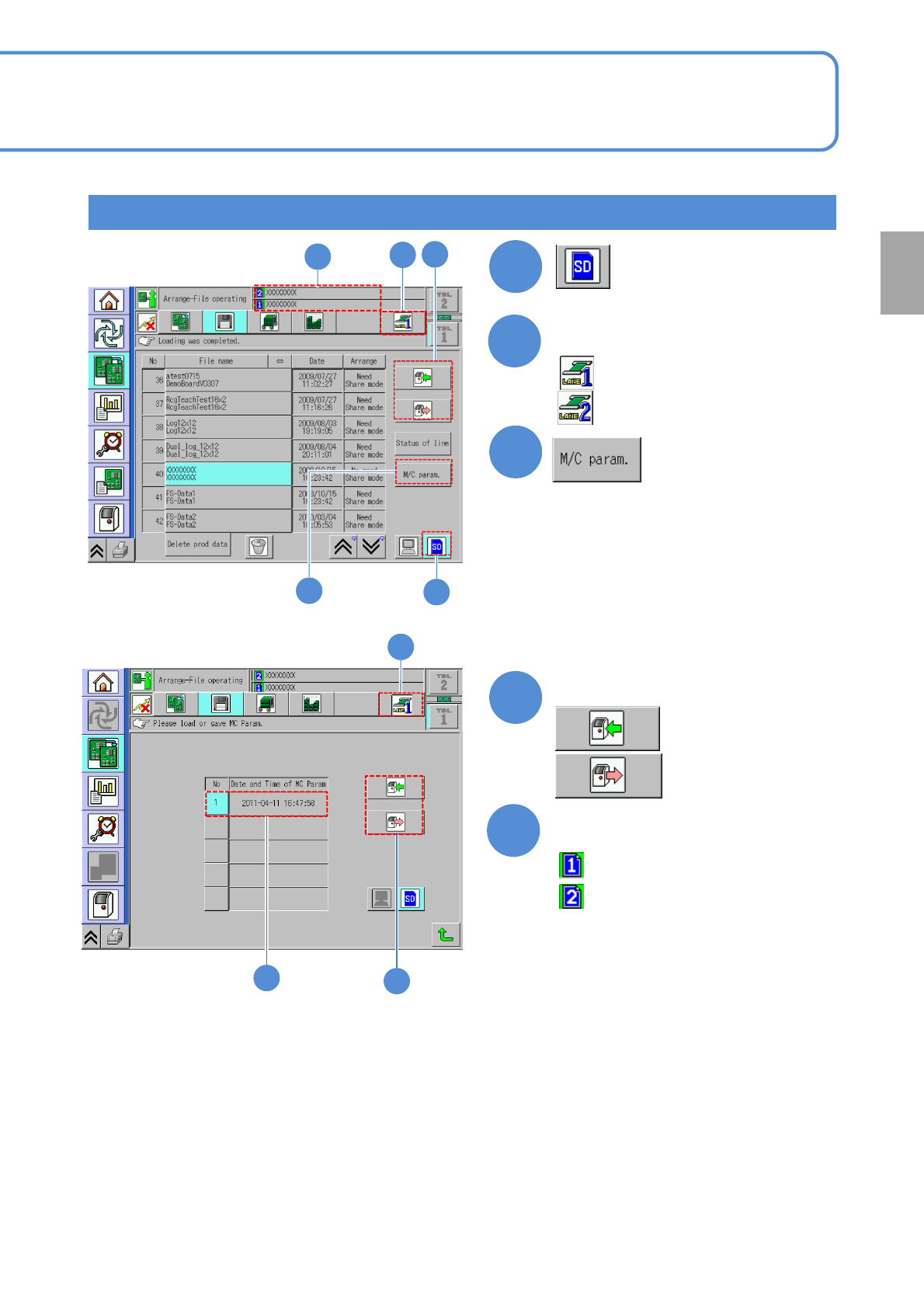
Select data load or save
:Load
1
3
2
2
Select a lane
:Lane 1
:Lane 2
5
Data check
Dual lane mode
4
5
:Production data name of lane 1
:Production data name of lane 2
3
4
5
NPM-TT2 EJM1EE-MB-02O-04
File
opera-
tion
Line status check
操作編
2-2-4
操作編
2-3-3
Operating procedure
2-3-7
2-3-7-1
Color Network
Data
loading
Line status
Red Disconnected
-
・An error is occurring
(including a communication error)
Green Connected Enable
・idling
Yellow Connected Disable
・Under preparation
・Production data being modified
Gray Connected Disable
・Under suspension
・Waiting for components supply
・Waiting for a process
・Production is under way
A
A
Status of each machine
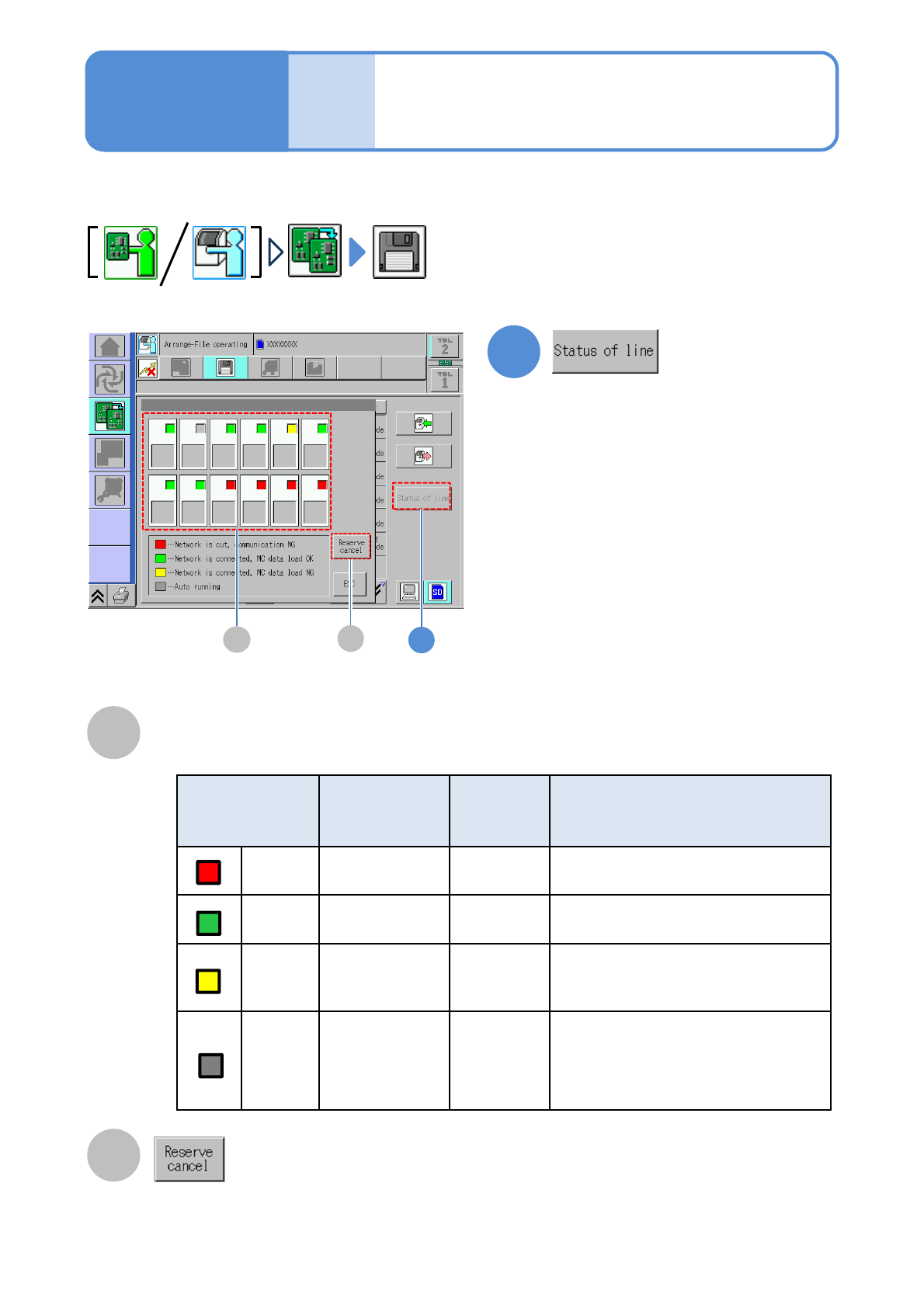
This explains how to check the status of each machine in the whole line.
1
1
B
B
●Cancel download reservation of the
production data. Displays only on the
first machine in line.