N7201A652E.pdf - 第321页
NPM- TT2 EJM1EE-MB-04 O-03 4-2-4 -8 Setting change 15 15 16 16 Confirm the message (Recognition star ts)
NPM-TT2 EJM1EE-MB-04O-03
4-2-4-7
Produc-
tion data
teaching
Component
recognition teach 4
Component recognition teach 3
Operating procedure
4-2-4
11
+
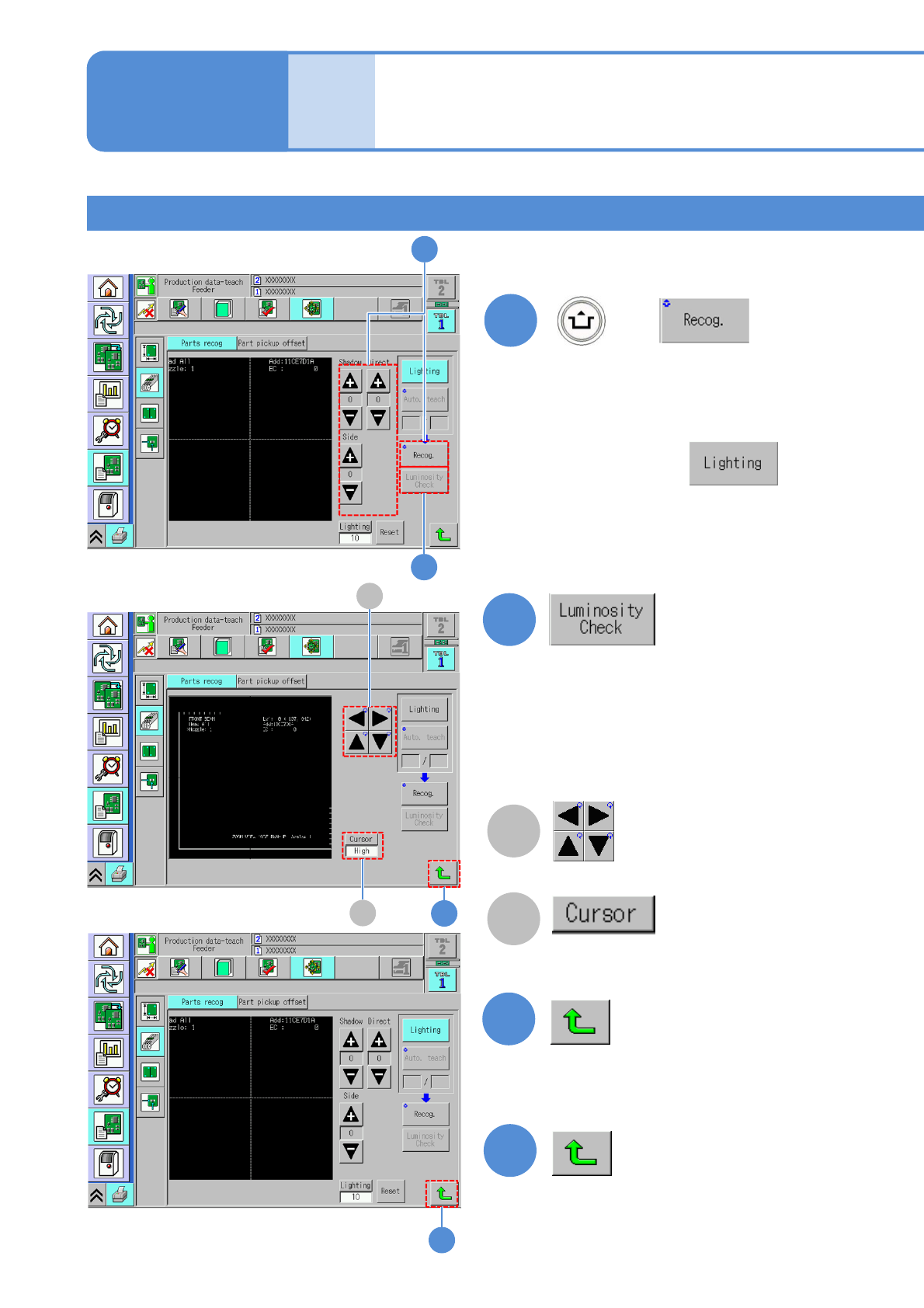
(An image recognized by the line
camera is displayed)
■If a component outline is invisible
After pressing ,
adjusts the brightness values using
‘Shadow’, ‘Direct’ and ‘Side’ buttons
as the component outline becomes
visible.
14
B
A
13
13
14
12
A
B
11
12
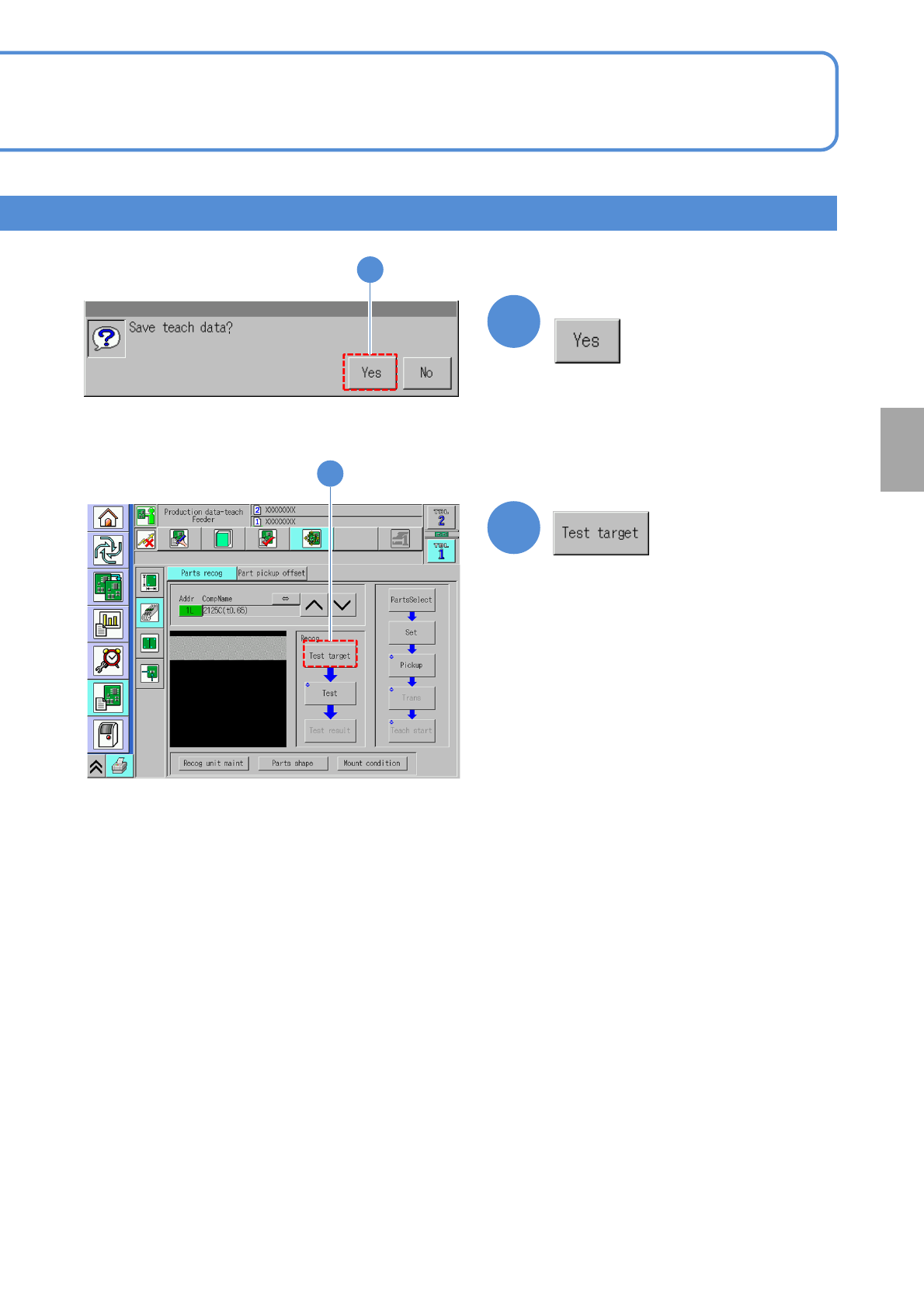
(Luminance distribution in vertical direction
at the specified position on the screen is
displayed.)
Check by luminance distribution whether
there is enough luminance contrast between
a component and the background.
Cursor movement
Change cursor moving pitch
“High” / “Low”
NPM-TT2 EJM1EE-MB-04O-03
4-2-4-8
Setting
change
15
15
16
16
Confirm the message
(Recognition starts)
NPM-TT2 EJM1EE-MB-04O-03
4-2-4-9
Produc-
tion data
teaching
Component
recognition teach 5
Component recognition teach 4
Operating procedure
4-2-4
17
18
+
18
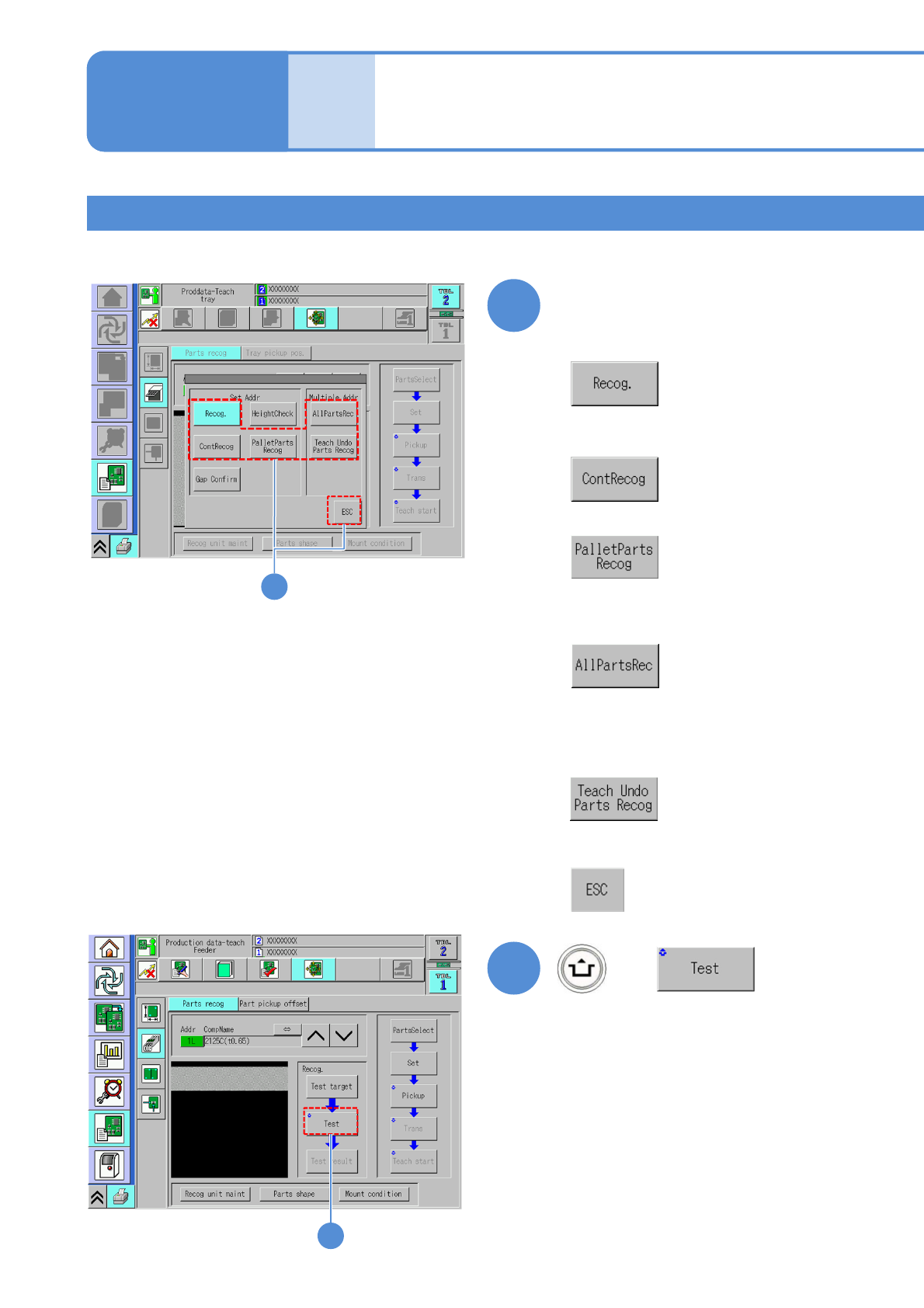
Choose a recognition method
■When a component is recognized once
■When a component is recognized ten
times
■When you do not choose the
recognition method
+
17
■When a pallet component is recognized
■When all components within the range
from the selected address to the last
address are recognized
■When all components which have not been
performed teaching within the range from the
selected address to the last address are
recognized