N7201A652E.pdf - 第209页
NPM- TT2 EJM1EE-MB -03O-02 3-2-2 -2 B A E D C Preparation time Production C D E F Operating time ● RealOpTime ■ For single lane mode: Time that previous and next processes waiting time and stop time caused by error are s…
NPM-TT2 EJM1EE-MB-03O-02
3-2-2-1
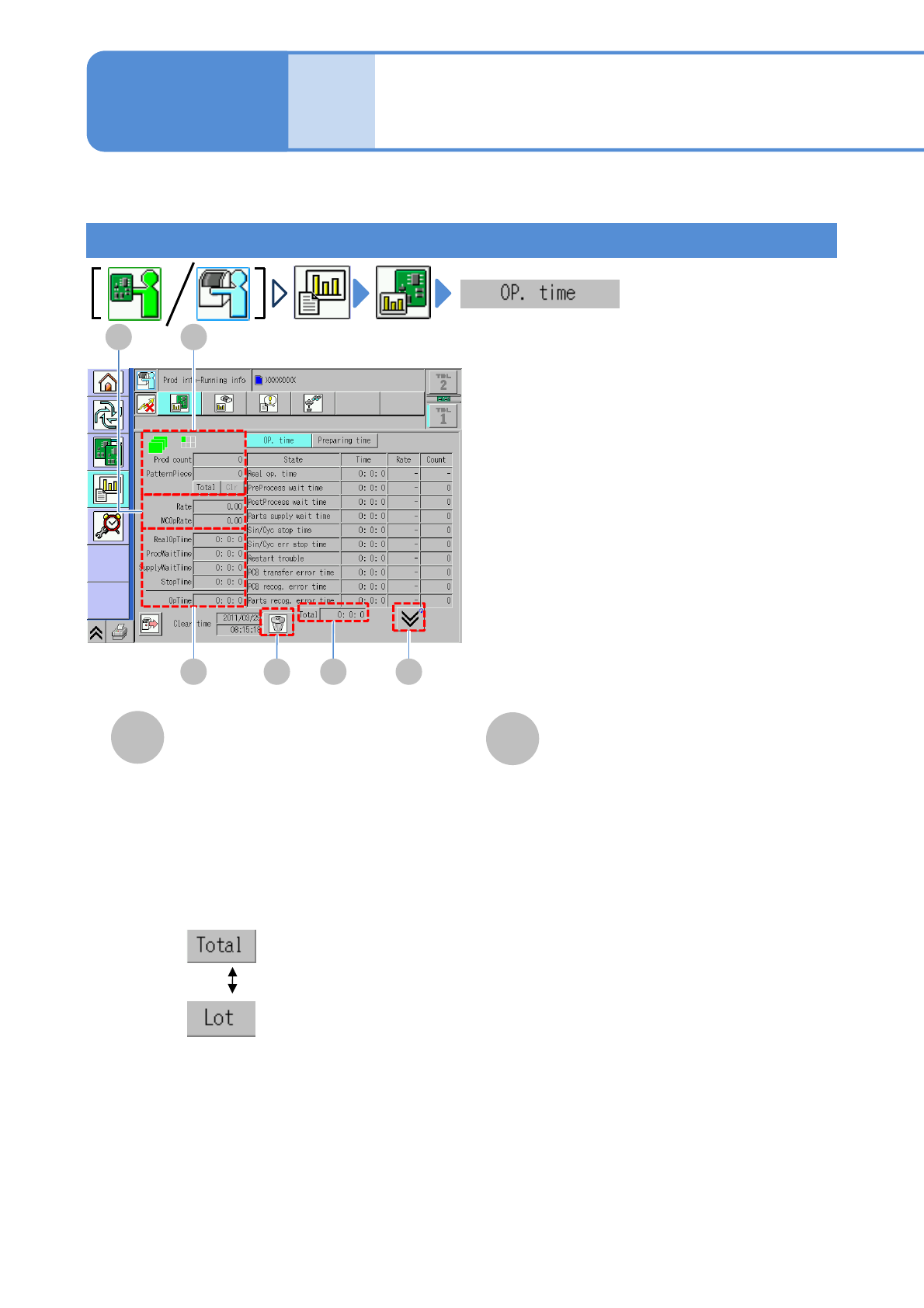
Operating time information is displayed for each machine.
●For dual conveyor, you need to choose a lane in advance.
Produc-
tion
informa-
tion
Operating procedure
3-2-2
Operating information
B A
ED F
C
B
A
Prod count
●Prod count
The number of PCBs passed through
the specified stage.
●PatternPiece
The number of PCBs produced
(components are mounted).
●Total/Lot
●Clear
Clears the count.
Rate
●Rate
Rate of the actual operating time for
operating time.
●MCOpRate
Rate of actual operating time and
process waiting time for operating time.
Choose the display type.
:The total number of
PCBs after switching
the production data
:The number of
PCBs per lot
Running time
NPM-TT2 EJM1EE-MB-03O-02
3-2-2-2
B A
ED
C
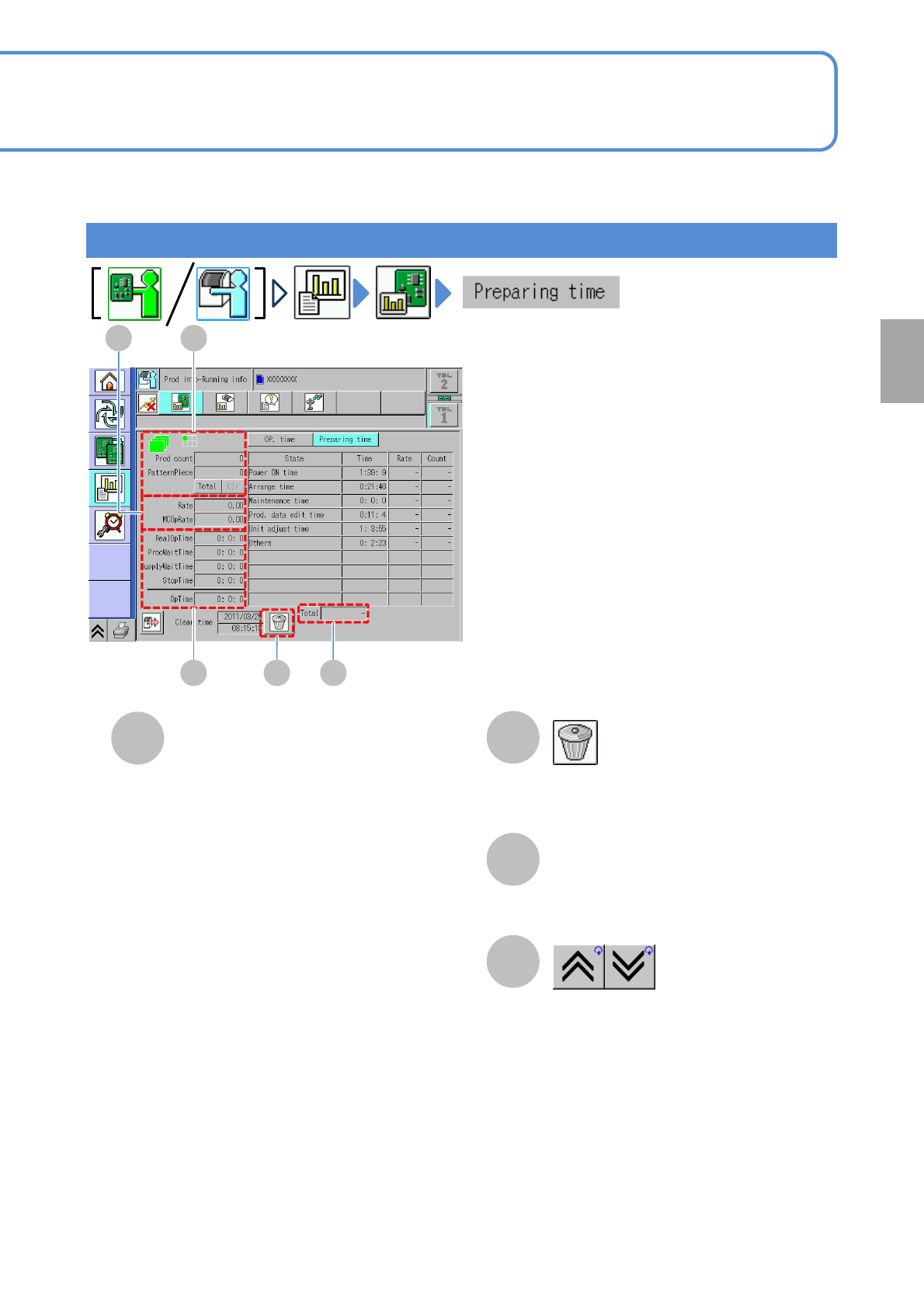
Preparation time
Production
C
D
E
F
Operating time
●RealOpTime
■For single lane mode:
Time that previous and next processes
waiting time and stop time caused by error
are subtracted from time in production
mode.
(RealOpeTime
=OpeTime - Total Stop time)
■For dual lane mode:
me that previous and next processes
waiting time, stop time caused by error
and transfer time are subtracted from time
in production mode.
(RealOpeTime
=OpeTime - Total Stop time-Transfer
time)
●ProcWaitTime
Preparation time for previous and next
processes.
●SupplyWaitTime
Waiting time for component supply.
●StopTime
Downtime during production.
●OpTime
Time that the machine is in production
mode.
Clears production information.
Total time
Shows the previous or next table.
NPM-TT2 EJM1EE-MB-03O-02
2
3-2-3-1
C
A
B
D
E
F
G
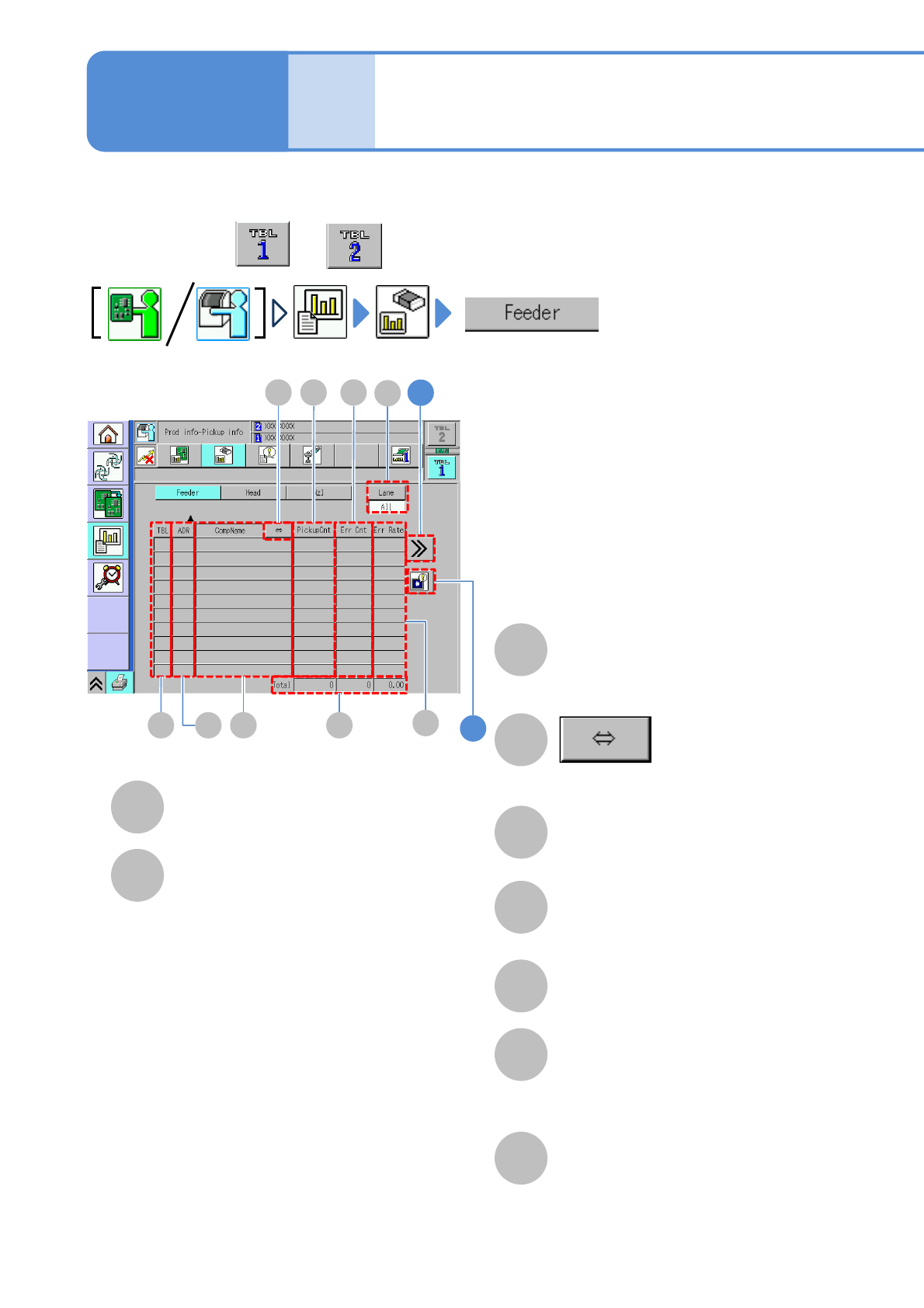
You can check component pickup information of a feeder per feeder address.
Produc-
tion
informa-
tion
Operating procedure
3-2-3
TBL (table)
Table to be referred.
ADR (address)
Feeder address.
CompName
Component name being
picked up.
Total
Total of pickup count of all feeders and
error count, and error occurrence rate
for total pickup count.
H
E FD
A C HB
Shows the rest of the component name
by scrolling.
PickupCnt
Number of components being picked
up per feeder.
Err Cnt
Number of components resulting in
error
Err Rate
Error occurrence rate for pickup count
Feeder pickup
information 1
●Perform on both and .
1
G
I
Tape / Stick Feeder
●A/B: Tray feeder table
(Only A is available in a single tray
feeder)
● Numerical number: Tray pallet
position number
Tray feeder
I
Lane
Change the display item to “All” or
“Lane”. When you select “Lane”, also
select the lane by the lane change
button.
●Numerical number: Feeder position
number
●R/L/C: Feeder component position
(For double tape feeder, thin type
single feeder)
R(right), L(left),
(For 3-rows stick feeder)
R(right), L(left), C(center)