N7201A652E.pdf - 第152页
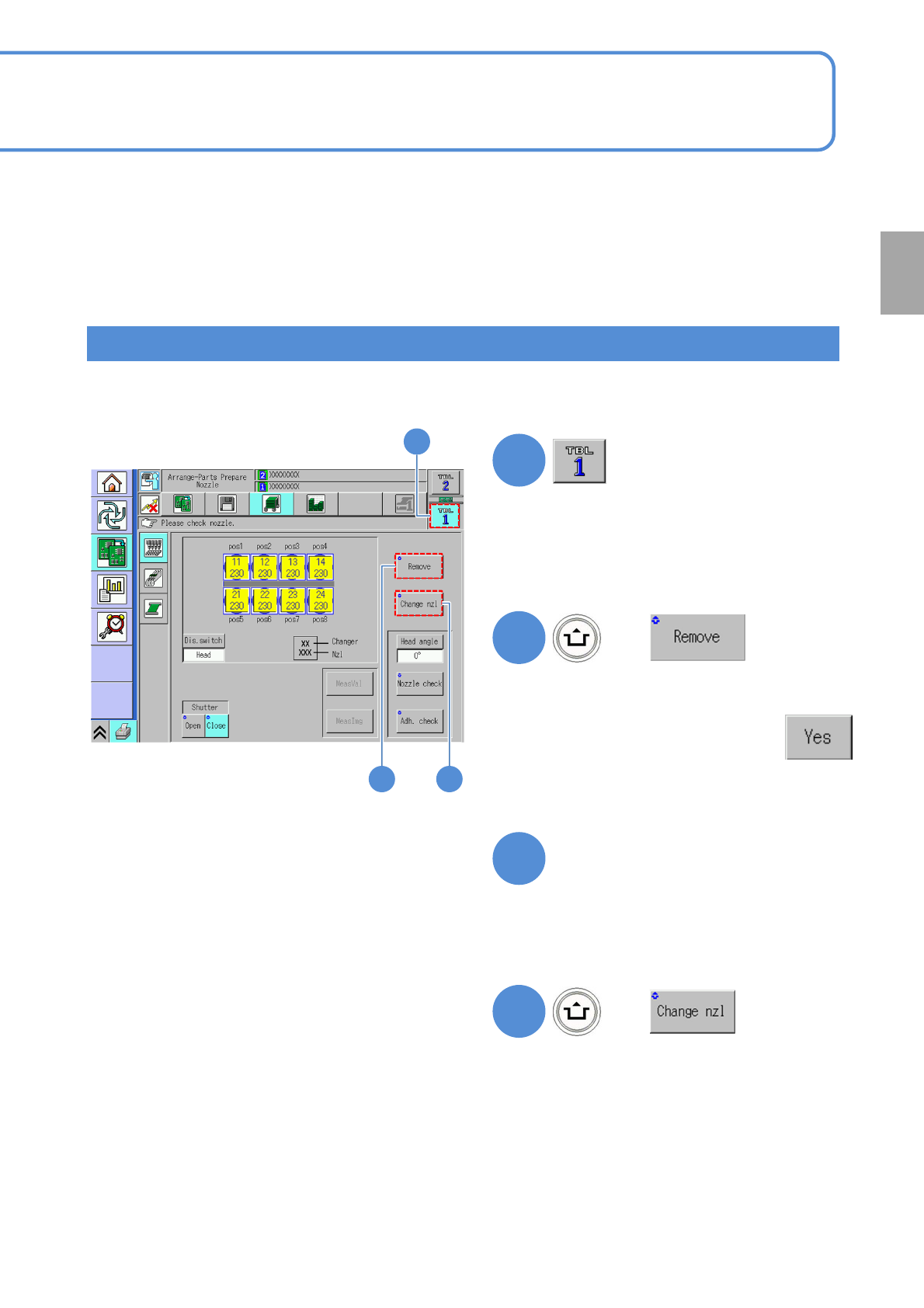
NPM- TT2 EJM1EE-MB-02 O-04 Individu- al prepara- tion R eplacing the no zzle 2 Replacing nozzles 1 2-5-2 -3 4 (Based on the data , nozzle s in the nozzle changer are attached to the head ) 5 ● If the attached nozzles are…
NPM-TT2 EJM1EE-MB-02O-04
2-5-2-2
Preparation
How to replace the nozzles attached to the head
The procedure for replacing the nozzles attached to the head when loading different production data
2
1
(If the nozzles attached to the head are
not in agreement with the nozzles set
based on the production data, the nozzles
displayed on the screen turn yellow)
●Upon confirming the message,
3
●Remove the nozzle changer, and check
/ correct the nozzles. (→P.2-5-1)
●Attach the nozzle changer.
(All nozzles are returned to the nozzle
changer)
Check on the nozzles
4
(The nozzles within the nozzle changer
are installed to the head.)
●In the presence of any nozzle within
the nozzle changer, the nozzles cannot
be removed.
1
2 4
+
+
NPM-TT2 EJM1EE-MB-02O-04
Individu-
al
prepara-
tion
Replacing the nozzle 2
Replacing nozzles
1
2-5-2-3
4
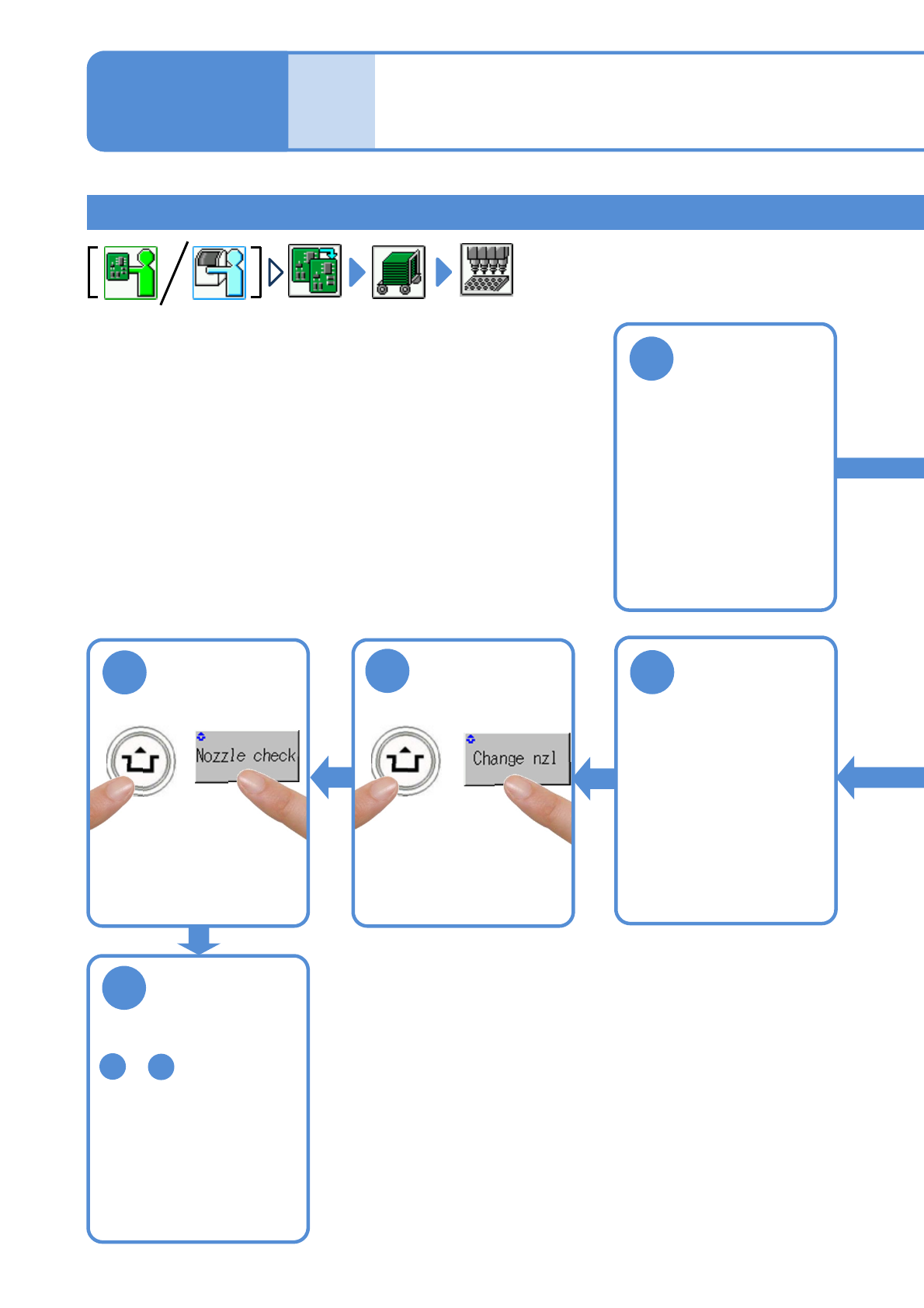
(Based on the data, nozzles
in the nozzle changer are
attached to the head)
5
●If the attached nozzles are
improper, the warning
message appears.
Change them out for
correct ones.
6
Repeat the steps from
to and replace
desired nozzles
1
5
Remove the
nozzle changer
3
Attach the
nozzle changer
(→P.2-5-1)
(→P.2-5-1)
Operating procedure
2-5-2
NPM-TT2 EJM1EE-MB-02O-04
2
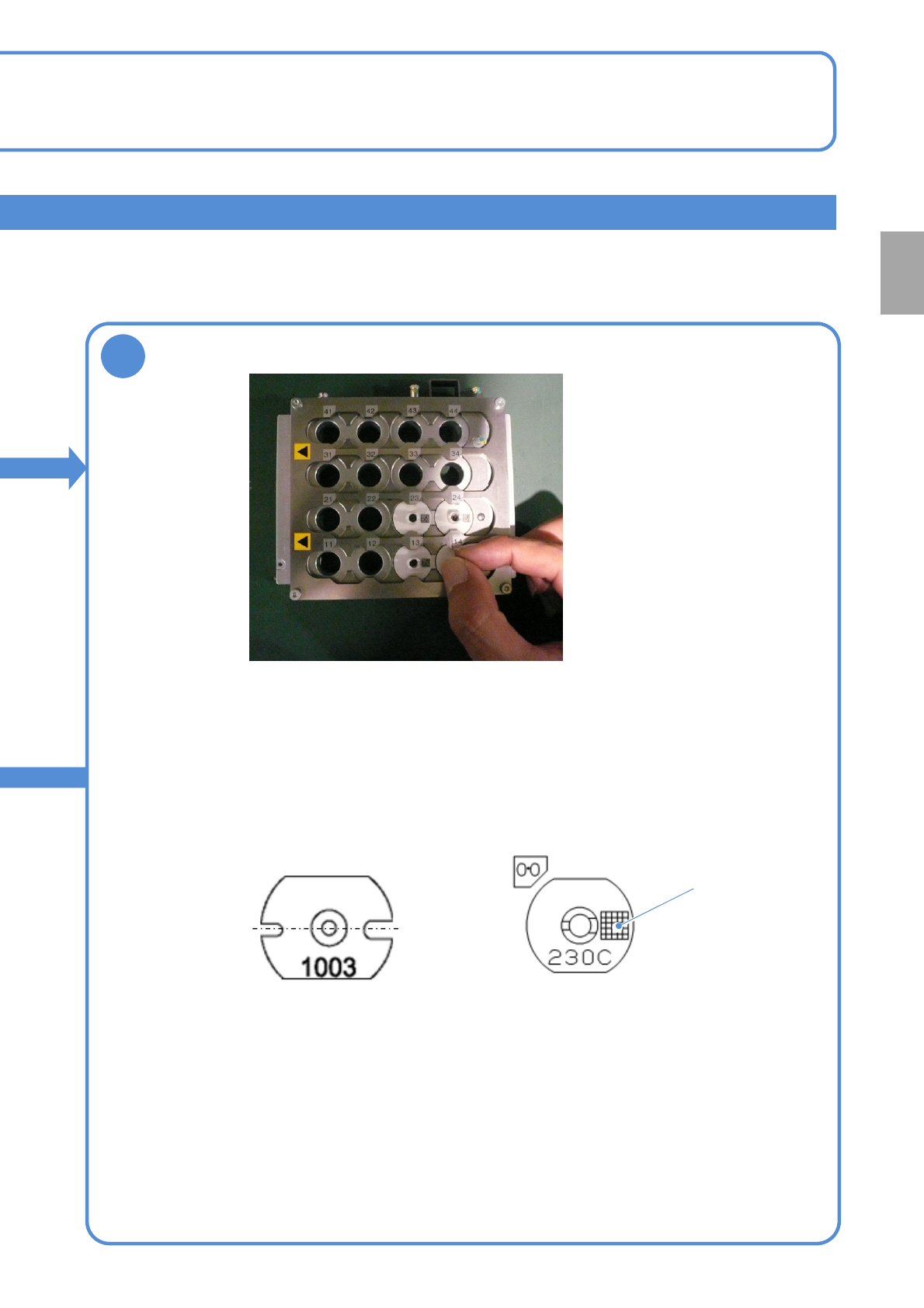
●As far as the nozzles for the 3-
nozzle head use are concerned, be
careful of the right and left grooves
orientation.
Narrow
groove
Wide
groove
Feeder table side
2-5-2-4
●Place the 8-/12-/16-nozzle head use nozzles, on which 2D
code is marked, in the direction as shown in the following
figures.
●Option settings can detect nozzle types by 2D code and thus
help prevent the nozzles from being placed in the wrong places.
(for information on how to set, see P.5-1-1)
Feeder table side
<Nozzle for 8-nozzle head><Nozzle for 3-nozzle head>
2D code
Replace nozzles
Preparation