N7201A652E.pdf - 第183页
NPM- TT2 EJM1EE-MB -02O-04 2-7 -2 D E K L M D Displays component consumption PCB cnt: total number of PCBs produce d MutPoints: total number of components placed to PCBs SkipPoints: total numbe r of componen ts not place…
NPM-TT2 EJM1EE-MB-02O-04
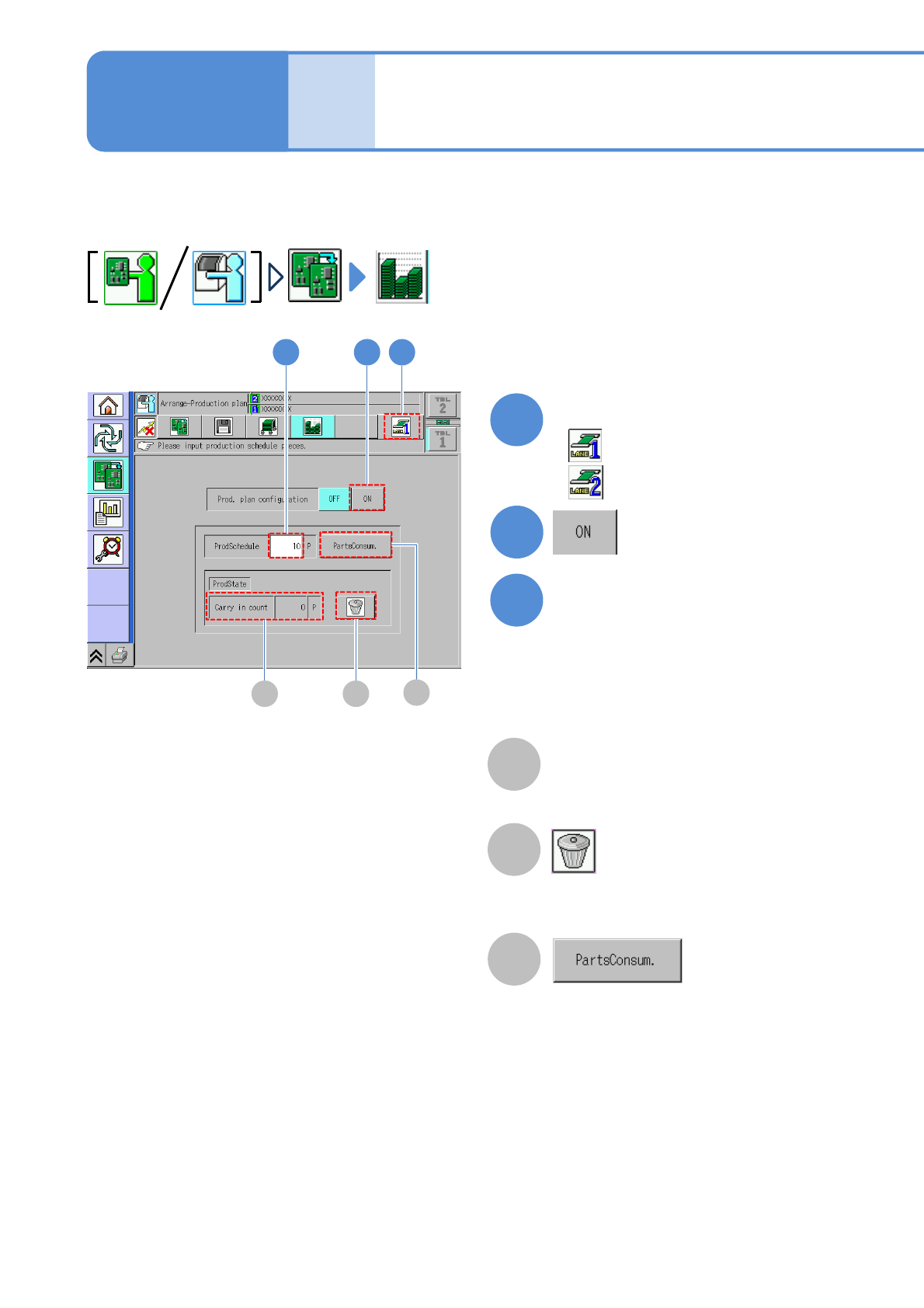
Production plan
(Setting the production count)
This allows you to set the planned volume during automatic operation.
In addition, you can calculate and display the consumption of components relative to the planned volume
in advance.
2-7-1
A
Loading count
Clears the loading count to
zero.
B
Displays the required component points
for the set count. (→P.2-7
-2)
Operating procedure
2-7
C
Displays the PCB count to be loaded.
1
3
2
2
Enter ‘ProdSchedule.’
A
3
B
1
Select a lane
: Lane 1
C
: Lane 2
●
Input range: 0 to 99999
●The setting of ‘0’ enables continuous
production without interrupting
automatic operation.
NPM-TT2 EJM1EE-MB-02O-04
2-7-2
DE K L M
D
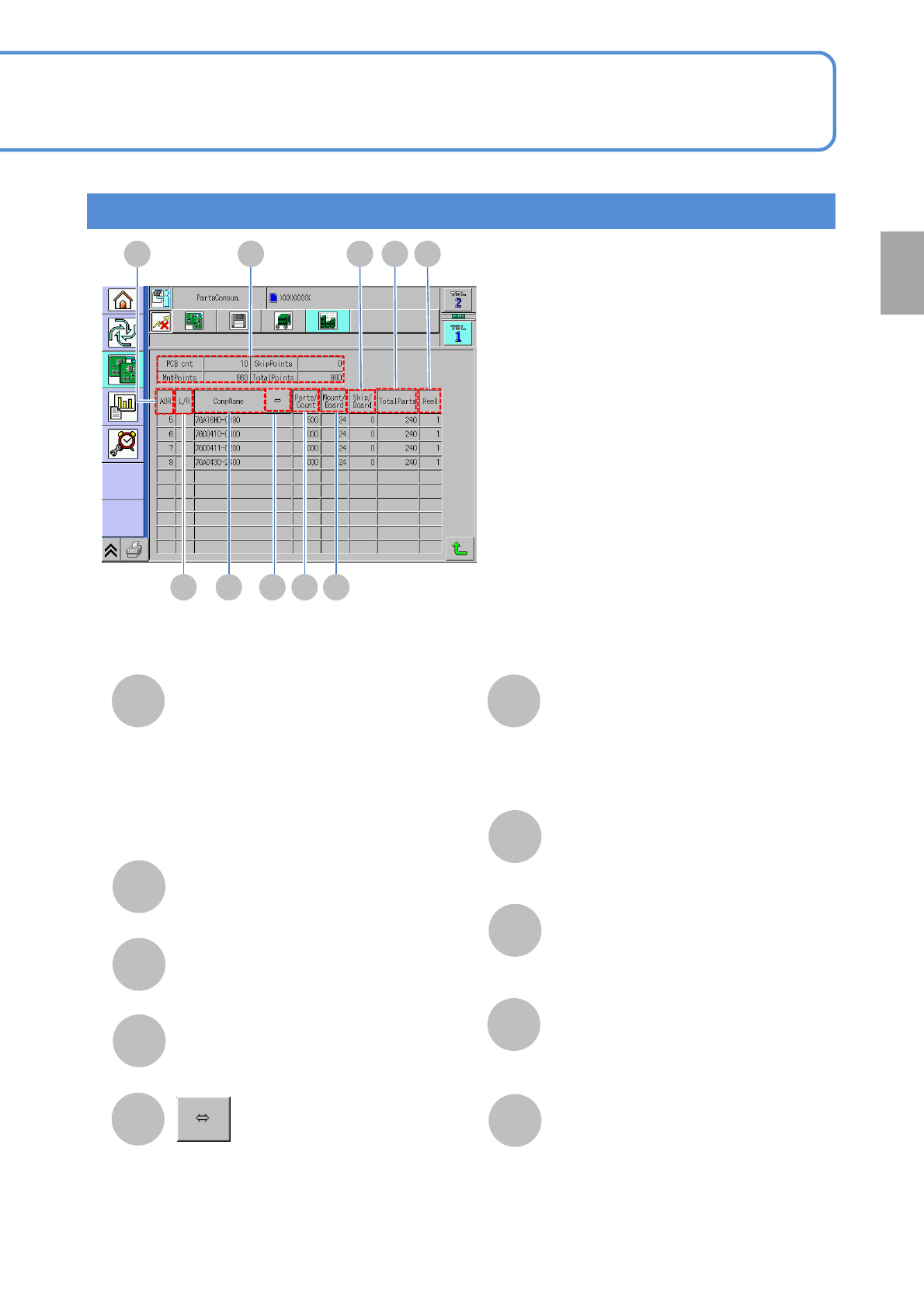
Displays component consumption
PCB cnt: total number of PCBs produced
MutPoints: total number of components
placed to PCBs
SkipPoints: total number of components
not placed to PCBs
TotalPoints: placement points + skip points
F
E
G
I
H
J
ADR (Address)
The number (address) of the slot on
which the feeder is placed.
L/R
The tape placement position.
CompName
Scrolls and displays a long component
name.
Parts/Count
The number of components relative to
a single feeder.
K
L
M
Mount/Board
The number of parts relative to a single
PCB.
Skip/Board
The number of skip points with respect
to a single PCB.
TotalParts
The total number of components.
Reel
The number of feeders.
F G H I J
Preparation
Displays component consumption screen
NPM-TT2 EJM1EE-MB-02O-04
2-8
Operating procedure
2-8
Preparation in
independent mode
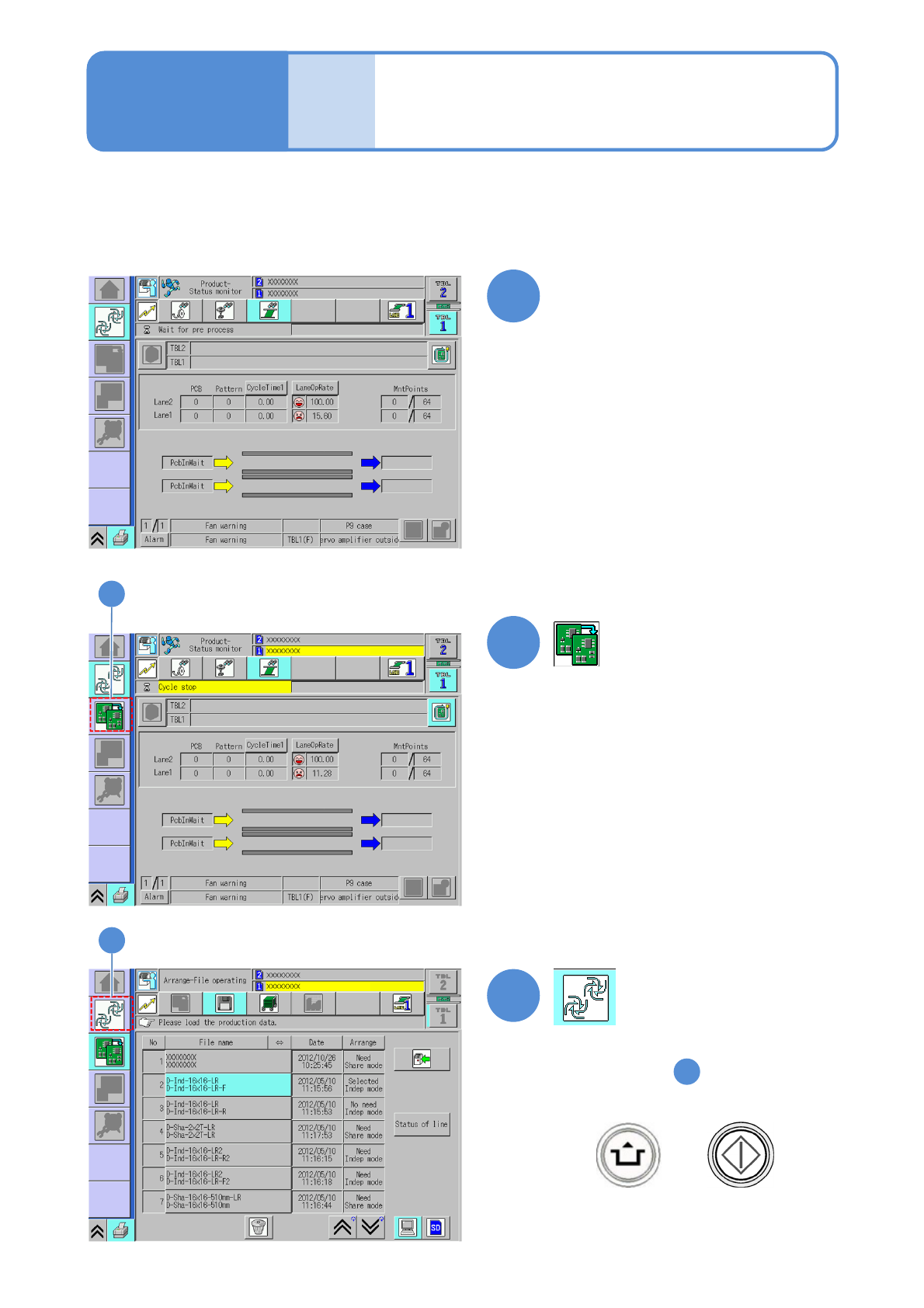
You can prepare for the lane during production in the independent mode.
1
2
●The lane under cycle stop is
displayed in yellow color.
2
3
3
(→P.2-3-2 to P.2-5-5)
(→3-1-1)
(→P.3-1-2)
1
Select a lane on the screen in
production and perform cycle stop
●Displays step screen.
●When you resume production
+