N7201A652E.pdf - 第217页
NPM- TT2 EJM1EE-MB -03O-02 3-2-4 -4 Production 7 ■ T o check the data 8 (The recognition error image is displayed) ■ T o save the data 8 9 10 Confirm the message or Confirm the message ● When you do not save the data ■ T…
NPM-TT2 EJM1EE-MB-03O-02
Produc-
tion
informa-
tion
Operating procedure
3-2-4
3-2-4-3
Head pickup
information 2
4
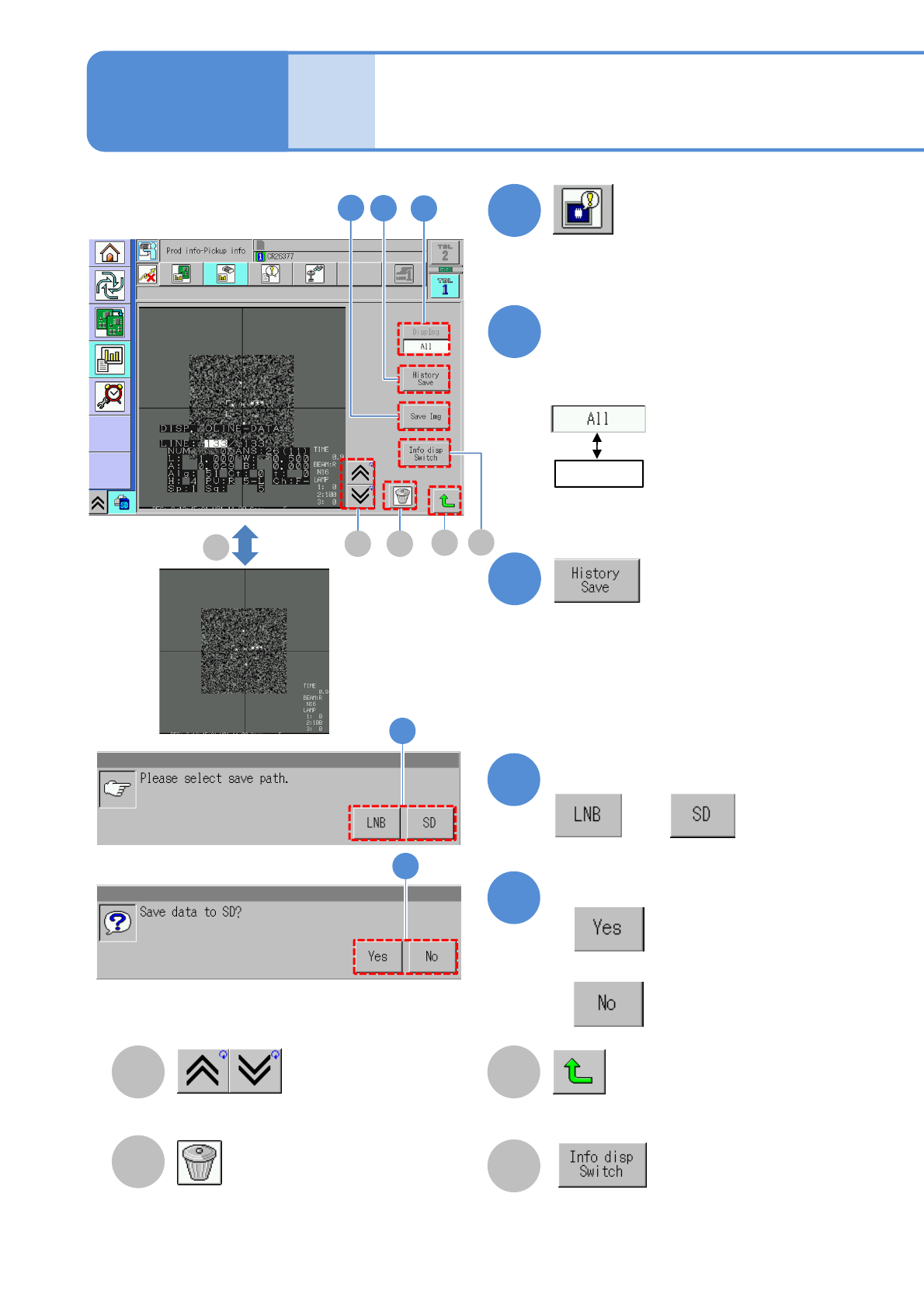
Deletes the image.
Go to the previous/next image.
Returns to the previous screen.
5
6
Confirm the message
or
Confirm the message
■When you do not save the data
5
6
Choose an image to display
●All error images in the selected table
are displayed in reverse chronological
order.
2
(Recognition error image information
is displayed)
3
Select
: Displays all images.
:Displays the image of
the head number
specified on the
previous screen.
B
C
A
3
4
7
D
A
B
C
D
Switches between showing and hiding
the recognition result on the recognition
screen when each time you press the
button.
Switches between showing and hiding
the recognition result on the recognition
screen when each time you press the
button.
D
Each time you press
NPM-TT2 EJM1EE-MB-03O-02
3-2-4-4
Production
7
■To check the data
8
(The recognition error image is displayed)
■To save the data
8
9
10
Confirm the message
or
Confirm the message
●When you do not save the data
■To cancel
8
9
10
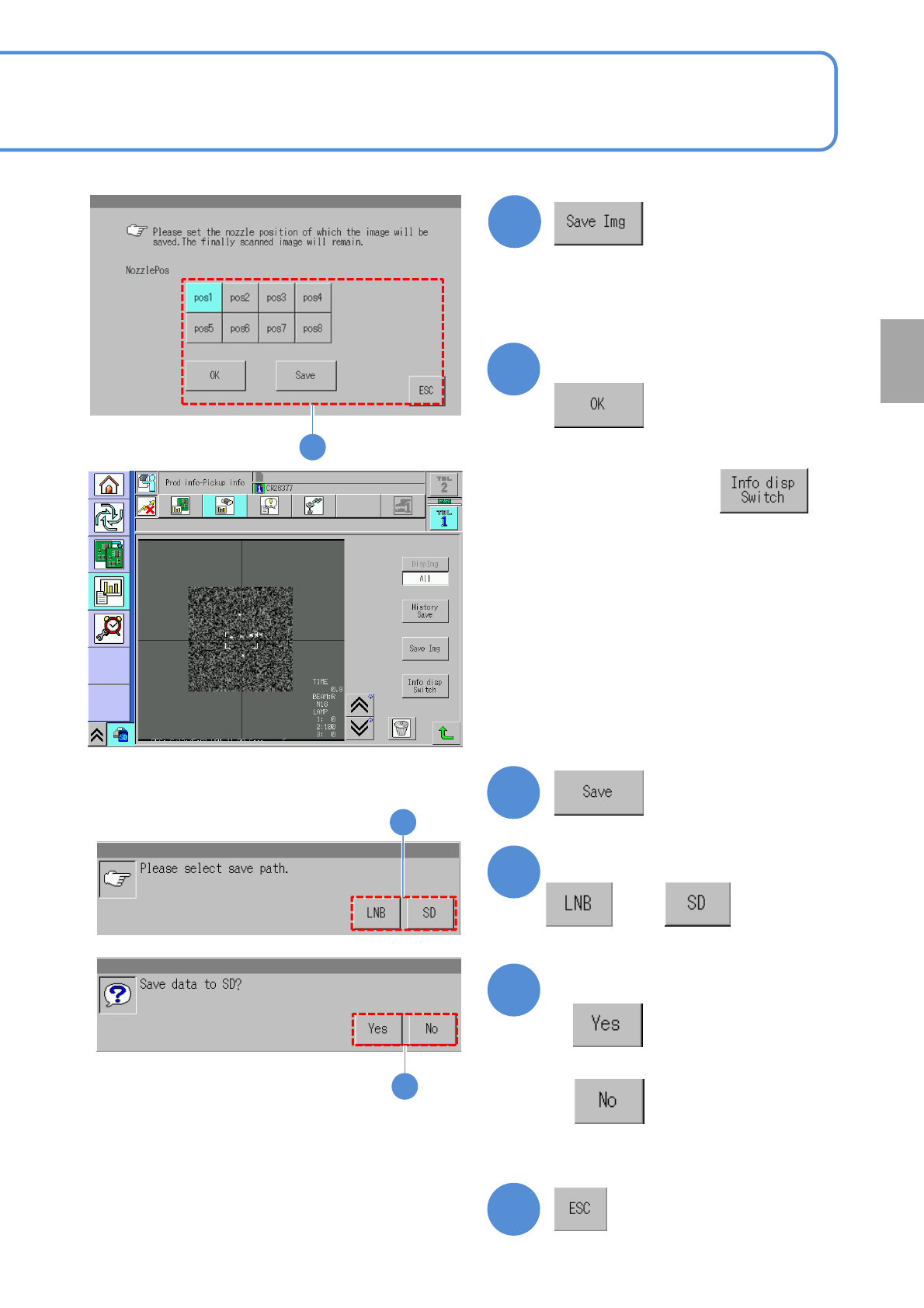
●You can check the image in error per
nozzle and save the data.
Choose the nozzle position
8
● If necessary, press to
hide the recognition result.
NPM-TT2 EJM1EE-MB-03O-02
Produc-
tion
informa-
tion
Operating procedure
3-2-5
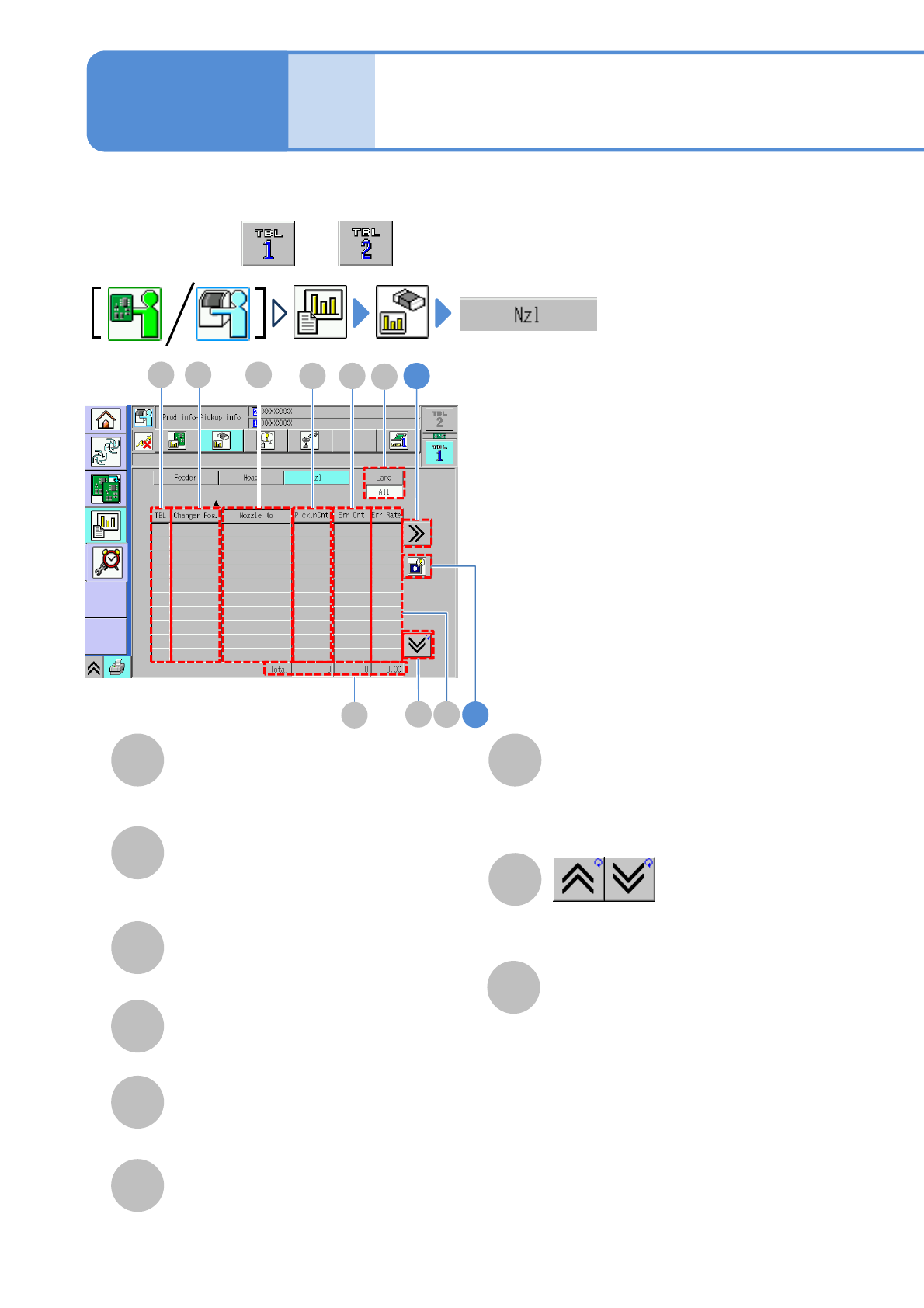
You can check component pickup information of a nozzle per nozzle.
3-2-5-1
Nozzle pickup
information 1
TBL (table)
A table referred to.
Total
Total of pickup count of all nozzles and
error count, and error occurrence rate
for total pickup count.
Changer Pos
Nozzle position in the nozzle changer
on the selected table.
Nozzle No
Pickup count per head.
Shows the previous or next table.
C
A
B
G
H
●Perform on both and .
D
H
G
1
A CB
E
F
I
D
E
F
PickuCnt
Pickup count per nozzle
Err Cnt
Number of components resulting in error
Err Rate
Error occurrence rate for pickup count
I
Lane
Change the display item to “All” or
“Lane”. When “Lane” is selected, also
select the lane by the lane change
button.
2