N7201A652E.pdf - 第177页
NPM- TT2 EJM1EE-MB-02 O-04 2-5-7 -8 Checking the setting position of support pins 1 1 + Inadvertently moving a support pin(s) by hand while in the proc ess of removing a PCB, a support pin(s) being misaligned due to the …
NPM-TT2 EJM1EE-MB-02O-04
Installing support pins
(for automatic change) 4
Operating procedure
2-5-7
2-5-7-7
Individu-
al
prepara-
tion
Checking the support pin arrangement position
1
+
Download the production data including support pin arrangement information in advance.
(Arrange the support pins to the
arrangement coordinates of the
production data)
B
C
D
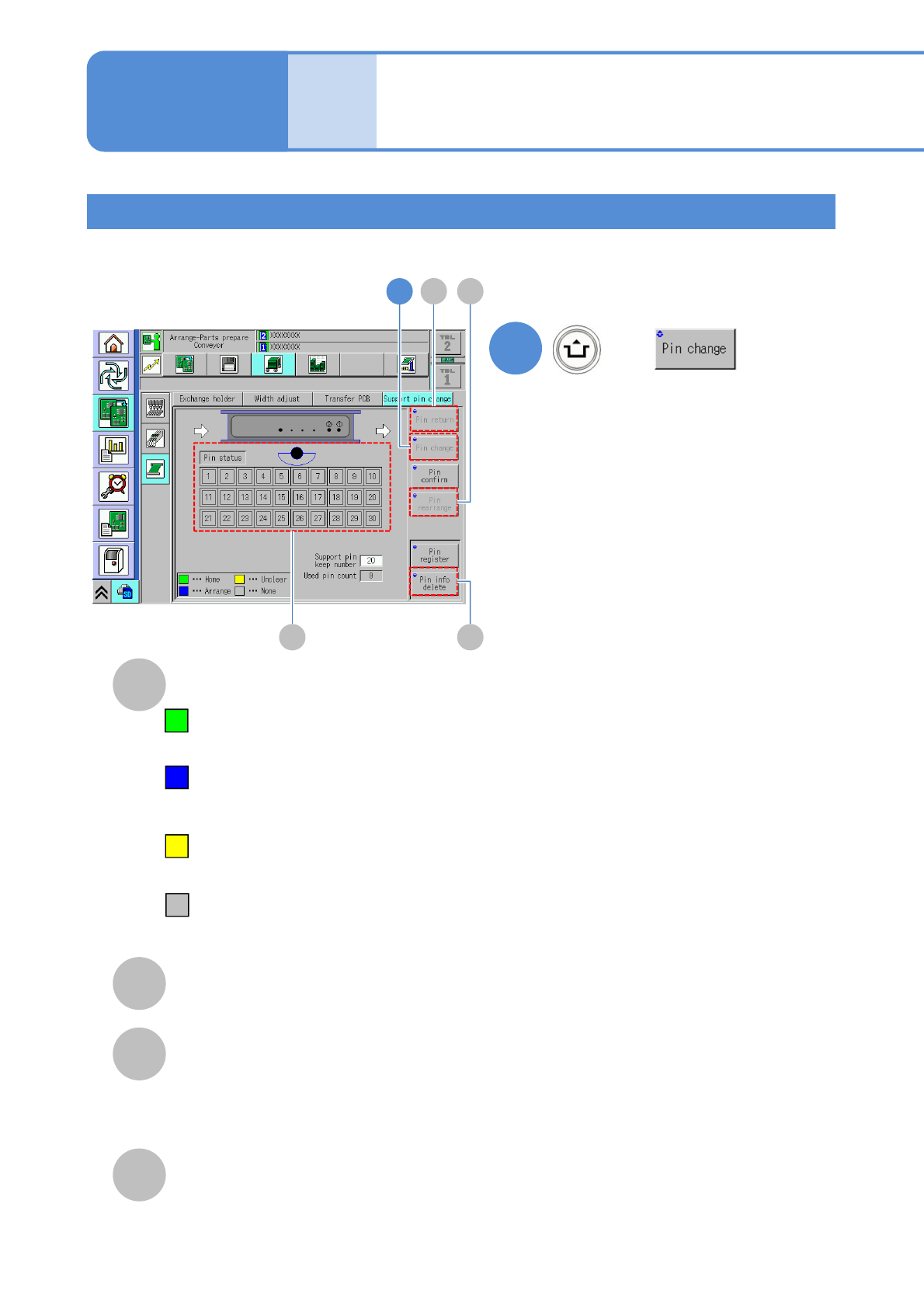
Support pin status
Pin return
Returns the support pin to the home position.
Pin rearrange
Recognizes the arranged support pins and if
their arrangement position is within tolerance
of placement displacement of the support
pins, arrange the support pins again.
E
Pin info delete
Uses when you want to remove the support pins
from the machine. After executing, the
arrangement data is cleared.
●If the machine comes to an emergency
stop during replacement of support pins,
the support pins may fall. Reinstall the
dropped support pin and set to the
home position or replace it with the new
one.
●It is equally applicable when the safety
cover is opened during replacement of
the support pins. Replace the support
pins again.
■When there is more the support pin
keep number than the number of the
support pins that are arranged in
production data;
The number of support pins not used in
production will be determined by the
machine according to the PCB size,
and the support pins will be
automatically retracted by the machine
from the PCB area.
*Do not exceed the number of retractable
pins indicated in (Support pin keep
number)-(The number of support pins
being arranged on the production data)
in (→P2-5-7-
10)
■An error message appears when there
is less the support pin keep number
than the number of the support pins
that are arranged in production data.
Change the support pin keep number.
*The pin status is indicated by color
Home: support pins are present in the
home position.
(Displayed in yellow-green)
Arrange: support pins are located at the
arrangement coordinates
described by production data.
(Displayed in blue)
Unclear: the support pin status, being
neither Home nor Arrange, is
unknown. (Displayed in yellow)
None: no support pins.
(Displayed in gray)
1
C D
EB
NPM-TT2 EJM1EE-MB-02O-04
2-5-7-8
Checking the setting position of support pins 1
1
+
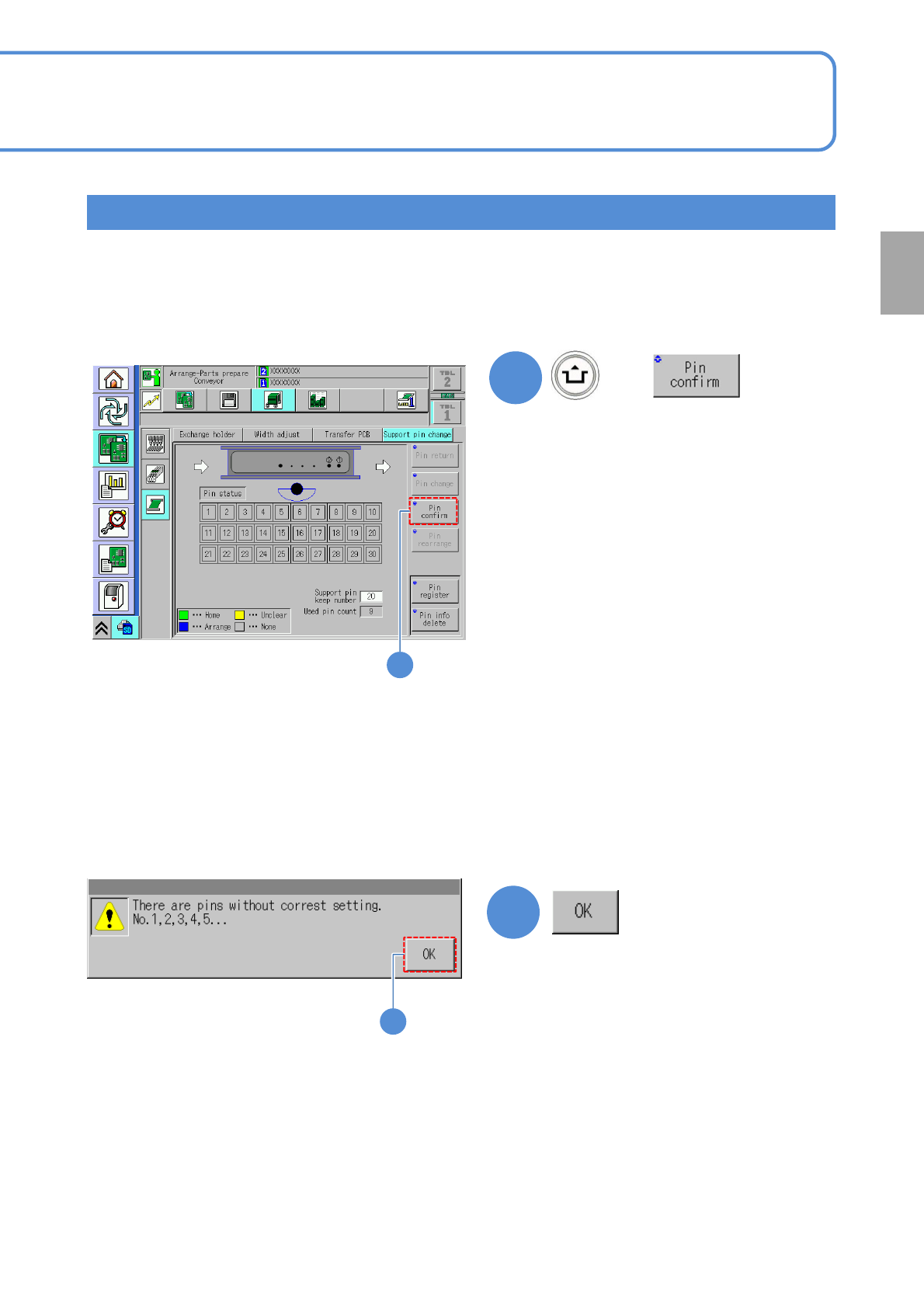
Inadvertently moving a support pin(s) by hand while in the process of removing a PCB, a support pin(s) being
misaligned due to the impact of the machine, etc., or decreasing/increasing a support pin(s) in the production
process may cause the support pins that are arranged in the production data to differ in number from those
actually being present in the machine.
Check the setting position of support pins once a week.
(Confirms the status of support pins
displayed on the screen)
Continue on production.
■When the pin status displayed on the
screen dose not reflect the actual state
of the support pins set in the machine
■When it completes successfully,
2
2
Preparation
1
NPM-TT2 EJM1EE-MB-02O-04
Installing support pins
(for automatic change) 5
Operating procedure
2-5-7
2-5-7-9
Individu-
al
prepara-
tion
Checking the setting position of support pins 2
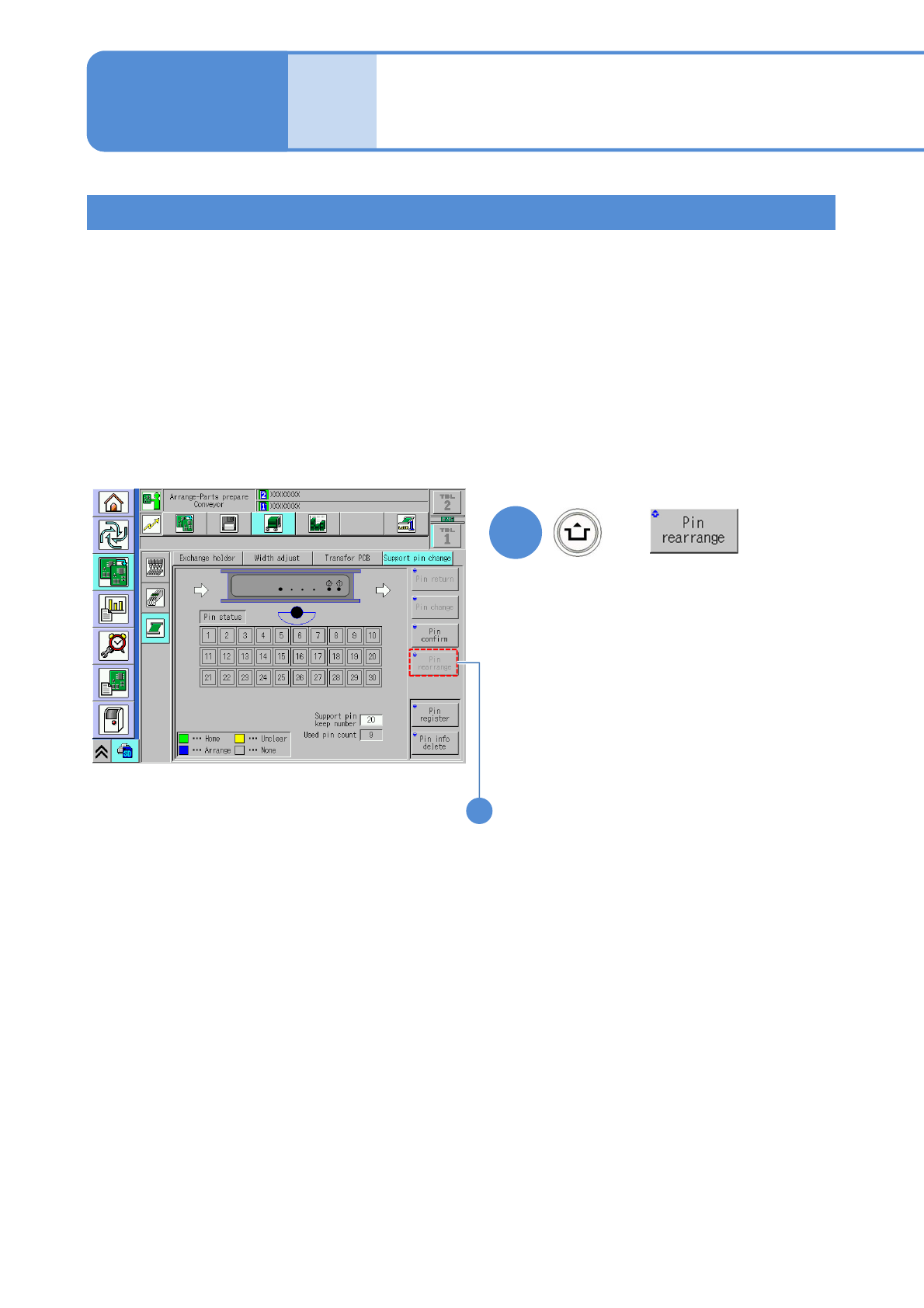
■In the absence of a support pin
whose status is displayed as Unclear
on the screen
Rearrange the support pins
■In the presence of a support pin
whose status is displayed as Unclear
on the screen
Return all the support pins to the home
position by hand, and start again from
the beginning of “Checking the number of
support pins.” (→P2-5-7
-6)
+
(Only the pins in the wrong position will
be rearranged)
3
3