N7201A652E.pdf - 第199页
NPM- TT2 EJM1EE-MB -03O-02 D Even though compo nent empty warning is displayed, it is a misjudgment. So, production is continued . E Illuminates LED of unused feeders. F ■ By machine H G I ADR (address) Component address…
NPM-TT2 EJM1EE-MB-03O-02
Remaining components
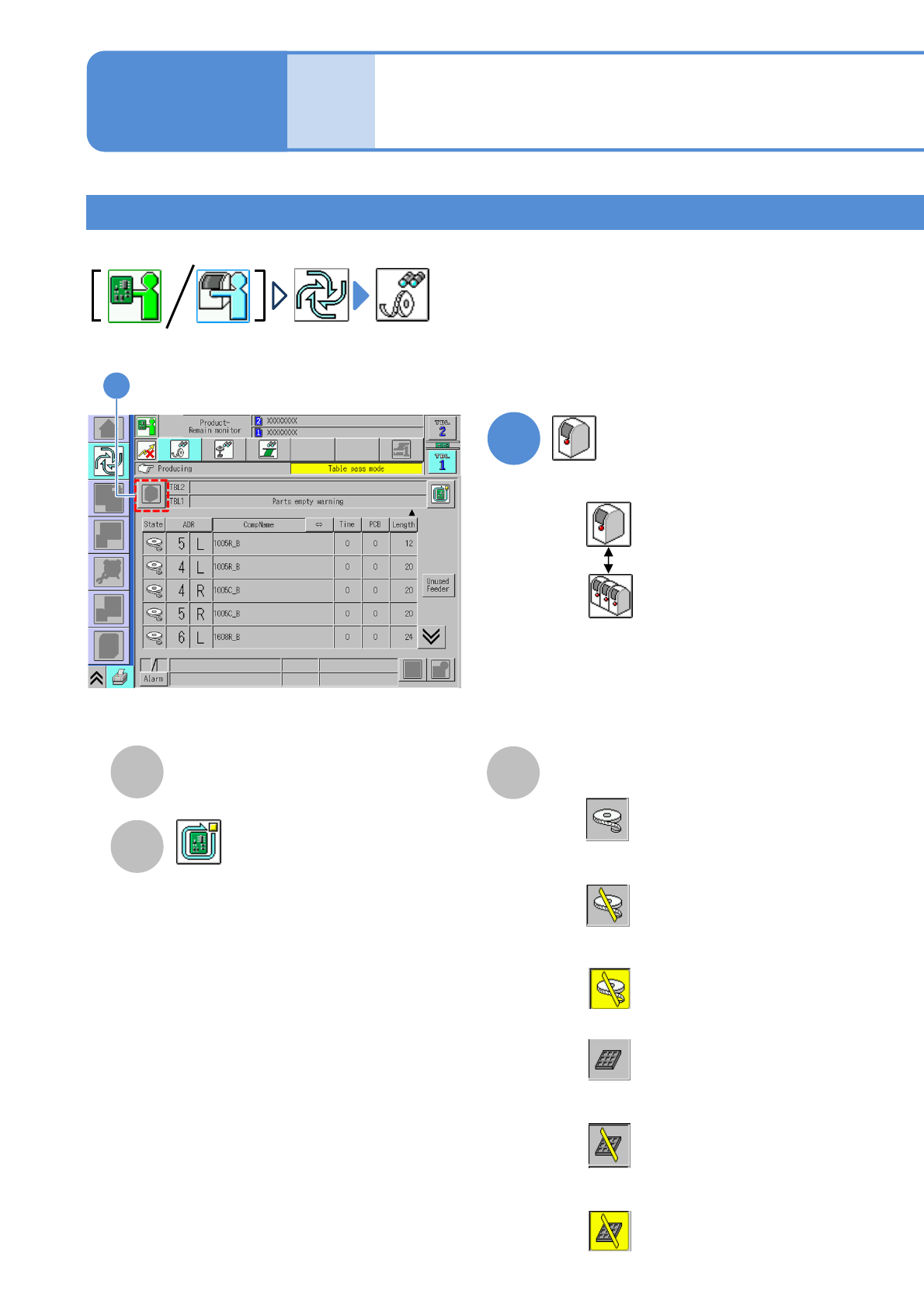
You can check remaining components per machine or line during production.
1
Operating procedure
3-2-1
3-2-1-5
Produc-
tion
informa-
tion
Choose either by machine or by line
: By machine
: By line
A
B
TBL (table)
Table to be referred.
Stop production after producing the
current PCB. (→P.3-1-2)
How to check the screen in
production when stationary
3
1
C
Status
■When the feeder is out of components
■When the feeder is out of components
but components are in stock
■When the feeder is out of components
and components are also out of stock
■When the tray is out of components
■When the tray is out of components but
components are in stock
■When the tray is out of components and
components are also out of stock
Feeder: White
BG color: Grey
Feeder: White
BG color: Grey, Slash: Yellow
Feeder: White
BG color: Yellow, Slash: Yellow
Tray color: Grey
BG color: Grey
Tray color: Grey
BG color: Grey, Slash: Yellow
Tray color: Grey
BG color: Yellow , Slash: Yellow
NPM-TT2 EJM1EE-MB-03O-02
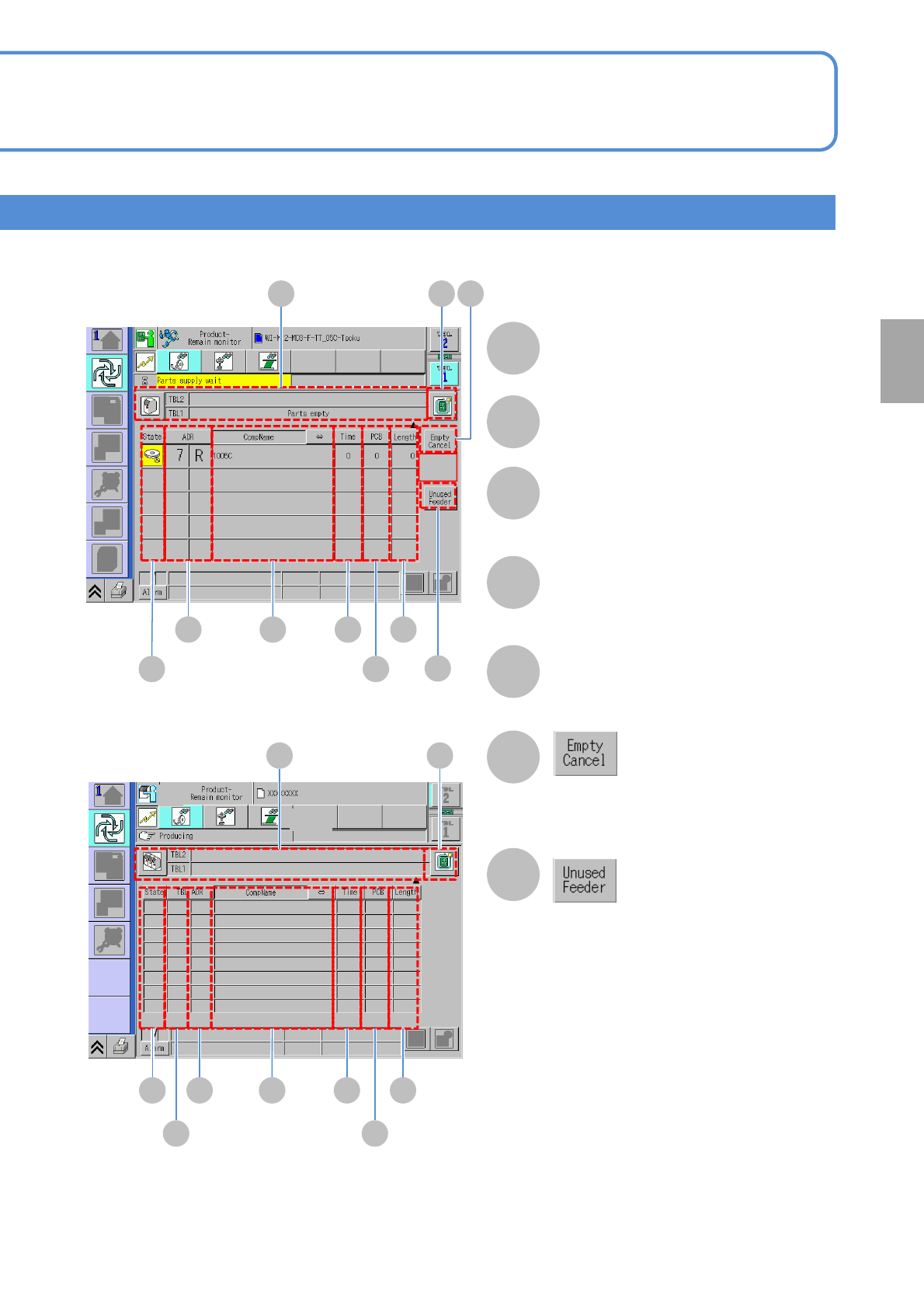
D
Even though component empty
warning is displayed, it is a
misjudgment. So, production is
continued.
E
Illuminates LED of unused feeders.
F
■By machine
H
G
I
ADR (address)
Component address.
CompName
Time
The estimated time to component
empty.
●Unit: minute
J
PCB
The number of PCBs produced before
component empty.
Length
The remaining tape length (m).
A B
D
C
HE F
G
J
I
■By line
A B
DC HE F
GA
3-2-1-6
Production
NPM-TT2 EJM1EE-MB-03O-02
3-2-1-7
Feeder pickup condition
1
Operating procedure
3-2-1
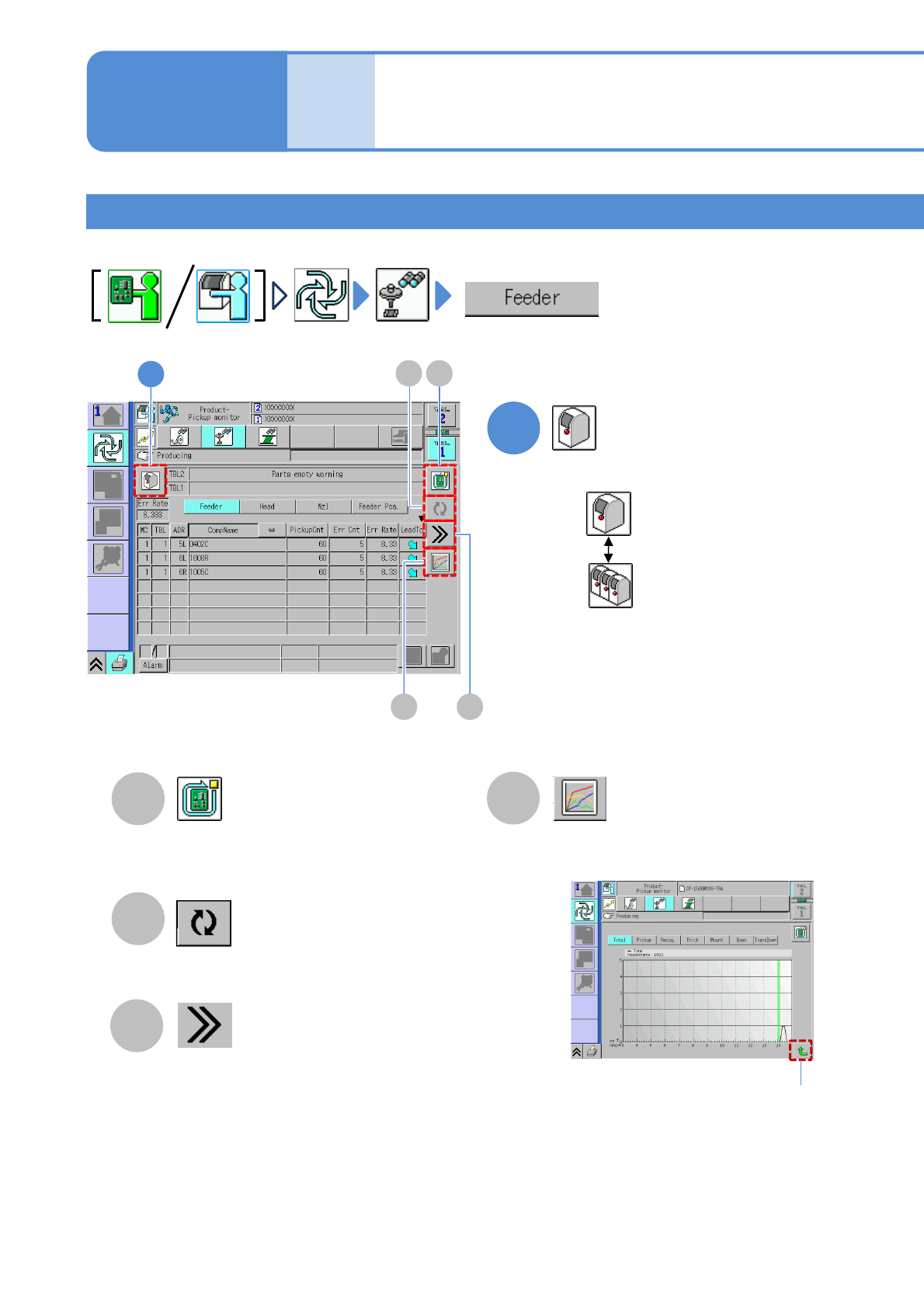
Choose either by machine or by line
: By machine
: By line
Produc-
tion
informa-
tion
A
Stop production after the produced current
PCB. (→P.3-1-2)
B
Updates to latest information.
D
Displays detailed pickup information.
C
●Displays error count of the selecting
nozzle in an hour in graph.
Returns to the
previous screen
●Pickup information of components of a feeder is displayed.
Vertical axis: error count
Horizontal axis: time
How to check the screen in
production when stationary
4
A
D
B
1
C