N7201A652E.pdf - 第75页
NPM- TT2 EJM1EE-MB -02O-04 2-1-3 -2 5 6 5 6 7 Confirm the message ■ If you do not switch the operation mode 7 Preparatio n Touch the blank s pace
NPM-TT2 EJM1EE-MB-02O-04
Operating procedure
2-1-3
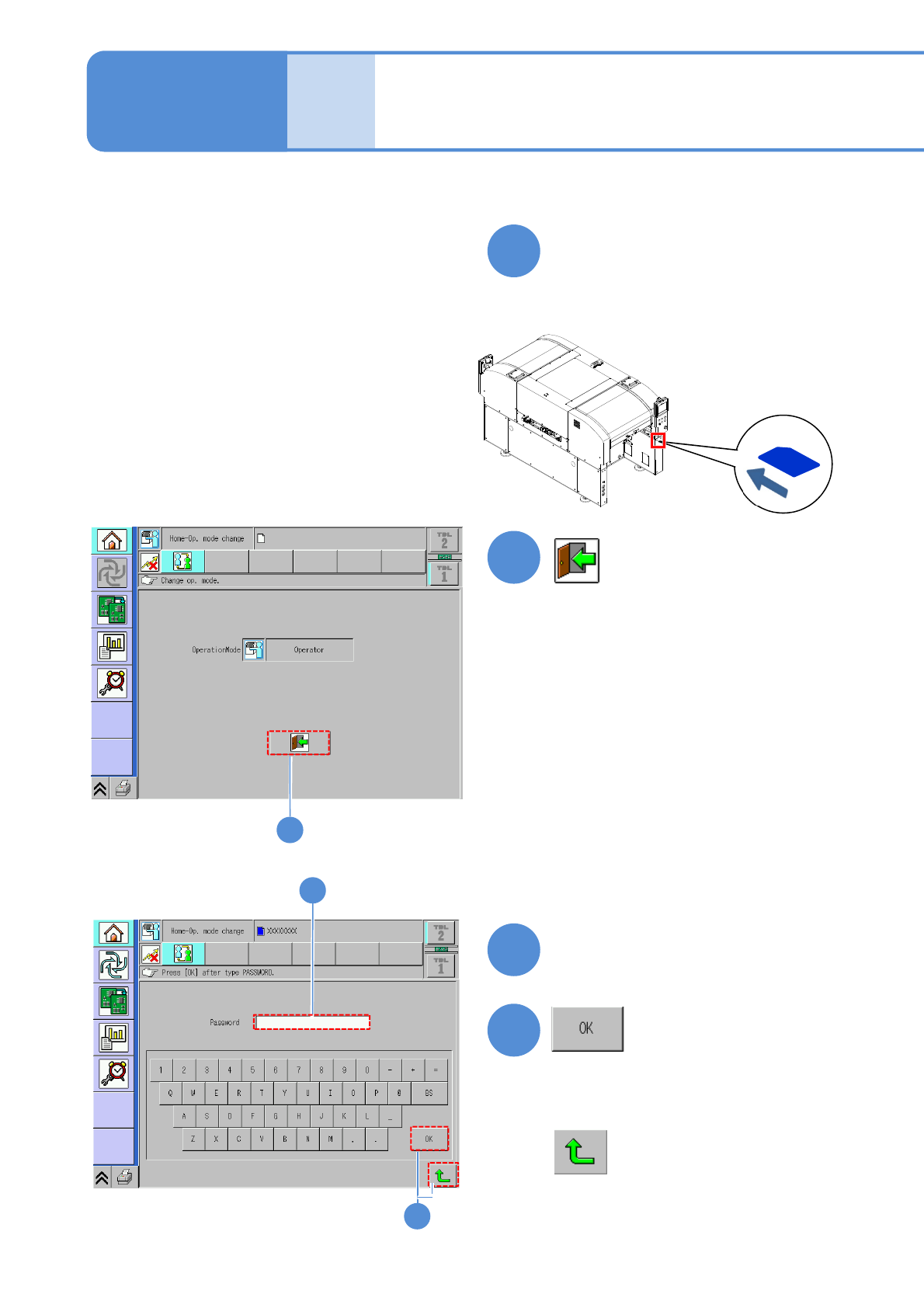
Select an operation mode on the default screen displayed when the machine is started up.
Insert a key disk
●Insert the SD card (the attached key
disk) to change the password into the
SD card drive.
1
2
3
4
Type in your password
2-1-3-1
4
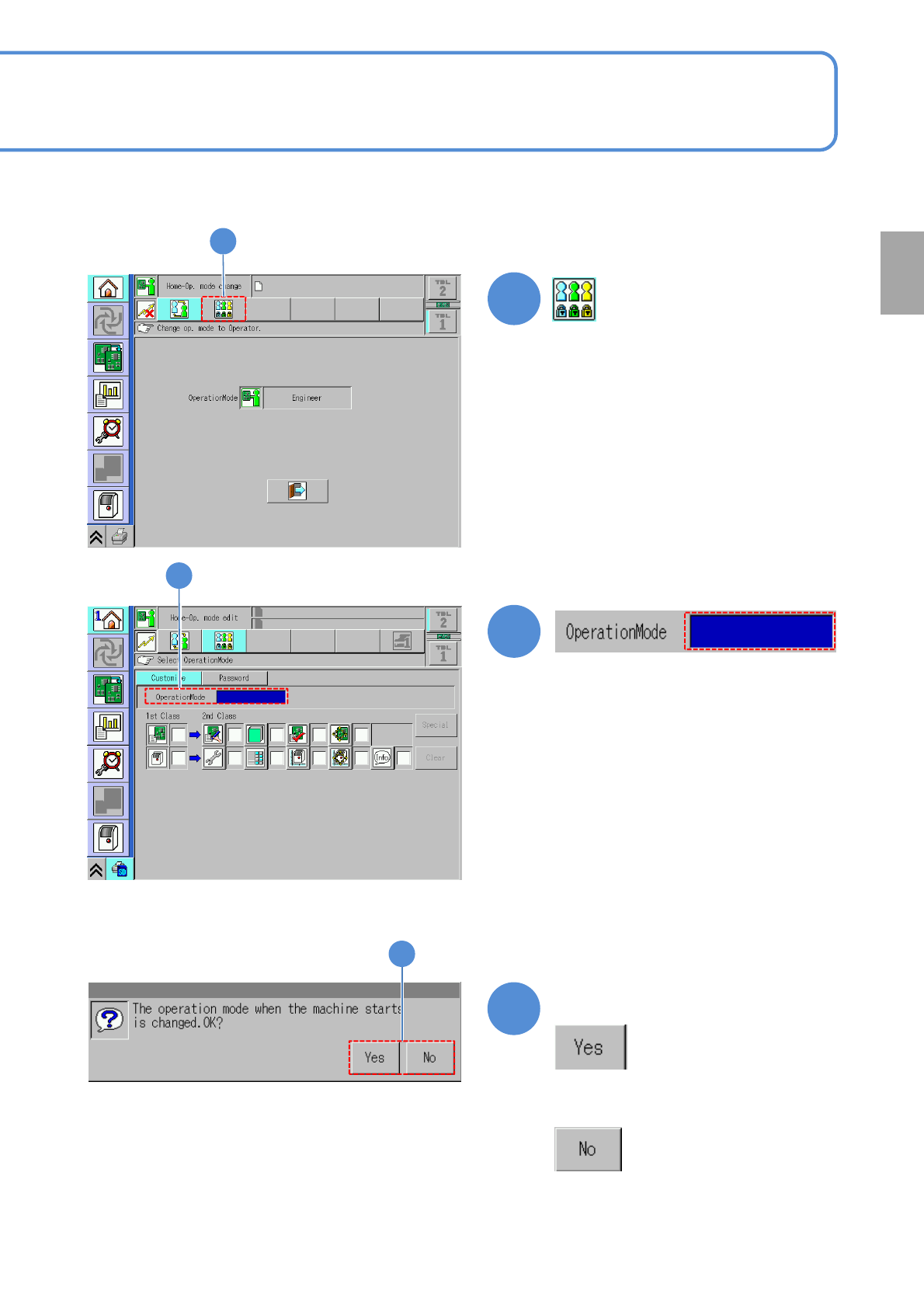
■If you do not switch to Engineer mode
The default operation
mode setup 1
2
3
Basic
opera-
tion
NPM-TT2 EJM1EE-MB-02O-04
2-1-3-2
5
6
5
6
7
Confirm the message
■If you do not switch the operation mode
7
Preparation
Touch the blank space
NPM-TT2 EJM1EE-MB-02O-04
2-1-3-3
9
Confirm the message
8
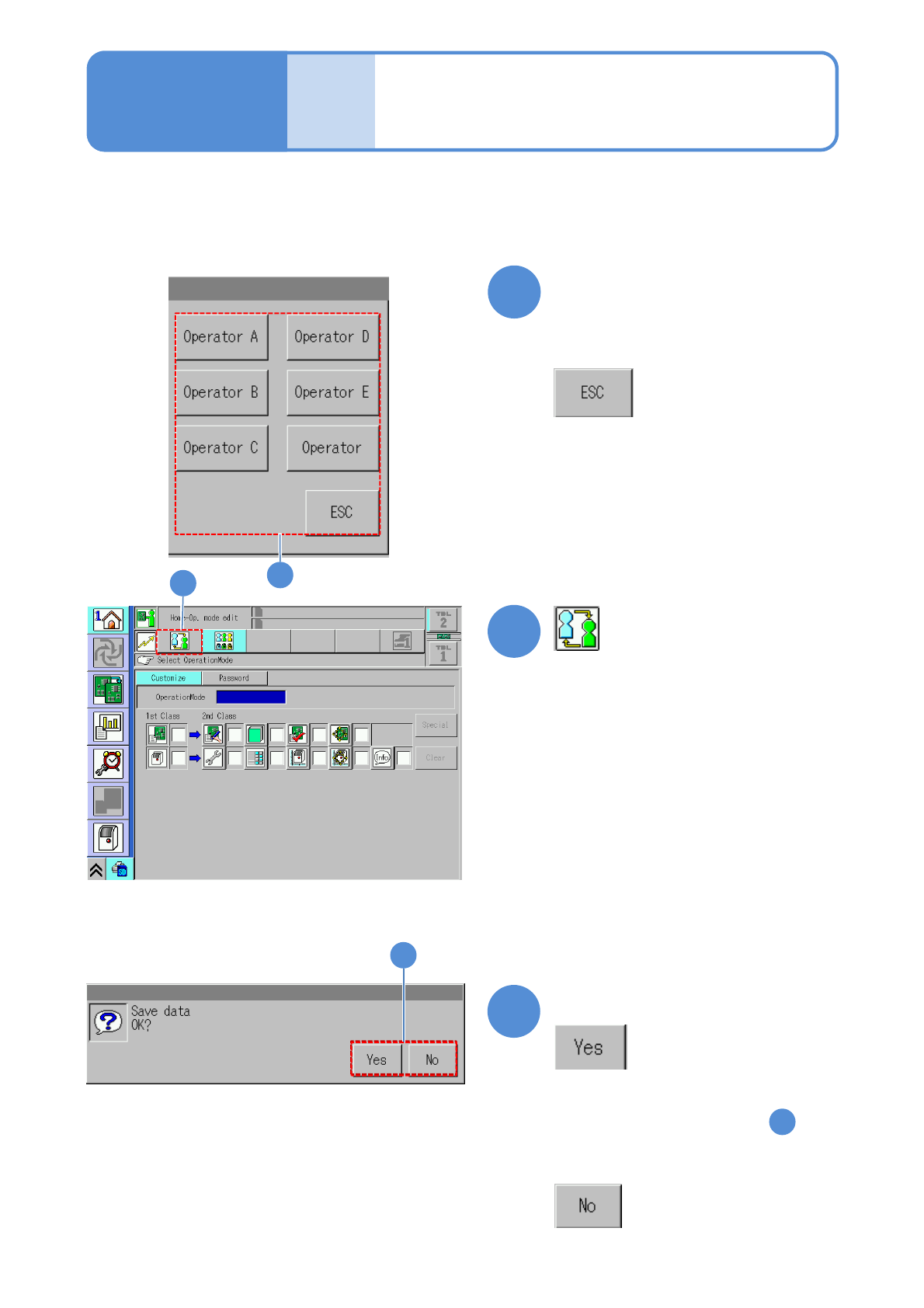
Select the operation mode to
be used when you start the
machine
■If you do not select any operation mode
8
9
9
●The same message is displayed even
by pressing another button in
■If you do not save data
10
10
Operating procedure
2-1-3
The default operation
mode setup 2
Basic
opera-
tion