N7201A652E.pdf - 第427页
NPM- TT2 EJM1E E-MB-05O-05 5-2-4 -2 System administration
NPM-TT2 EJM1EE-MB-05O-05
Hold down and press
[Name]
Unit
adjust-
ment
Output check
5-2-4-1
DA
1
C
EB
2
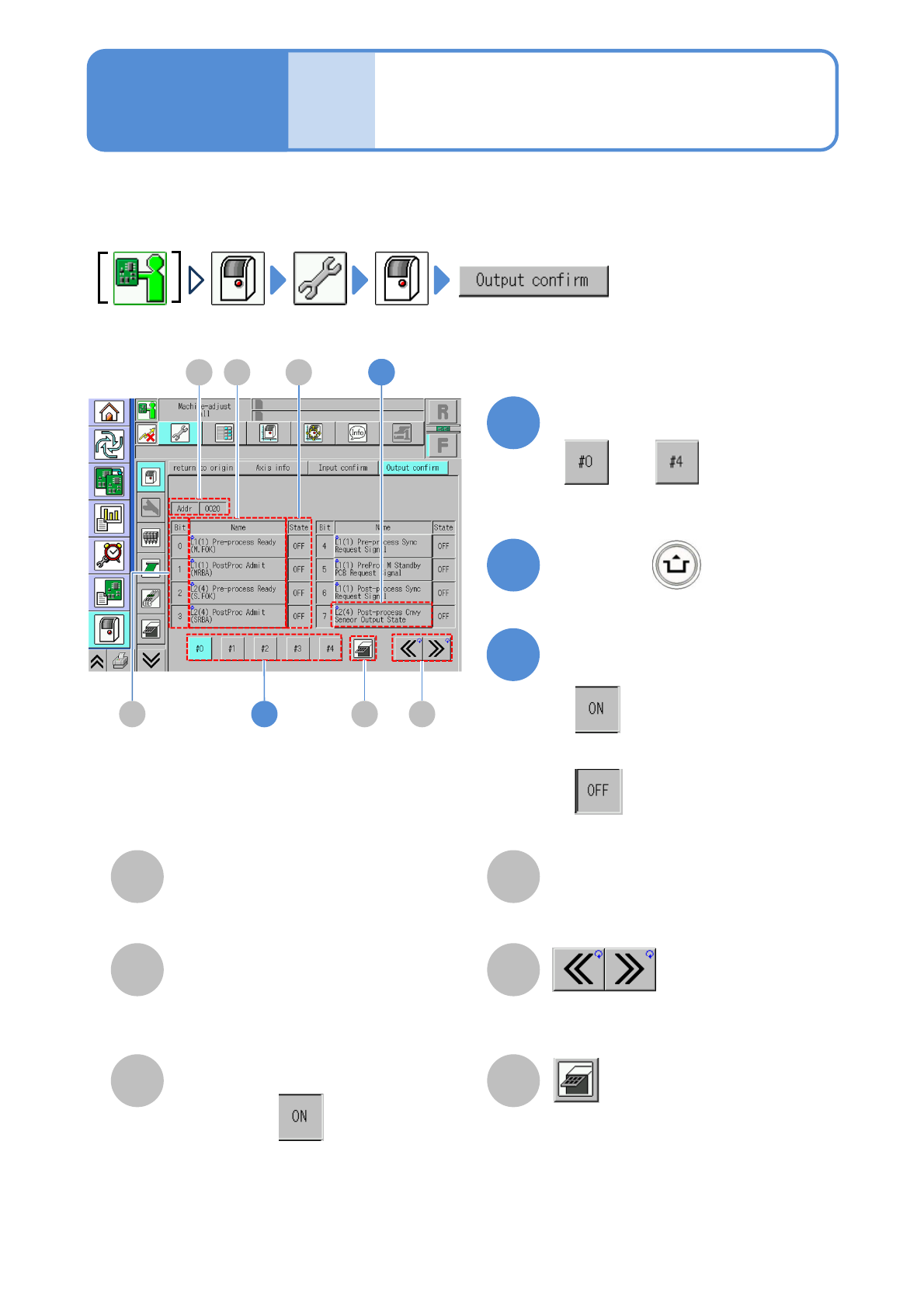
You can check the status, to which the name of each Bit is given, of all the output addresses used by the
machine and switch between ON/OFF as needed.
1
B
A
C
D
E
■[Output confirm] screen
F
F
3
Operating procedure
5-2-4
Address
Scroll the table right and left.
Bit
Index number.
Name
Status
I/O status (ON/OFF status).
Transition to the tray screen
●Displayed when the tray feeder is
installed.
●When Bit is , it is displayed in
blue.
To change status
■To enable
■When you change status of each Bit
■To disable
22
Choose a channel
to

NPM-TT2 EJM1EE-MB-05O-05
5-2-4-2
System
administration
NPM-TT2 EJM1EE-MB-05O-05
Unit
adjust-
ment
Replacing the nozzle of
the placement head 1
5-2-5-1
Operating procedure
5-2-5
Removing nozzles
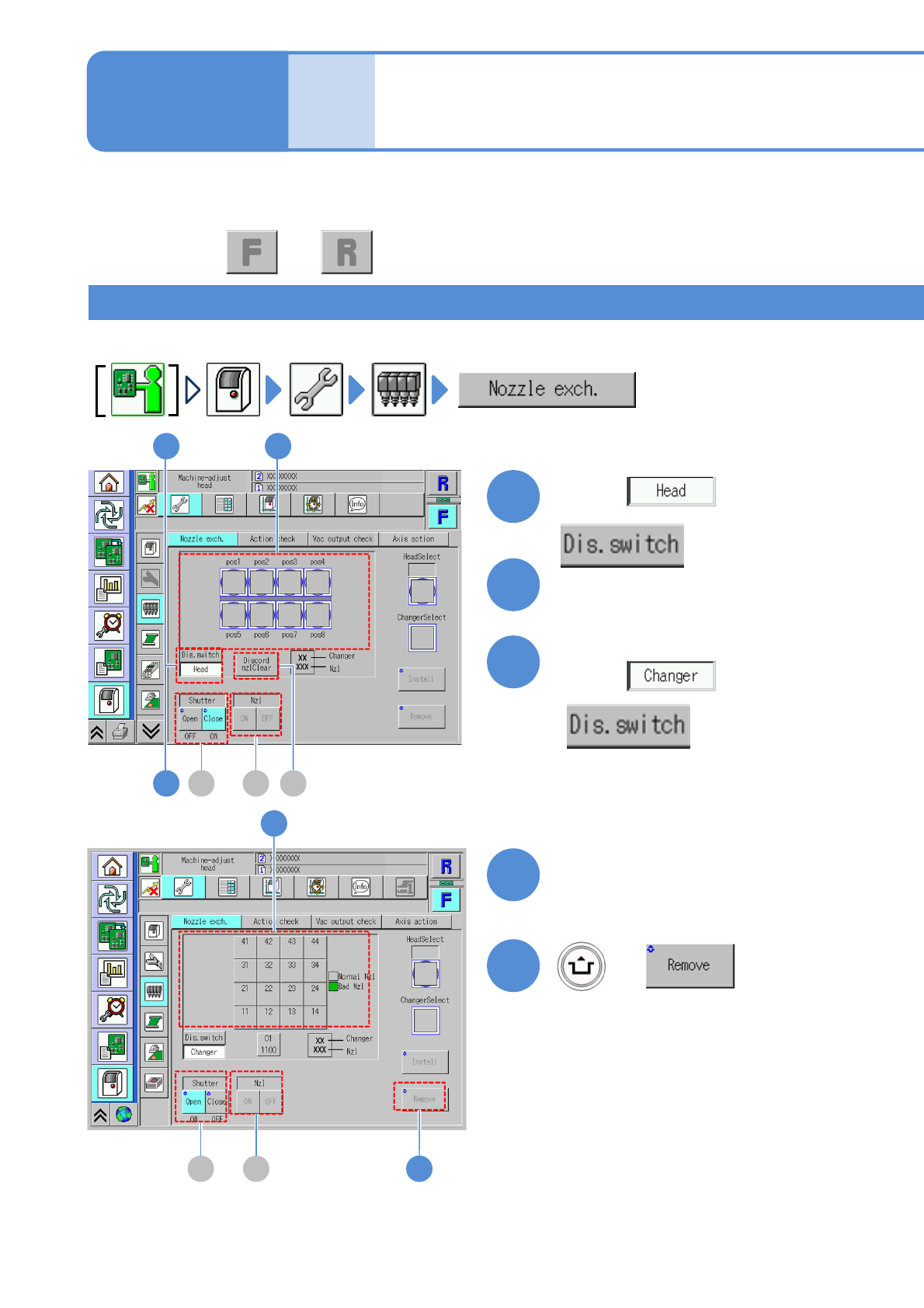
Remove nozzles on the placement head and stored into the nozzle changer.
This explains how to house some of the nozzles attached to the placement head in the nozzle changer, or
to attach some of the nozzles housed in the nozzle changer to the placement head.
Choose a nozzle to remove
1
2
(The button turns in blue color)
3
Choose with
Choose with
Choose the position to
store the nozzle
4
(The button turns in blue color)
+
5
5B C
4
B C A
1 2
3
●Perform on both and .