N7201A652E.pdf - 第441页
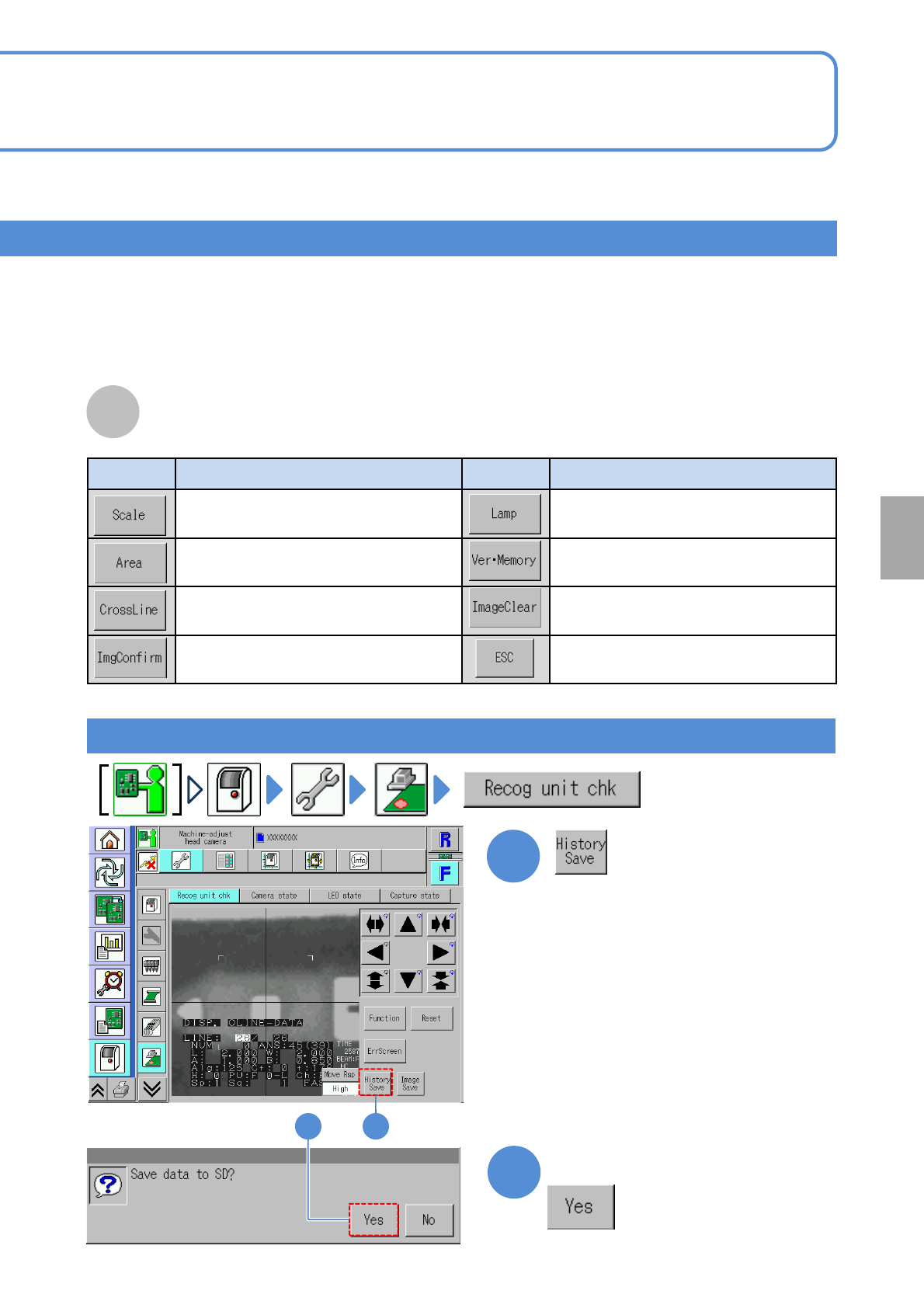
NPM- TT2 EJM1E E-MB-05O-05 5-2-10 -2 System administration Button Action Button Action Displays a concentric scale on t he screen. Adjusts the brightne ss. Displays a quadrang ular frame on the screen. Displays the recog…
NPM-TT2 EJM1EE-MB-05O-05
Unit
adjust-
ment
Head camera
information check 1
5-2-10-1
Operating procedure
5-2-10
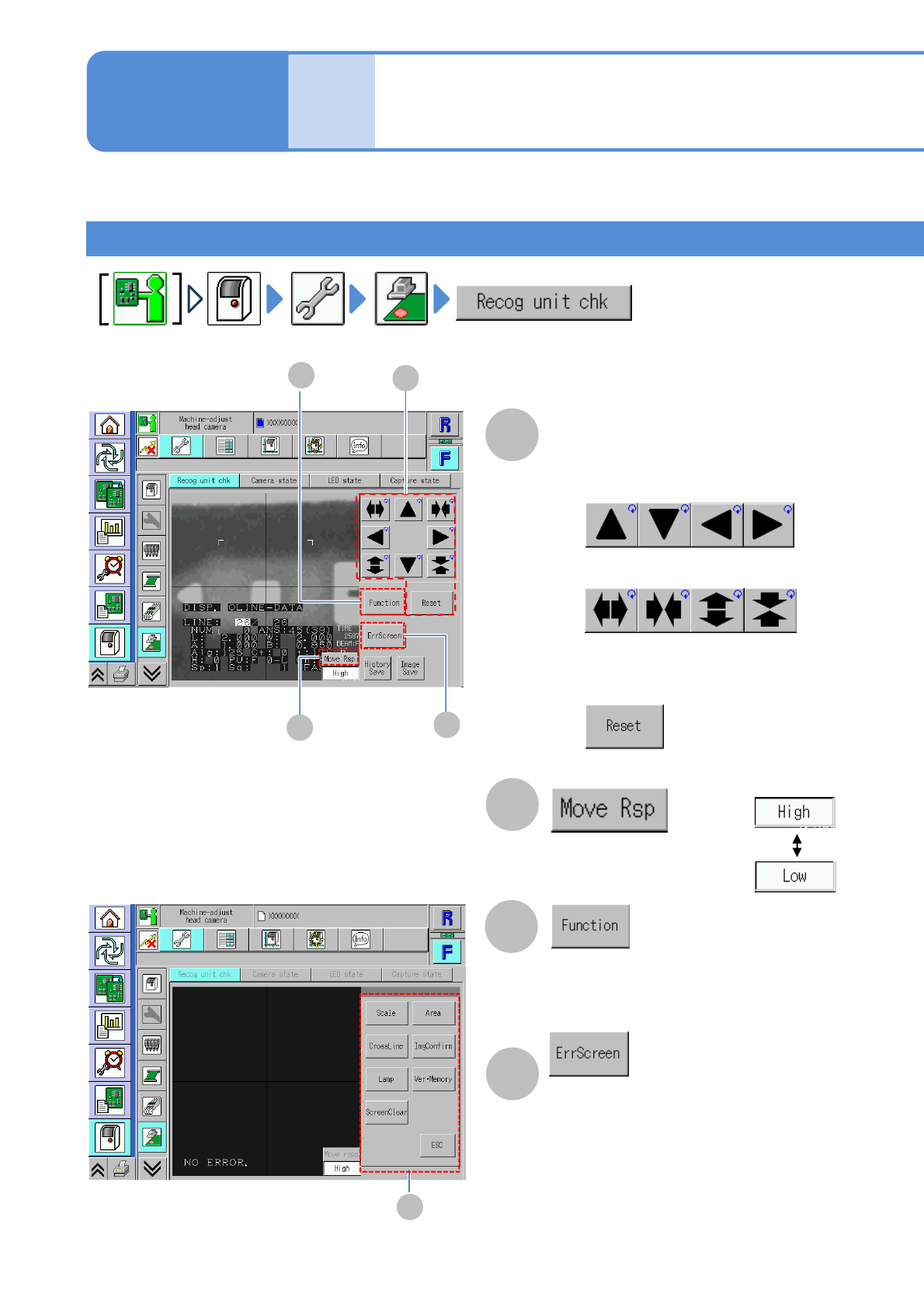
You can check the recognition process of the head camera or the status of Head camera/LED light/Capture.
A
B
Checking the recognition device
A
B
Cursor movement/Frame
size adjustment
Choose a cursor moving
speed.
■To move the cursor
■To enlarge or reduce the frame size
■To initialize the cursor position
and the frame size
(Recognition device functions are
displayed)
(The error screen is displayed)
D
C
C
D
■[Function] screen
E
NPM-TT2 EJM1EE-MB-05O-05
5-2-10-2
System
administration
Button Action Button Action
Displays a concentric scale on the
screen.
Adjusts the brightness.
Displays a quadrangular frame on the
screen.
Displays the recognition system
version
Displays cross hairs on the
recognition screen.
Clears a display image from the
screen.
Checks the captured recognition
image.
Returns to the original screen.
Screen display function
Saving the recognition error history
12
1
2
E
Confirm the message
NPM-TT2 EJM1EE-MB-05O-05
Unit
adjust-
ment
Head camera
information check 2
5-2-10-3
Operating procedure
5-2-10
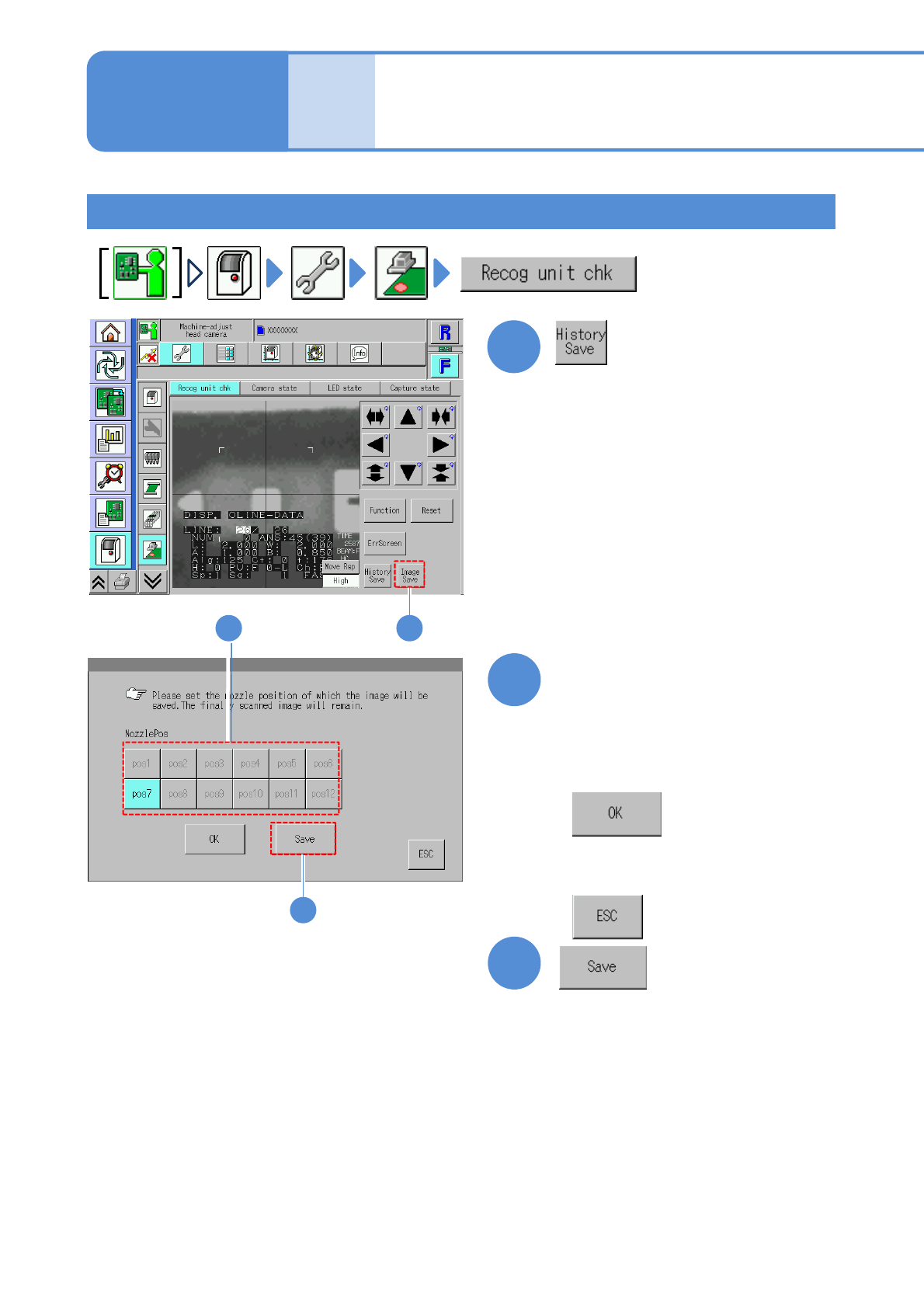
Saving the error image history
1
2
3
1
Choose the nozzle position
with error
3
2
●Black: Nozzle position on which error
occurred just before
■To confirm the error image
■When you do not neither save
nor confirm