N7201A652E.pdf - 第203页
NPM- TT2 EJM1EE-MB -03O-02 ■ By machine TBL (table) Table to be referred. PickupCnt Err Cnt Err Rate Displays detailed pickup information. ■ By line NpzzlePos Nozzle position numbe r in the placement h ead. Nozzle No Dis…
NPM-TT2 EJM1EE-MB-03O-02
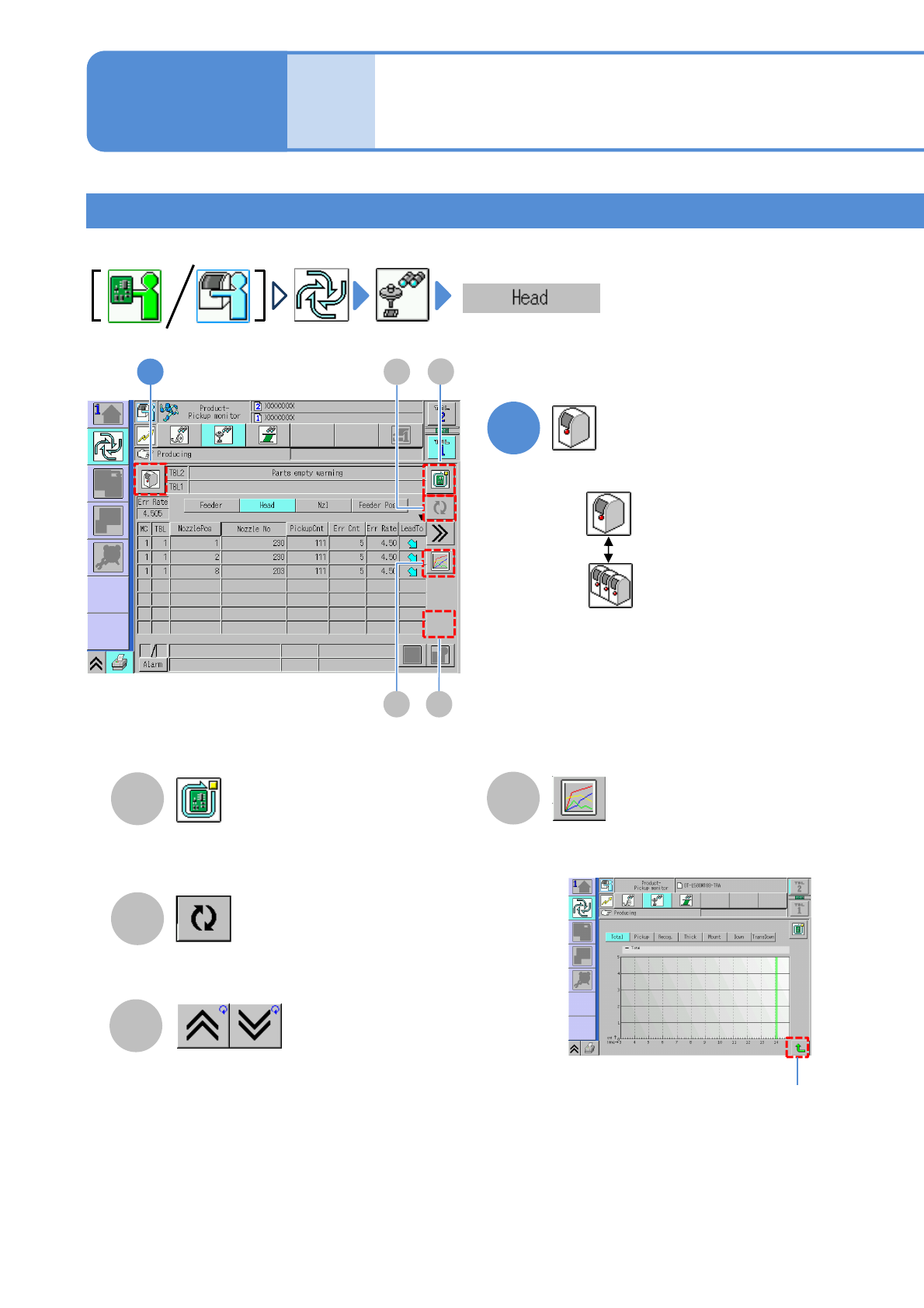
Head pickup condition
Operating procedure
3-2-1
3-2-1-9
Produc-
tion
informa-
tion
Stop production after producing the
current PCB.
(→P.3-1-2)
Updates to latest information.
Shows the previous or next
table.
●Displays error count of the selecting
nozzle in an hour in graph.
Returns to the
previous screen
●Pickup information of a placement head is displayed.
A
B
D
C
1
Choose either by machine or by line
: By machine
: By line
Vertical axis: error count
Horizontal axis: time
How to check the screen in
production when stationary
5
B
D
A
C
1
NPM-TT2 EJM1EE-MB-03O-02
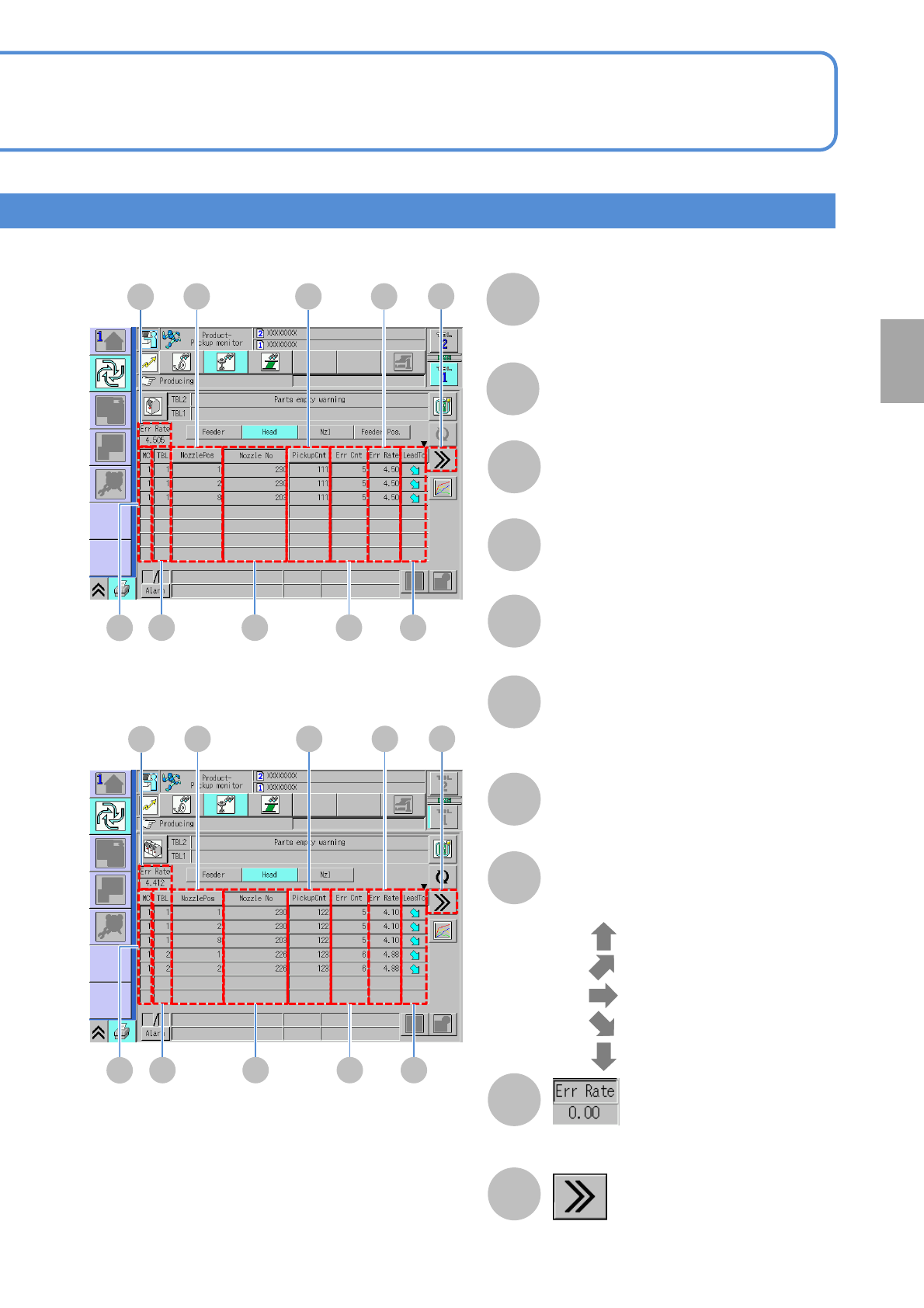
■By machine
TBL (table)
Table to be referred.
PickupCnt
Err Cnt
Err Rate
Displays detailed pickup information.
■By line
NpzzlePos
Nozzle position number in the
placement head.
Nozzle No
Displays the error rate per machine or per
line.
LeadTo
Displays increase or decrease tendency
of the error rate with arrow icons.
●
●
●
●
●
: Ultra up tendency
: Up tendency
: Constant tendency
: Ultra down tendency
: Down tendency
Production
3-2-1-10
F
G
H
I
J
K
L
M
N
E
HF
KI
J
G
N
M
L
HF
KI
J
G
N
M
L
E
E
MC (Machine)
The machine numbers that are assigned
to machines organized into a line and
that start at the head of the line.
NPM-TT2 EJM1EE-MB-03O-02
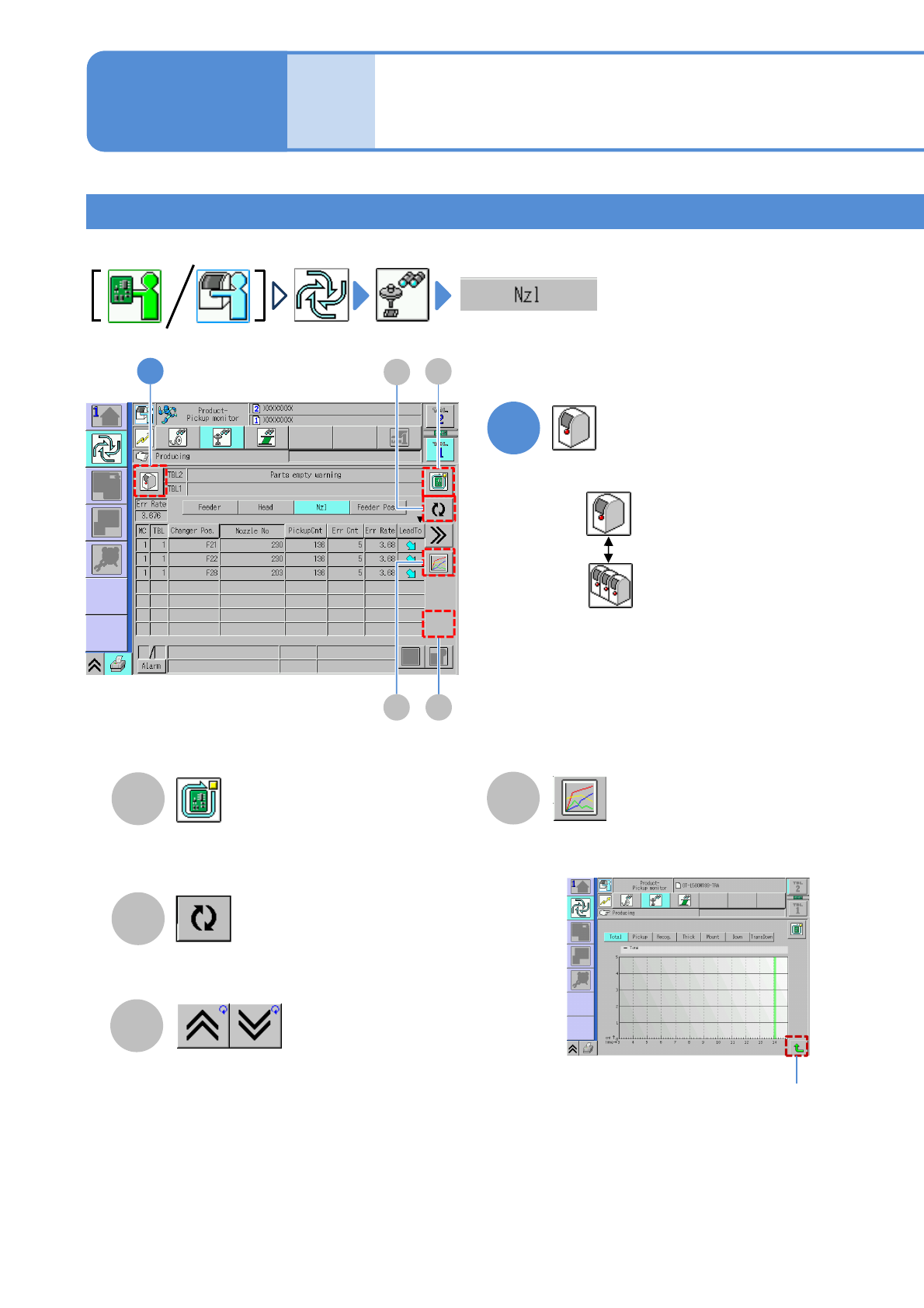
Nozzle pickup condition
Operating procedure
3-2-1
3-2-1-11
Produc-
tion
informa-
tion
●Pickup condition of nozzles in the nozzle changer is displayed.
Stop production after producing the
current PCB. (→P.3-1-2)
Updates to latest information.
Shows the previous or next
table.
●Displays error count of the selecting
nozzle in an hour in graph.
Vertical axis: error count
Horizontal axis: time
Returns to the
previous screen
A
B
D
C
1
Choose either by machine or by line
: By machine
: By line
How to check the screen in
production when stationary
6
A
C
B
D
1