N7201A652E.pdf - 第367页
NPM- TT2 EJM1EE-MB-04 O-03 4-2-1 1 -4 Setting change 5 5 + ● If the tray stock pocket center is not aligned to the cross line center Align to the center with Switch to + ■ ‘1 point mode’ is selected in ■ Other than ‘1 po…
NPM-TT2 EJM1EE-MB-04O-03
Produc-
tion data
teaching
Tray pickup position
teach 2
4-2-11-3
Operating procedure
4-2-11
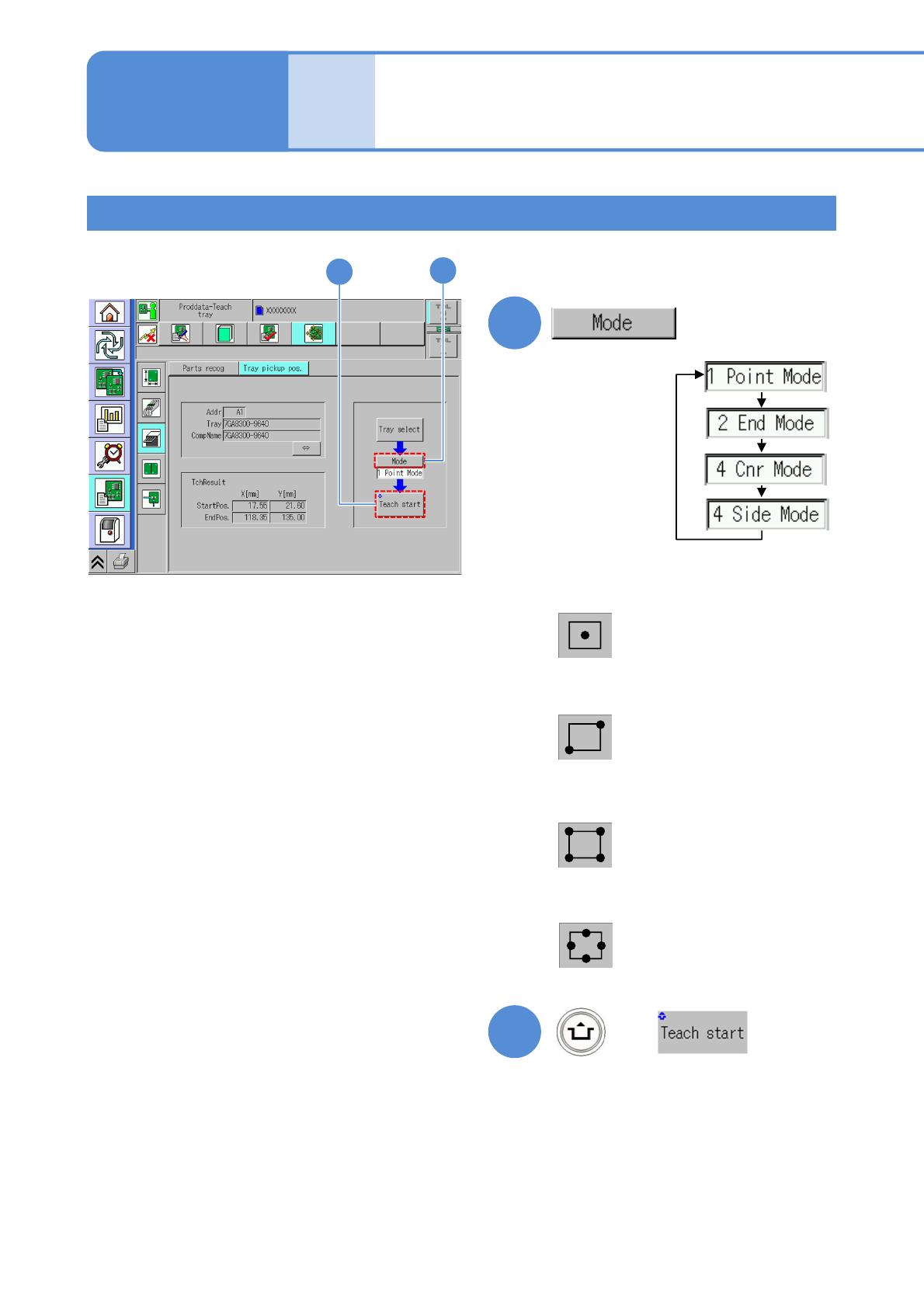
The position viewed through
the camera becomes the
pickup position.
3
3
4
+
4
Centers of the four sides are
taught by the camera to
calculate the pickup position.
Four corners are taught by
the camera to calculate the
pickup position.
Two points at diagonally
opposite corners are taught by
the camera to calculate the
pickup position.
■1 point mode
■2 edges mode
■4 corners mode
■4 sides mode
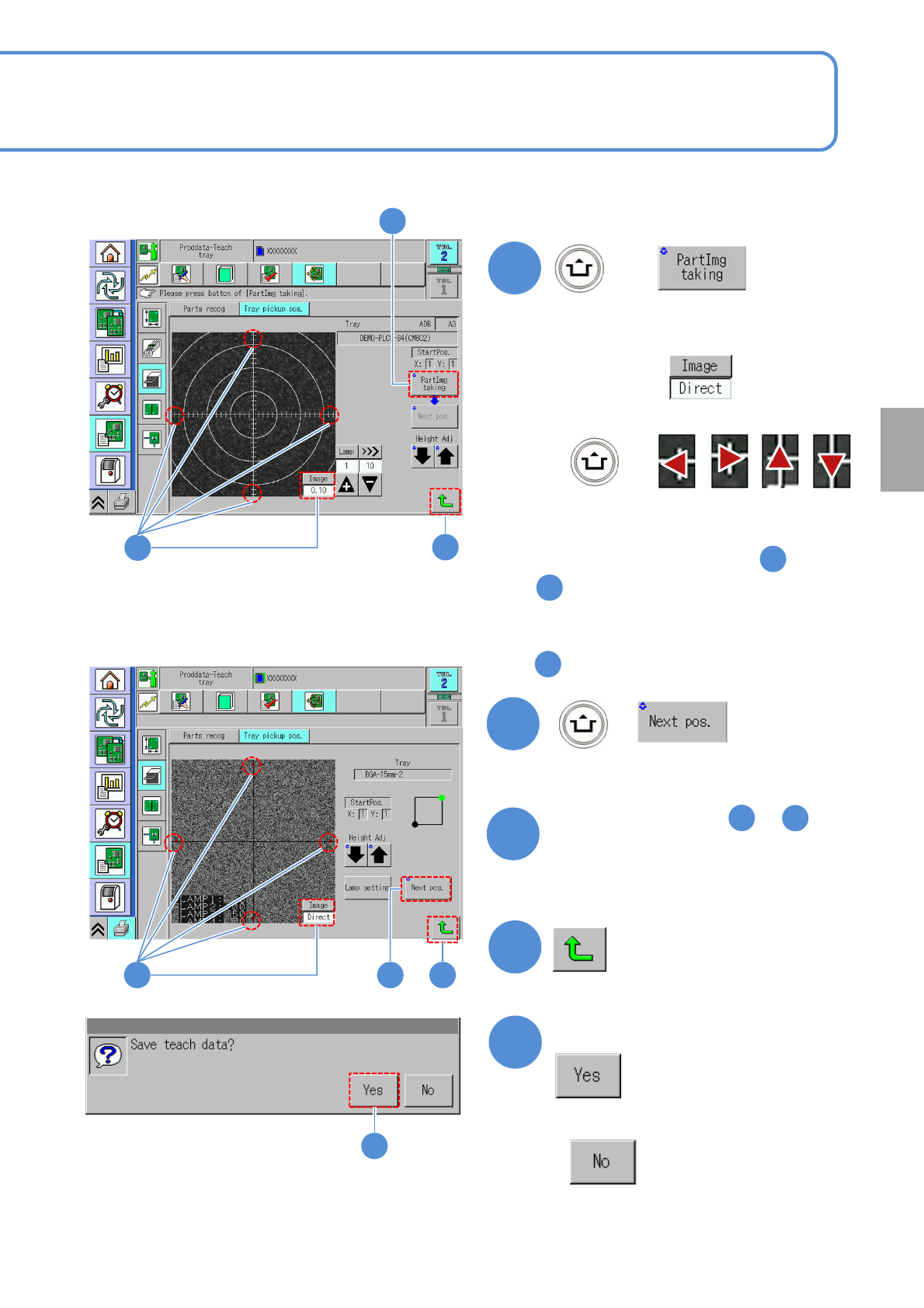
(The recognition screen appears in large
form and teach is started)
Choose a mode
Teaching procedure 2
NPM-TT2 EJM1EE-MB-04O-03
4-2-11-4
Setting
change
5
5
+
●If the tray stock pocket center is not
aligned to the cross line center
Align to the center with
Switch to
+
■‘1 point mode’ is selected in
■Other than ‘1 point mode’ is selected
in
6
+
(Moves to the next teach position)
7
Repeat steps from to
as many times as there are
recognition points
3
3
8
5
6
5
To
8
■ When 1 point mode is selected
■ When other than 1 point mode is selected
865
9
Confirm the message
■When you do not save the data
8
9
NPM-TT2 EJM1EE-MB-04O-03
Produc-
tion data
teaching
Placement point
recognition teach 1
4-2-12-1
Operating procedure
4-2-12
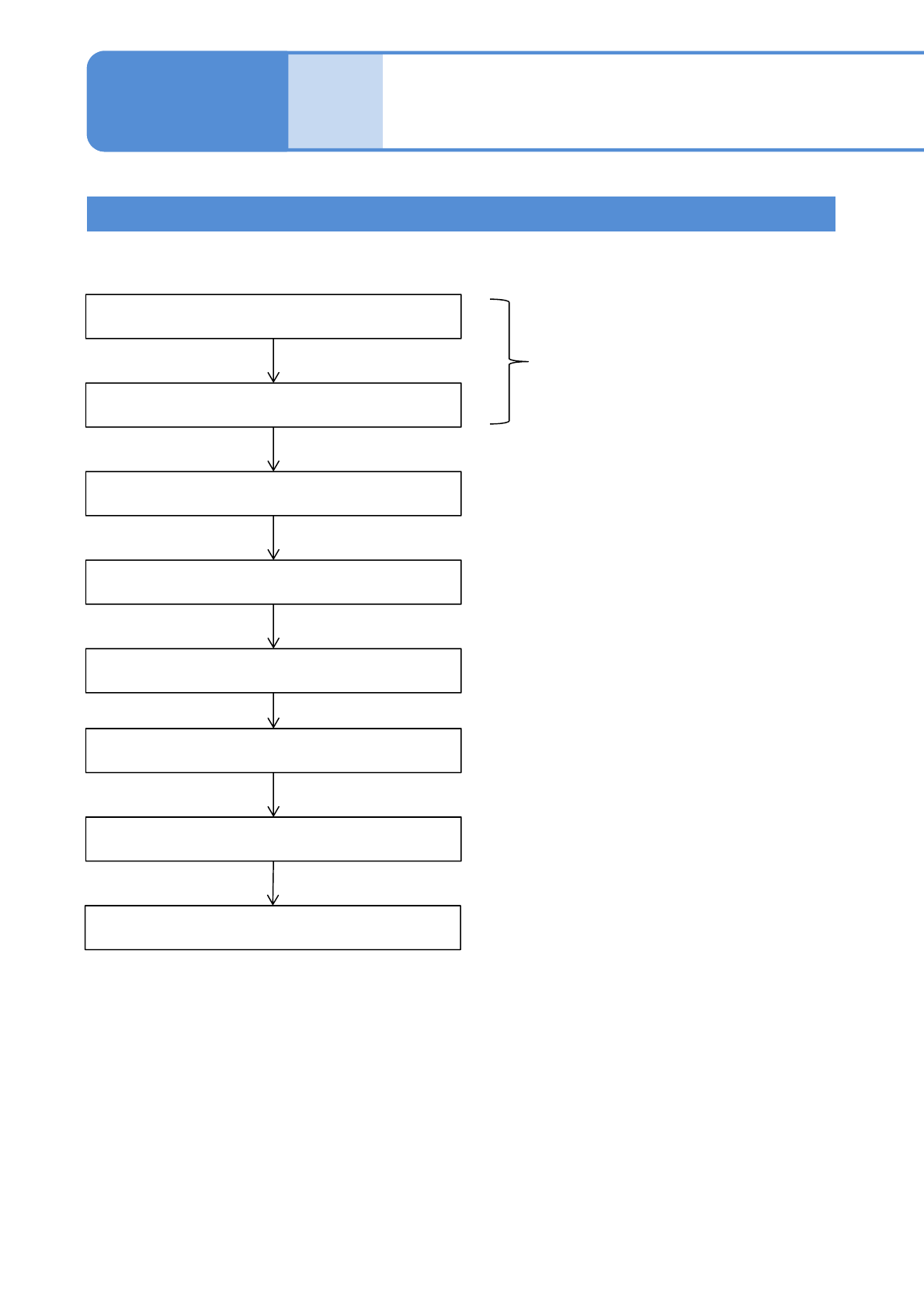
Inputting the placement data
Inputting the placement
recognition data
Starting the teaching
Setting the lamp values
Recognition
Saving data
Recognition Test
Teaching is complete.
Unnecessary if the automatic
lamp setting is selected
Created on NPM-DGS
Teaching Flow