N7201A652E.pdf - 第232页
NPM- TT2 EJM1EE-MB -03O-02 3-2-1 1 -1 You can check nozzle pickup cond ition. Produc- tion informa- tion Operating procedure 3-2-1 1 No zzle pickup monitor 1 Displays error count of a co mponent in a graph. B LeadT o A D…
NPM-TT2 EJM1EE-MB-03O-02
3-2-10-2
A
B
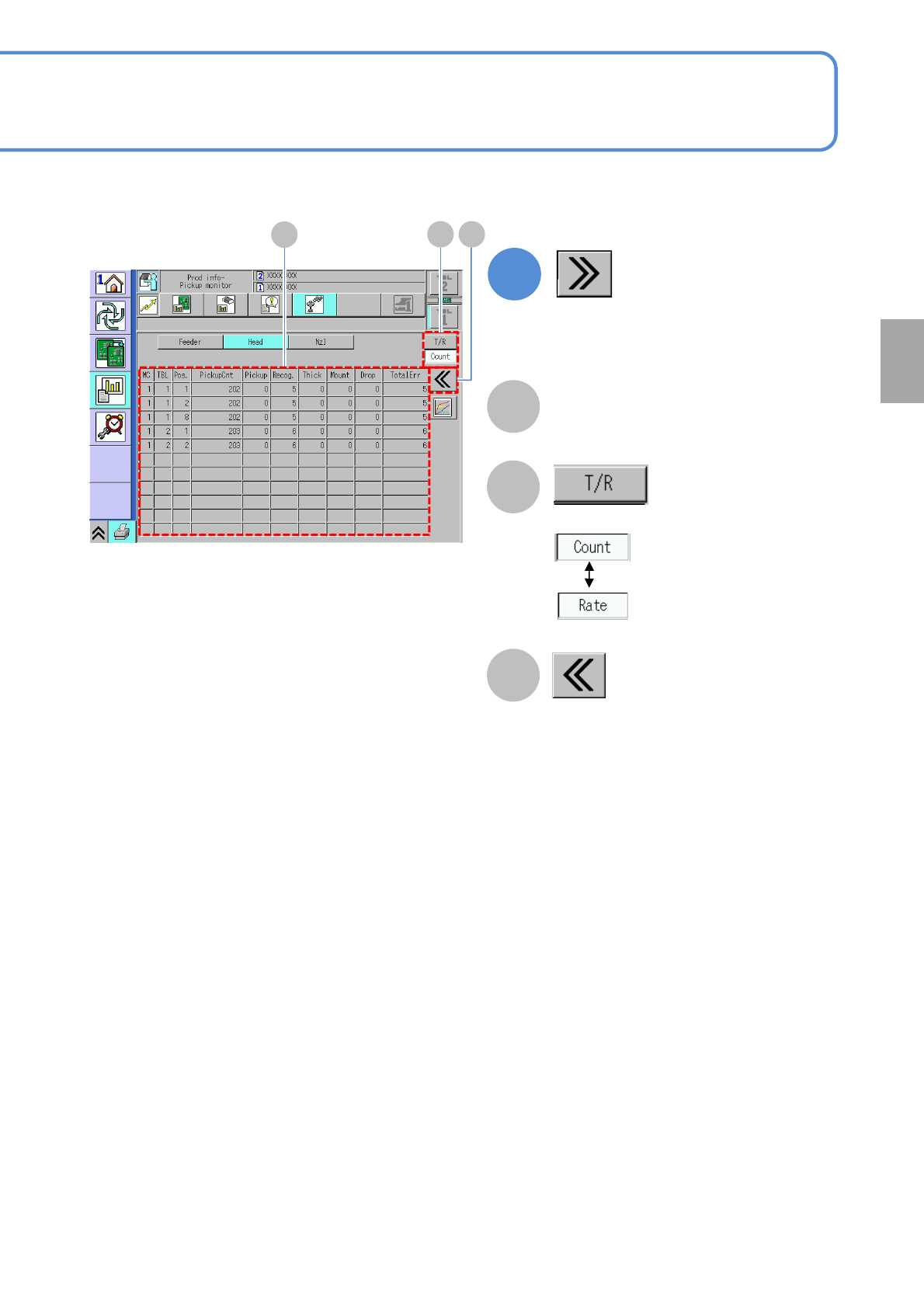
Returns to the previous screen.
C
Choose the display type.
2
(Detailed error information is displayed)
Pickup information per head
(→P.3-2-1-10)
Production
A
B C
NPM-TT2 EJM1EE-MB-03O-02
3-2-11-1
You can check nozzle pickup condition.
Produc-
tion
informa-
tion
Operating procedure
3-2-11
Nozzle pickup
monitor
1
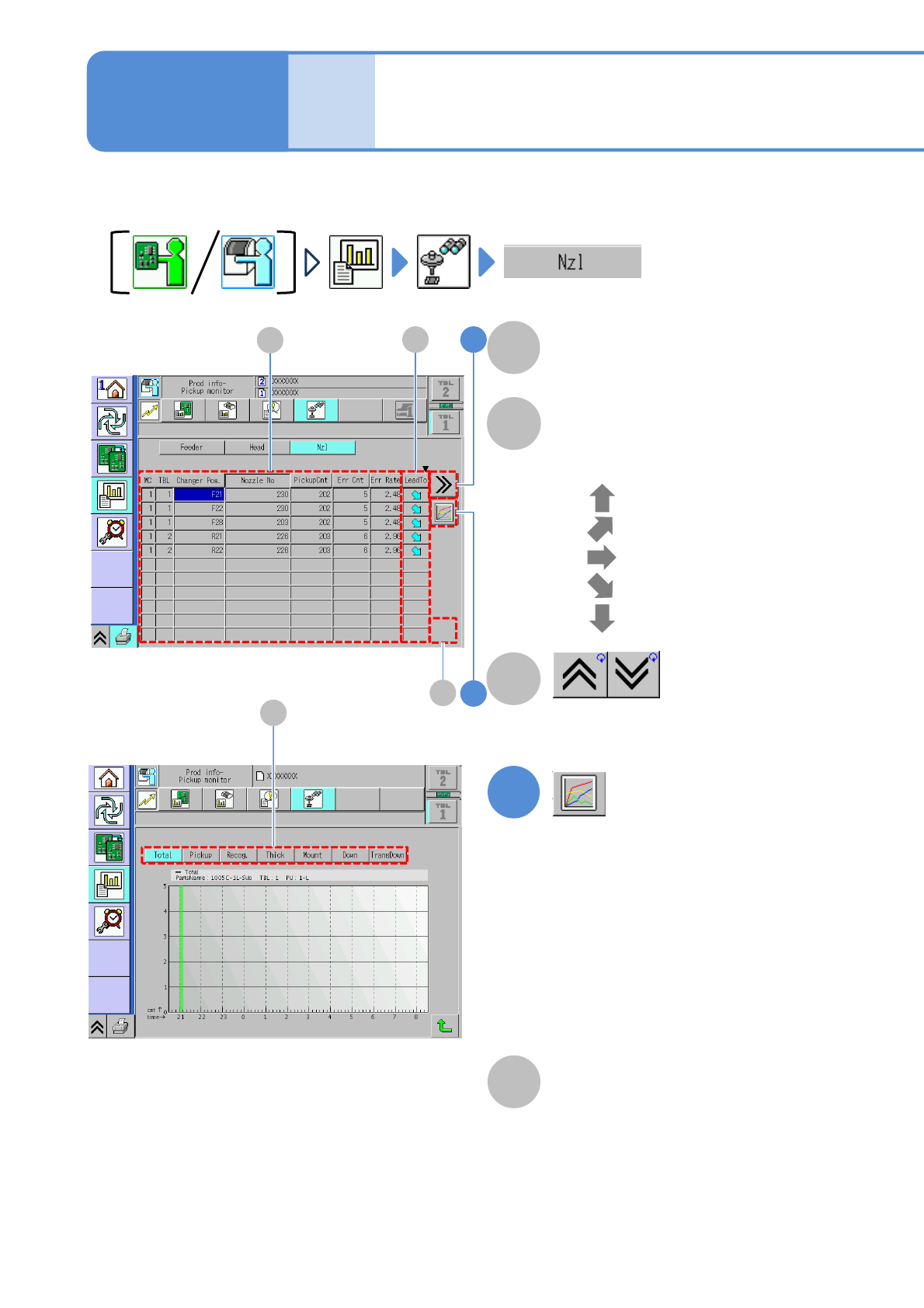
Displays error count of a component
in a graph.
B
LeadTo
A
Displays increase or decrease tendency
of the error rate.
●
●
●
●
●
: Ultra up tendency
: Up tendency
: Constant tendency
: Ultra down tendency
: Down tendency
Pickup information per nozzle
(→P.3-2-1-12)
Shows the previous or next table.
C
●Error count of the selecting head
per hour is displayed on the graph.
Vertical axis: Error count
Horizontal axis: Time
●Choosing the total error or an error
item can change the display of the
graph
D
Total error and error item
(→ P.3-2-5-2)
D
1
2B
A
C
NPM-TT2 EJM1EE-MB-03O-02
3-2-11-2
2
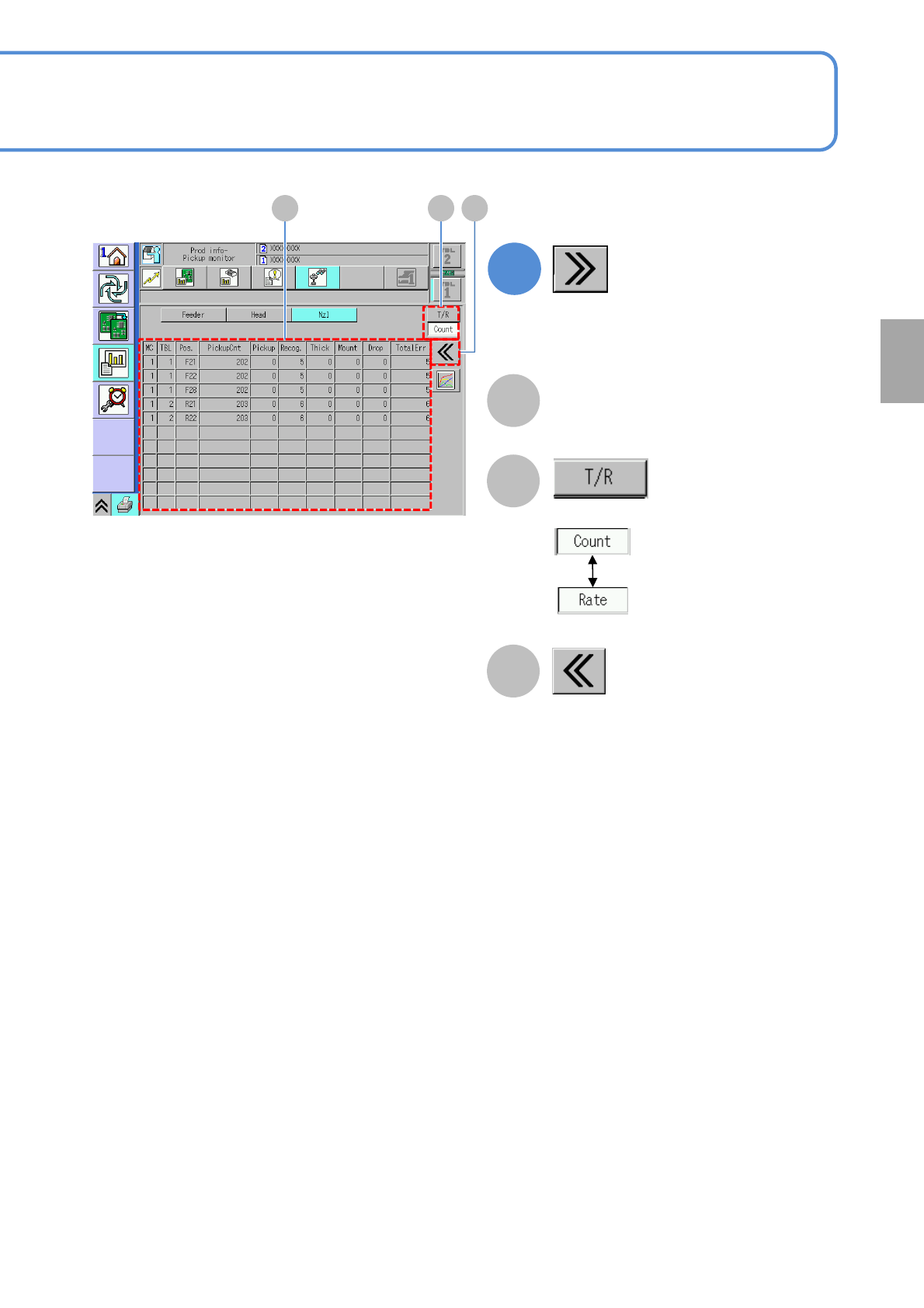
(Detailed error information is displayed)
A
B
Returns to the previous screen.
C
Choose the display type.
Pickup information per nozzle
(→P.3-2-1-12)
Production
A B C