N7201A652E.pdf - 第57页
NPM- TT2 EJM1EE-SF-01N-05 Product nameplate The prod uct nameplat e indicating the prod uct name (Model ID) and serial number of the machine is affixed at the following locatio n. T ype of SD cards ■ Key disk (Engineer) …
NPM-TT2 EJM1EE-SF-01N-05
Handling the SD card and
the
product nameplate
1-5
Handling of SD card
■ SD memory card available in this machine (Recommended)
Capacity Product number (Panasonic brand)
SD memory card 2GB RP-SDL02GJ1K (As of November 2014)
・The product number is subject to change without notice.
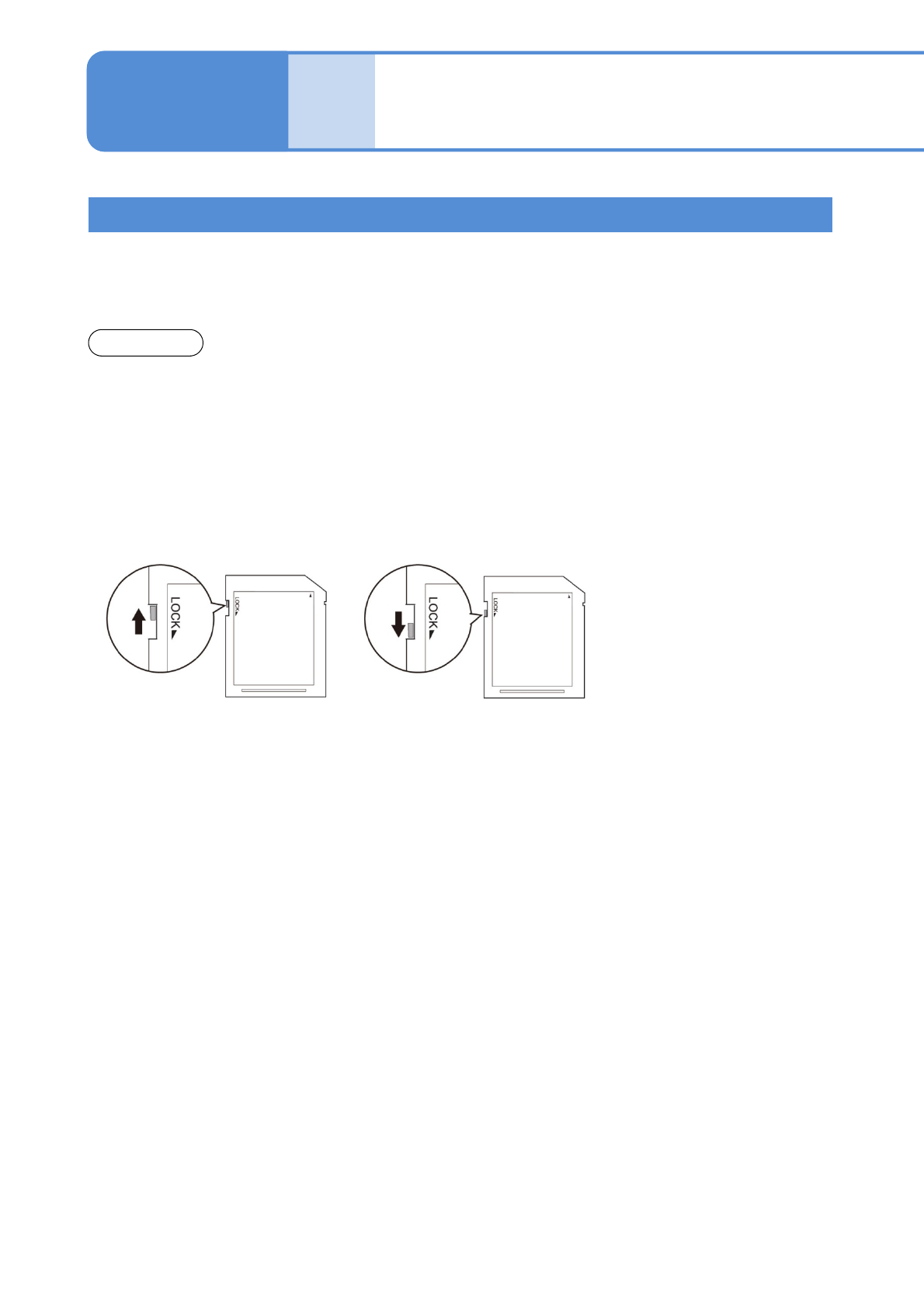
■Write protection
It is possible to mechanically protect the stored data from an accidental deletion or overwrite.
■ Handling precautions
●Avoid severe shock, bending, dropping or exposure to water.
●Avoid placing heavy objects on the disk.
●Avoid applying excessive force to the disk.
●Do not touch metal terminals by hand or metal objects.
●Do not remove affixed labels.
●Do not affix seals or labels overlapped.
●Avoid storing or leaving in areas exposed to the following conditions.
・High or low temperature
・High humidity
・Dusty
・Direct sunlight
・Corrosive gas
●Avoid using cases not specifically provided for storage and carrying.
●While the drive access lamp (→ P.1-9-1) is lit, avoid ejecting SD card or turning off the power supply.
●To prevent your PC from being infected by illegal software, conduct a virus check on your PC before
inserting and removing SD cards.
●SD cards may heat up after long hours of use, which does not cause failures.
●You may not be able to write to, and erase data from, SD cards that, if used for long periods, reach the end
of their life.
●We accept no responsibility for any damage caused by erasing data.
1-5-1
●SDHC memory cards are not supported.
●SD cards can save a maximum of 512 items, regardless of memory capacity.
●The available card capacity is from 64MB to 2GB.
●Defect SD cards may contribute to malfunction. In case of malfunction, insert and remove
cards again.
NOTICE
“Released” position
Enables deleting and saving.
“Protected” position
Disables deleting and saving.
NPM-TT2 EJM1EE-SF-01N-05
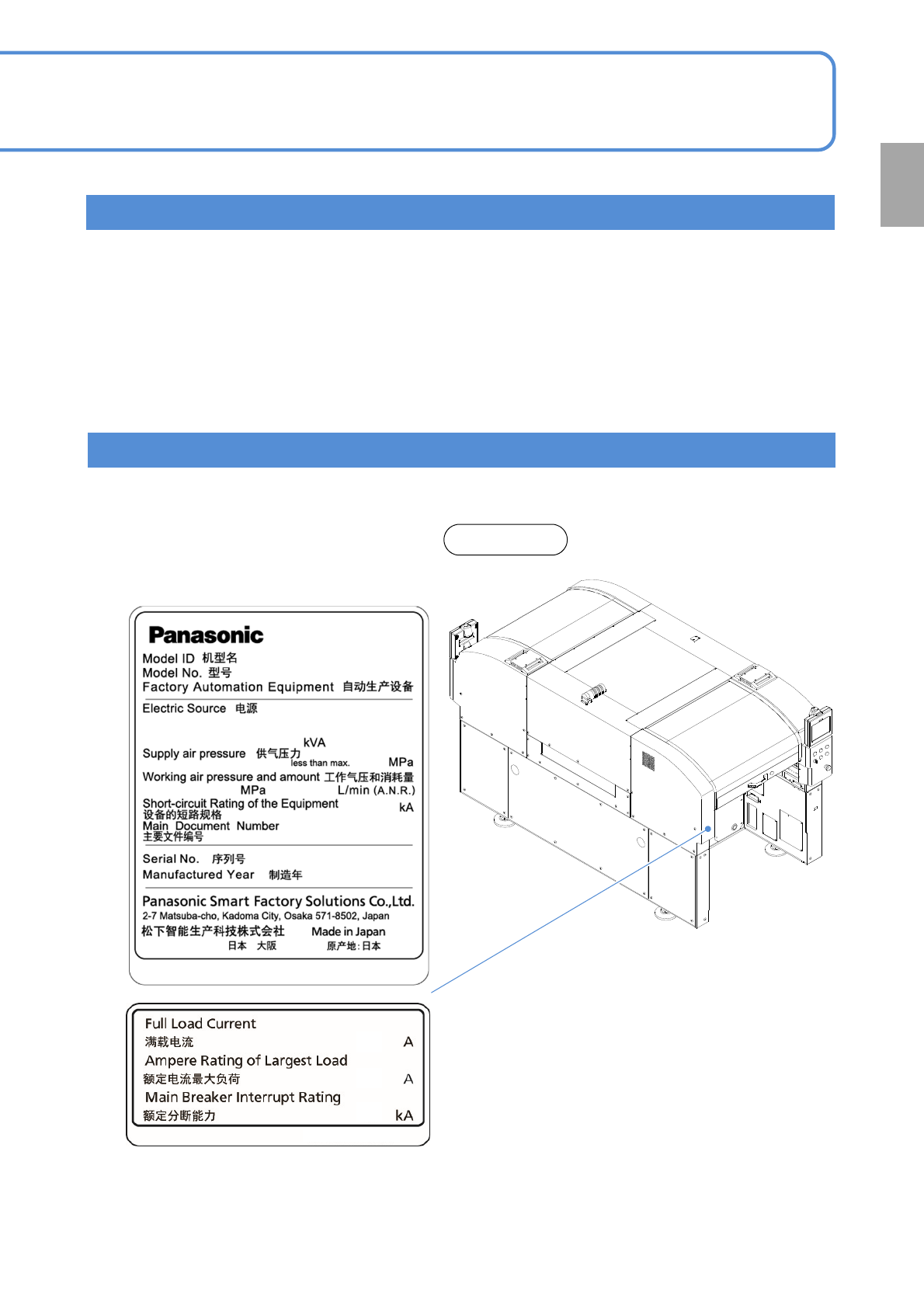
Product nameplate
The product nameplate indicating the product name (Model ID) and serial number of the machine is affixed at
the following location.
Type of SD cards
■Key disk (Engineer)
Used when a password on each mode is changed.
●Key disk is required to set a password. Keep it in a safe place so you cannot lose it.
● Please contact us in case of loss.
■Installation disk
Used when software is stored and upgraded.
■Parameter disk
Used in saving production data and machine parameters as examples.
1-5-2
Rear side
Confirmation
is replaced with a numeric value.
NPM-TT2
NM-EJM1E
NPM-TT2 EJM1EE-SF-01N-05
1-6
Disposing the gas
spring
1-6
The gas spring is used to open/close covers. It is very dangerous to dispose of it as it is, because high-
pressure air is sealed into it. When disposing a gas spring, be sure to degas before disposed.
To remove or dispose, please send a request to the gas spring manufacturer.
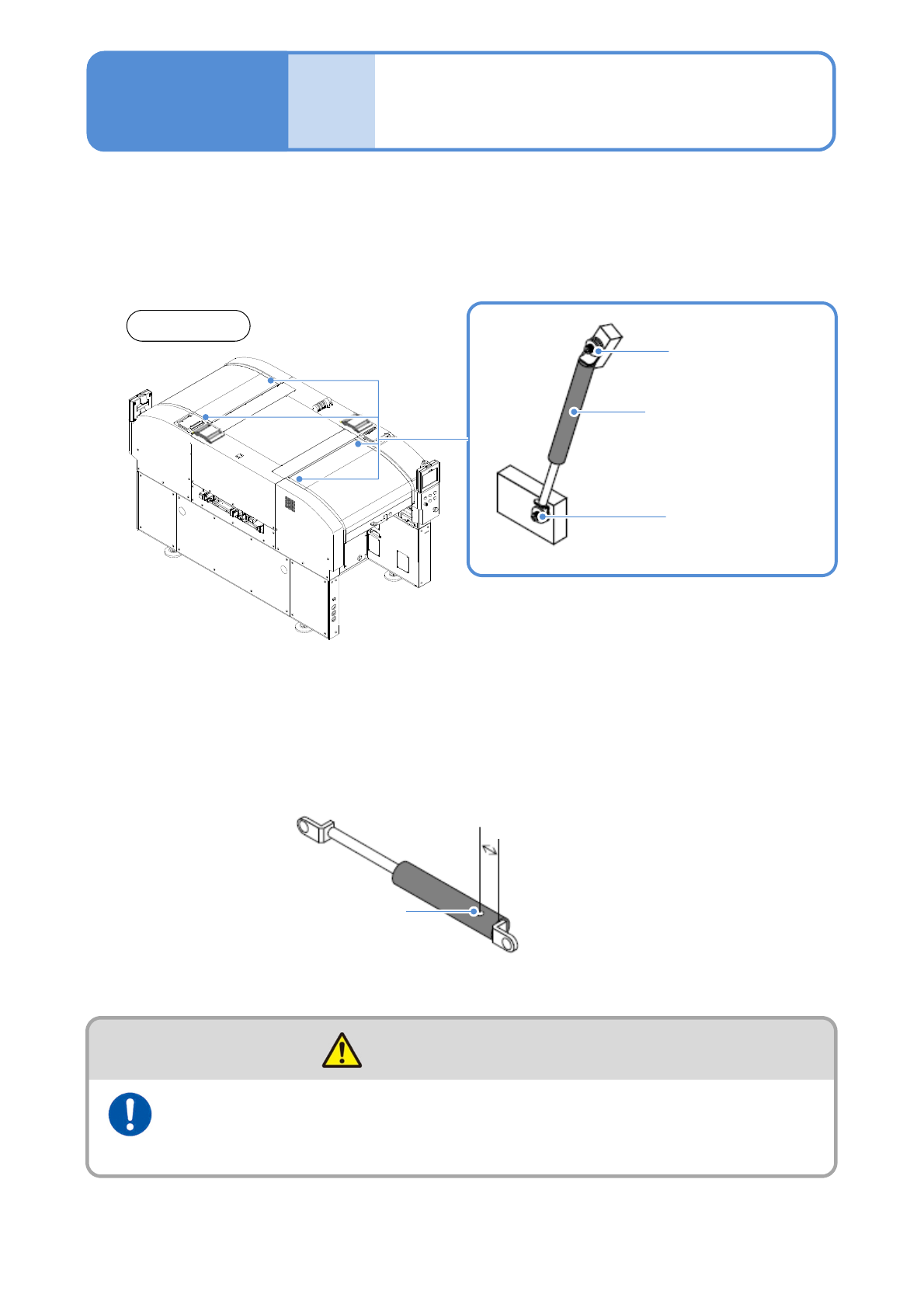
■Locations where the gas spring is used
■Removing gas spring
Turn the hexagon socket head cap screws counterclockwise and remove the spring.
●Two men should work as a team. The unintentional closing of the cover could cause injury.
■Disposing gas spring
Make a hole with the drill and degas completely inside the gas spring.
Drilled hole
Front side
15 to 20 mm
(4 locations)
Hexagon socket
head cap screw
Gas spring
Hexagon socket
head cap screw
Wear a hard hat and protective goggles
during maintenance work
(Risk of injury)
CAUTION