N7201A652E.pdf - 第320页
NPM- TT2 EJM1EE-MB-04 O-03 4-2-4 -7 Produc- tion data teaching Component r ecognition teac h 4 Component recognition teach 3 Operating procedure 4-2-4 11 + (An image recogn ized by the line camera is displayed ) ■ If a c…
NPM-TT2 EJM1EE-MB-04O-03
6
7
8
+
+
+
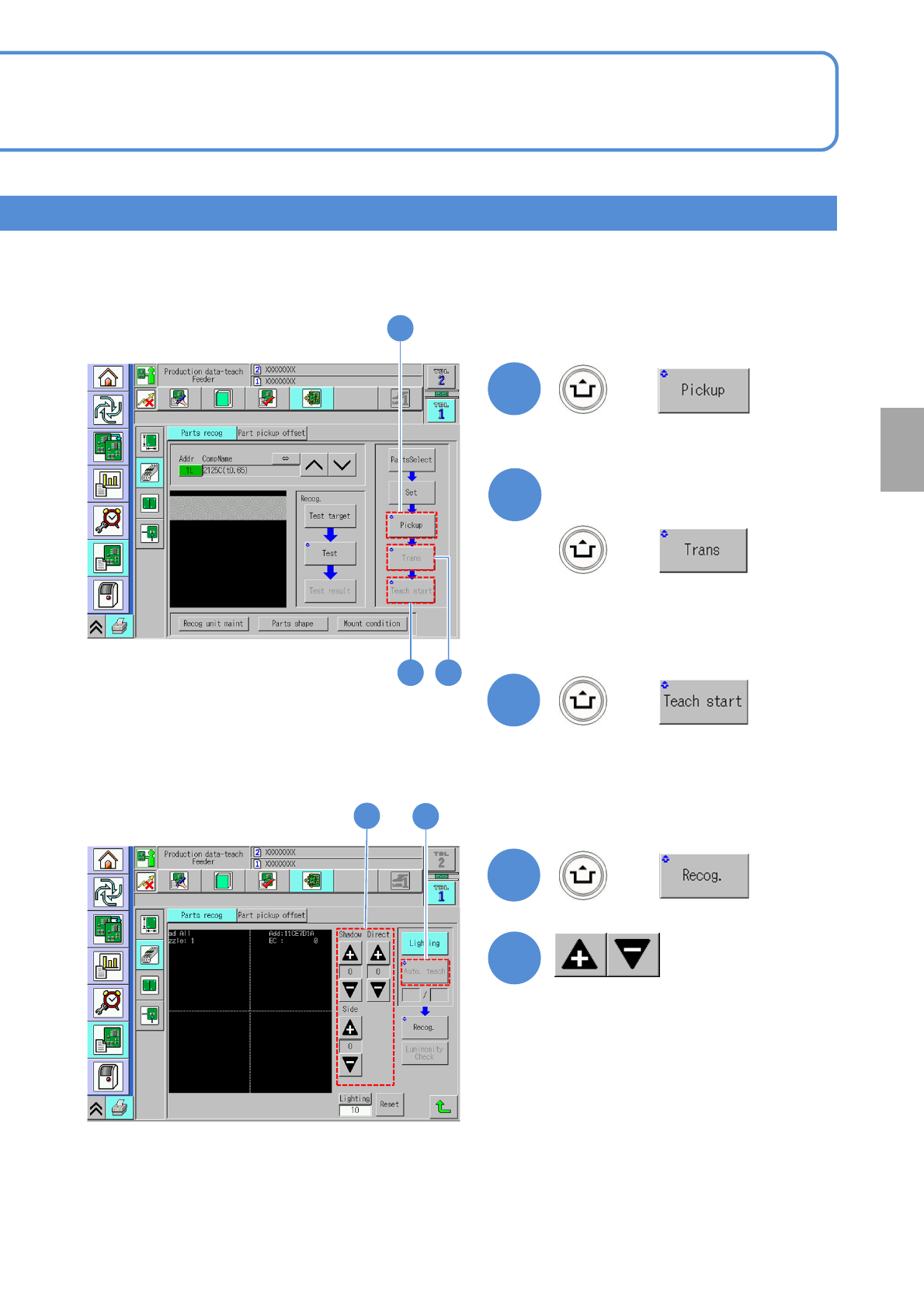
(A component is picked up)
Only if you transcript a
component
(The recognition screen appears in large
form and teach is started)
(A component transcription is carried out)
●It is available only if the transcription
function is enabled.
4-2-4-6
Setting
change
6
7
8
9
10
9
+
(Suitable lamp value is decided)
10
●Adjust the brightness to see the
bad mark.
(→P.4-2-1 ‘How to adjust the lamp
value’)
NPM-TT2 EJM1EE-MB-04O-03
4-2-4-7
Produc-
tion data
teaching
Component
recognition teach 4
Component recognition teach 3
Operating procedure
4-2-4
11
+
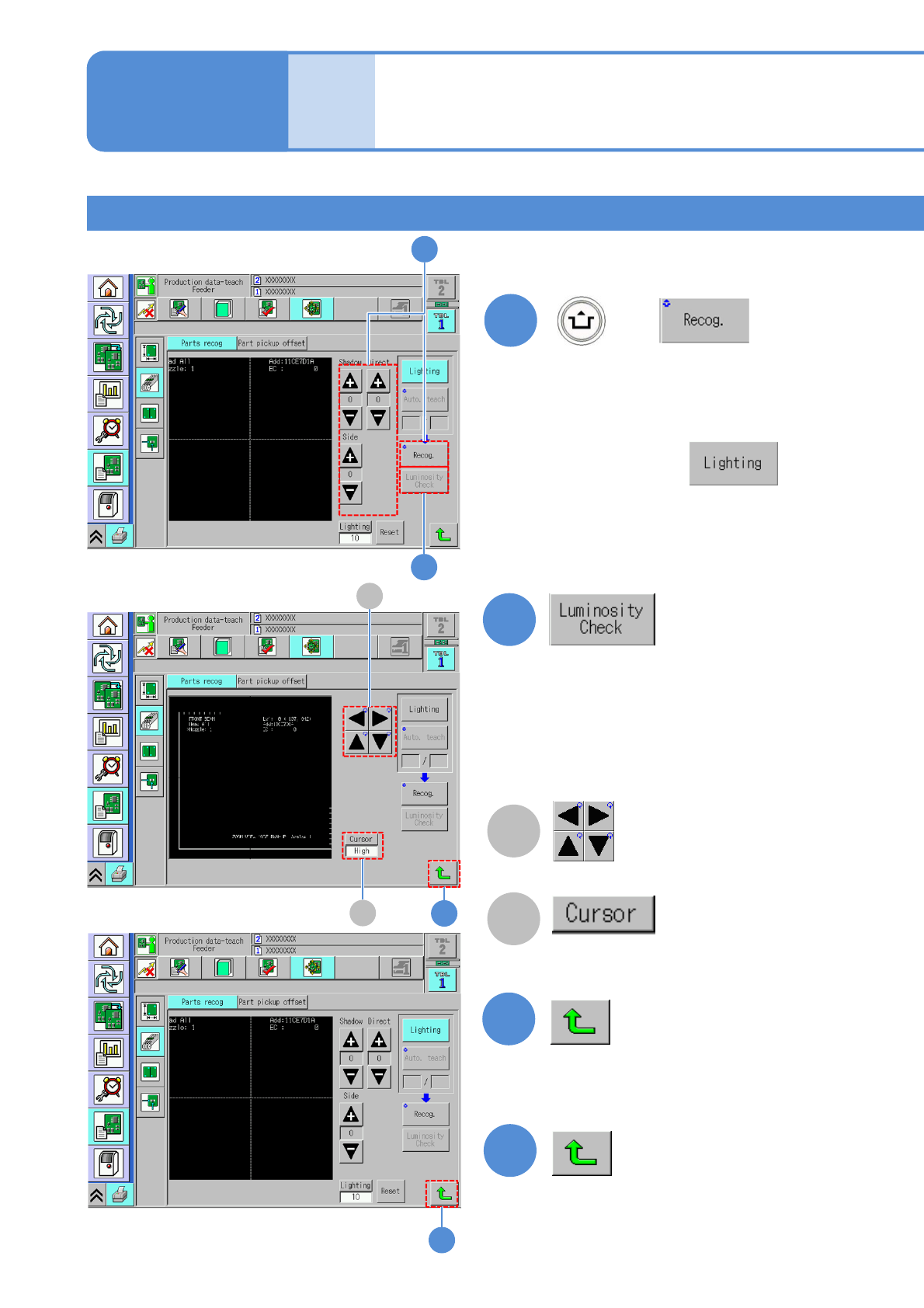
(An image recognized by the line
camera is displayed)
■If a component outline is invisible
After pressing ,
adjusts the brightness values using
‘Shadow’, ‘Direct’ and ‘Side’ buttons
as the component outline becomes
visible.
14
B
A
13
13
14
12
A
B
11
12
(Luminance distribution in vertical direction
at the specified position on the screen is
displayed.)
Check by luminance distribution whether
there is enough luminance contrast between
a component and the background.
Cursor movement
Change cursor moving pitch
“High” / “Low”
NPM-TT2 EJM1EE-MB-04O-03
4-2-4-8
Setting
change
15
15
16
16
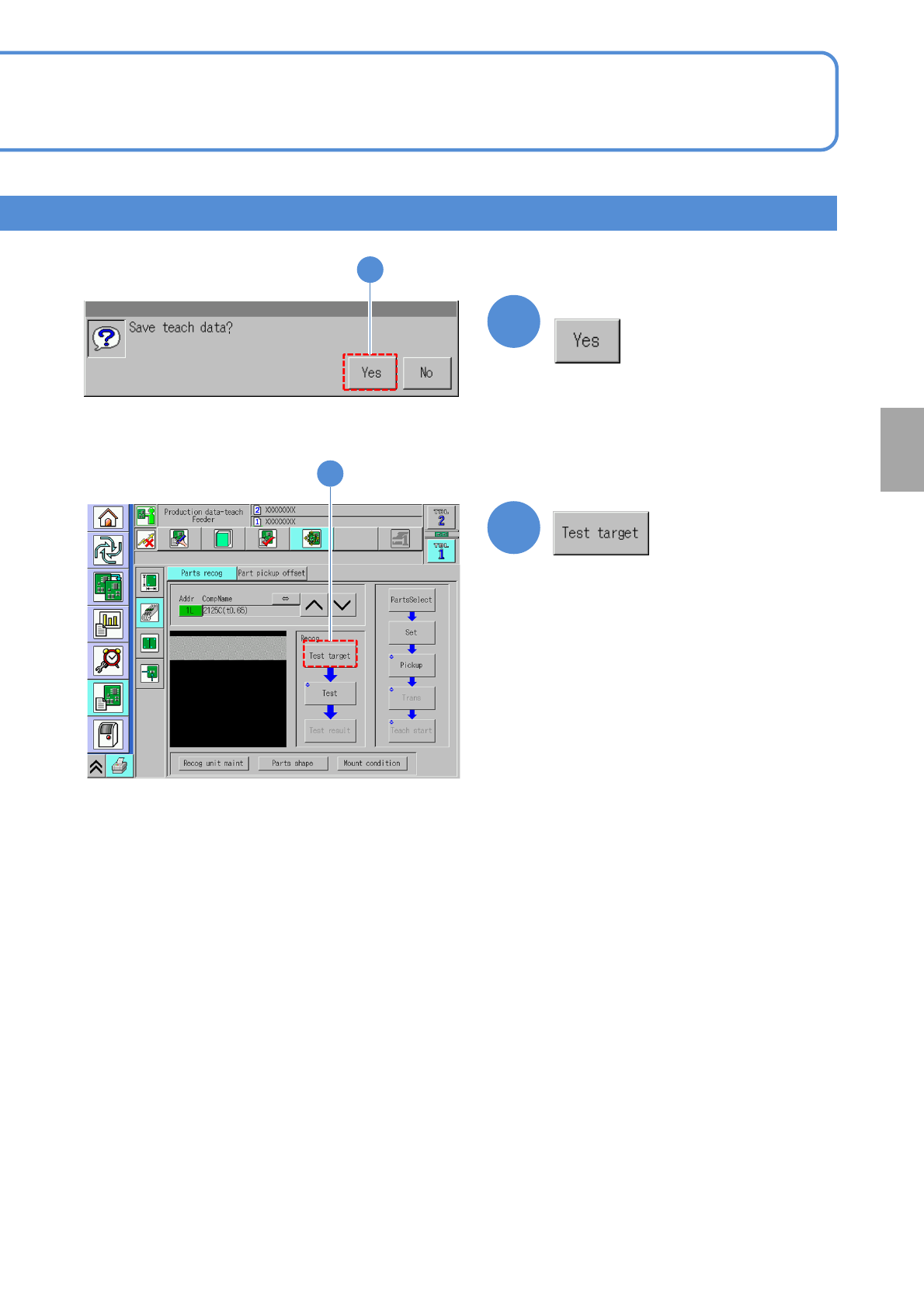
Confirm the message
(Recognition starts)