N7201A652E.pdf - 第285页
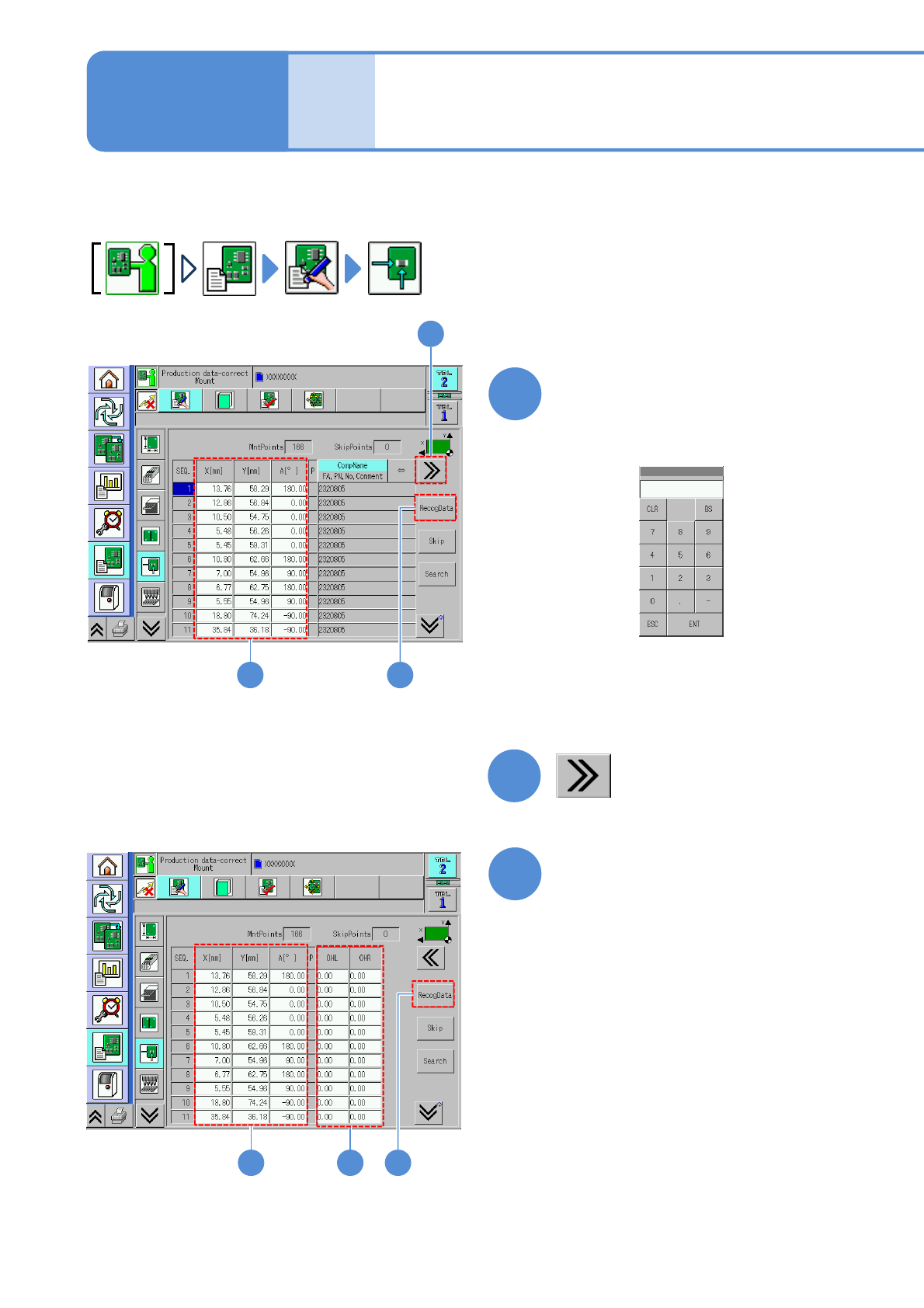
NPM- TT2 EJM1EE-MB -04O-03 4-1-13 -6 Edit the data of the desired field on the screen ● Touching the screen open s the input window. 5 4 ● It is effective when the rec ognition data of a placeme nt point exists. ■ T o ed…
NPM-TT2 EJM1EE-MB-04O-03
4-1-13-5
Describes how to check and edit the production data.
2
1
Data
editing
Production data edit 3
Edit the data of the desired
field on the screen
●Touching the screen opens the
numerical input window (figure below).
1
■To set the length jutting from left or
right edge of a PCB
2
31
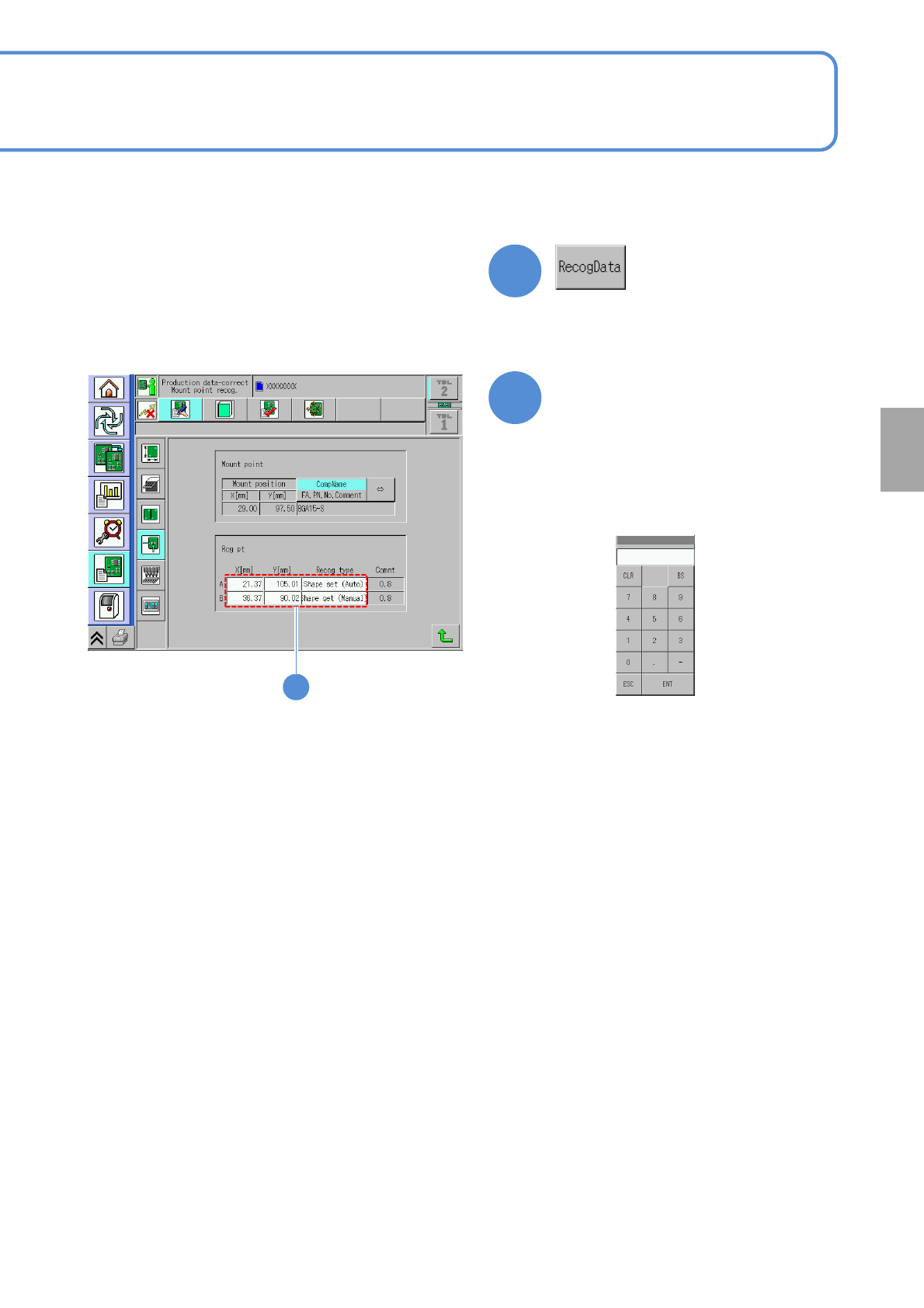
Edit the data of the desired
field on the screen
●Touching the screen opens the
input window.
3
4
4
Operating procedure
4-1-13
NPM-TT2 EJM1EE-MB-04O-03
4-1-13-6
Edit the data of the desired
field on the screen
●Touching the screen opens the
input window.
5
4
●It is effective when the recognition
data of a placement point exists.
■To edit the placement point
5
■Input screen for
X[mm],Y[mm]
■Input screen for the
recognition type
(→P.4-1-3)
Setting
change
NPM-TT2 EJM1EE-MB-04O-03
4-1-14-1
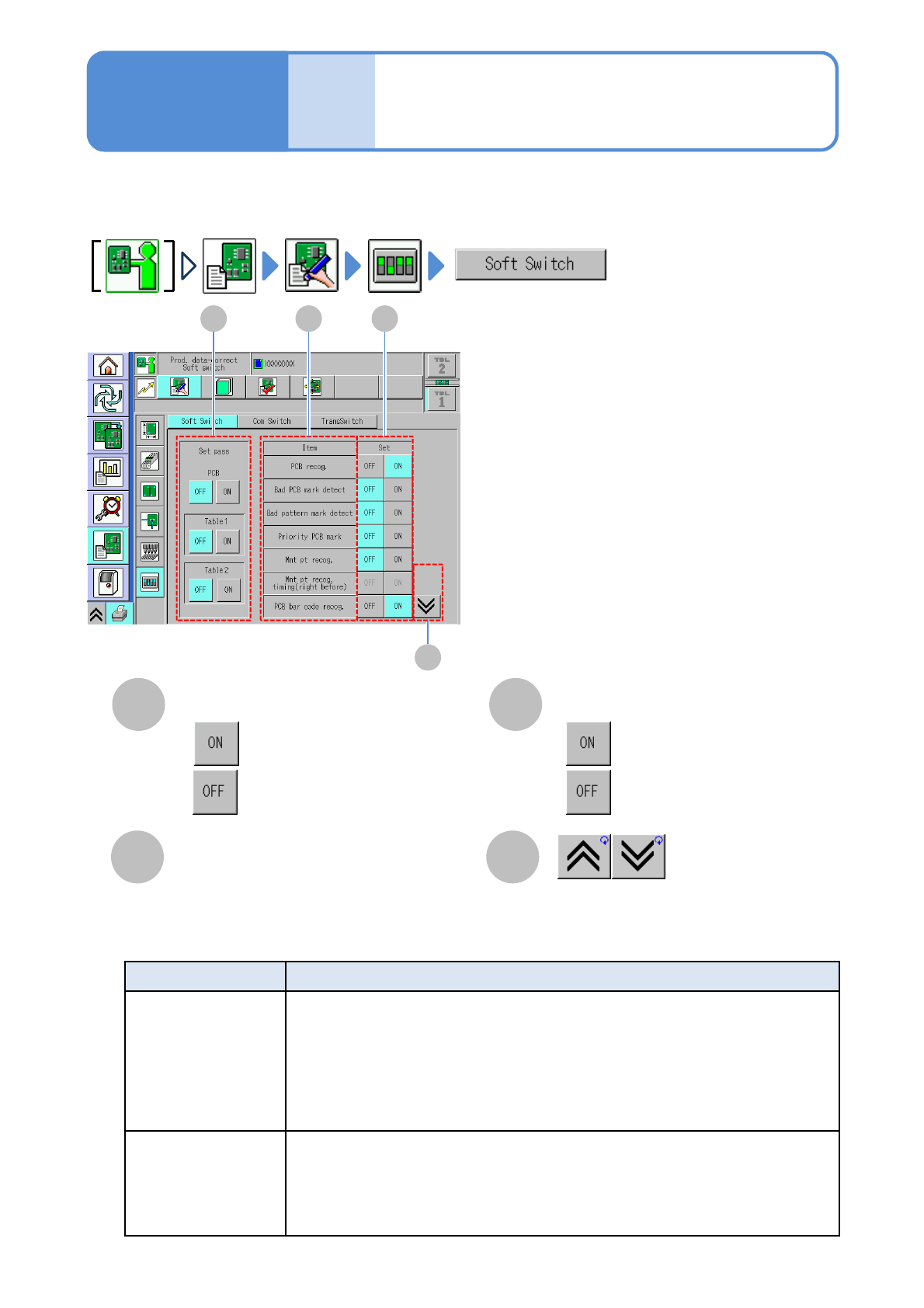
You can set the operation conditions or switch a pass table between ON and OFF.
Data
editing
Soft switch setting
Operating procedure
4-1-14
A
D
B
Item
Shows the previous or next table.
Set
C
Displays soft switch items.
●
●
:Enable.
:Disable.
A
B
C
D
Set pass
●
●
:Pass.
:Not pass.
About settings other than the items
below, see the operating instruction
of NPM-DGS.
Item Description
Safe mode action
(For 3-nozzle head)
Perform the following for ON setting
・Do not allow superposition of X-axis, Y-axis and Y-axis during pickup or
placement
・Do not allow preliminary lowing during pickup or placement.
・Pickup check is performed by the vacuum sensor before X-axis or Y-axis are
moved during pickup or placement, and if pickup error is detected, the action
stops regardless of pickup error count.
Pattern/Group Mark
Recog.
PCB Recog Offset
Perform PCB mark recognition before recognizing pattern/pattern group when
[ON] is set.
Change this setting from ‘Panel Fiducial before Pattern/Pattern Group Fiducials’
of Software Switch in NPM-DGS.
(The setting cannot be changed on the machine.)