N7201A652E.pdf - 第149页
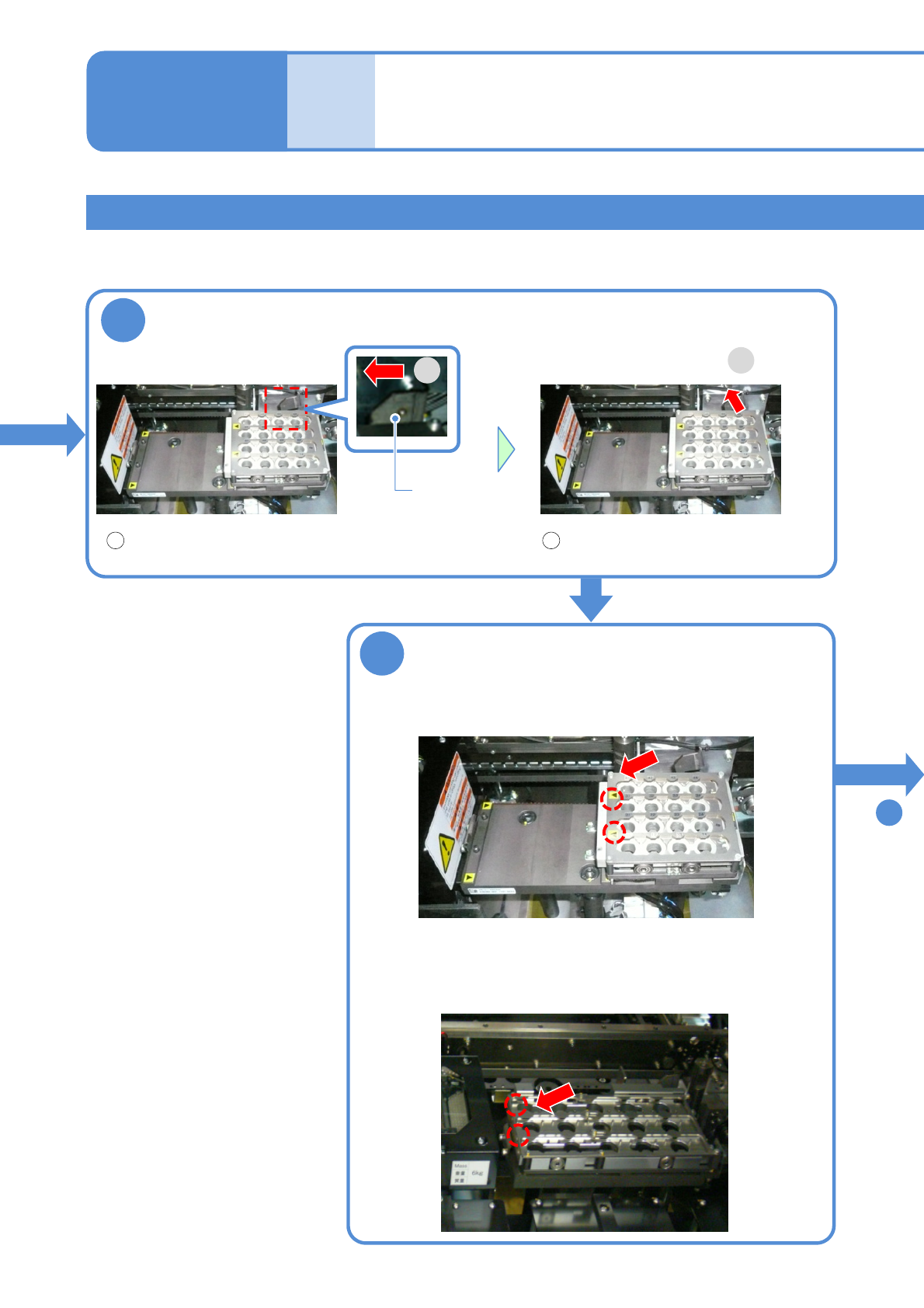
NPM- TT2 EJM1EE-MB -02O-04 2-5-1 -4 Secure the nozzle changer Attach the tray feeder or the feeder cart ● For a tray feede r (→[Maintenance] P.14-8) ● For a feed er cart (→[Maintenance] P.3-2) Preparatio n Fold the lever…
NPM-TT2 EJM1EE-MB-02O-04
2-5-1-3
5
6
■For 3-nozzle
■For 8-nozzle
Attach the new nozzle changer
●Slide it after aligning [▲] with [▼].
Lever
Remove the nozzle changer
Replacing the nozzle
changer 2
Operating procedure
2-5-1
Individu-
al
prepara-
tion
How to change the nozzle changer
When you cannot reach the nozzle changer, use a stepstool.
2
1
1 2
Fold the lever to the left Remove the nozzle changer
7
To
NPM-TT2 EJM1EE-MB-02O-04
2-5-1-4
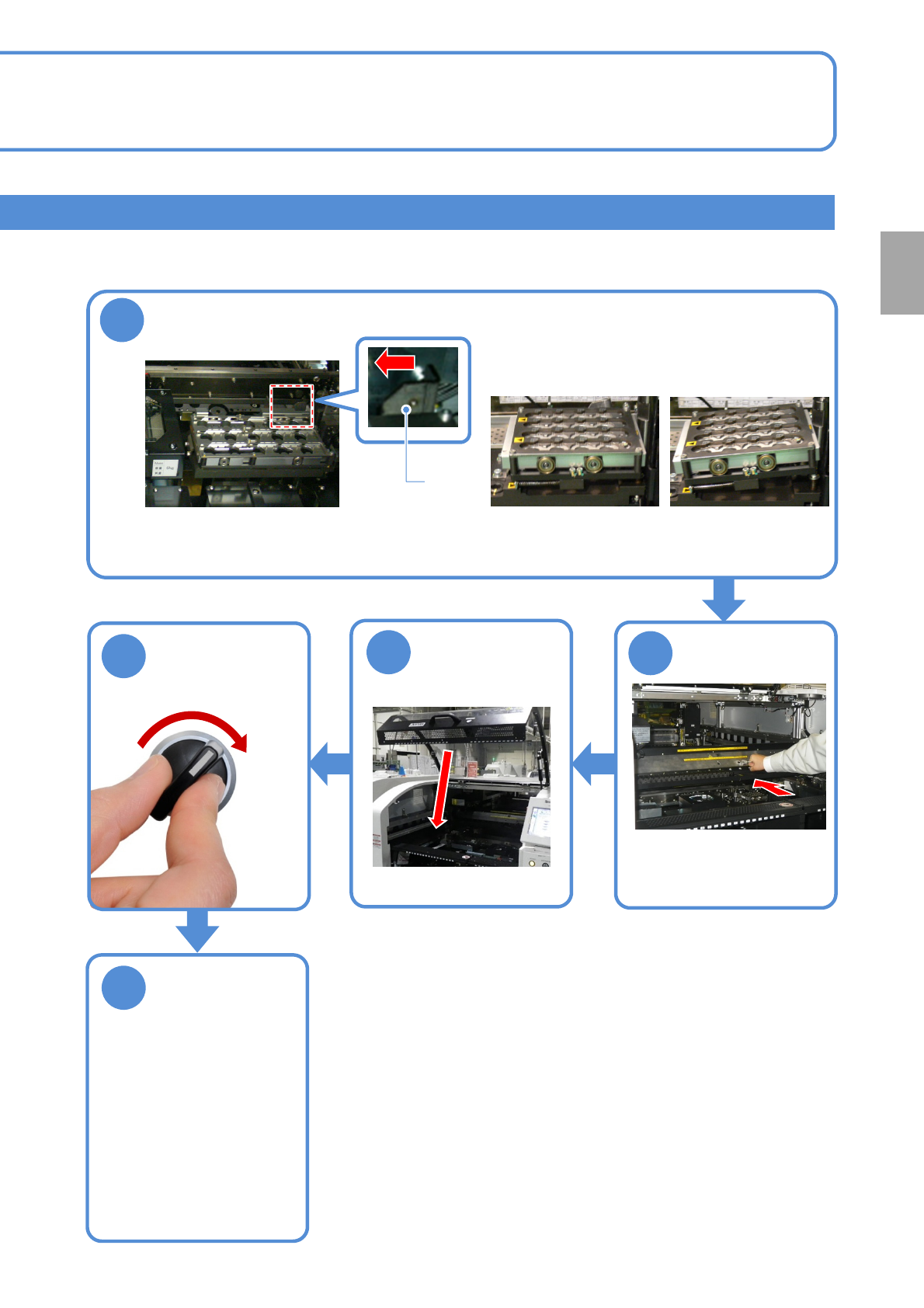
Secure the nozzle changer
Attach the tray
feeder or the feeder
cart
●For a tray feeder
(→[Maintenance] P.14-8)
●For a feeder cart
(→[Maintenance] P.3-2)
Preparation
Fold the lever to the left and fix the
nozzle changer.
7
レバー
OK
NG
SERVO
ON
8
9
10
●Move the front/rear X-axes
and make sure they do not
interfere with the stopper.
11
NPM-TT2 EJM1EE-MB-02O-04
Individu-
al
prepara-
tion
Replacing the nozzle 1
2-5-2-1
Operating procedure
2-5-2
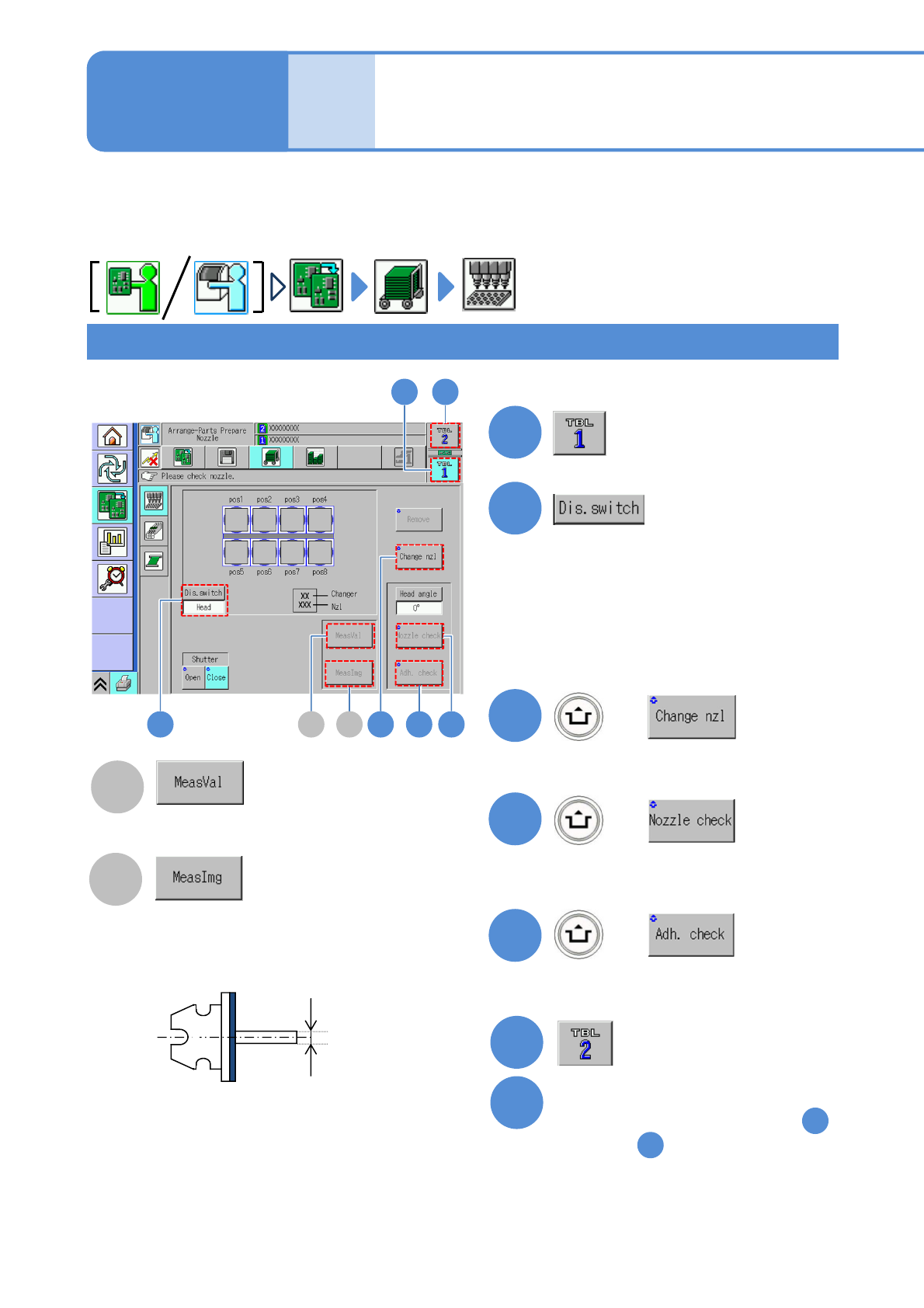
This helps you replace or remove nozzles. Nozzles can be attached to, or detached from, the head by one
operation, and also the nozzle configuration of each head can be confirmed. The numbers of nozzles
currently being attached to each head are shown.
Using the 8-nozzle head as an example, the screen below explains how to replace the nozzle; however, the
3-nozzle heads can be replaced in the same manner.
Nozzle check
B
A
Displays the measurement value
of the nozzle outer dimensions.
Displays the nozzle image recognized
by the [Nozzle check].
2
1
●Switches the display to Changer.
●Make sure that the nozzles actually set
on the changer are consistent with the
screen display.
●To confirm the nozzles by detaching
the nozzle changer. (→P.2-5-1)
3
(The nozzles inside the nozzle changer
are installed to the head.)
4
(The axis diameter of the nozzles are
measured.)
5
●Check foreign matter adhering on the
nozzle tips.
●Check on the nozzles.
1)
1)
●To accurately identify the type of nozzles, remove and visually check the nozzles. (Since the shape of the
nozzle end face is unrecognizable, the type of nozzles cannot be identified.)
●For information on the 2D code recognition of the nozzles, refer to the following. (→ P.2-5-2
-7)
●In the case of 3-nozzle heads, the “Change nzl” button is not displayed.
The axis
diameter of
the nozzles
6
7
Confirm the nozzles in the same
manner as shown in steps
through
2
5
1
2
6
BA 3 45
+
+
+