N7201A652E.pdf - 第155页
NPM- TT2 EJM1EE-MB-02 O-04 2-5-2 -6 Preparatio n 1 1 A B C D E F Nozzle setting (measurement value) screen This is us ed to display the measurement value obtained when the nozzle check was carried out to check the nozzle…
NPM-TT2 EJM1EE-MB-02O-04
Individu-
al
prepara-
tion
Replacing the nozzle 3
2-5-2-5
Operating procedure
2-5-2
1
B
A
1
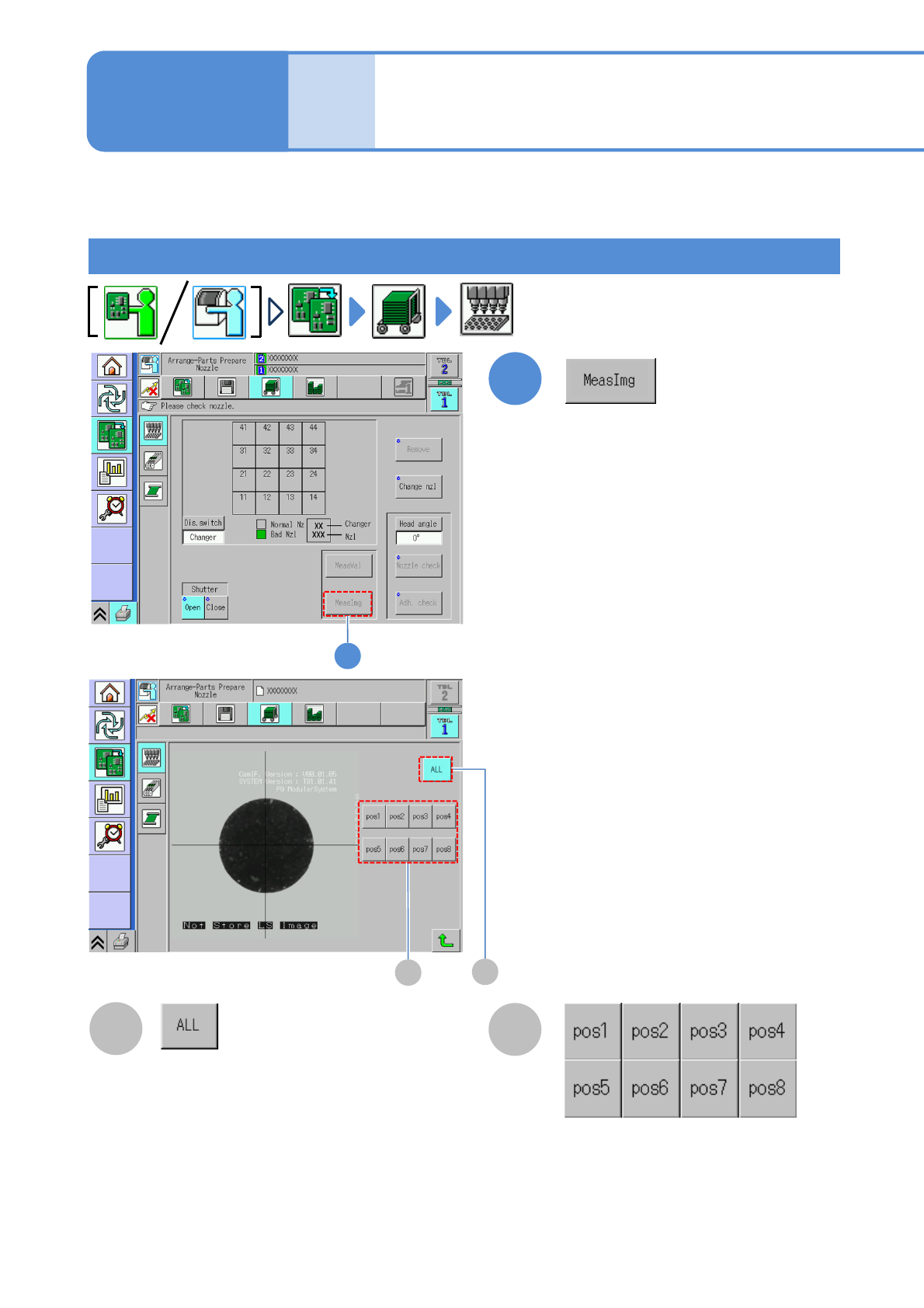
This is used to display the recognition image captured during a nozzle check.
You need to carry out a [Nozzle check] to display the measurement screen.
The screens for 8-nozzle heads are used here as an example to illustrate; however, the same procedure is
also applicable to 3-nozzle heads.
Nozzle setting (measurement image) screen
Displays the image of the overall head.
The enlarged image at each nozzle position
is displayed.
<MeasImg> screen:
Displays the recognition image that was
displayed when the nozzle setting was
checked on the <Attachment> screen.
B
A
NPM-TT2 EJM1EE-MB-02O-04
2-5-2-6
Preparation
1
1
A B C D E F
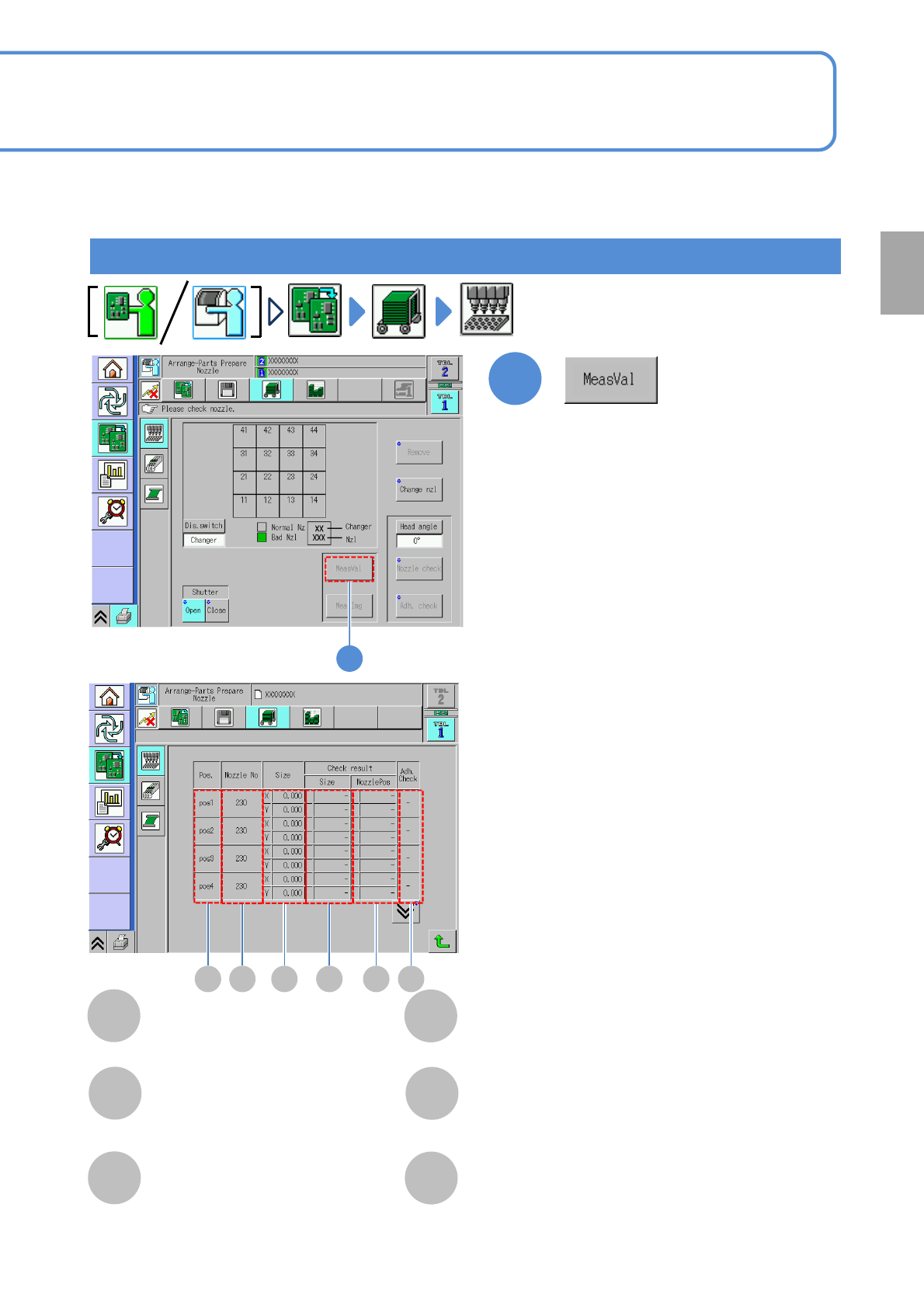
Nozzle setting (measurement value) screen
This is used to display the measurement value obtained when the nozzle check was carried out to check
the nozzle and its adherents.
The screens for 8-nozzle heads are used here as an example to illustrate; however, the same procedure is
also applicable to 3-nozzle heads.
<Measurement value> screen
The nozzle position
Pos.
B
The nozzle number
Nozzle No
C
The nozzle size In mm
Size X, Size Y
D
E
The nozzle size measured during nozzle check
In mm
Check result Size X, Size Y
F
The nozzle position offset measured during nozzle
check In mm
Check result NozzlePos X, NozzlePos Y
OK: No adherents
NG: With adherents
-: Not measured
Adh Check
A
NPM-TT2 EJM1EE-MB-02O-04
Individu-
al
prepara-
tion
Replacing the nozzle 4
2-5-2-7
Operating procedure
2-5-2
A B C D E F
1
2
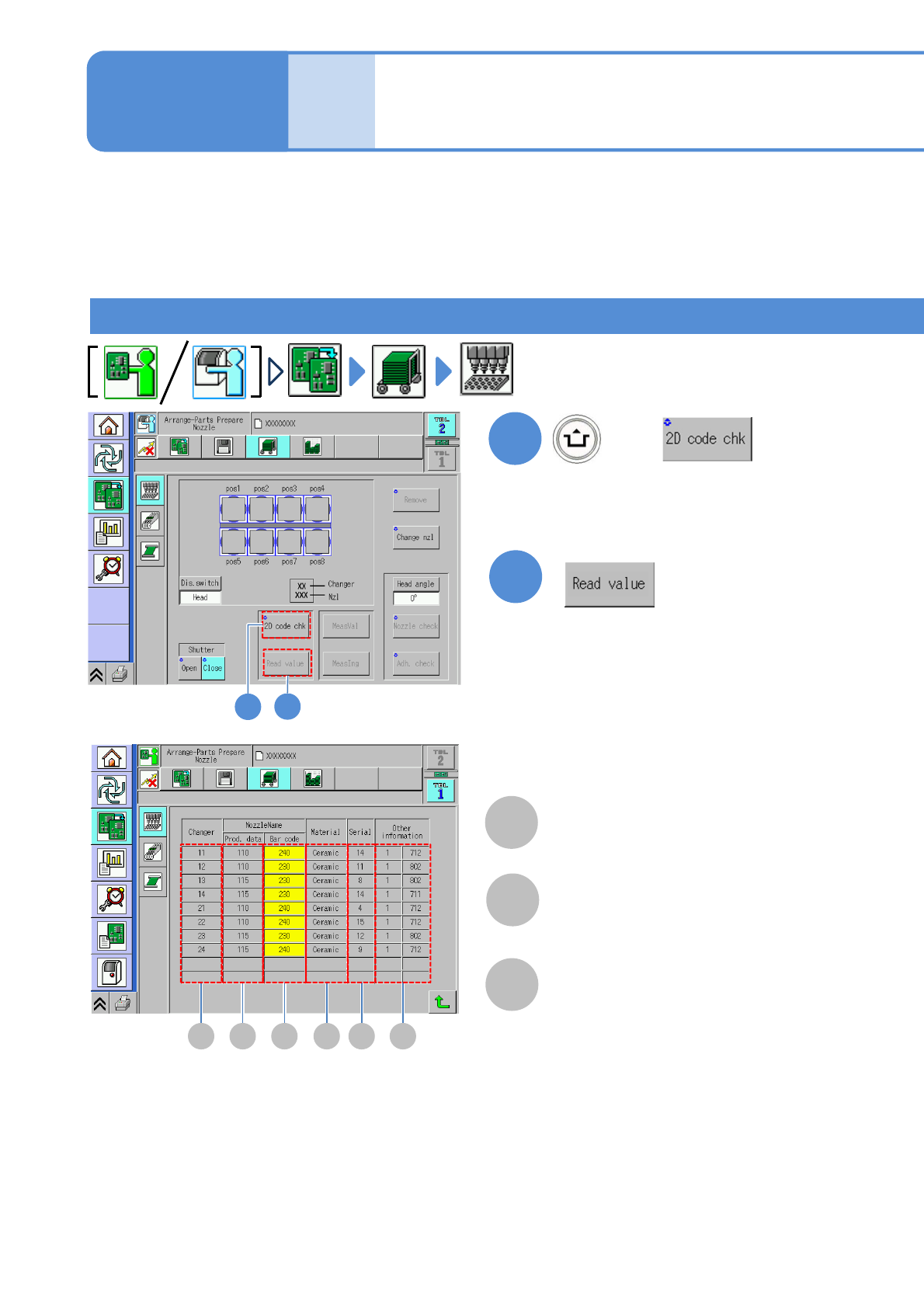
Nozzle 2D code recognition
The nozzle 2D recognition is carried out, and its results are displayed on the screen.
This is used to prevent miss setting of the nozzles. At the start of automatic operation, the nozzle 2D code
recognition is carried out so as to detect a nozzle(s) being miss set.
The [2D code chk] and [Read value] buttons are active only when the nozzle 2D code recognition is ON in
the unit setting.
The screens for 8-nozzle heads are used here as an example to illustrate; however, the same procedure is
also applicable to 3-nozzle heads.
1
<2D code recognition result> screen
(All nozzles are returned to the changer,
and the 2D codes of all the nozzles
within the changer are recognized)
2
(2D code recognition results are displayed)
A
The nozzle changer number
Changer
B
The nozzle number in production data
Nozzle Name Prod. data
C
The barcode-scanned nozzle number
‘- - -(Hyphen)’:
Yet to be scanned
Failed to read
Yellow frame:
The nozzle number differs from the
one in production data.
Nozzle Name Bar code
+