N7201A652E.pdf - 第254页
NPM- TT2 EJM1EE-MB -04O-03 Data editing Chec king and editing the ar r angement list 4-1-6 -1 Intelligent feeder Explains how to check and edit the arrangement of the feeders o n the feeder table or pallets, on the tray,…

NPM-TT2 EJM1EE-MB-04O-03
4-1-5-2
Setting
change
NPM-TT2 EJM1EE-MB-04O-03
Data
editing
Checking and editing
the arrangement list
4-1-6-1
Intelligent feeder
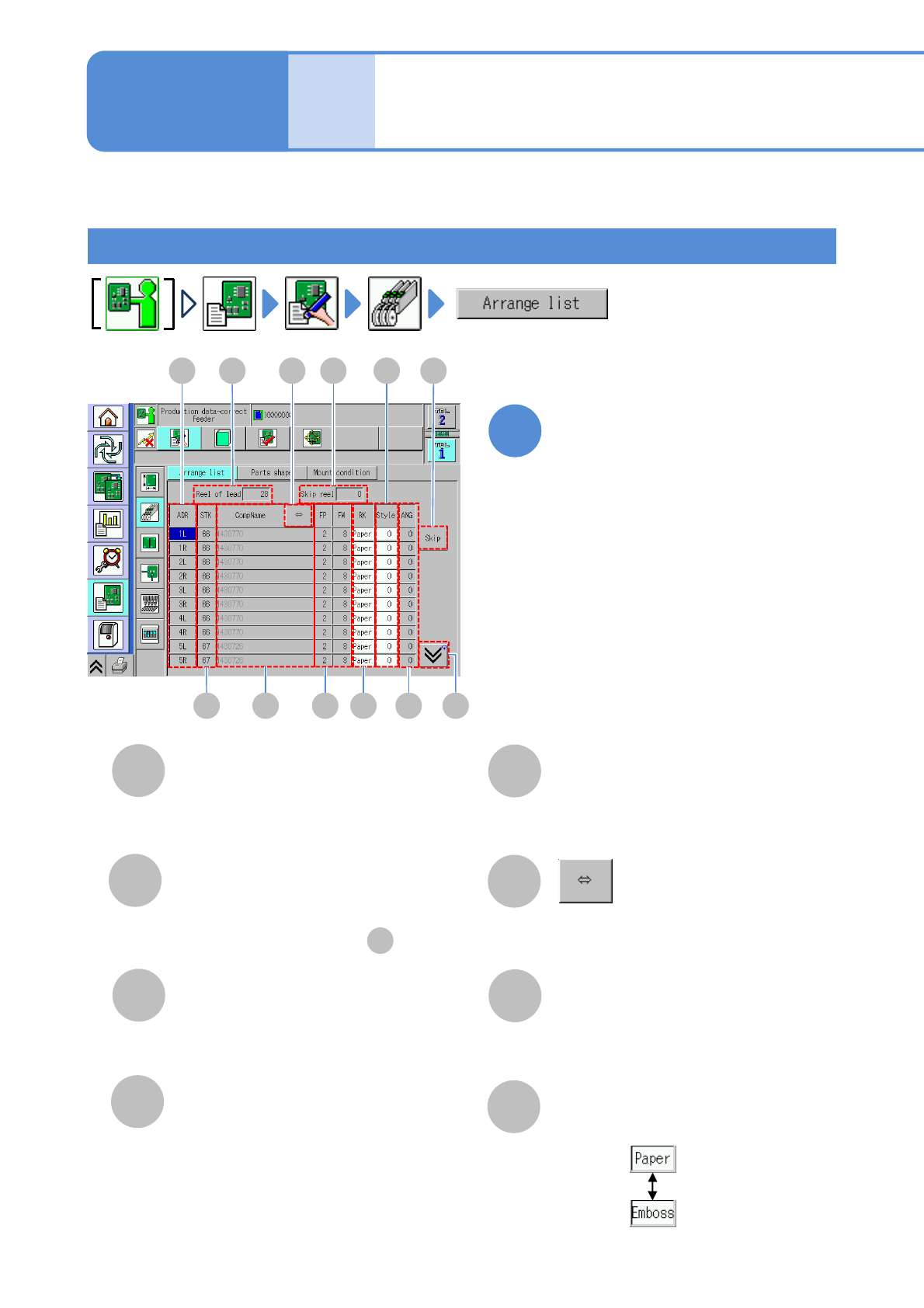
Explains how to check and edit the arrangement of the feeders on the feeder table or pallets,
on the tray, or stock condition.
Edit the data of the desired
field on the screen
●Touching the screen opens the input
window.
1
A
Reel of lead/Pallets
The total number of reels or pallets
registered in the selected table.
B
Skip reel
The total number of reels or pallets
specified to be skipped in .
C
ADR (address)
D
STK (stock)
ID number of stock component.
(Only when there is stock)
K
E
CompName
Shows the rest of the component name
by scrolling.
F
FP/FW
G
H
Choose a tape type.
RK
●FP: Tape feed pitch.
●FW: Tape feed width.
Operating procedure
4-1-6
Address of a feeder.
(→P.3-2-3
-1)
C
D E
A
H
F
G
B I
J
K
L
NPM-TT2 EJM1EE-MB-04O-03
I
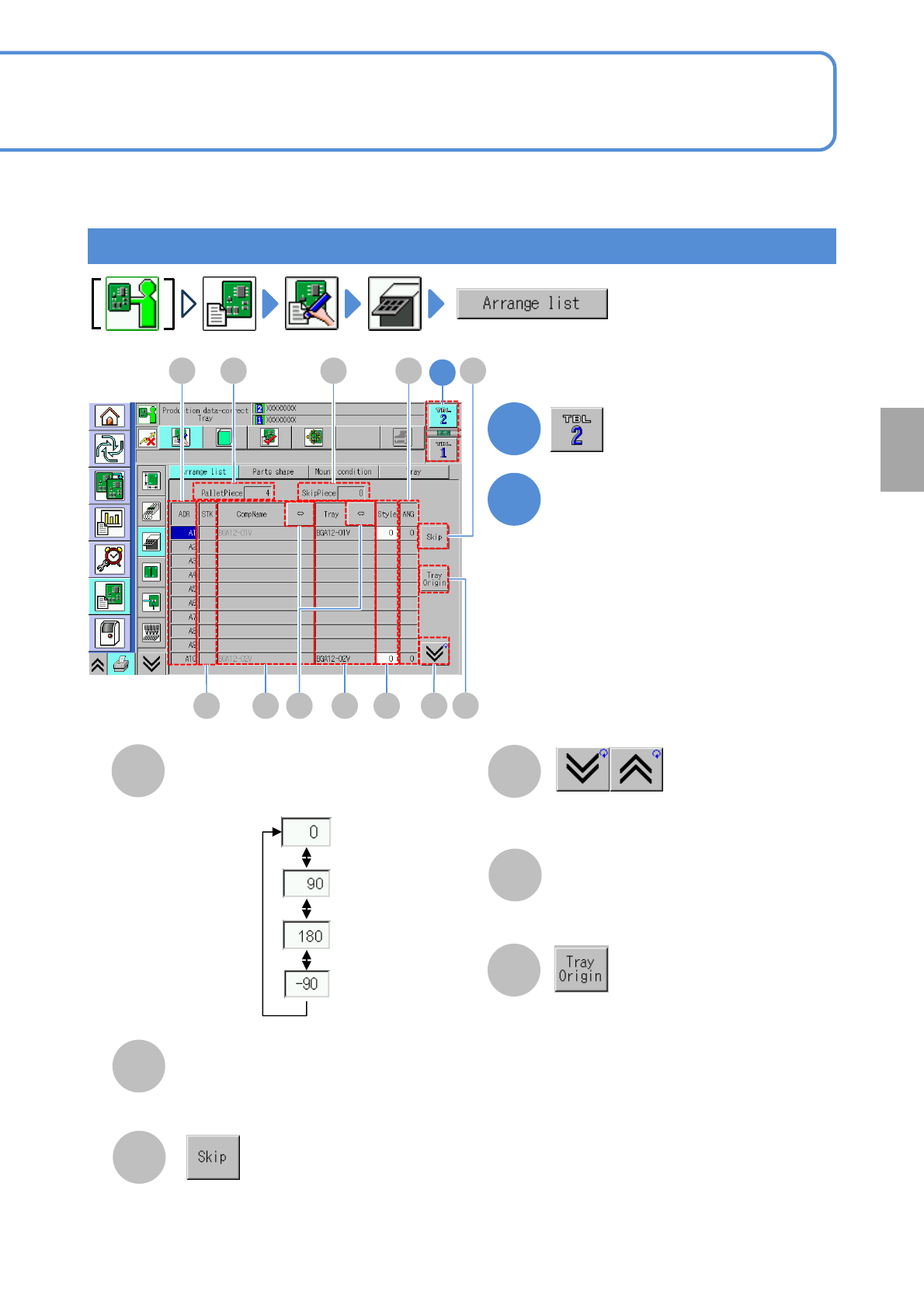
Style
J
ANG (angle)
K
The data on the cursor lines are skipped.
(Become disabled and no mount is
carried out)
Tray feeder
C
D E
A
F M
B
I
J
L
Choose a component supply angle.
Component pickup angle.
L
Shows the previous or next table.
Tray name
M
1
1
2
Edit the data of the desired
field on the screen
●Touching the screen opens the input
window.
4-1-6-2
Setting
change
K
N
N
The tray origin window is displayed.
(When several trays are placed on a
pallet, the tray origin window is
displayed)