N7201A652E.pdf - 第140页
NPM- TT2 EJM1EE-MB -02O-04 Chec king the f eeder a ttac hment condition 2 (intelligent feeder) Operating procedure 2-4-4 Prepara- tions before produc- tion 2-4-4 -3 A C D A B C D B Details window screen of feeder informa…
NPM-TT2 EJM1EE-MB-02O-04
Preparation
2-4-4-2
C
E
F
G
H
D
A
C F G HED
BA
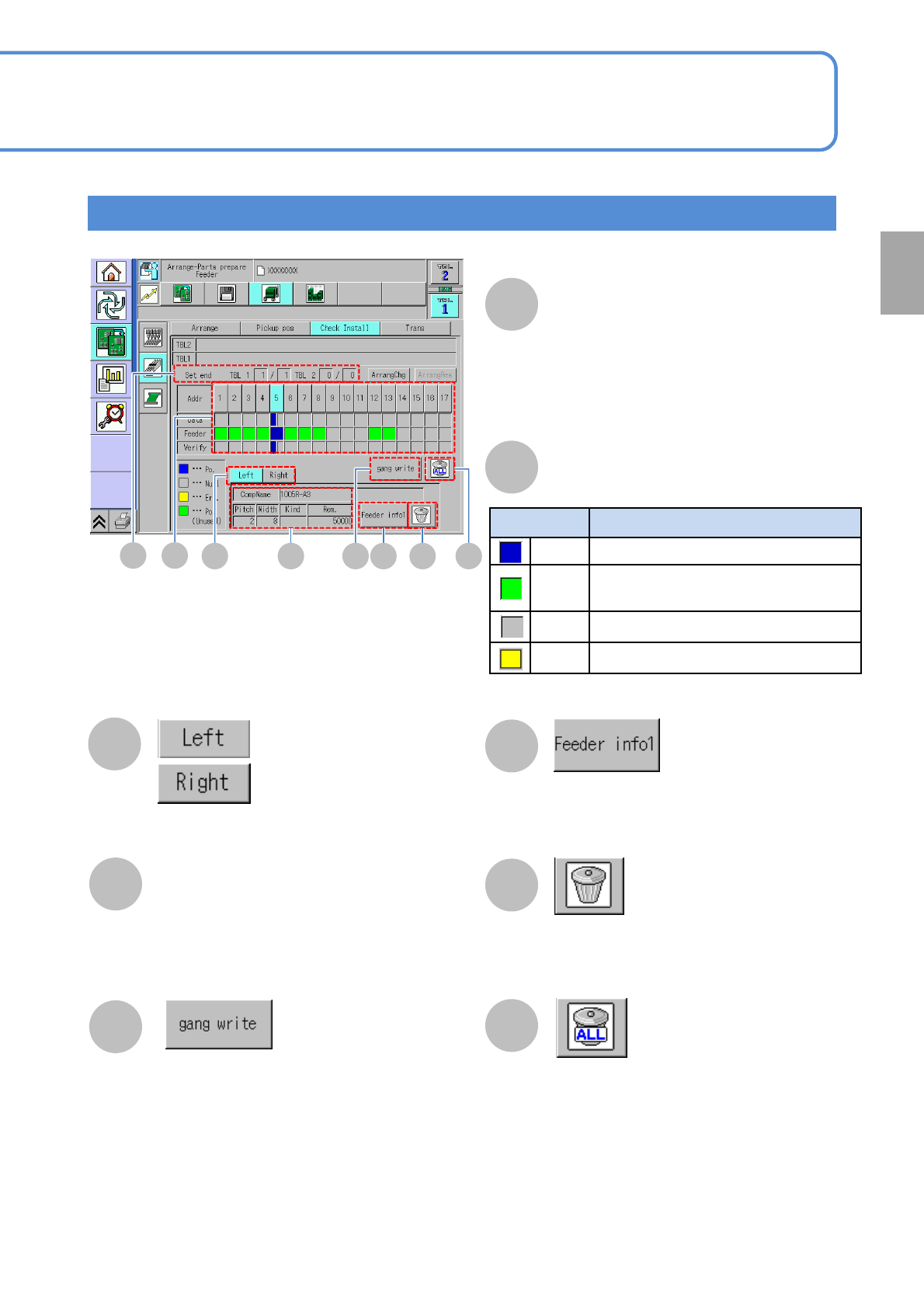
Check Install screen
Color Feeder condition
Blue Feeder that exists in production data
Green
Feeder that does not exist in
production data
Gray
No feeder exists
Yellow
Error
B
Feeder condition
Component on the left side
of the feeder is displayed
Component on the right side
of the feeder is displayed
Collectively writes production data-based
component information on the feeders
Resets component information written on the
feeder in the address you have selected
Resets component information written on all
feeders
Component Name
Overall number of feeders that have already
been installed
●Those feeders not to be used in
production are not included in the count.
Set end
Pitch: Tape feed pitch
Rem.: The quantity of remaining components
Width: Tape width
Kind: Tape type
(Paper / Emboss)
Displays the feeder info details screen
(→P.2-4-4
-3 ‘Details window screen of feeder
information’)
●Use with double tape / thin type single
feeders
●Displayed only when “ the feeder
parts collation” as an option is set to
ON
(→P.5-1-1)
NPM-TT2 EJM1EE-MB-02O-04
Checking the feeder
attachment condition 2
(intelligent feeder)
Operating procedure
2-4-4
Prepara-
tions
before
produc-
tion
2-4-4-3
A C D
A
B
C
D
B
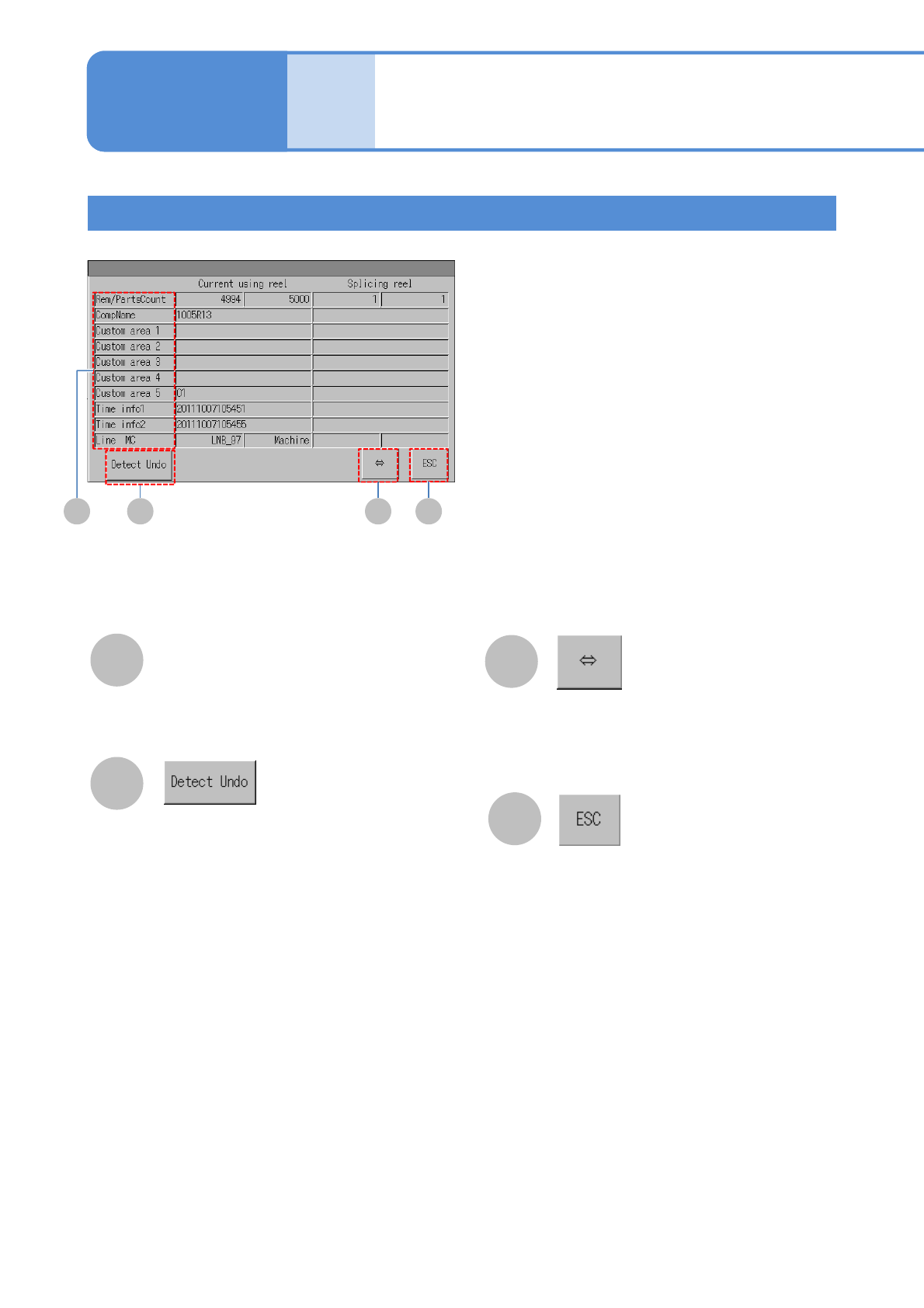
Details window screen of feeder information
Displays the portion of feeder
information that is currently not being
shown because its name is too long to
be shown
Restores feeder information to the state
that the feeder information was in before
the tape moved (pre-tape move condition)
●Used when you want to restore feeder
information containing splicing part data
that has been updated upon mis-
detection of a splice joint
Detailed feeder information
Closes the screen
●Displayed only when substituted parts
can be used for the feeder
NPM-TT2 EJM1EE-MB-02O-04
Preparation
2-4-4-4
A
G
H
C
A
D
B
E
F
G
I
J
K
L
B
C
D
E
F
H
I
J
K
L
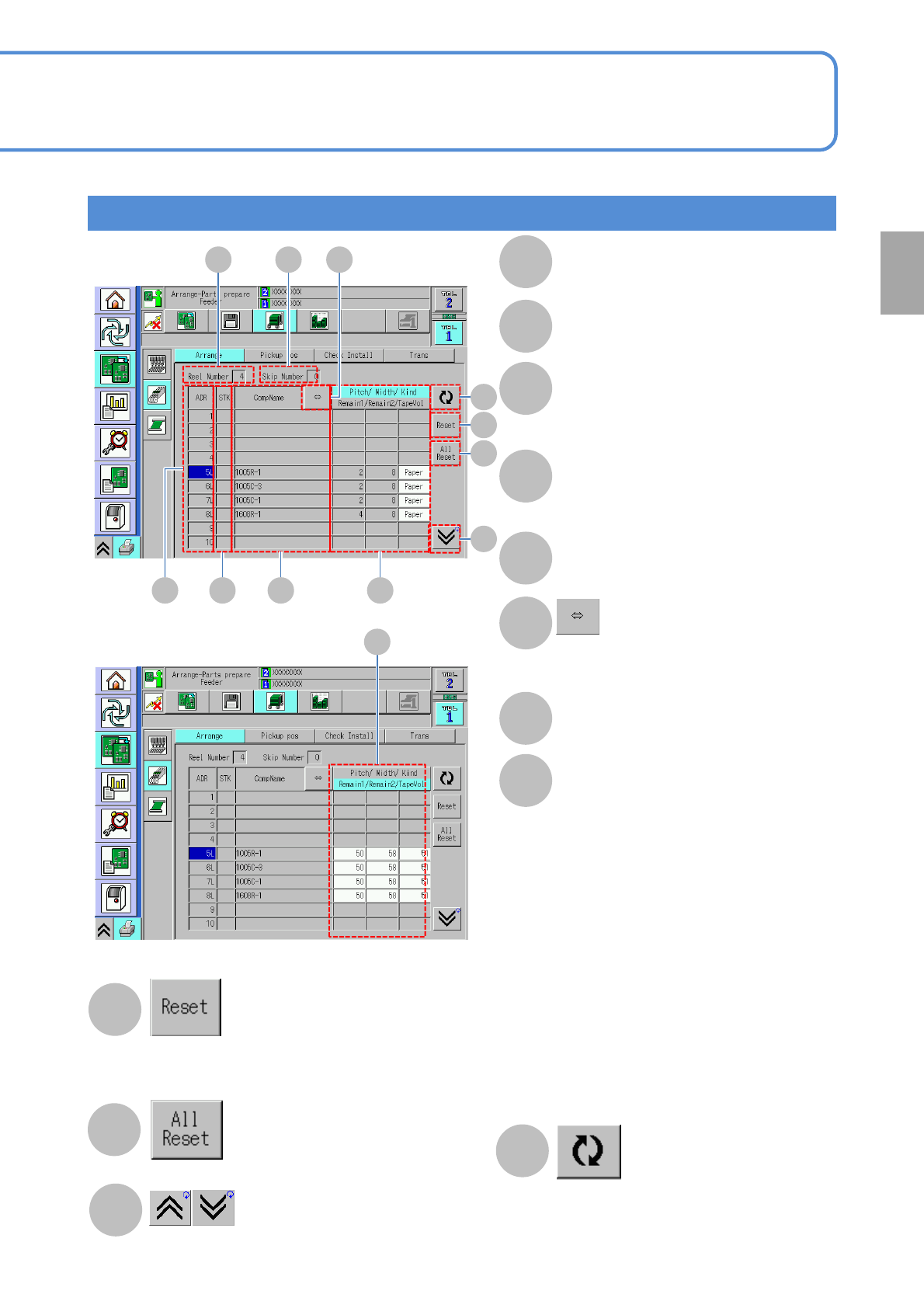
Arrangement screen
Reel Number
Skip Number
The number of feeders set as skipped
ADR
The number of the address of an
arranged feeder and the side (L/R) of the
feeder on which a component is arranged
STK
Components of the same part number
make a stock component each other
CompName
Displays the hidden portion of a
component name when the name is too
long to be shown
Pitch / Width / Kind
Remain1: The remains of tape in current use
Remain2: The remains of splicing tape
●When the tape volume is selected
The background is yellow if the tape volume
has exceeded 10,000
●When Remain is selected
The background turns yellow if Remain
reaches ‘0’
●When no feeder is arranged
(-) displayed
●When a feeder(s) not to be used in
production is arranged
(*) displayed
Redisplays
Resets the number (*) of remaining components
on the feeder the cursor is currently sitting over
(*)The number of components on 1 reel
Resets component remains on all feeders
Scrolls up and down the list
The total number of reels