N7201A652E.pdf - 第251页
NPM- TT2 EJM1EE-MB -04O-03 4-1-4 C B Skips the selected coordinates. Select eithe r PCB warpage or pattern warp age. A C A W arpage mode PCB warpage measurement point data D Enables to edit coordinates. Describes how to …
NPM-TT2 EJM1EE-MB-04O-03
C
B
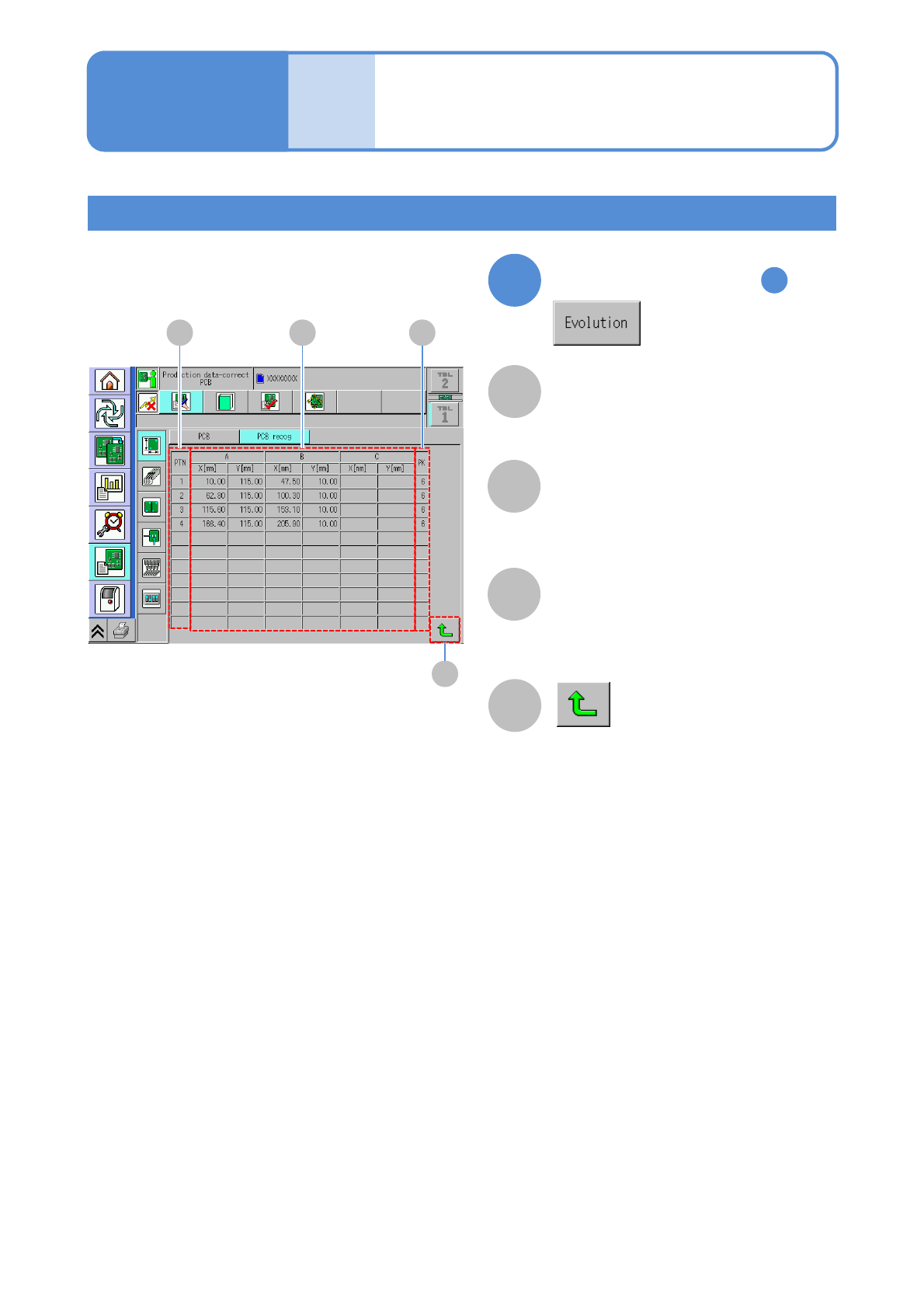
PCB recognition coordinate of a
recognition point (X,Y)
Number to arrange several types of
patterns.
A
Pattern number.
4-1-3-3
Data
editing
PCB recognition data
edit 2
Expanded data display
3
X[mm], Y[mm] (recognition
position)
PK
PTN (pattern)
D
Returns to the previous screen.
Operating procedure
4-1-3
By the step of P.4-1-3-1
1
A B C
D
NPM-TT2 EJM1EE-MB-04O-03
4-1-4
C
B
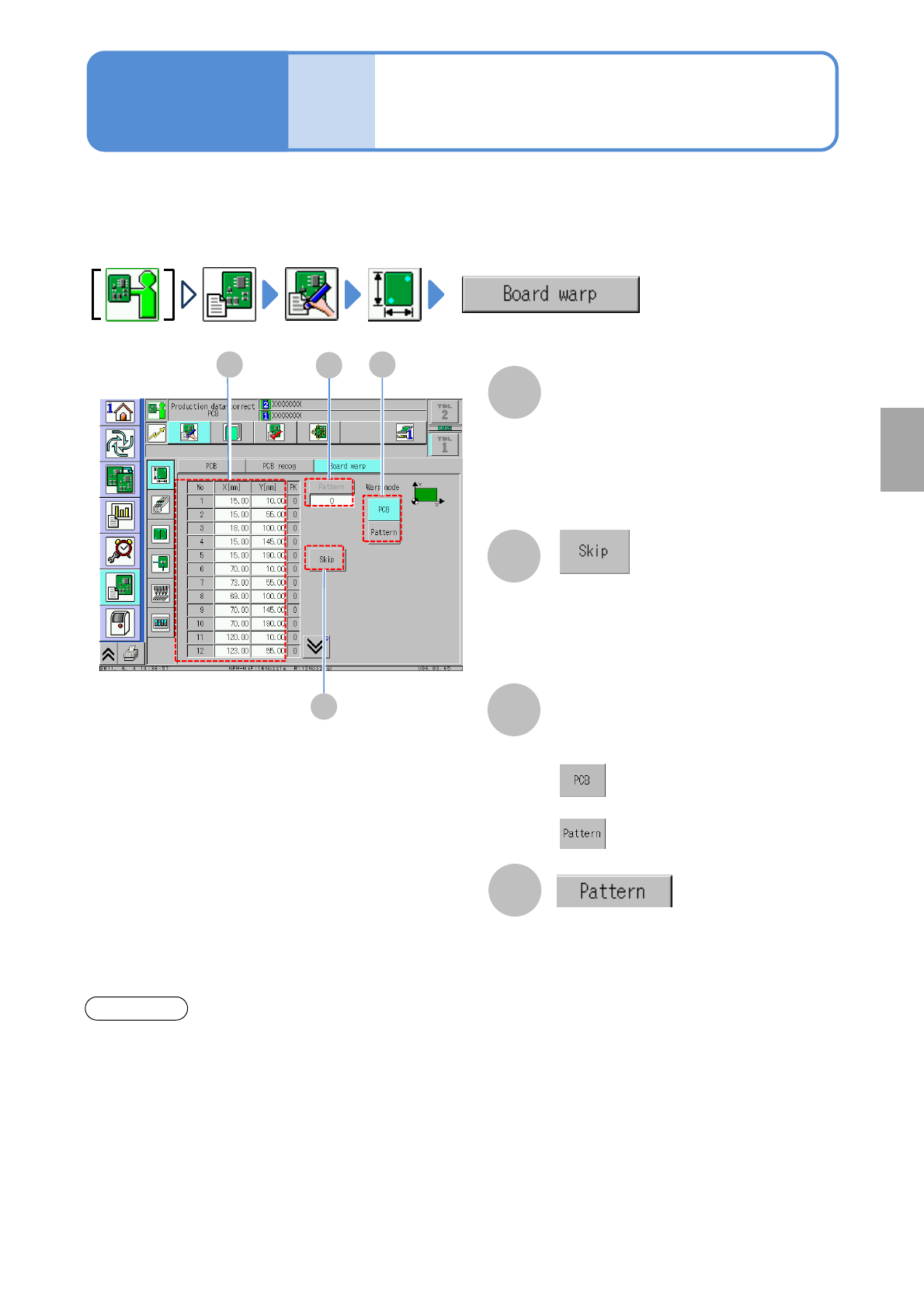
Skips the selected coordinates.
Select either PCB warpage or pattern
warpage.
A C
A
Warpage mode
PCB warpage measurement point
data
D
Enables to edit coordinates.
Describes how to check and edit the PCB warpage measurement point data.
Move the cursor to the position where you change the data and enter the value.
B
D
●X[mm]:X-coordinates of measurement
point
●Y[mm]:Y-coordinates of measurement
point
●At least nine points are necessary for
measurement points
●If points are less than nine, skip is not
allowed.
:Corrects entire PCB by the
measurement result
:Correct per pattern by the
measurement result.
●Changes the display of the pattern
data (The number of registered
patterns is displayed
1,2,3・・・・・N)
●Only pattern warpage is operable.
If warpage information is transferred to the post process or received from the pre process, it is necessary to
set [PCB warpage information] on the communication switch of the production data to ‘ON’. The setting can
be confirmed on the machine. Change the setting from DGS.
Even though if the functions (such as defect pattern information, APC information) to communicate PCB
information is used, the simultaneous transfer function is available, it cannot be set on the machine. So, we
recommend you to set the function disabled. You can confirm the function for PCB information
communication by the following screen.
(→P.5-1-1)
●Receiving: Set to ON when information is received from the pre process.
●Sending: Set to ON when information is sent to the post process.
Confirmation
Data
editing
PCB warpage
measurement point data
(option)
Operating procedure
4-1-4
*Transmission of PBC warpage information between different product types is not supported. (→P.6-1-8)
Setting
change
NPM-TT2 EJM1EE-MB-04O-03
Data
editing
Support pin data edit
Operating procedure
4-1-5
A
A
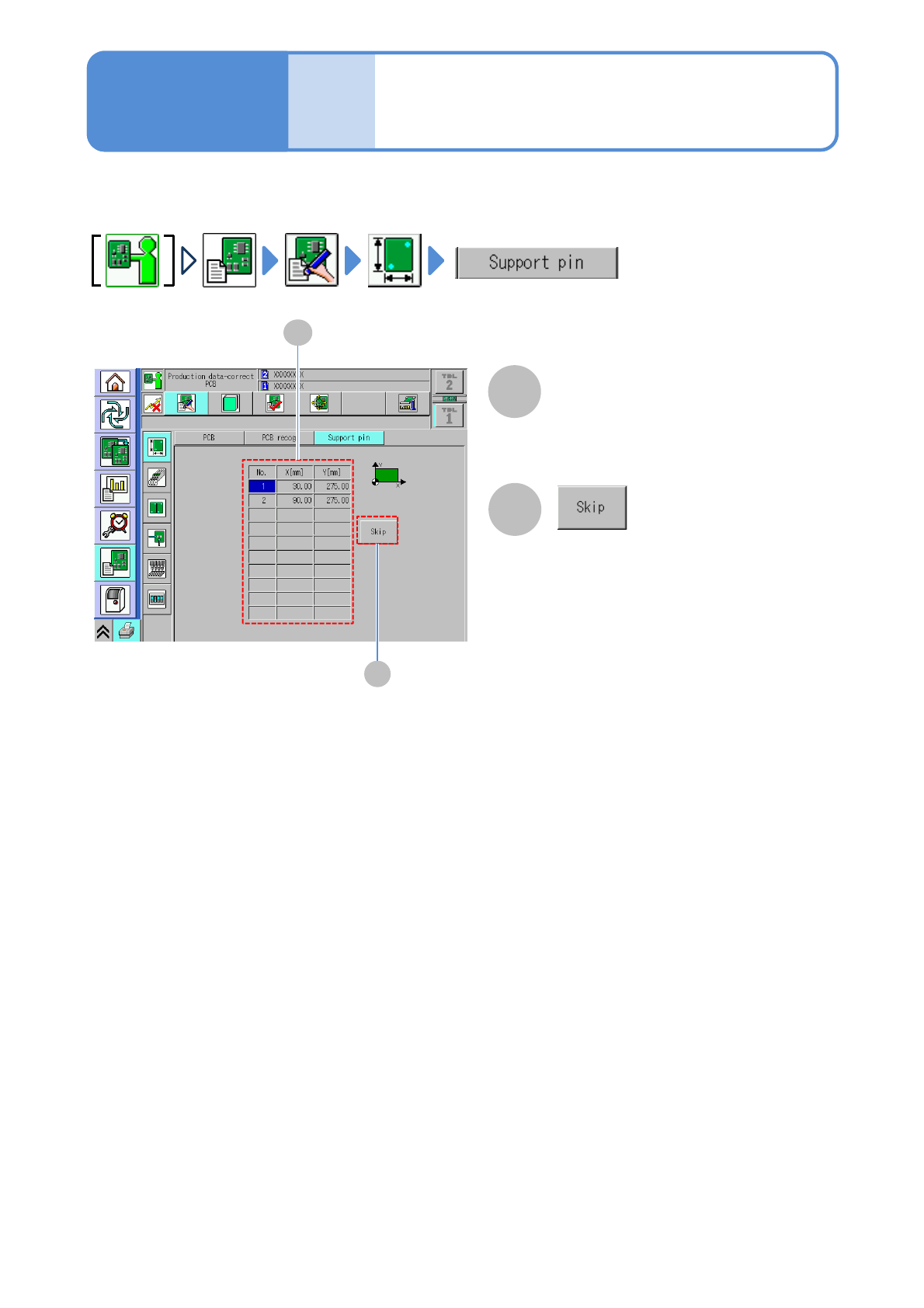
Arrangement coordinates (X,Y) of the
support pin are displayed. You can edit
arrangement coordinates by DGS.
B
Support pin arrangement
coordinate data
B
Skips selected coordinates. The skipped
coordinates become disabled and you
are not arrange the support pin.
Describes how to check and edit the support pin (for automatic change) data.
4-1-5-1