N7201A652E.pdf - 第64页
NPM- TT2 EJM1EE-SF-01N-05 Com- ponent names Oper a tion s witc h 1-9-2 -1 1-9-2 ST ART Starts production. ● Restar ts production when in temporary stop. ● Push the butt on with at the same time Front and rear sides
NPM-TT2 EJM1EE-SF-01N-05
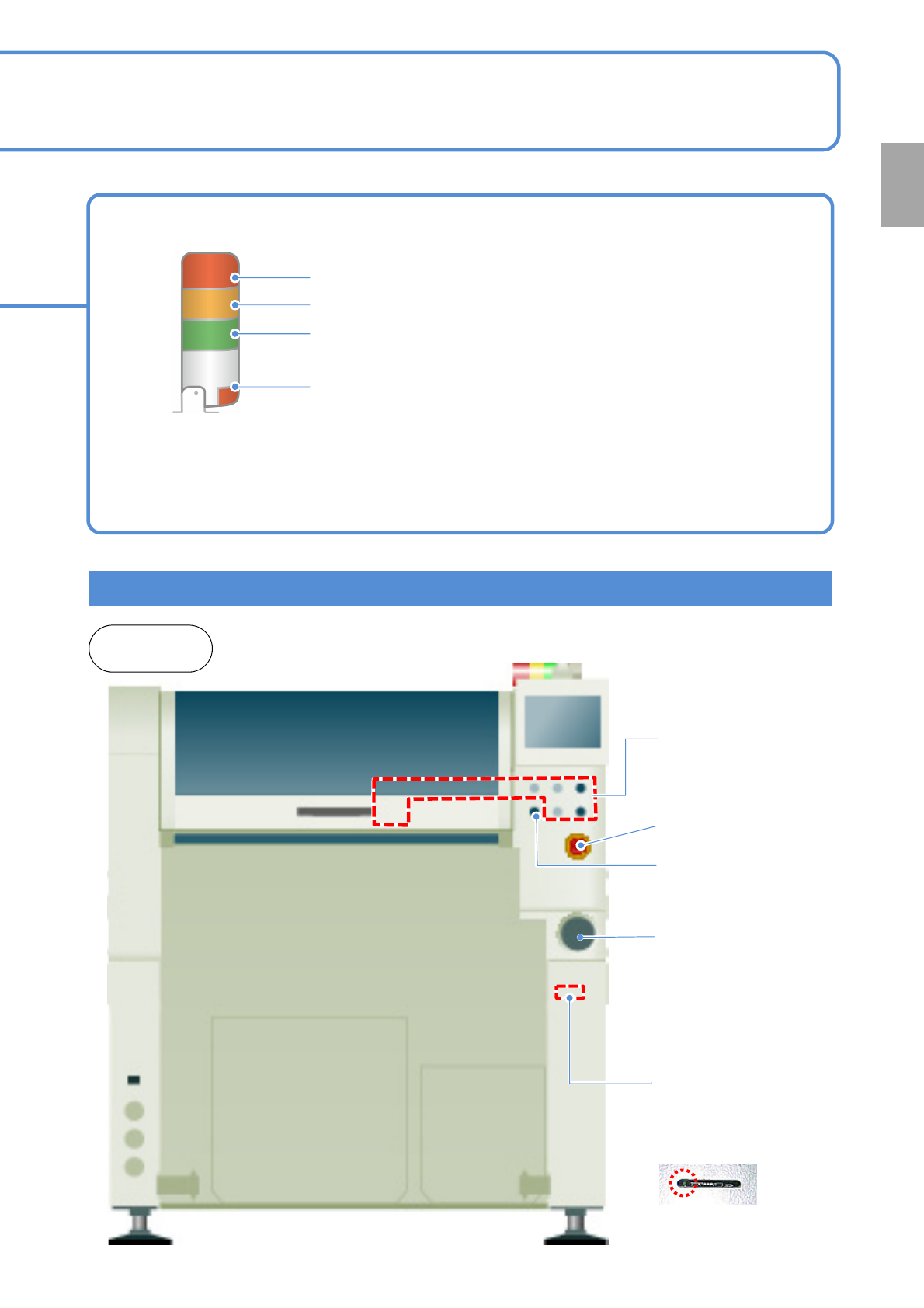
Operating units
Emergency stop
switch
Stops operation
immediately
Main power supply
switch (Front side)
Turns ON/OFF the power and
air source.(When you turn off
the power supply switch, the
air supply is shut off also.)
1-9-1-2
Signal tower
Red: Illuminates when you push emergency stop switch or in case
of error stop.
Yellow: Illuminates in case of material shortage.
Green: Illuminates in automatic operation.
Red: Illuminates when you push emergency stop switch or in case
of error stop.
● You can change the above setting.
[Operating Procedure] (→ P.5-1-3)
● Please refer to the [Operating Procedure] (→P.5-2-4)
●The signal tower is placed sideways when shipped , however the angle can be adjusted.
Front and
rear sides
Various operation
switches
Controls operation start /
stop.
Access lamp
(Green LED)
SD card reader
(Front side)
Reading and writing of
programming data.
Servo switch
Turns ON/OFF the
power of servo units.
Confirmation
NPM-TT2 EJM1EE-SF-01N-05
Com-
ponent
names
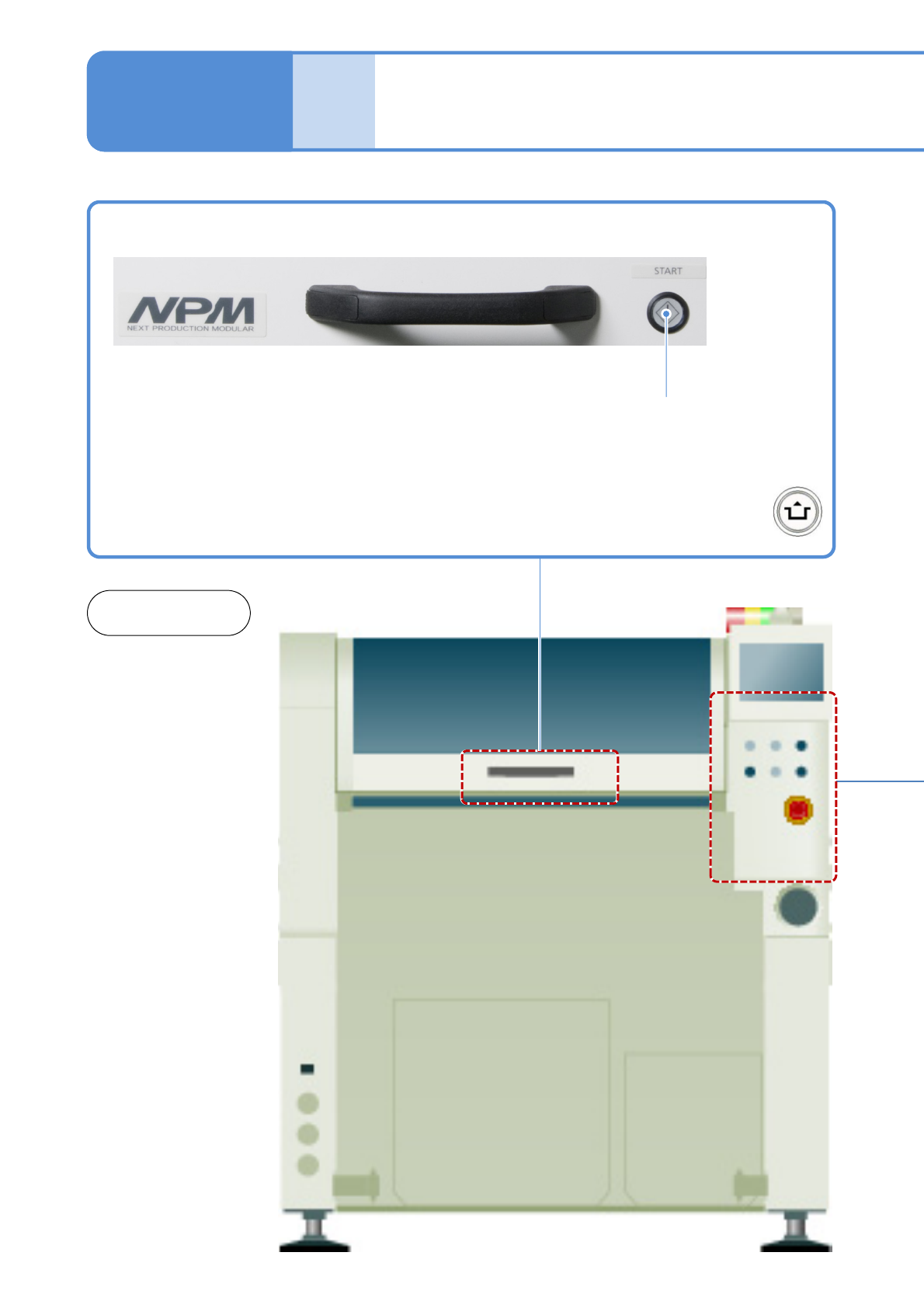
Operation switch
1-9-2-1
1-9-2
START
Starts production.
●Restarts production when in
temporary stop.
●Push the button with
at the same time
Front and
rear sides
NPM-TT2 EJM1EE-SF-01N-05
1-9-2-2
Confirmation
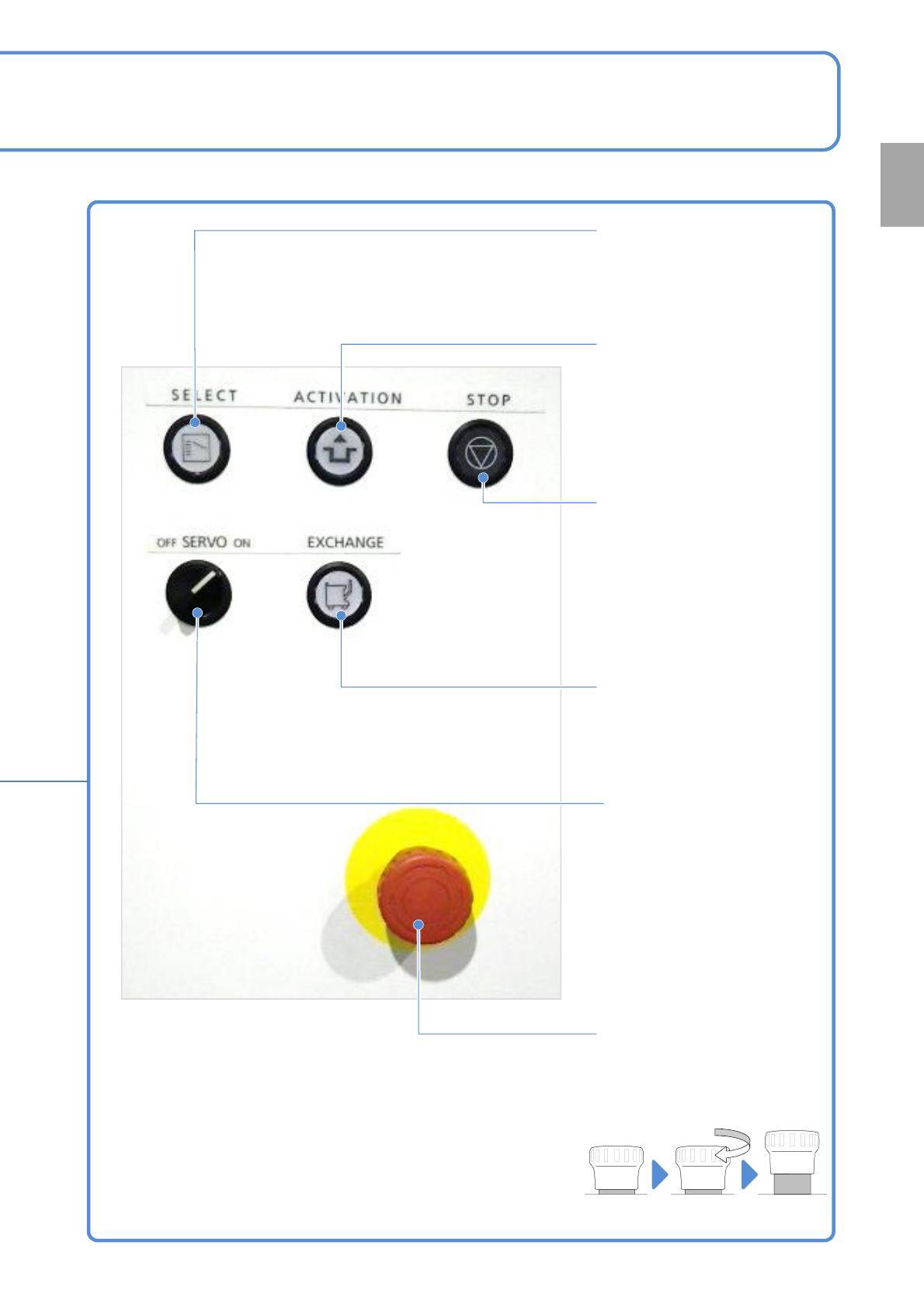
SELECT
To enable the operation switch
in front or rear, and the
touchscreen operation.
●The light is on if it is enabled.
ACTIVATION
Holding down the switch,
press the touchscreen’s
operation button or the switch
to operate the machine.
(For risk prevention)
STOP
To suspend production (single
stop) or to stop operations
accompanied by action.
EXCHANGE
To install/remove feeder carts.
●The light is on if it is
replaceable.
SERVO
Turns ON / OFF the motor
power supply.
(Conversion to disable
machine operation commands)
●Turns on when you start
production.
●Be sure to turn off before
placing your hands into the
moving parts of the machine.
Emergency stop switch
Stops the machine immediately
●Turn it clockwise and return it
to the original position to
release.
(Total 2 switches in front and
rear)
Emergency
stop state
Released
state