N7201A652E.pdf - 第411页
NPM- TT2 EJM1E E-MB-05O-05 5-1-3 -2 System administration 1 1 D C 1 Choose a setting ty pe ■ To set for each status during production ■ To set for each type during single stop ■ To set for each machine status ■ To set fo…
NPM-TT2 EJM1EE-MB-05O-05
Unit
setting
Signal tower setting 1
5-1-3-1
Operating procedure
5-1-3
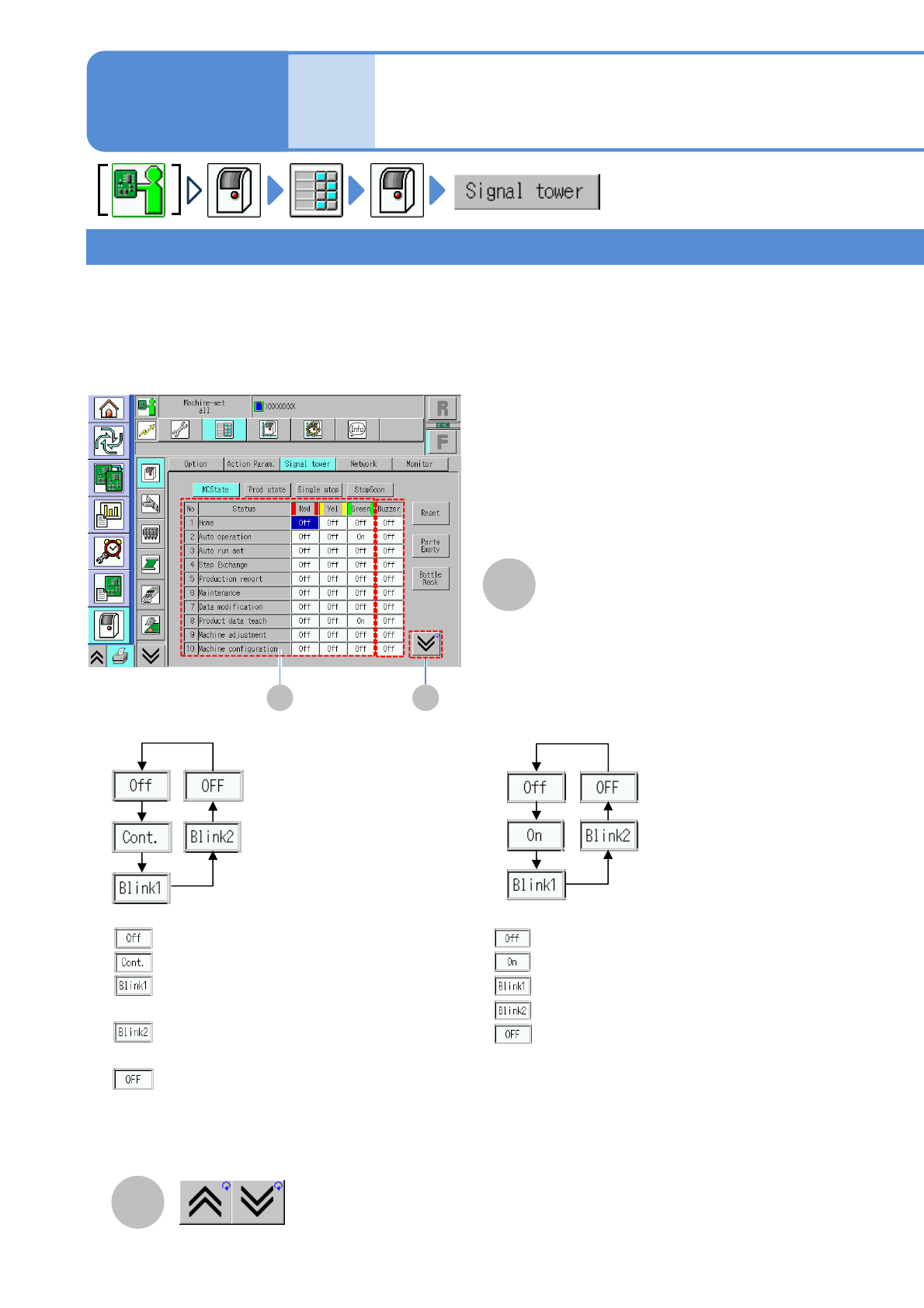
●You can configure the indicator lamp and buzzer settings to fit various conditions.
Machine status/Production status/Single stop/Immediate stop
B
A B
●Choose the buzzer status
●Choose the status of red/yellow/green indicators
The previous or next table is
displayed.
A
Signal tower setting status
The signal tower and buzzer settings are divided into four categories; [MCState], [Prod state], [Single stop]
and [Stop Soon].
If several “conditions” occur in the machine, the setting of an item which has the highest priority is reflected to
the signal tower and buzzer condition.
“No.”: Sequence number
“Condition”: Item to set signal
:Buzzer does not produce sound
:Buzzer produces continuous sound
:Buzzer produces sounds at long interval
(in one second interval)
:Buzzer produces sound at short interval
(in 0.5 seconds interval)
:Buzzer condition is not changed.
1)
:Lamp turns off
: Lamp turns on
: Lamp blinks (in one second interval)
: Lamp blinks (in 0.5 seconds interval)
: Lamp condition is not changed
*1)
*1) The setting of an item which has second priority is being kept.
Ex) The condition changes to “None” while the red lamp setting is “Blink 1”, the red lamp condition is kept
as “Blink 1”.
NPM-TT2 EJM1EE-MB-05O-05
5-1-3-2
System
administration
1 1
D
C
1
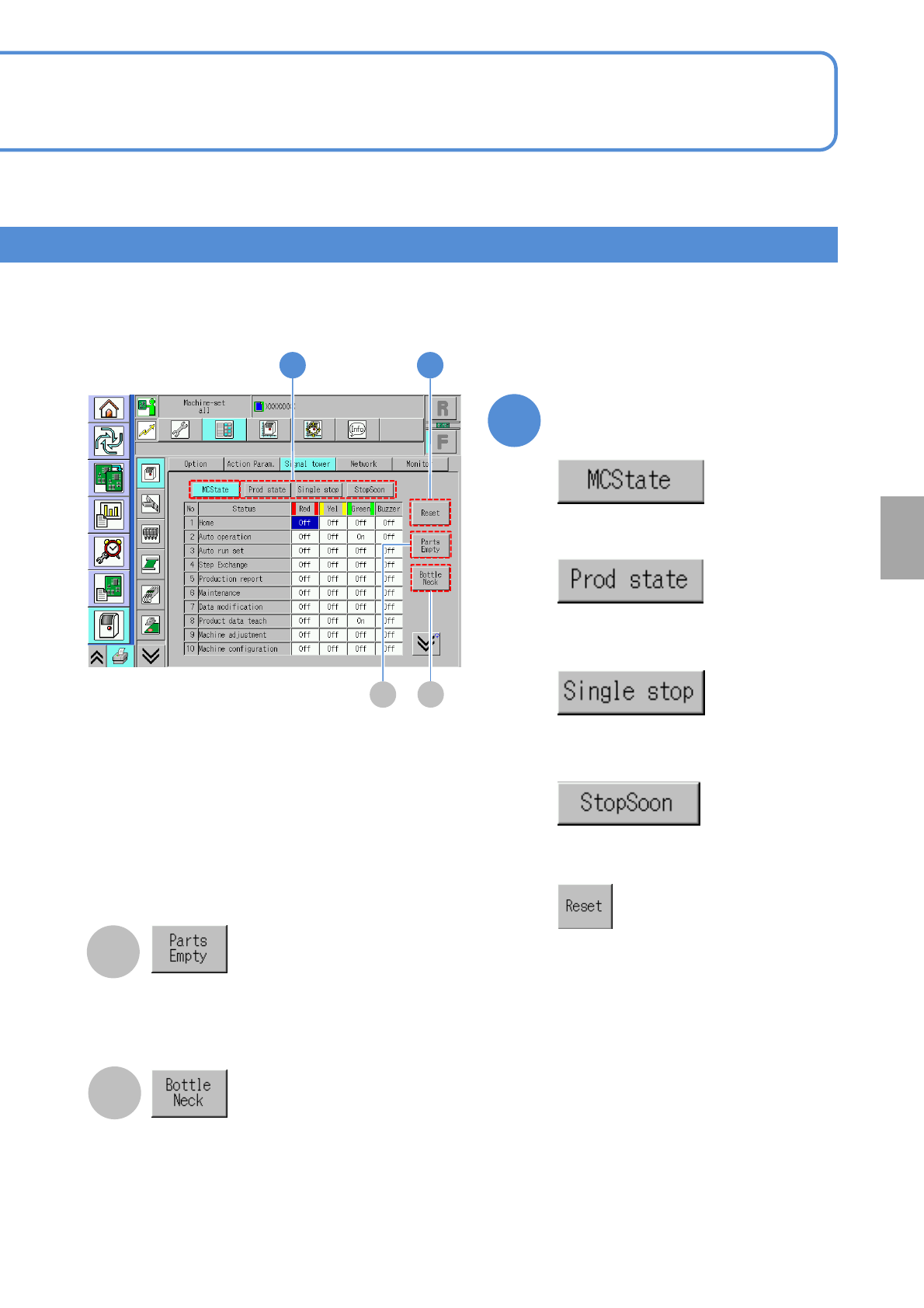
Choose a setting type
■To set for each status during
production
■To set for each type during single
stop
■To set for each machine status
■To set for each type during immediate
stop
■To set as standard specifications
(Initialize)
C
D
The parts empty information is displayed.
The window for setting the bottleneck lamp
condition is displayed.
NPM-TT2 EJM1EE-MB-05O-05
Unit
setting
Signal tower setting 2
5-1-3-3
Operating procedure
5-1-3
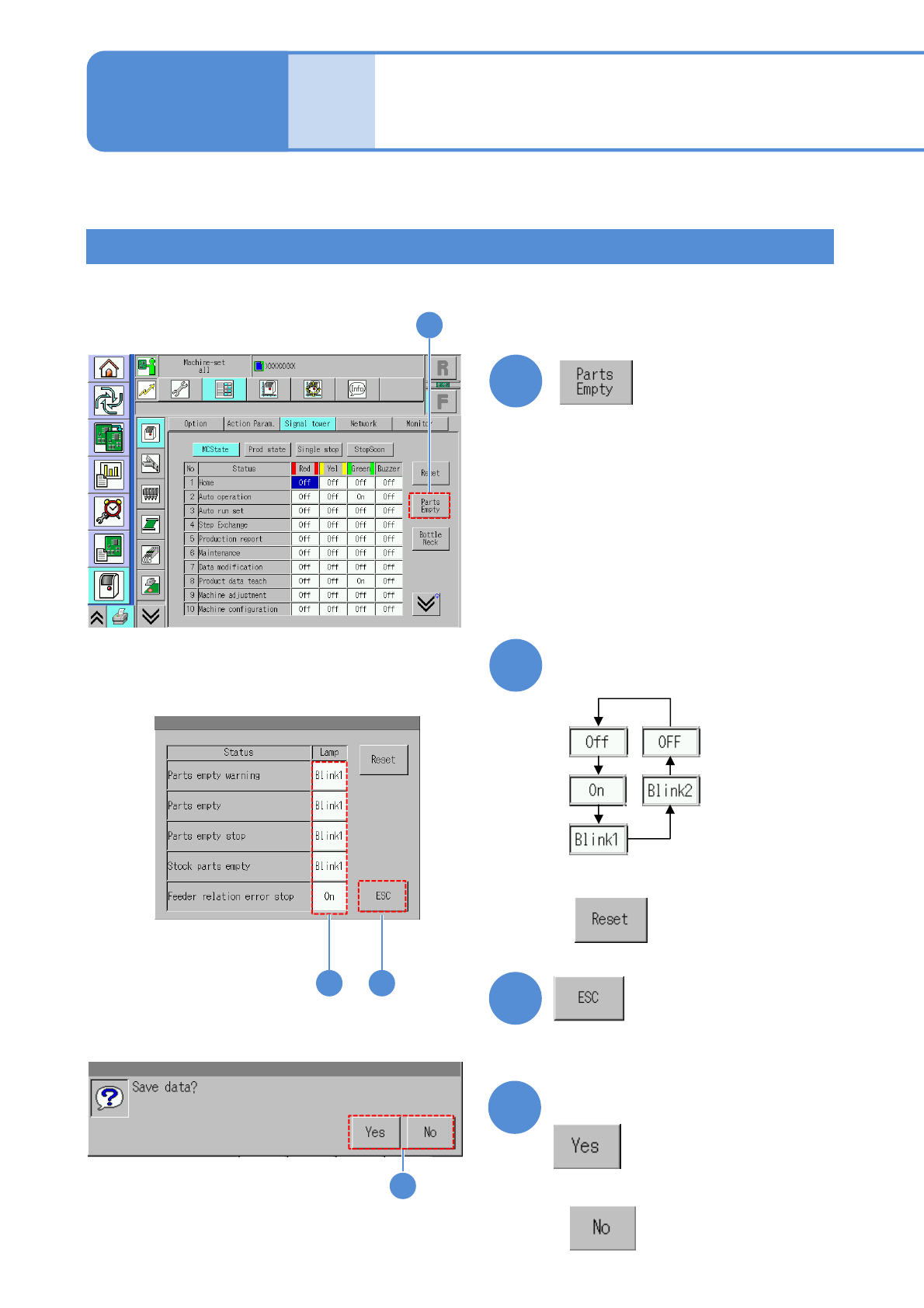
Confirm the message
■When you do not save the data
Components empty
●You can configure a table lamp for each component shortage status.
3
1
1
2
4
4
2 3
(Returns to the previous screen)
Choose the lamp settings for
each status
■Press the next operation button
■To set as standard specifications
(Initialize)