N7201A652E.pdf - 第72页
NPM- TT2 EJM1EE-MB -02O-04 2-1-2 -1 Basic opera- tion Mode selection Operating procedure 2-1-2 ■ Operator mode scr een ■ T o switc h to Oper ator mode 1 Oper ator mode
NPM-TT2 EJM1EE-MB-02O-04
1
2-1-1-2
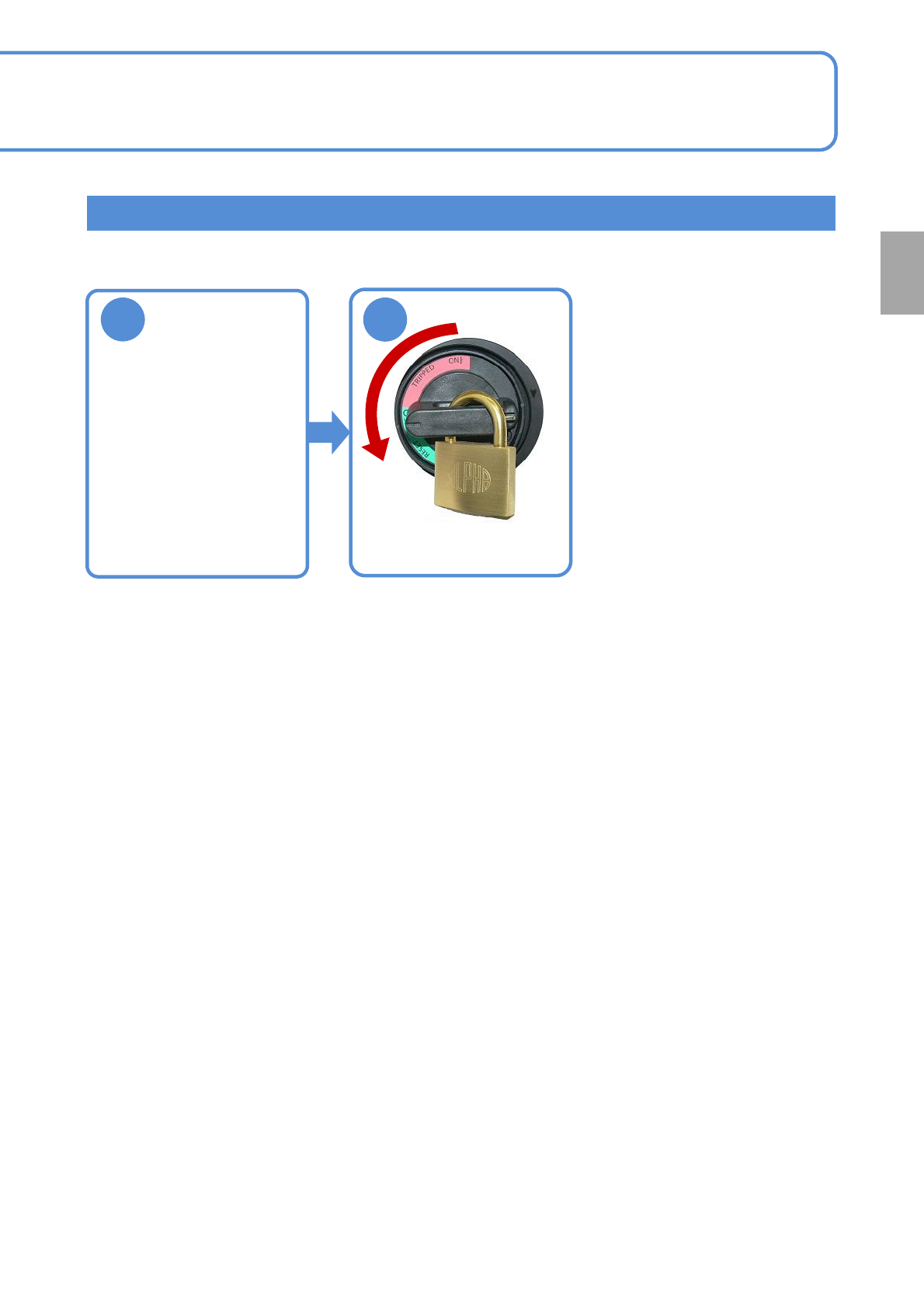
Stopping the machine
Return all axes
to the origin
(→[Operating procedure]
P.5-2-1)
●Lock the machine after
turning OFF the main
power switch.
2
Preparation
NPM-TT2 EJM1EE-MB-02O-04
2-1-2-1
Basic
opera-
tion
Mode selection
Operating procedure
2-1-2
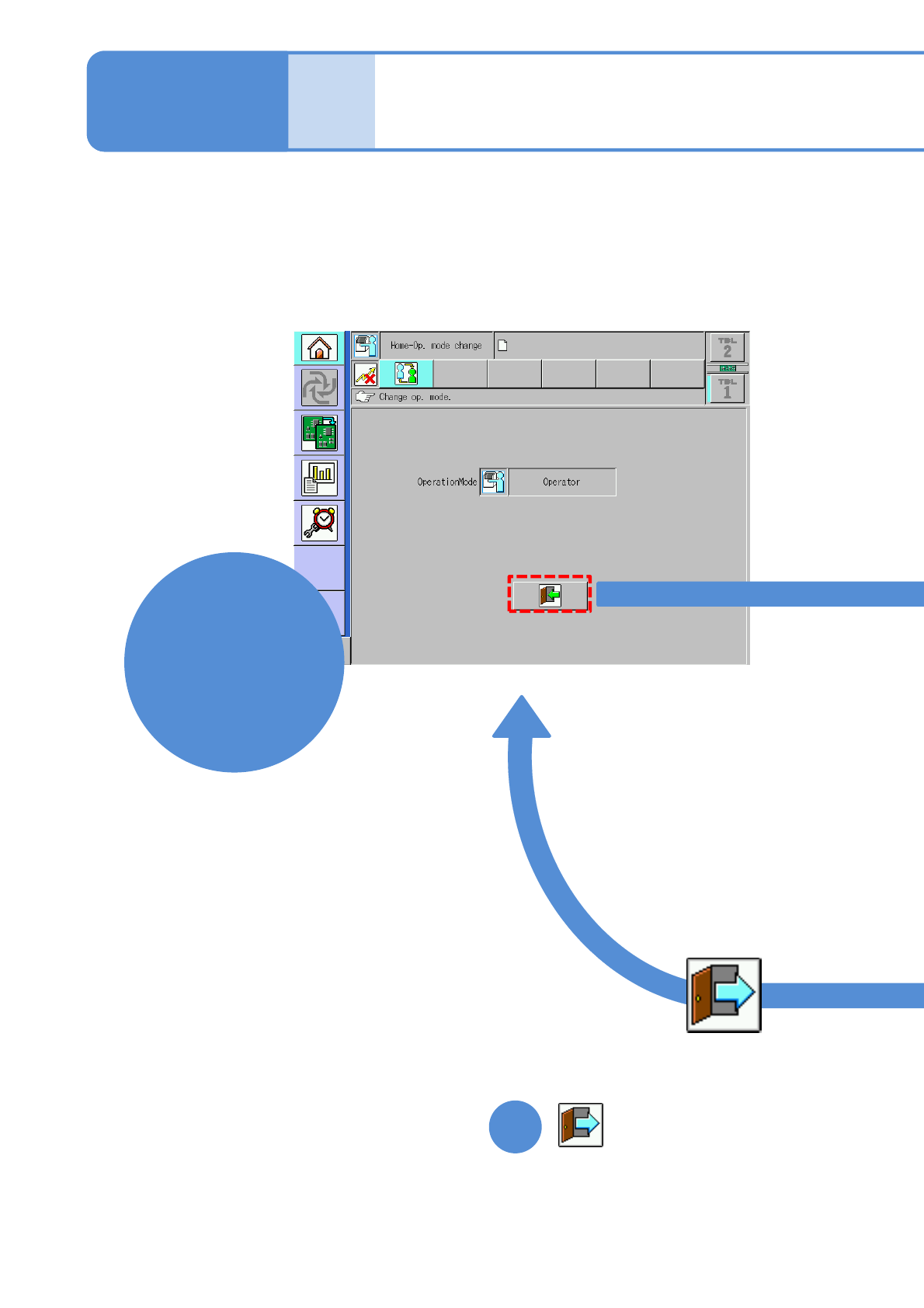
■Operator mode screen
■To switch to Operator mode
1
Operator
mode
NPM-TT2 EJM1EE-MB-02O-04
2-1-2-2
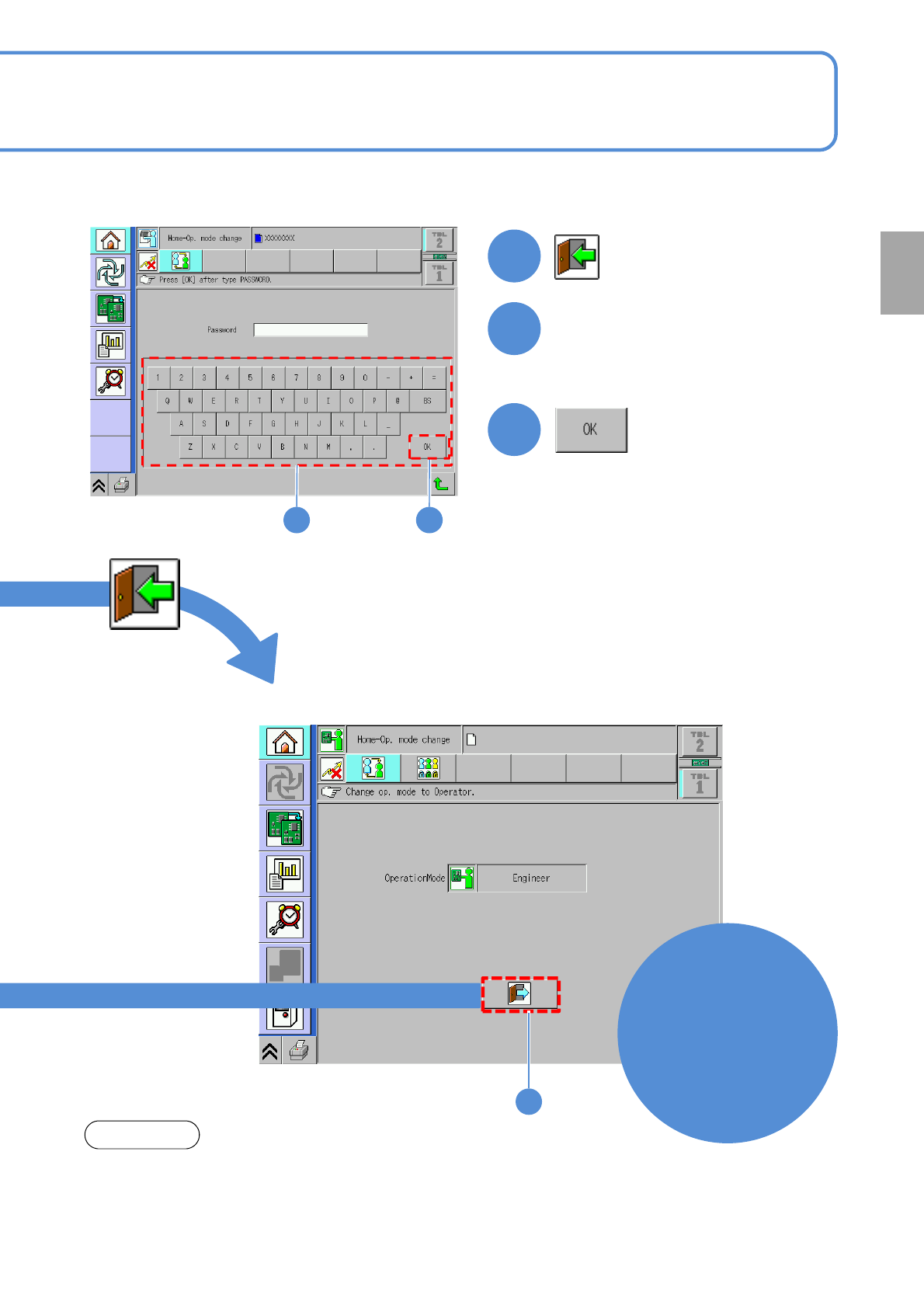
■To switch to Engineer mode
1
Select
Engineer mode
2
Input the password
3
2 3
●To set the password (→P.2-1-4)
●The password is not set before
shipment.
Preparation
1
■Engineer mode screen
Engineer
mode
NOTE
If you leave from the machine, change the mode from Engineer mode to
Operator mode.
●When you set the time on [Op. mode auto. log off time[min]](→P.5-1-2-2),
the machine can be locked with password after predetermined time.