N7201A652E.pdf - 第213页
NPM- TT2 EJM1EE-MB -03O-02 3-2-3 -4 Production 7 ■ T o check the data 8 (The recognition error image is displayed) ■ T o save the data 8 9 10 Confirm the message or Confirm the message ● When you do not save the data ■ T…
NPM-TT2 EJM1EE-MB-03O-02
3-2-3-3
Produc-
tion
informa-
tion
Operating procedure
3-2-3
Feeder pickup
information 2
4
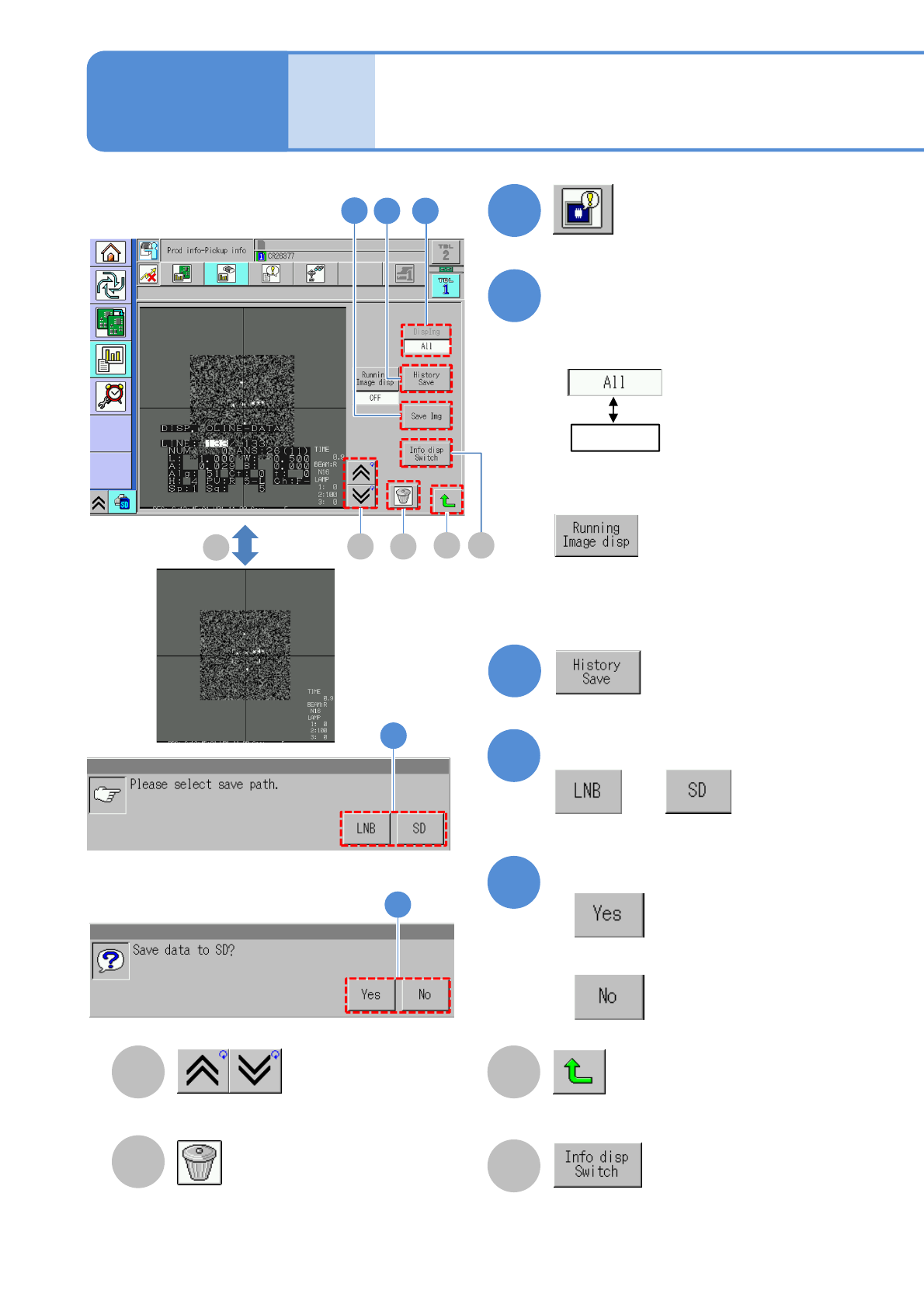
Deletes the image.
Go to the previous/next image. Returns to the previous screen.
Select
5
6
Confirm the message
or
Confirm the message
●When you do not save the data
5
6
3
:Displays all images.
: Displays the image of
the feeder address
specified on the
previous screen.
(Saves error histories)
: Displays all images.
Image display during operation
ON : Display
OFF: Non-display
2
(Recognition error image information
is displayed)
Choose an image to display
●All error images in the selected table
are displayed in reverse chronological
order.
● When a superimpose image is being
displayed, the tact time gets worse
about 5%.
B
C
A
4
7
3
D
A
B
C
D
Switches between showing and hiding
the recognition result on the recognition
screen when each time you press the
button.
D
Each time you press
NPM-TT2 EJM1EE-MB-03O-02
3-2-3-4
Production
7
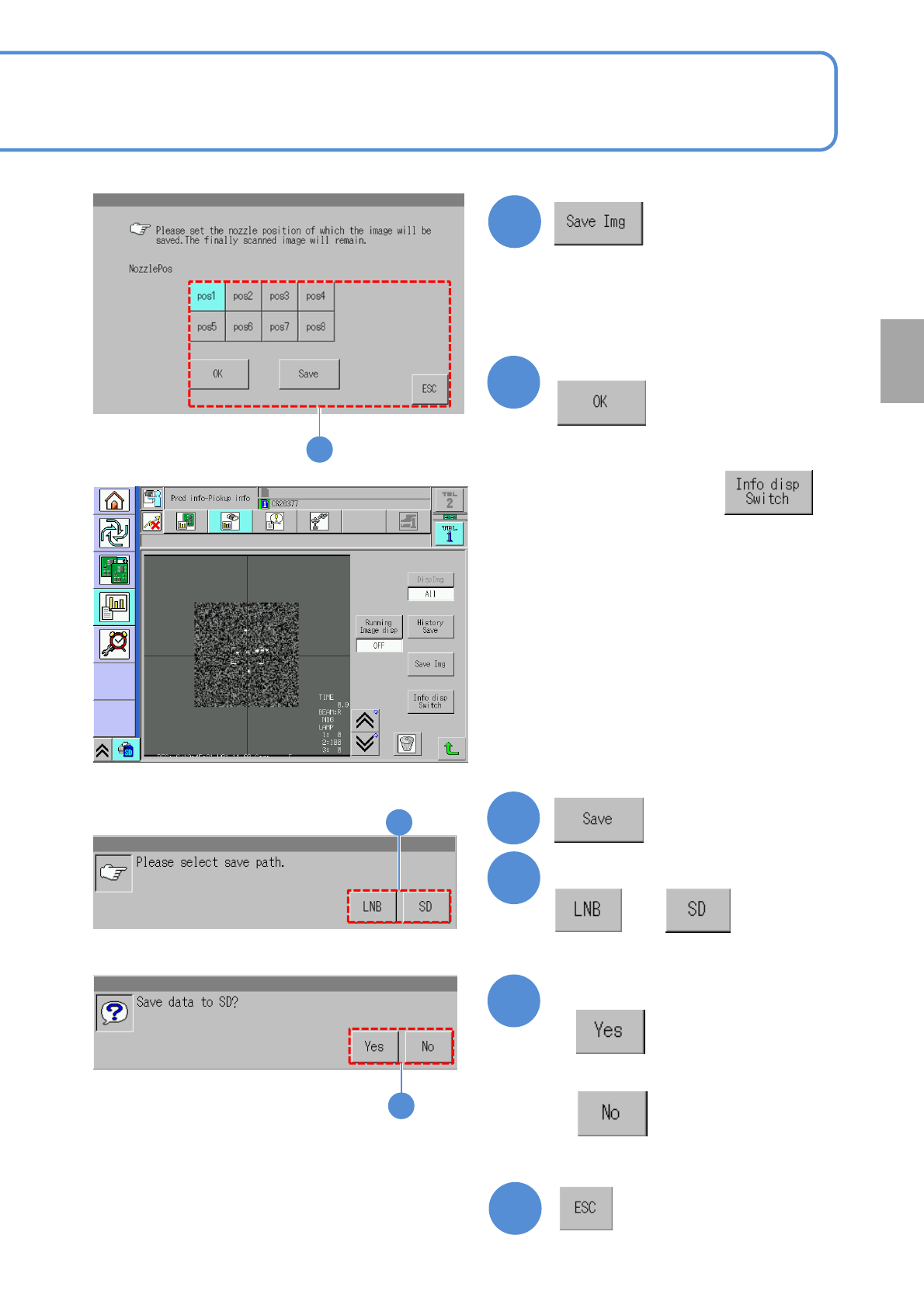
■To check the data
8
(The recognition error image is displayed)
■To save the data
8
9
10
Confirm the message
or
Confirm the message
●When you do not save the data
■To cancel
8
9
10
●You can check the image per nozzle
resulting in error and save the data.
Select the nozzle position
8
● If necessary, press to
hide the recognition result.
NPM-TT2 EJM1EE-MB-03O-02
Produc-
tion
informa-
tion
Operating procedure
3-2-4
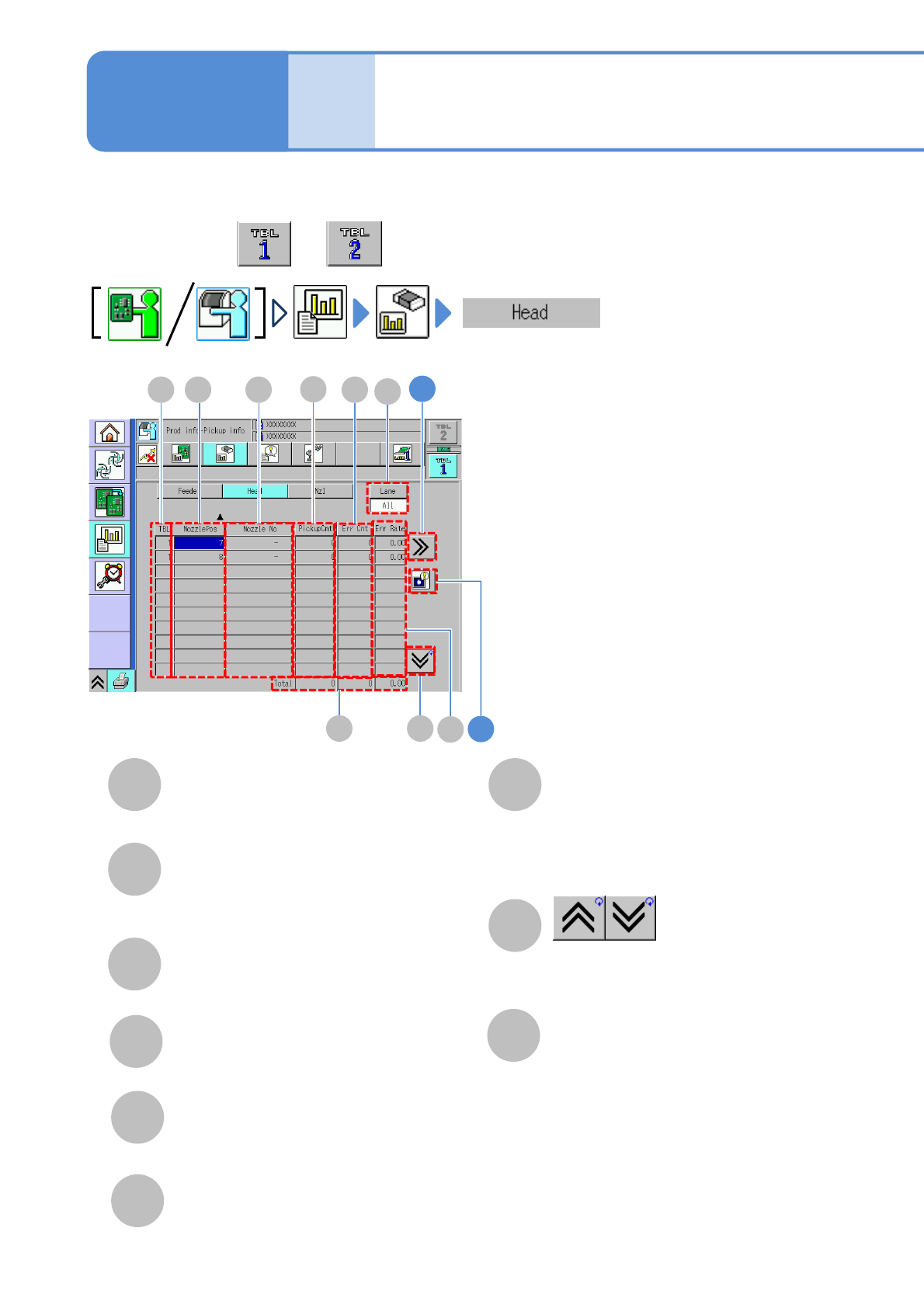
You can check component pickup information of a nozzle per head.
3-2-4-1
Head pickup
information 1
C
A
B
TBL (table)
A table referred to.
G
H
Shows the previous or next table.
NozzlePos
Nozzle installation position number of a
head.
●Perform on both and .
Nozzle No
Nozzle type being picked up
Total
Total of pickup count of all heads and
error count, and error occurrence rate for
total pickup count.
2
1
D
A C
HG
B E
F
I
D
E
F
Pickup Cnt
Number of components being picked up
per head
Err Cnt
Number of components resulting in error
Err Rate
Error occurrence rate for pickup count
I
Lane
Change the display item to “All” or
“Lane”. When “Lane” is selected, also
select the lane by the lane change
button.