Dek-265GSX-User-Manual.pdf.pdf - 第147页
2. Select Set Prefs (F5). Set Prefs The following window is displayed: 3. Using Next and Previous (F4 -F5) highlight Feature Licensing. Next Previous 4. Select Edit Features (F1). Edit Features The following window and m…
The screen library menu parameters are defined in the table below:
Parameter Definition
Screen Record ID The identity of the screen type library record containing a text string that
matches the Screen Type selected.
Format Maximum 32 character text string
Default DEK 265 Central Image
Screen Length This parameter sets overall dimension front to rear of the screen frame or
adaptor.
Minimum 550mm
Maximum 860mm
Increment 0.1mm
Default 736.6mm
Screen Width This parameter sets the overall dimension left to right of the screen frame or
adaptor.
Minimum 580mm
Maximum 736.6mm
Increment 0.1mm
Default 736.6mm
Frame Front This parameter sets the distance between the outer edge of the screen frame
or adaptor and the inner edge of the frame, at the front of the frame.
Minimum 20mm
Maximum Screen Length - 250mm
Increment 0.1
Default 38.1mm
Frame Rear This parameter sets the distance between the outer edge of the screen frame
or adaptor and the inner edge of the frame, at the rear of the frame.
Minimum 20mm
Maximum Screen Length - 250mm
Increment 0.1mm
Default 38.1mm
Frame Left This parameter sets the distance between the outer edge of the screen frame
or adaptor and the inner edge of the frame, at the left of the frame.
Minimum 20mm
Maximum Screen Length - 250mm
Increment 0.1mm
Default 38.1mm
Frame Right This parameter sets the distance between the outer edge of the screen frame
or adaptor and the inner edge of the frame, at the right of the frame.
Minimum 20mm
Maximum Screen Length - 250mm
Increment 0.1mm
Default 38.1mm
Feature Licensing Sets whether the Feature Licensing facility is fitted to the machine.
Enabled; Disabled
Introduction The Feature Licensing facility enables a user to request and install a licence to
run a new feature on the machine. The Features Licensed window lists all the
licences available and applicable to the machine and current software.
Licence Request 1.
Select Maint. (F8).
Maint.
2.12 User Manual Software Version 6
SET PREFERENCES
PREFERENCES
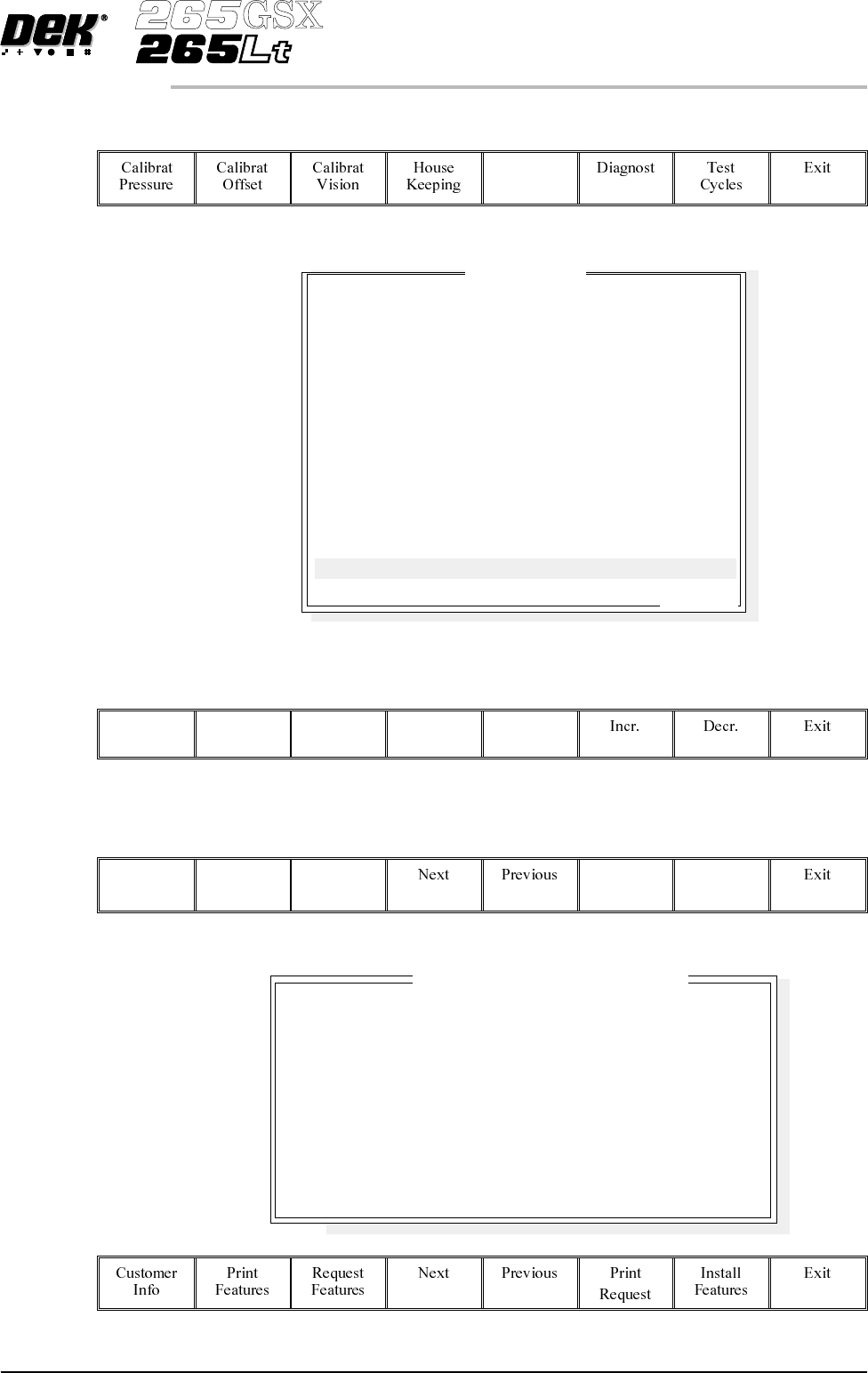
2.
Select Set Prefs (F5).
Set
Prefs
The following window is displayed:
3.
Using Next and Previous (F4 -F5) highlight Feature Licensing.
Next Previous
4.
Select Edit Features (F1).
Edit
Features
The following window and menu bar is displayed:
Software Version 6 User Manual 2.13
SET PREFERENCES
PREFERENCES
Set Preferences
..more
TRANSPORT MODE
MACHINE UNITS
UPLINE PROTOCOL
DOWNLINE PROTOCOL
TRANSFER PERIOD
PASTE DISPENSE POS
EVENT RECORDING
TOOLING HARDWARE
FIDUCIAL REFERENCE
REMOTE BARCODE H/W
CHANGE MODE OPTION
SCREEN SIZE
PAPER/SOLV/PASTE LOW
FEATURE LICENSING
LEFT TO RIGHT
METRIC
NO FMI
NO FMI
60 secs
FRONT
CUSTOM
MAGNETIC
LEFT
NOT FITTED
MANUAL
265
WAR N
ENABLED
Basic Screen Insp.
Basic Board Insp.
Advanced Screen Insp.
Advanced Board Insp.
SEC GEM Option
Net Files Option
Flexi Print
Selective Prnt Pass
Tooling Monitoring
Features L
i
cense
db
y 112737
DISABLED
DISABLED
DISABLED
DISABLED
DISABLED
DISABLED
DISABLED
DISABLED
DISABLED
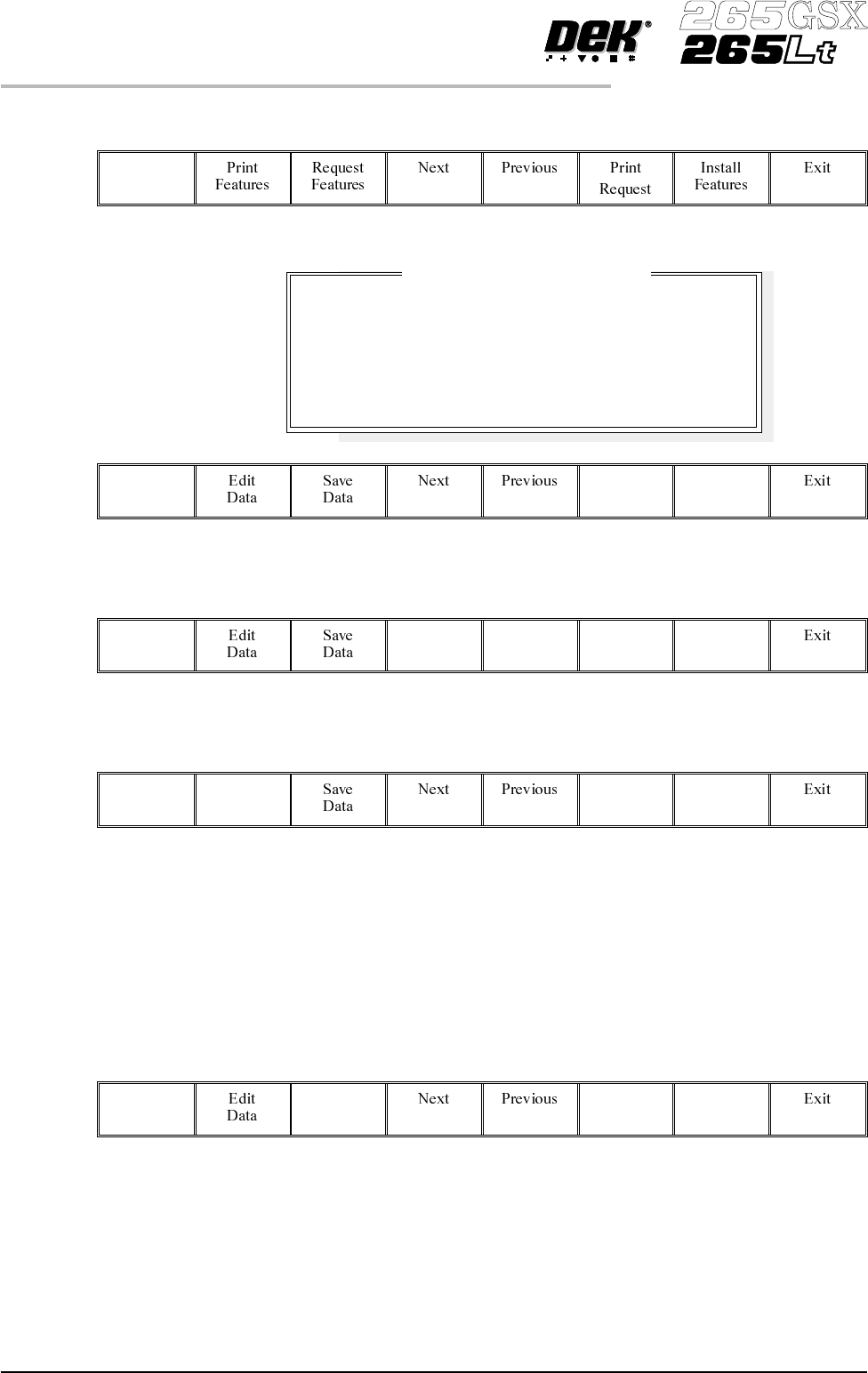
5.
Select Customer Info (F1).
Customer
Info
The following window and menu bar is displayed:
6.
Using Next and Previous (F4 - F5) highlight the required field.
Next Previous
7.
Select Edit Data (F2).
Edit
Data
8. Using the keyboard input the required information. On completion of
editing a field, press Enter on the keyboard.
9. Repeat Steps 6 - 8 for the remaining fields.
10.
On completion of editing fields, select Save Data (F3).
Save
Data
The message ‘Printer configuration data file saved’ is displayed. The
information is written to a ‘customer.txt’ file and attached to all licence request
files, the window is closed.
2.14 User Manual Software Version 6
SET PREFERENCES
PREFERENCES
Company Name
Cust. Order Number
Contact Name
Phone Number
Fax Number
Email Address
Customers Own Informat
i
on
DEK Printing Machines Ltd
ABC01-21/10/99
George Smith
01305 760760
01305 760123
gsmith@dek.com