Dek-265GSX-User-Manual.pdf.pdf - 第86页
54. Remove the head prop. Lower the printhead using two button control. 55. Press the System button. 56. Select Exit (F8). Exit 57. Go to Stage 7. 1.70 User Manual Software Version 6 MACHINE PROGRAMMING STAGE 6F
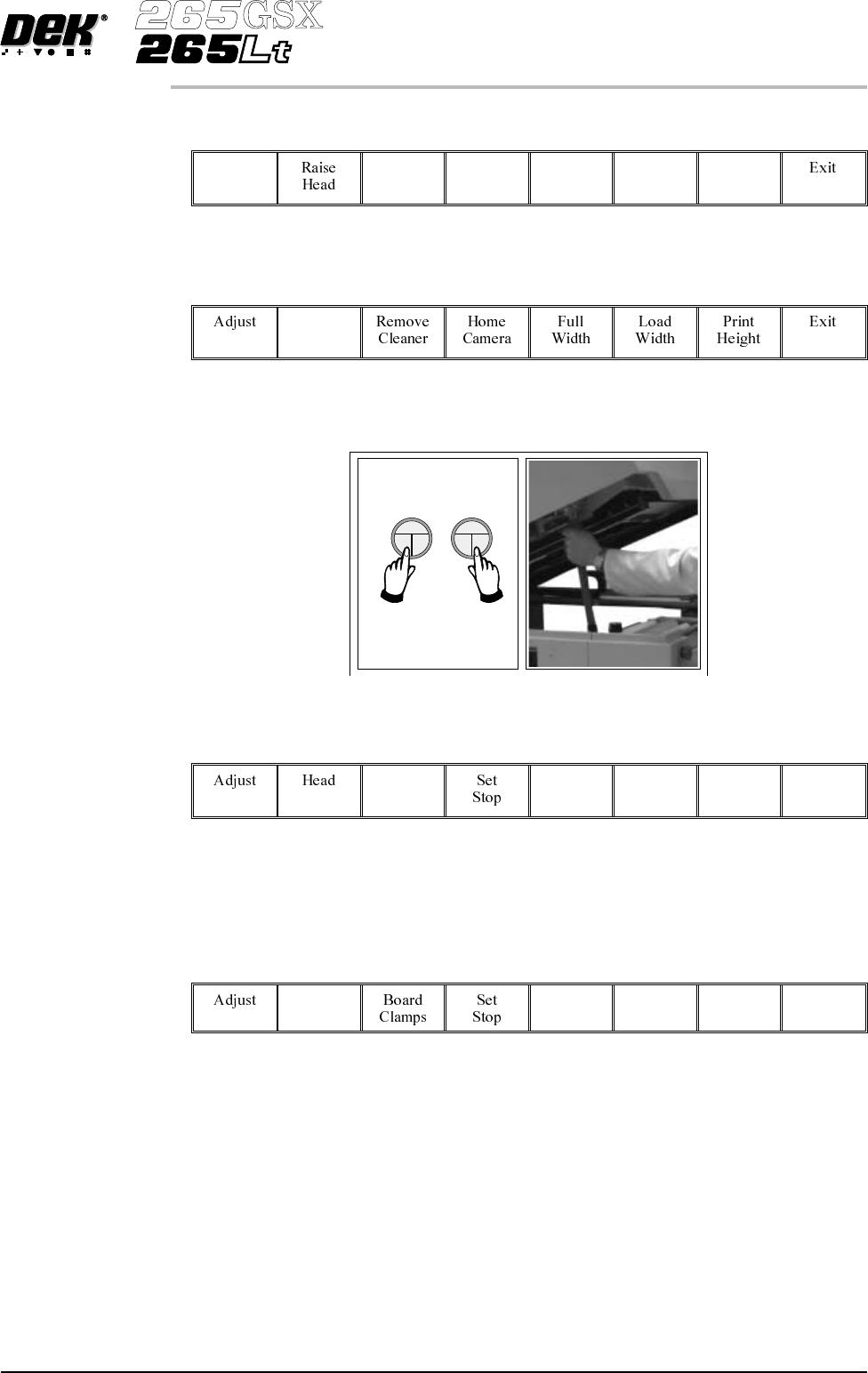
48.
Select Home Position (F7).
Home
Position
49.
Select Raise Head (F2).
Raise
Head
50. Raise the printhead using two button control. Fit the head prop.
51.
Select Board Clamps (F3), to open the clamps.
Board
Clamps
52. Remove the board from the rails.
53.
Select Head (F2).
Head
Software Version 6 User Manual 1.69
MACHINE PROGRAMMING
STAGE 6F
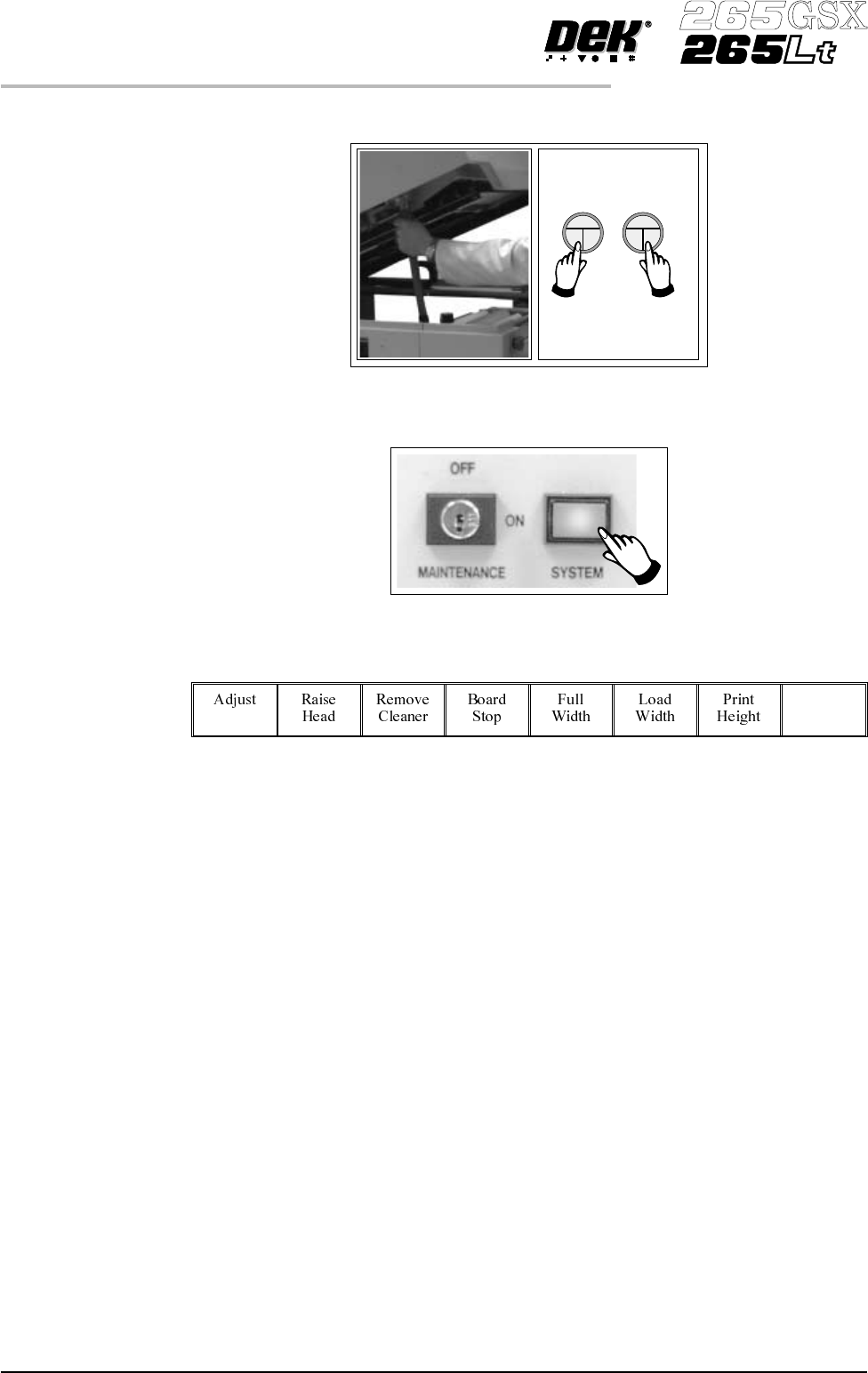
54. Remove the head prop. Lower the printhead using two button control.
55.
Press the System button.
56.
Select Exit (F8).
Exit
57. Go to Stage 7.
1.70 User Manual Software Version 6
MACHINE PROGRAMMING
STAGE 6F
STAGE 7
Vision System Setup
Introduction
The printer uses a vision system to carry out the following:
• Stencil/Board Alignment
• 2Di Inspection (optional)
• Board Identification - Selective Print/Pass Through (optional)
After the board is fed to the board stop position, the camera moves into position
to view the relative board and screen features. The information from these
camera images is used by the vision system to identify the board, if selective
print/pass through is enabled and to calculate the screen correction needed to
align the screen to the board. The camera and vision system is also used for 2Di
inspection, if enabled, for further information refer to the 2Di chapter in this
manual.
Fiducials A fiducial is an alignment mark which is produced as a part of the artwork of the
board and the screen. There are normally several of these marks on each board,
some of which are used for board alignment and some for alignment when
placing components on the board. These marks, therefore, should be in the same
relative position on both board and screen.
The vision system has a library of synthetic fiducials of the most commonly
found shapes. The dimensions of these fiducials can be tailored by the operator
to fit the fiducials on the board and screen. After the vision system has been
taught these fiducial parameters, it is able to search the field of view of the
cameraand recognize any features which resemble these fiducials. The centre of
the fiducial is calculated and used as the point of location.
The vision system conducts a search in the field of view of the camera looking
for any shape that resembles the programmed fiducial. After finding a shape itis
assigned a score comparing itsshapeandsize to the shape andsizeof the fiducial
in the vision system memory. This score is set between 1 and 999, the better the
fit the higher the score.
NOTE
However, this does not mean that a fiducial score of 900 for example aligns more
accurately than a fiducial score of 700 for example.
This score is used, in conjunction with acceptance parameters set by the
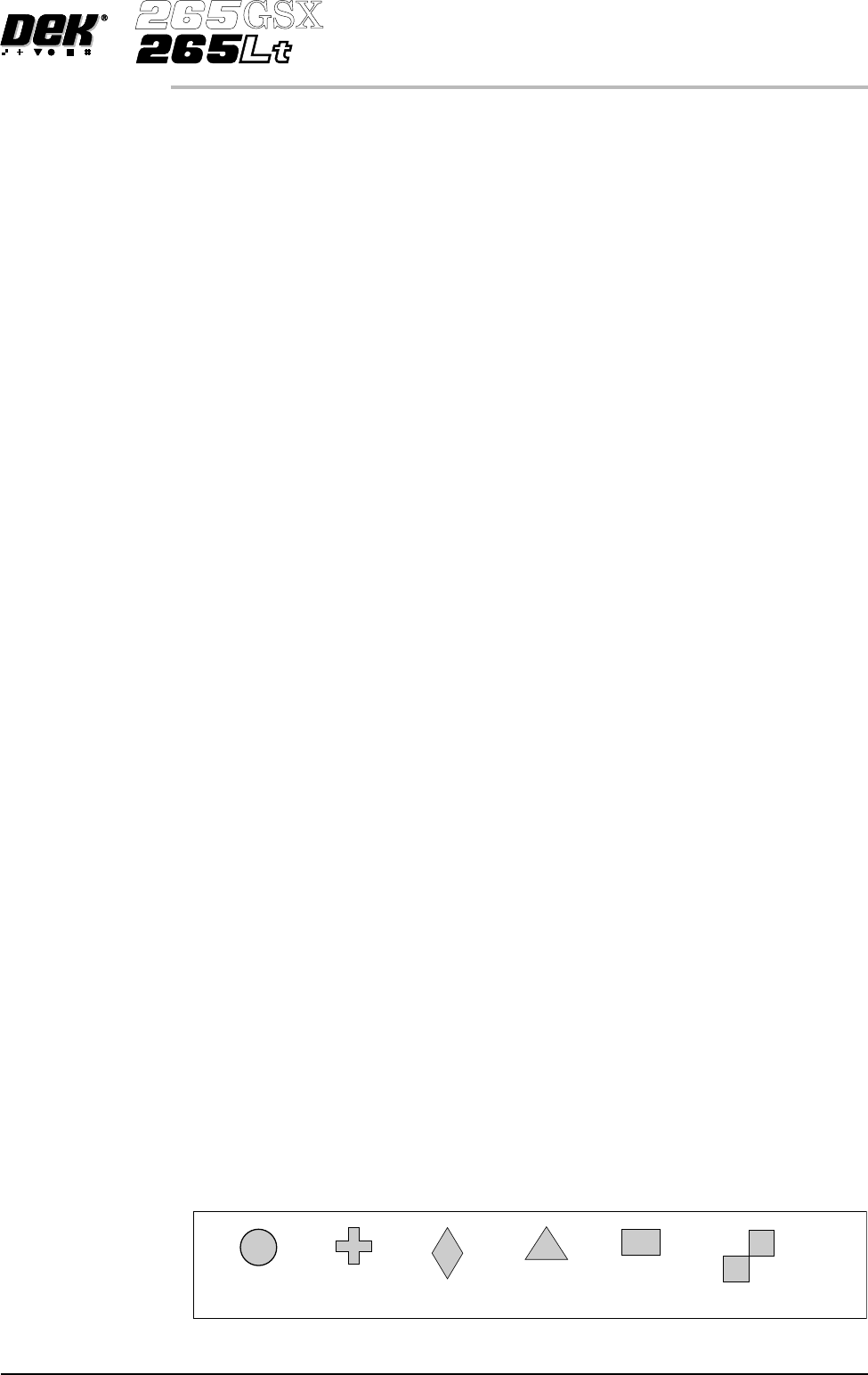
operator, to recognize the fiducial. The available fiducial shapes are:
• Circle
• Rectangle
• Diamond
• Triangle
• Double Square
• Cross
Software Version 6 User Manual 1.71
MACHINE PROGRAMMING
STAGE 7
CIRCLE CROSS DIAMOND TRIANGLE RECTANGLE DOUBLE SQUARE