Dek-265GSX-User-Manual.pdf.pdf - 第384页
Recharging 24. Ensure that the ProFlow pressure mechanism is in the raised position (to expose transfer head diaphragm). 25. Remove the centre filling port bayonet cap. 26. Using either a general purpose mastic gun or th…
17.
Select Exit (F8).
Exit
18.
Select Proceed (F1).
Proceed
The ProFlow unit is placed in contact with the screen.
19. Go to Step 23.
20. If the ProFlow unit is in front of the image continue with Step 21. If the
ProFlow unit is at the rear of the image go to Step 23.
21.
Select Run (F1).
Run
The machine carries out a print cycle, the ProFlow unit moves to the rear of
the image.
22.
When the ProFlow unit is at the rear of the image, select End Run (F1).
End
Run
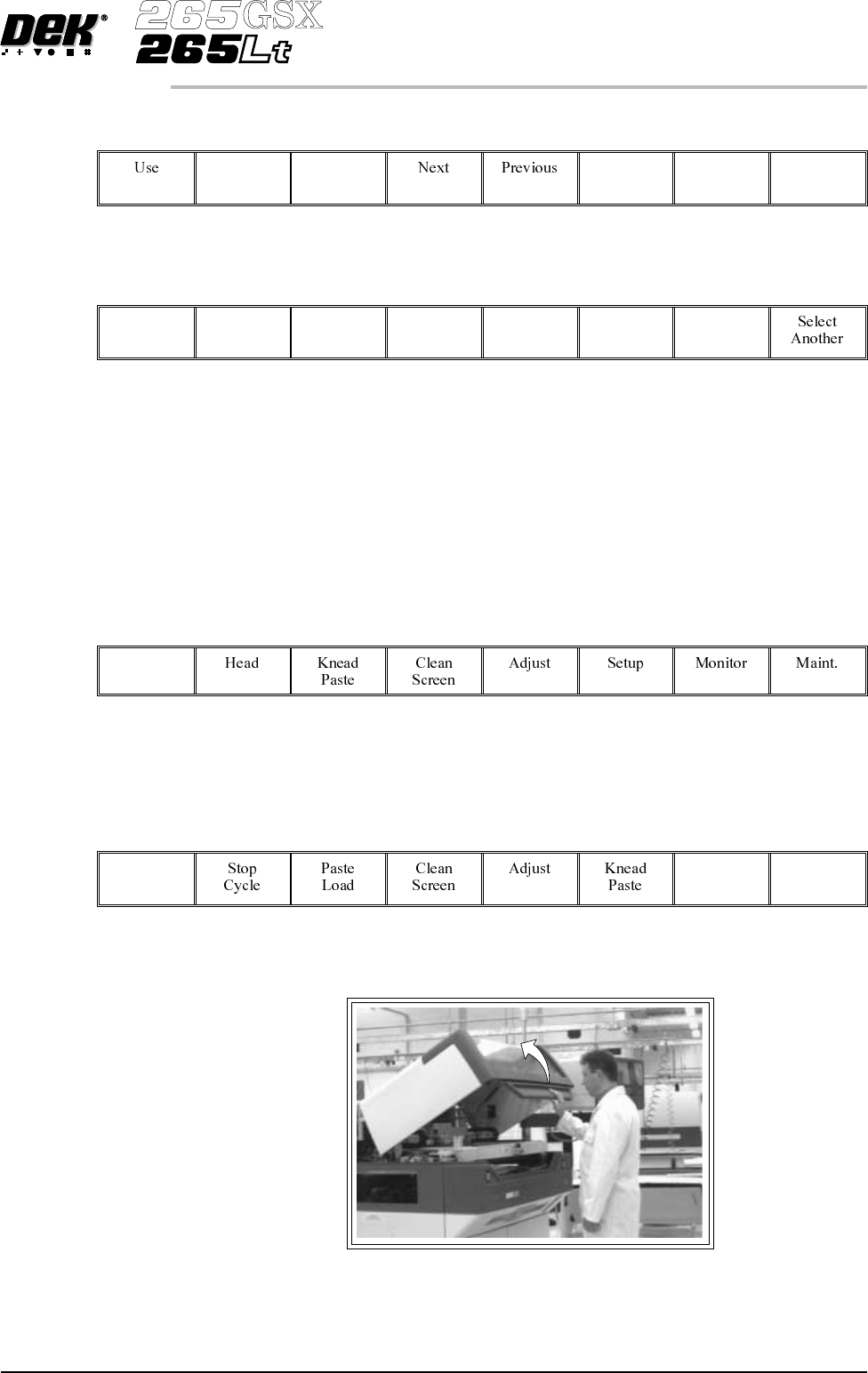
23. Open the front printhead cover.
Software Version 6 User Manual 9.69
CONSUMABLE REPLENISHMENTS
PROFLOW
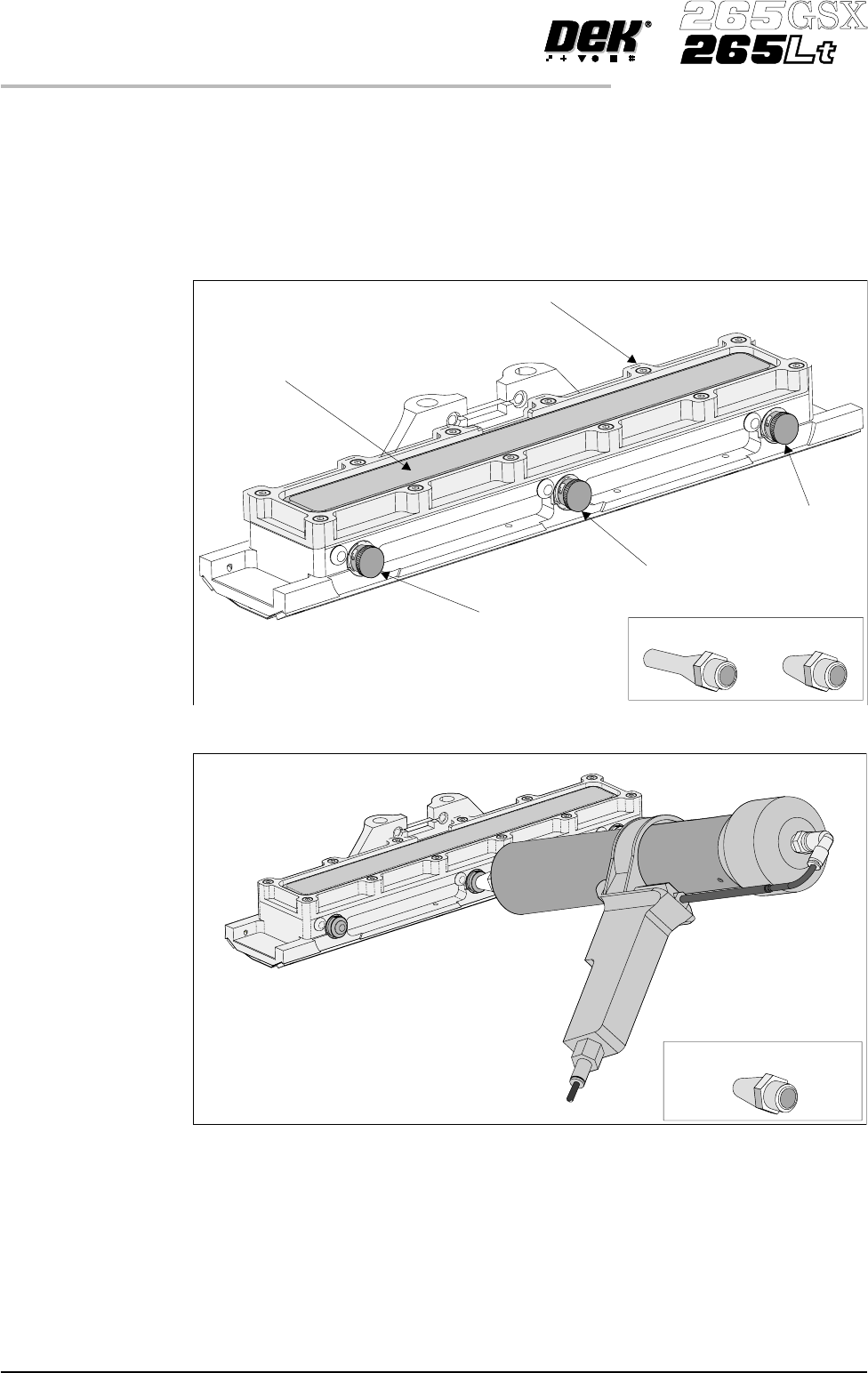
Recharging 24. Ensure that the ProFlow pressure mechanism is in the raised position (to
expose transfer head diaphragm).
25. Remove the centre filling port bayonet cap.
26. Using either a general purpose mastic gun or the optional pneumatic paste
gun (with a standard paste cartridge loaded). Push the nozzle of the gun into
the centre filling port of the ProFlow transfer head (see figure below).
27. Fill the diaphragm until it starts to balloon, this can be spread sideways by
massaging the diaphragm with the fingers.
28. Alternatively, fill using all three filling ports for even distribution.
NOTE
Ensure that only one port is opened at a time.
9.70 User Manual Software Version 6
CONSUMABLE REPLENISHMENTS
PROFLOW
Filling Port
Bayonet Cap
Diaphragm
Diaphragm Retainer
Recharging Nozzles
Filling Port
Bayonet Cap
Filling Port
Bayonet Cap
Short Recharging Nozzle
29. Do not overfill. If this occurs any excess will seep out between the wipers
and the screen.
NOTE
Clean any excess seepage before commencing print operations.
30. Ensure that the threaded areas around the filling ports are thoroughly clean
before commencing print operation.
31. Refit the port bayonet caps.
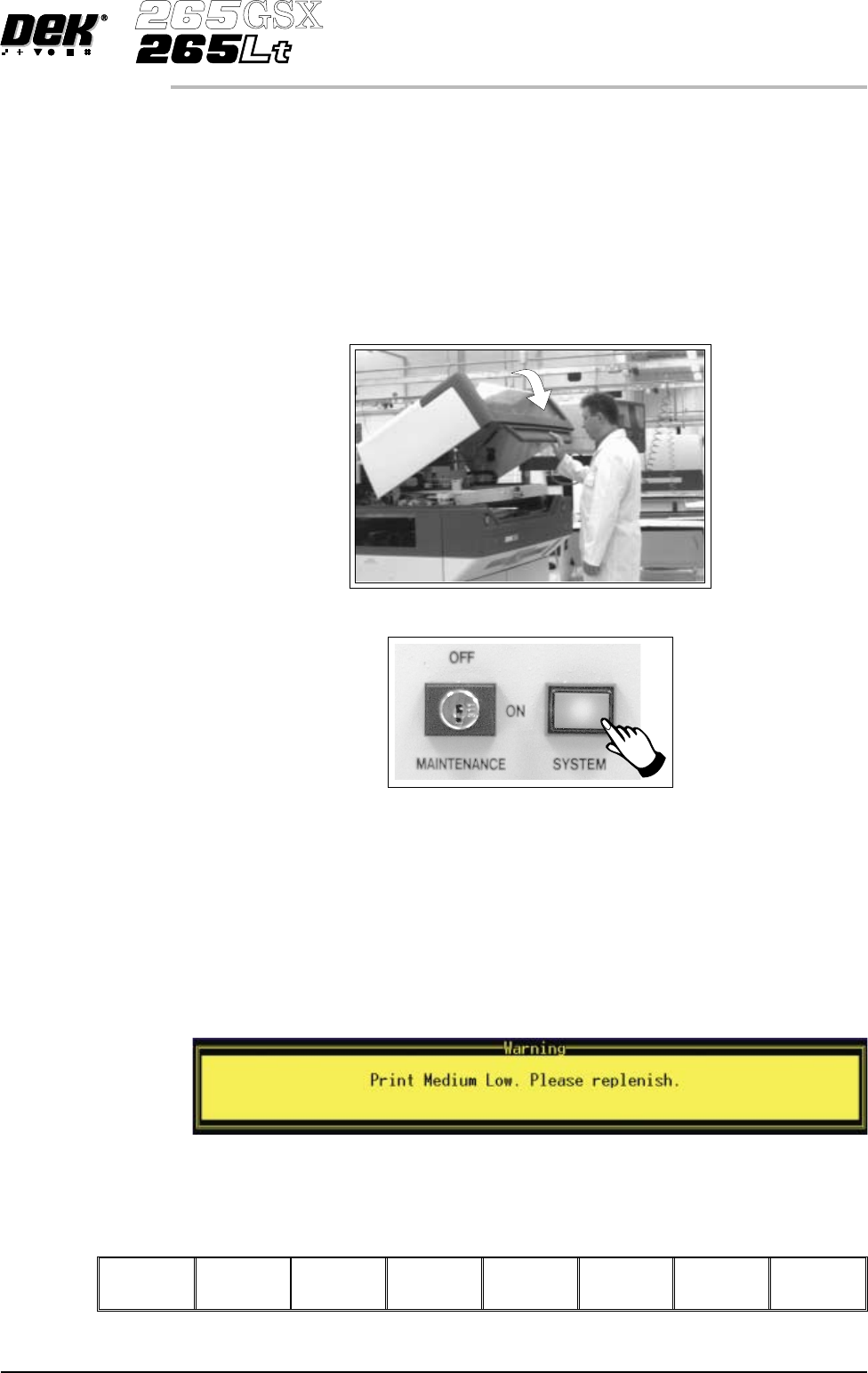
32. Close the front printhead cover.
33.
Press the System button.
During a Print Run When the transfer head needs replenishing a warning window is automatically
displayed on the monitor. The warning window varies, depending on the setting
of the consumable action in set preference.
If the set preference is set to warn, continue with Step 1. If the set preference is
set to pause go to Step 6. If the set preference is set to suspend go to Step 13.
1. If the set preference is set to warn, the following window is displayed:
The tricoloured beacon shows amber/green.
2.
Select Confirm (F1).
Confirm
Software Version 6 User Manual 9.71
CONSUMABLE REPLENISHMENTS
PROFLOW