Dek-265GSX-User-Manual.pdf.pdf - 第197页
SYSTEM The system diagnostic module contains the following: Digital Input Status Selecting this option, a new window is displayed showing the relevant groups. Software Version 6 User Manual 5.3 DIAGNOSTICS SYSTEM System …

The menu bar changes displaying the following:
Next /Prev keys move the highlight bar up and down the list of diagnostic
modules.
Select Module key opens a new window displaying the diagnostic functions
available for the selected module.
Exit returns operation to the start of initialisation
NOTE
Before any diagnostic function is used in any of the modules they must be homed
first or they are not able to initiate a command.
5.2 User Manual Software Version 6
DIAGNOSTICS
INTRODUCTION
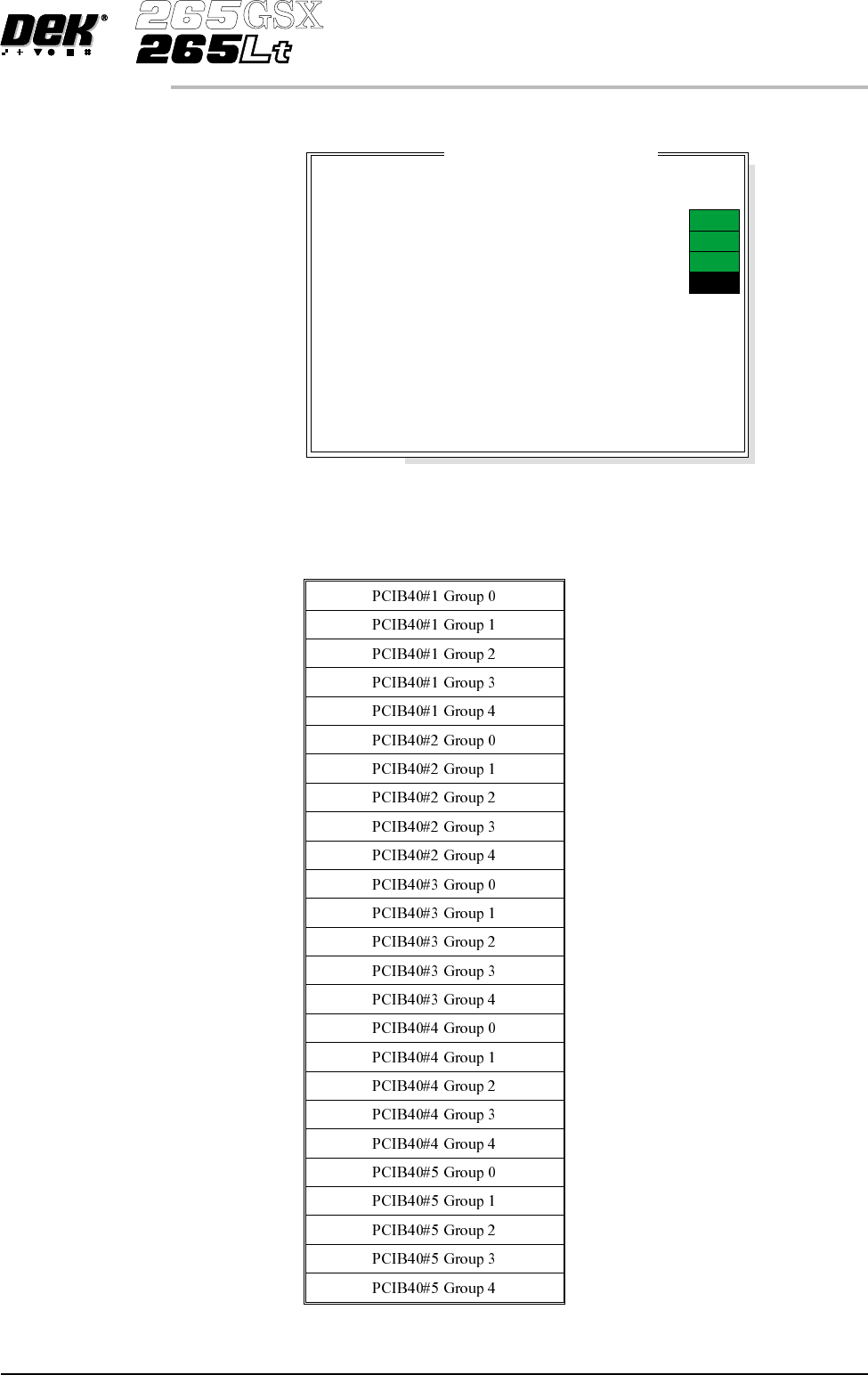
SYSTEM The system diagnostic module contains the following:
Digital Input
Status
Selecting this option, a new window is displayed showing the relevant groups.
Software Version 6 User Manual 5.3
DIAGNOSTICS
SYSTEM
System D
i
agnost
i
cs
Display all Digital Inputs
Display all Analogue Inputs
Toggle Red Beacon
Toggle Amber Beacon
Toggle Green Beacon
Data Logging
Change Edit Password
Change Diagnostic Password
Change DOS Password
Change Adjust Password
Change Fiducial Set Up Password
Change Network Auto-login Password
Terminate Control and Return to DOS
ON
ON
ON
OFF

PCIB40s are the I/O cards that are housed in the PC. There are five PCIB40
cards and are numbered as such. Each card has up to five groups, G0 - G4 and
monitors and controls various drive and control cards in the Y1 and Y2
enclosure.
PCIB40s are divided into Inputs and Outputs.
Selecting each option displays another window displaying the functions.
5.4 User Manual Software Version 6
DIAGNOSTICS
SYSTEM