Dek-265GSX-User-Manual.pdf.pdf - 第91页
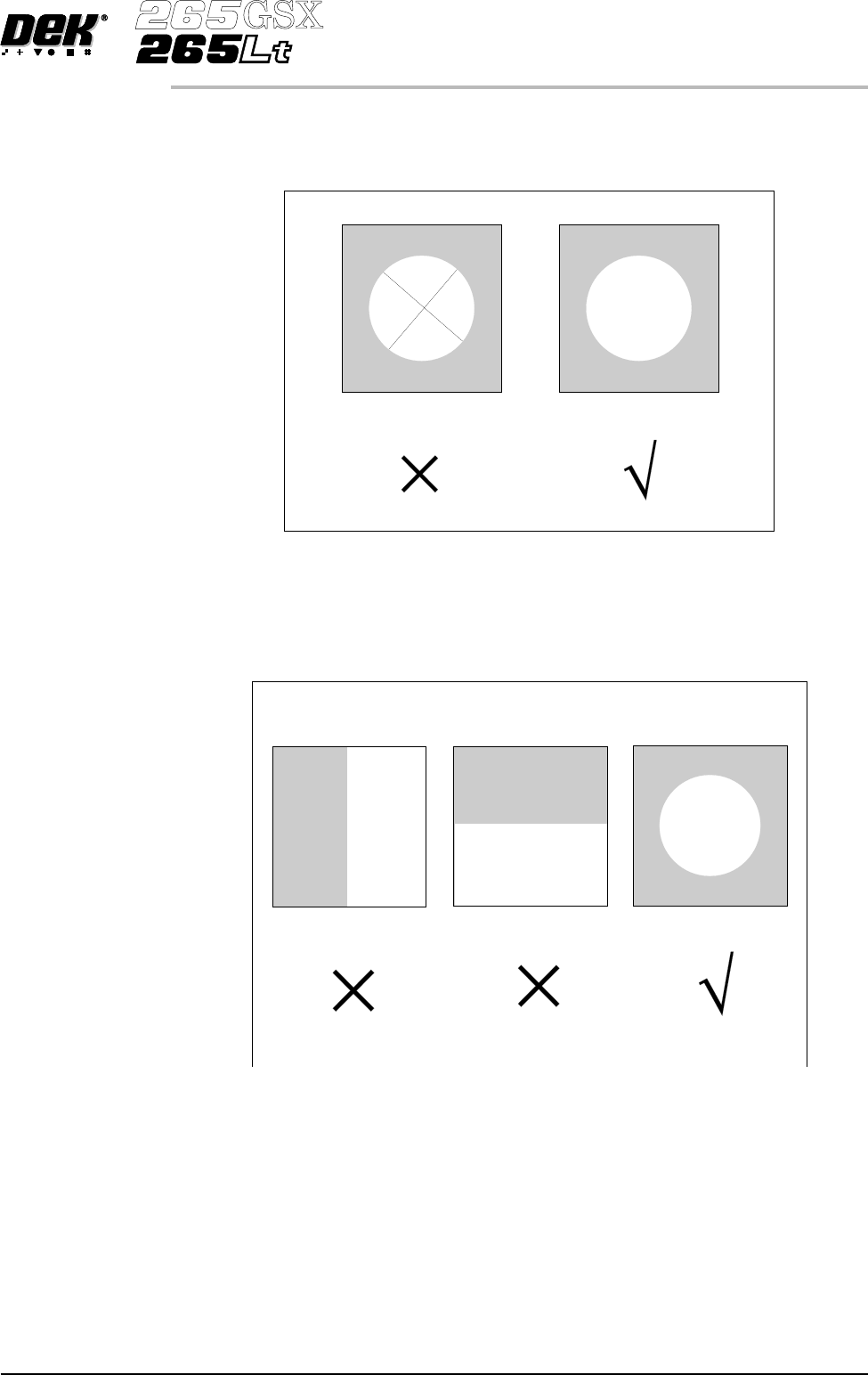
Fine And Course Features As with fiducials, areas of a board selected as a Video Model should have shapes with a solid consistent tone within the boundaries ( course features ) and not shapes with inner lines or letterin…
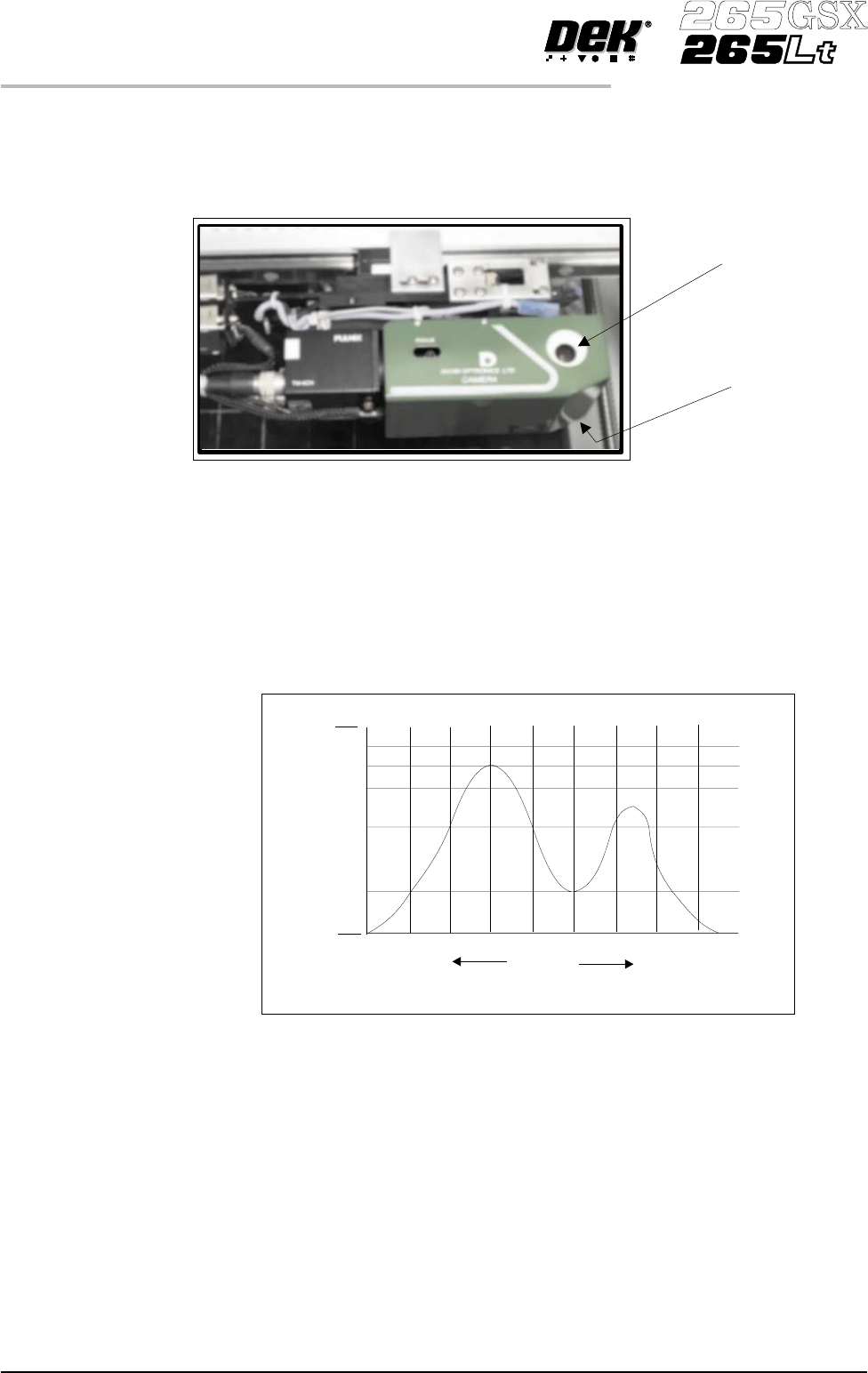
Green Camera The screen lighting and board lighting consists in each case of a block of LED’s
for vertical lighting, and a LED ring of 12 LED’s for oblique lighting. The
vertical and oblique lighting is adjustable via the fiducial inspection lighting
parameters window and the inspection lighting parameters window.
Histogram The histogram gives a graphical representation of the grey scale values within
the box set around the fiducial. As can be seen there are two peaks which
represent the light and dark areas of the picture. Ideally there should be two
distinct peaks, the separation of which can be changed by varying the lighting
levels.
Experience of changing these parameters, while viewing the histogram,
demonstrates their effects.
Optimizing a
Video Model
When using a Video Model, selection of a good image shape is critical. The
following are some basic guidelines for selection of an optimum image.
1.74 User Manual Software Version 6
MACHINE PROGRAMMING
STAGE 7
Screen Lighting
Board Lighting
Black
%Area
Within Box
Mid Grey
White
Darker Lighter
Fine And Course
Features
As with fiducials, areas of a board selected as a Video Model should have shapes
with a solid consistent tone within the boundaries ( course features ) and not
shapes with inner lines or lettering (fine features):
Positional
Information
When selecting a Video Model, if the image shapes have edges all in the X
direction or all in the Y direction, not enough positional information exists for
the camera system. An image with good X and Y information is necessary for
accurate positioning:
Software Version 6 User Manual 1.75
MACHINE PROGRAMMING
STAGE 7
Model with
Fine Features
Model with
Course Features
No Positional information
in the X direction
No positional information
in the Y direction
Equal positional information
in the X and Y directions.
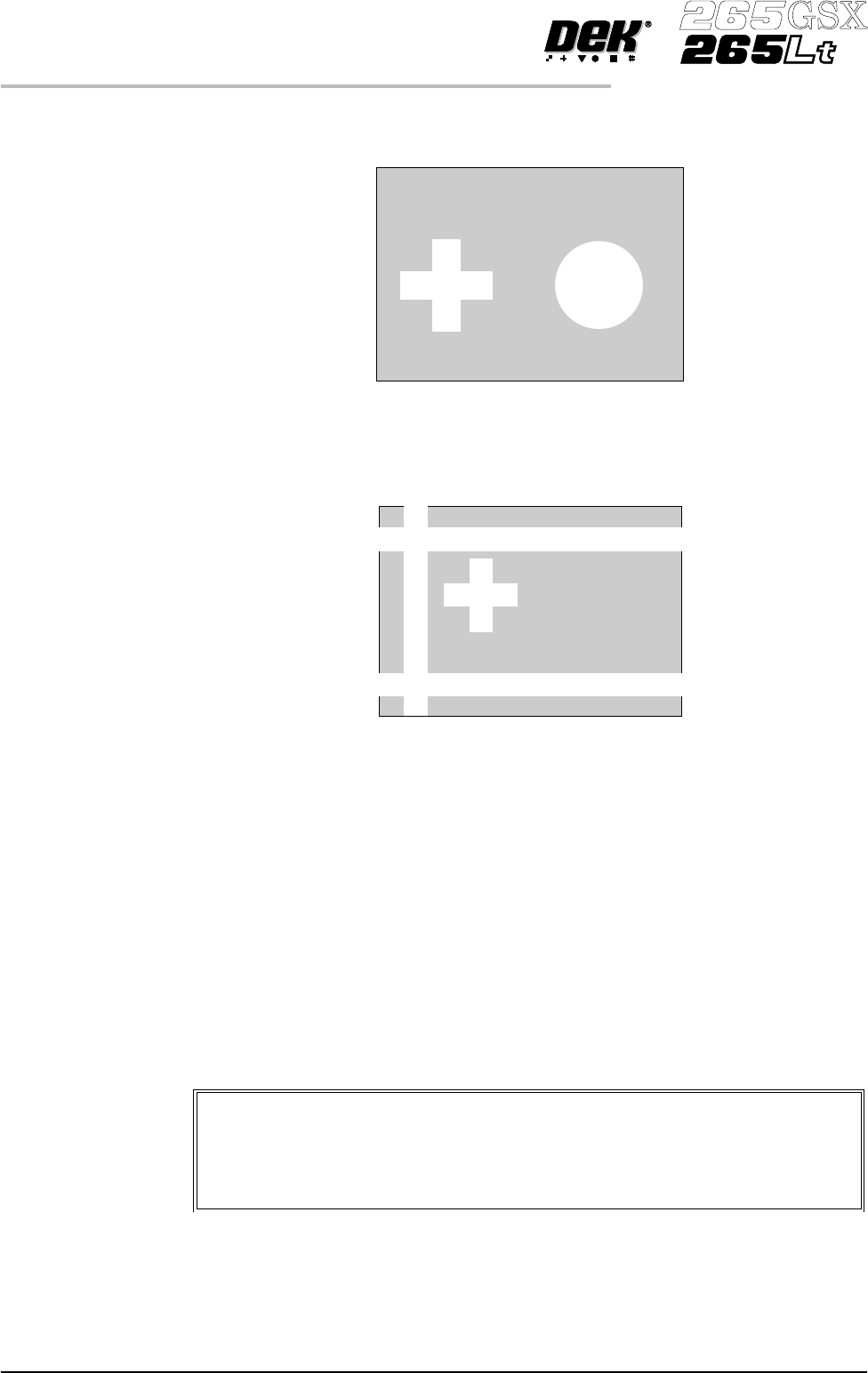
Target Level Higher individuality of an image within the Video Model Box decreases the
search time by limiting the number of possible targets:
Herethereis little confusion as to which images are located and withahighscore
in this instance the Target Score could be set as low as 800 (Accept Score is set
less than or equal to Target Score).
Here the confusion is greater, which is likely to cause several best fits to be
above the Accept Score, eg 970, 780 and 630. This would require the Target
Score to be set around 830. Setting a higher Target Score increases the search
time but ensures the correct fiducial is chosen.
Preparing the Vision System
The vision system learns the fiducial during a board setup. The fiducial
co-ordinates are entered into the product file during the editing of a default file.
This enables the camera to find the fiducials initially. The setup needs to be run
in step mode from the status page.
The following procedure is typical for all fiducial shapes, although in this
instance a circle fiducial shape is referred to throughout.
1.76 User Manual Software Version 6
MACHINE PROGRAMMING
STAGE 7
Video Model
The procedure for creating a video model is very similar to that for a
fiducial, throughout this following fiducial procedure, boxes like this
contain alternative procedure steps, to allow the setup of a video model.