Dek-265GSX-User-Manual.pdf.pdf - 第93页
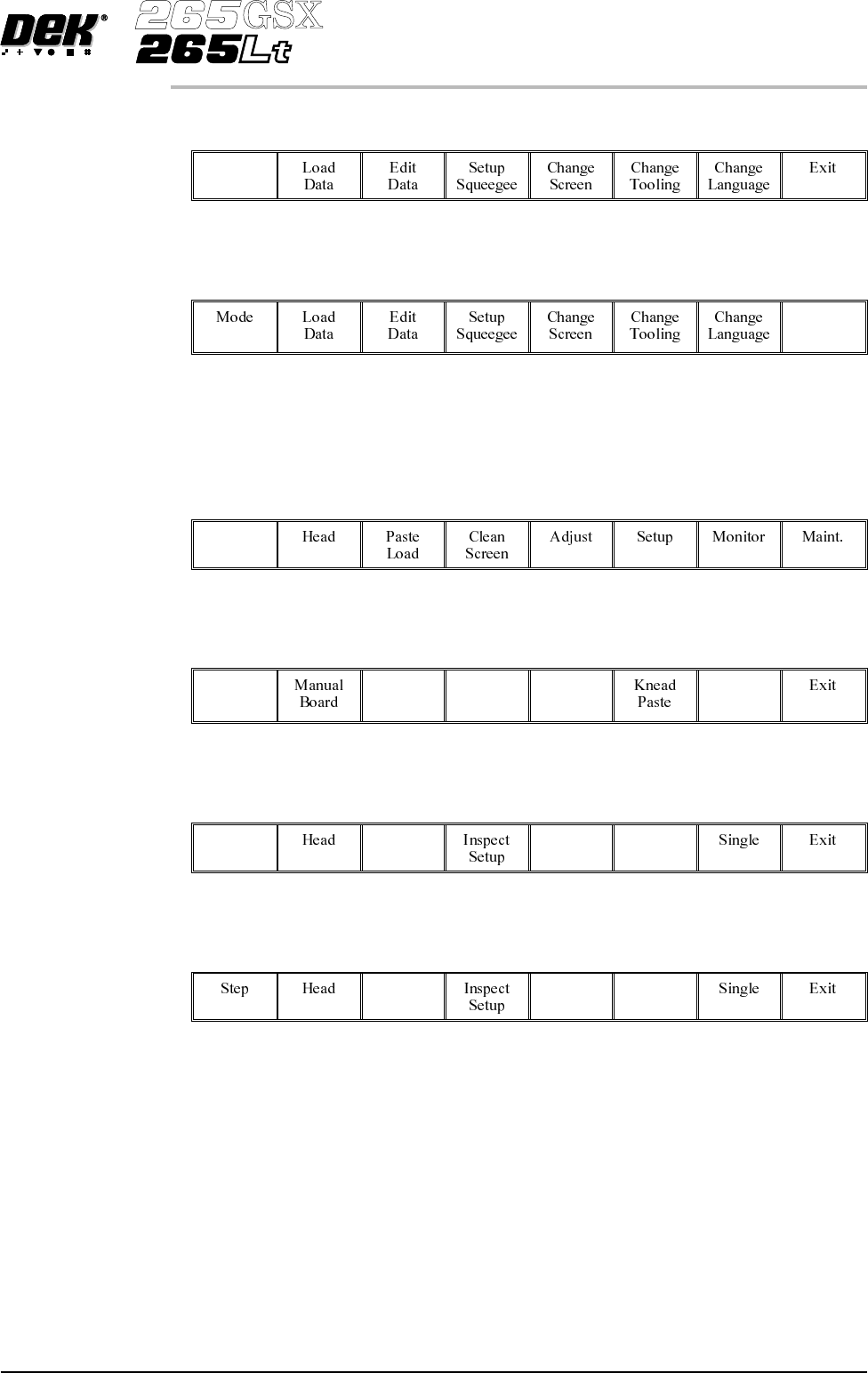
1. Select Mode (F1) till Step is indicated in the mode option on the screen. Mode 2. Select Exit (F8). Exit 3. Place the board on to the conveyor. 4. Select Run (F1). Run 5. Select Auto Board (F1). Auto Board 6. Select S…
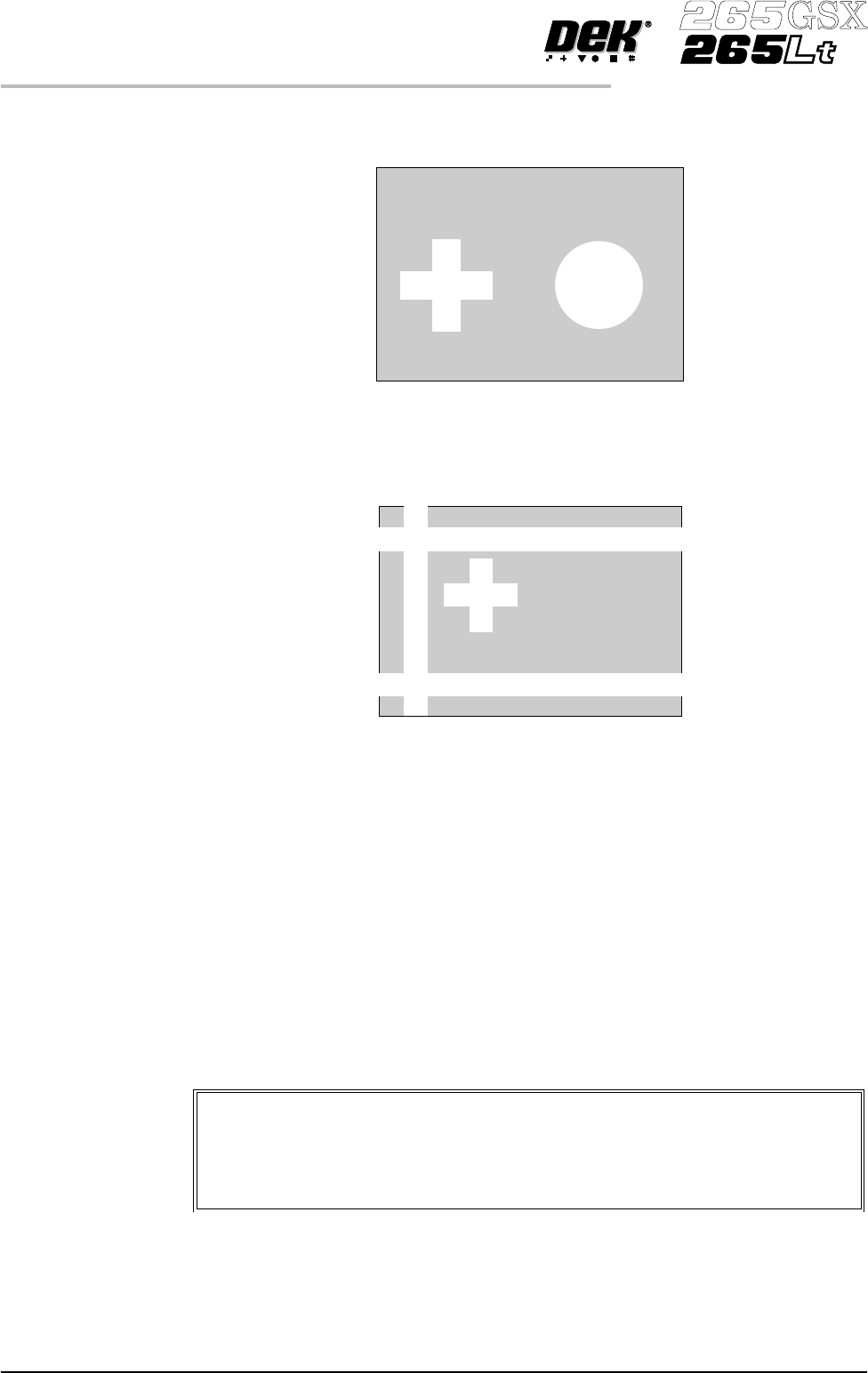
Target Level Higher individuality of an image within the Video Model Box decreases the
search time by limiting the number of possible targets:
Herethereis little confusion as to which images are located and withahighscore
in this instance the Target Score could be set as low as 800 (Accept Score is set
less than or equal to Target Score).
Here the confusion is greater, which is likely to cause several best fits to be
above the Accept Score, eg 970, 780 and 630. This would require the Target
Score to be set around 830. Setting a higher Target Score increases the search
time but ensures the correct fiducial is chosen.
Preparing the Vision System
The vision system learns the fiducial during a board setup. The fiducial
co-ordinates are entered into the product file during the editing of a default file.
This enables the camera to find the fiducials initially. The setup needs to be run
in step mode from the status page.
The following procedure is typical for all fiducial shapes, although in this
instance a circle fiducial shape is referred to throughout.
1.76 User Manual Software Version 6
MACHINE PROGRAMMING
STAGE 7
Video Model
The procedure for creating a video model is very similar to that for a
fiducial, throughout this following fiducial procedure, boxes like this
contain alternative procedure steps, to allow the setup of a video model.
1.
Select Mode (F1) till Step is indicated in the mode option on the screen.
Mode
2.
Select Exit (F8).
Exit
3. Place the board on to the conveyor.
4.
Select Run (F1).
Run
5.
Select Auto Board (F1).
Auto
Board
6.
Select Step (F1).
Step
7.
Select Step (F1).
Software Version 6 User Manual 1.77
MACHINE PROGRAMMING
STAGE 7
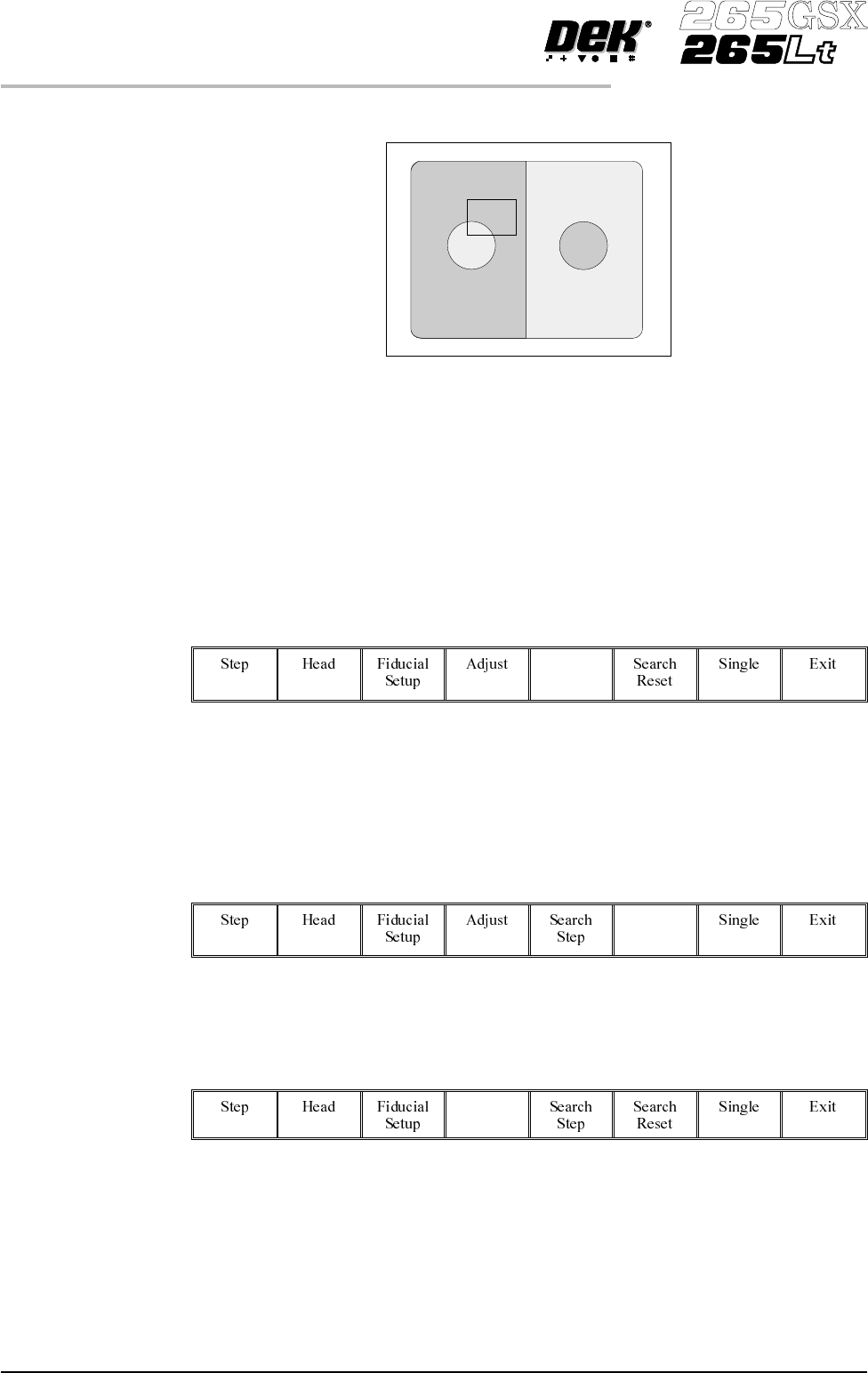
The board fiducial/select mark should be visible on the monochrome monitor.
If selective print/pass through is enabled, the image on the left hand side of the
monitor is the board select mark. The right hand side of the monitor shows the
corresponding position on the screen, which is a mirror image of the board
without the select mark. While theselectmark is being setup andthemenu bar is
as Step 8, the message ‘The form of this fiducial will select Print / Pass
through.’ is displayed.
If the fiducial isin the field ofviewgo to Step 10. Ifthe fiducial is notin the field
of view, continue with Step 8.
8.
Select Search Step (F5).
Search
Step
For each press of Search Step the camera conducts an increasing spiral search to
enable the operator to locate the fiducial. If this search is not sucessful the
camera can be returned to its origin. Recheck the fiducial co-ordinates set in the
product file.
9.
Select Search Reset (F6).
Search
Reset
When the fiducial is located move it to the centre of the screen.
10
Select Adjust (F4).
Adjust
1.78 User Manual Software Version 6
MACHINE PROGRAMMING
STAGE 7