Dek-265GSX-User-Manual.pdf.pdf - 第77页
There are three ways of changing the pin configuration, as follows: • Changing an area to either pins up or pins down • Toggling state of individual pins • Toggling state of pins in an area Changing an Area to Either Pin…
4.
Select Change Tooling (F6).
Change
Tooling
The Change Tooling Parameters window is displayed:
The parameters are not active.
5.
Select Adjust (F1). The parameters are now active.
Adjust
6.
Select Change Autoflex (F1). The message Use the ‘/’ key to enter
Numeric Block Control is displayed.
NOTE
This is only available if both Product File and Set Preferences have
AutoFlex selected.
Change
Autoflex
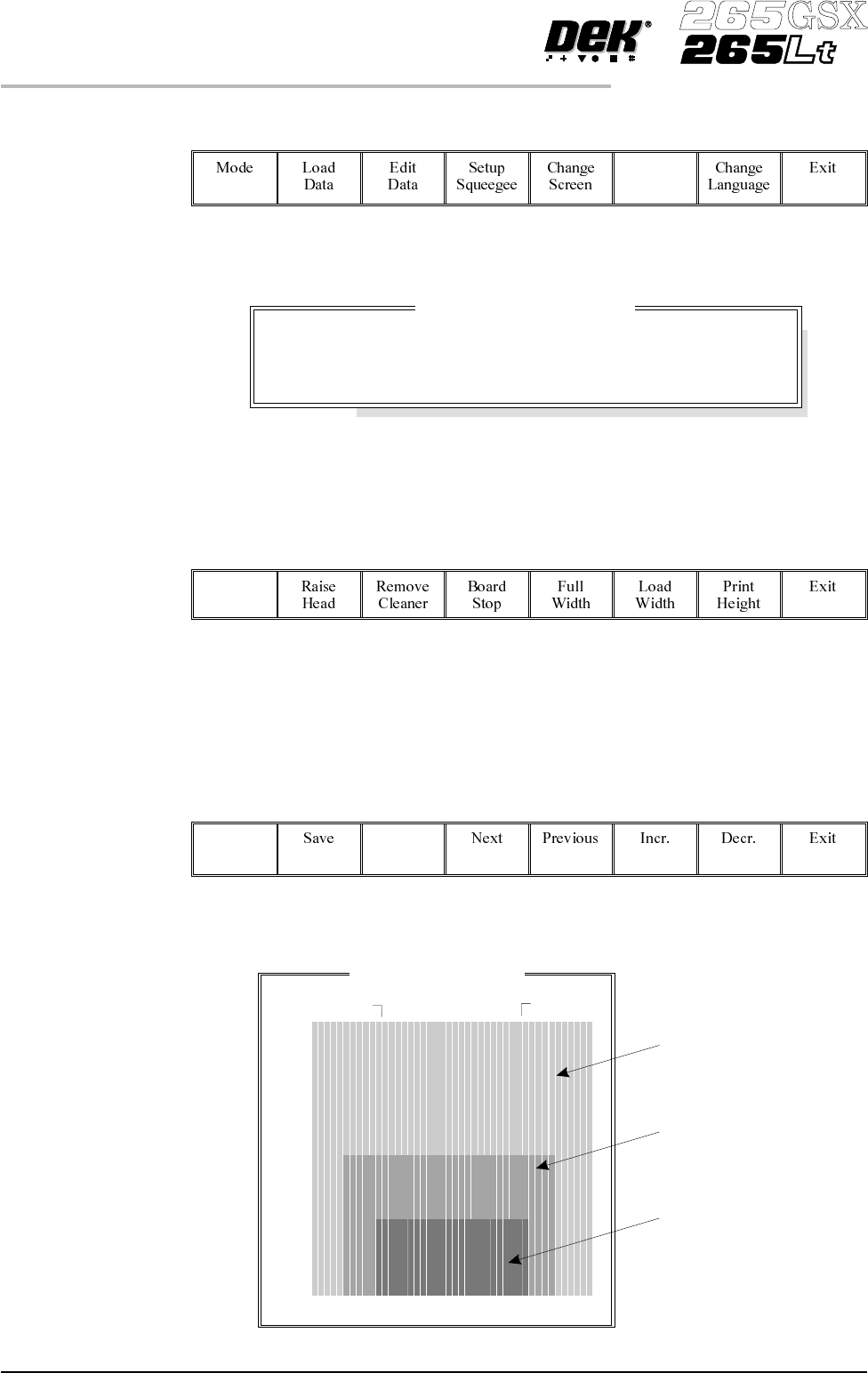
The Fine Pitch Autoflex Matrix window is displayed, showing the extent of the
rising table, the fine pitch Autoflex table and the current product:
1.60 User Manual Software Version 6
MACHINE PROGRAMMING
STAGE 6F
Change Tooling Parameters
BOARD WIDTH
BOARD STOP X
BOARD STOPY
216.0
125.0
142.6
mm
mm
mm
Rising Table
Fine Pitch
Autoflex Table
Current Product
Fine Pitch Autoflex Matrix
14.5
487.5
245.5
4.5
147.5
There are three ways of changing the pin configuration, as follows:
• Changing an area to either pins up or pins down
• Toggling state of individual pins
• Toggling state of pins in an area
Changing an Area to Either Pins Up or Pins Down
7. Press the forward slash key (/) on the keyboard.
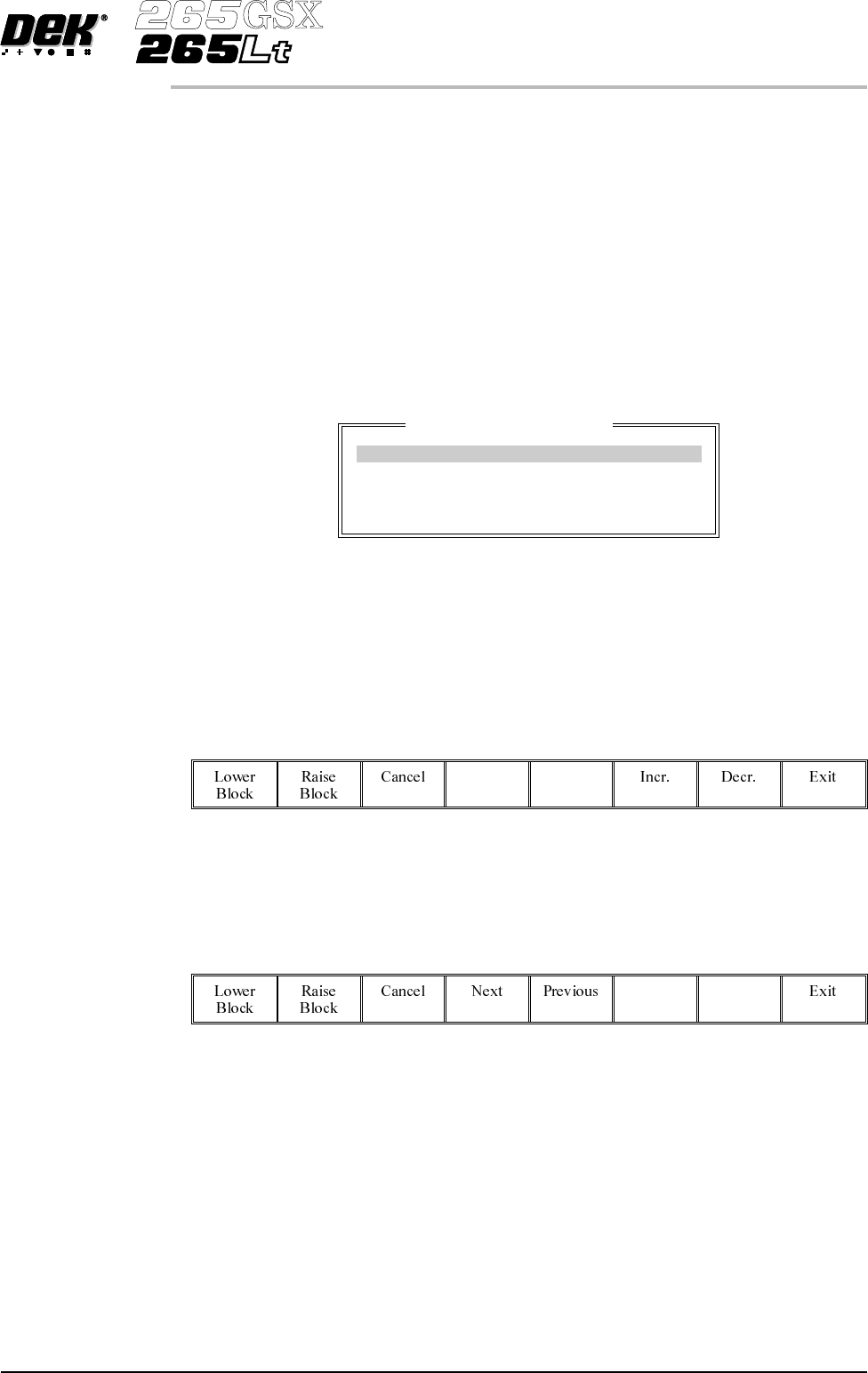
The Fine Pitch Block Control window is displayed:
NOTE
If Grid is selected under Autoflex Entry in Set Prefs, the parameter values are
column letters and row numbers not in mm as shown.
8.
Use the Next and Previous keys (F4 - F5), to highlight each parameter in
turn.
Next Previous
9. Either:
a.
Use the Incr. and Decr. keys (F6 - F7), to set each of the values.
Incr. Decr.
Or:
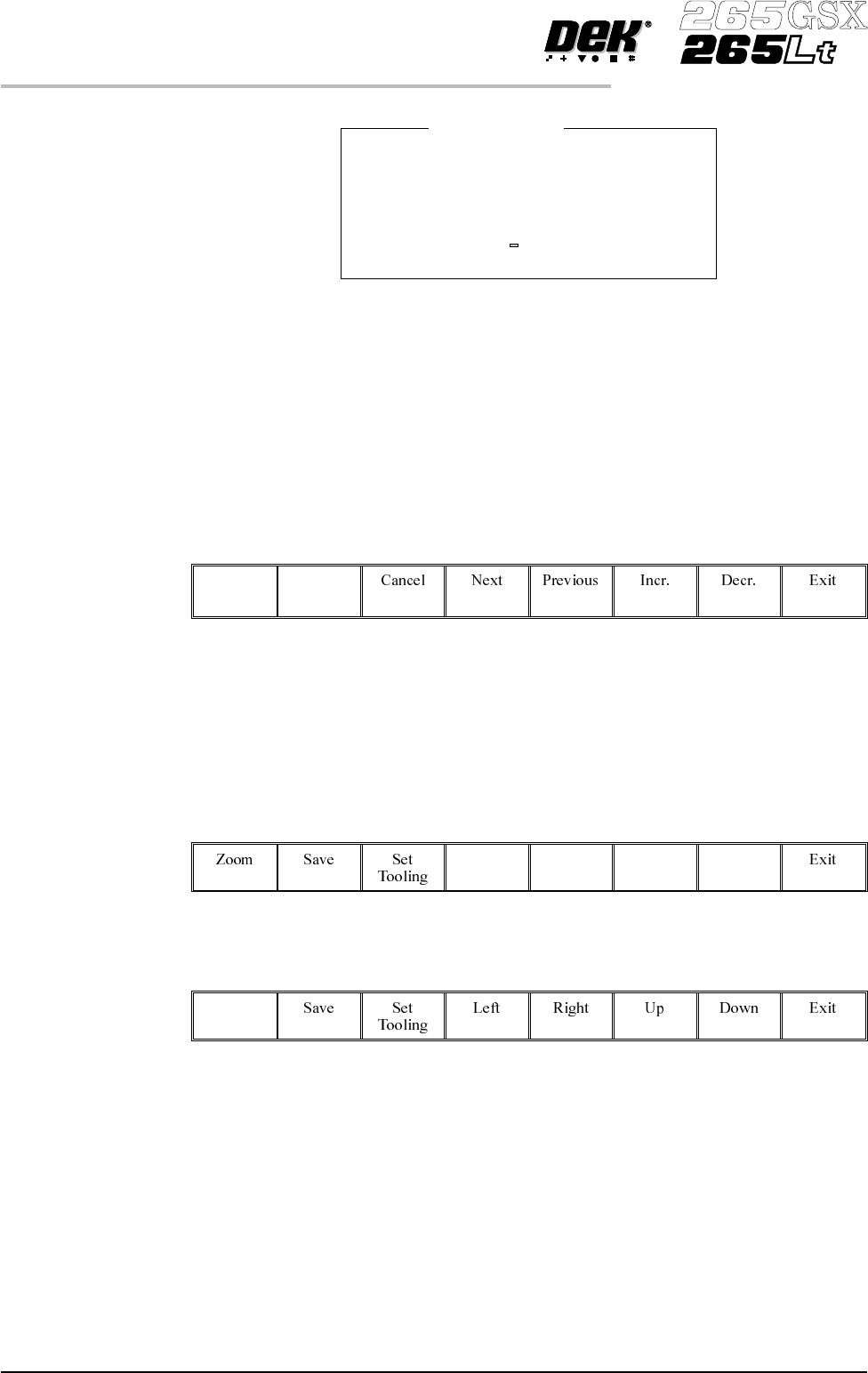
b. (i). Press the forward slash key (/) on the keyboard. A window is displayed
for the selected parameter:
Software Version 6 User Manual 1.61
MACHINE PROGRAMMING
STAGE 6F
Fine Pitch Block Control
Block Origin X 0.0 mm
Block Origin Y 0.0 mm
Block Final X 152.0 mm
Block Final Y 101.0 mm
(ii). Using the numeric keypad enter the new value.
(iii). Press Enter on the keyboard.
(iv). Repeat Steps 8, 9a or 9b for each parameter.
10.
Select either Lower Block (F1) or Raise Block (F2) as required.
Lower
Block
Raise
Block
11. Go to Step 27.
Toggling State of Individual Pins
12.
UsetheLeft,Right,UpandDownkeys(F4-F7),topositionthehighlighted
cursor over the required section.
Left Right Up Down
13.
Select Zoom (F1).
Zoom
1.62 User Manual Software Version 6
MACHINE PROGRAMMING
STAGE 6F
Block Origin X
Minimum Value 0.0000 mm
Maximum Value 152.0000 mm
Increment 0.5000 mm
Current Value 0.0000 mm
Enter New Value mm