Dek-265GSX-User-Manual.pdf.pdf - 第164页
SPC Port Config This preference allows the user to set the configuration of the SPC port output rate and data format. Selecting the Incr. or Decr. buttons whilst this preference is highlighted opens a further parameter w…

4. The camera moves to another position in the search window area.
5. If the whole search window area has not been covered, the sequence returns
to Step 2.
6. If the the whole search window area has been covered with no fiducial being
found, the camera moves to the nominal position and an error is generated.
NOTE
If 2D board inspection is enabled on a machine this feature searches for screen
fiducials only.
Window Size This parameter sets the size of the window area that is searched around the
nominal fiducial location, options are 10mm or 16mm.
Local Product File The offset values (differences between the product file and set up of the
machine) are stored locallyon the hard disk in an offsetsfile called local.lpf. For
each product file, any offset values required are stored added to the offsets file .
The addition to the offsets file is made when the first board is run and only if
Custom is selected.
Because the product file is not updated other machines are able to share the
product file.
Loading a Product When a product is loaded, if Custom is selected and a corresponding entry in the
offsets file (local.lpf) exists, the parameters are read from the offsets file and
added to the corresponding parameters from the product file, the sum of the two
values for each fiducial offset is used as the new parameter. The chase offsets
are calculated for the first board and are saved to the local.lpf file.
Actuator Limits If due to the new fiducial positions the actuators are required to go close to their
limits a warning is generated. If the actuator would need to travel beyond its
limit an error is generated and the red beacon is illuminated.
Remote Board Stop Sets whether the remote board stop facility is to be used, options are:
Fitted; Not Fitted
The default is Not Fitted.
Board Stop X Offset This parameter allows for the input of an offset to compensate for variations in
the focal lengths of the vision systems between machines.
Min 20mm
Max 40mm
The default is 27mm.
This parameter has no function while remote board stop is fitted.
Software Version 6 User Manual 2.29
SET PREFERENCES
PREFERENCES
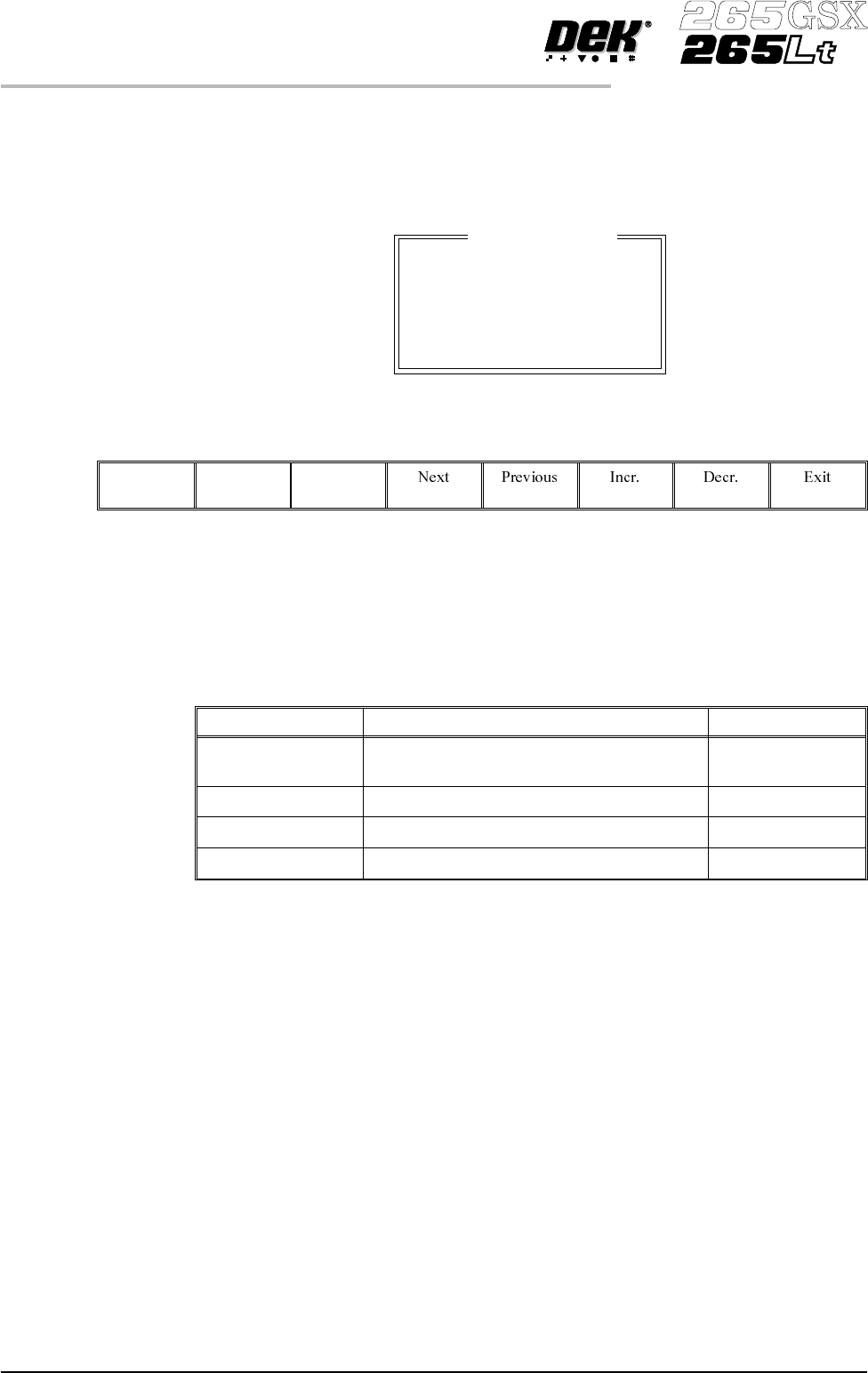
SPC Port Config This preference allows the user to set the configuration of the SPC port output
rate and data format.
Selecting the Incr. or Decr. buttons whilst this preference is highlighted opens a
further parameter window.
The menu bar changes to:
The Next and Previous keys move the cursor between the parameters.
The Incr. and Decr. keys change the value of the highlighted parameter.
The Exit key returns to the set preferences menu.
The four adjustable parameters have the following ranges:
Parameter Options Default
Baud Rate 110, 300, 600, 1200, 2400, 3600, 4800, 9600,
14400, 19200, 28800, 38400
9600
Word Length 5, 6, 7, 8 8
Parity ODD, EVEN, NONE, MARK, SPACE NONE
Stop Bits 1, 2 1
NOTE
The faster the baud rate the faster information transfer occurs.
SPC data is output when any of the following occur:
• SPC output cycle (as per Output Rate)
• Alignment Inspection Cycle
• 2D Inspection Cycle
Machine Location This allows the operator to enter text to uniquely identify the machine. Output is
via GEM, Host Comms and SPC.
Maint. Monitoring This preference, when enabled, provides an indication to the operator when a
preventive maintenance service is due. Options are:
Enabled; Disabled
2.30 User Manual Software Version 6
SET PREFERENCES
PREFERENCES
SPC Output
BAUD RATE
WORD LENGTH
PARITY
STOP BITS
9600
8
None
1
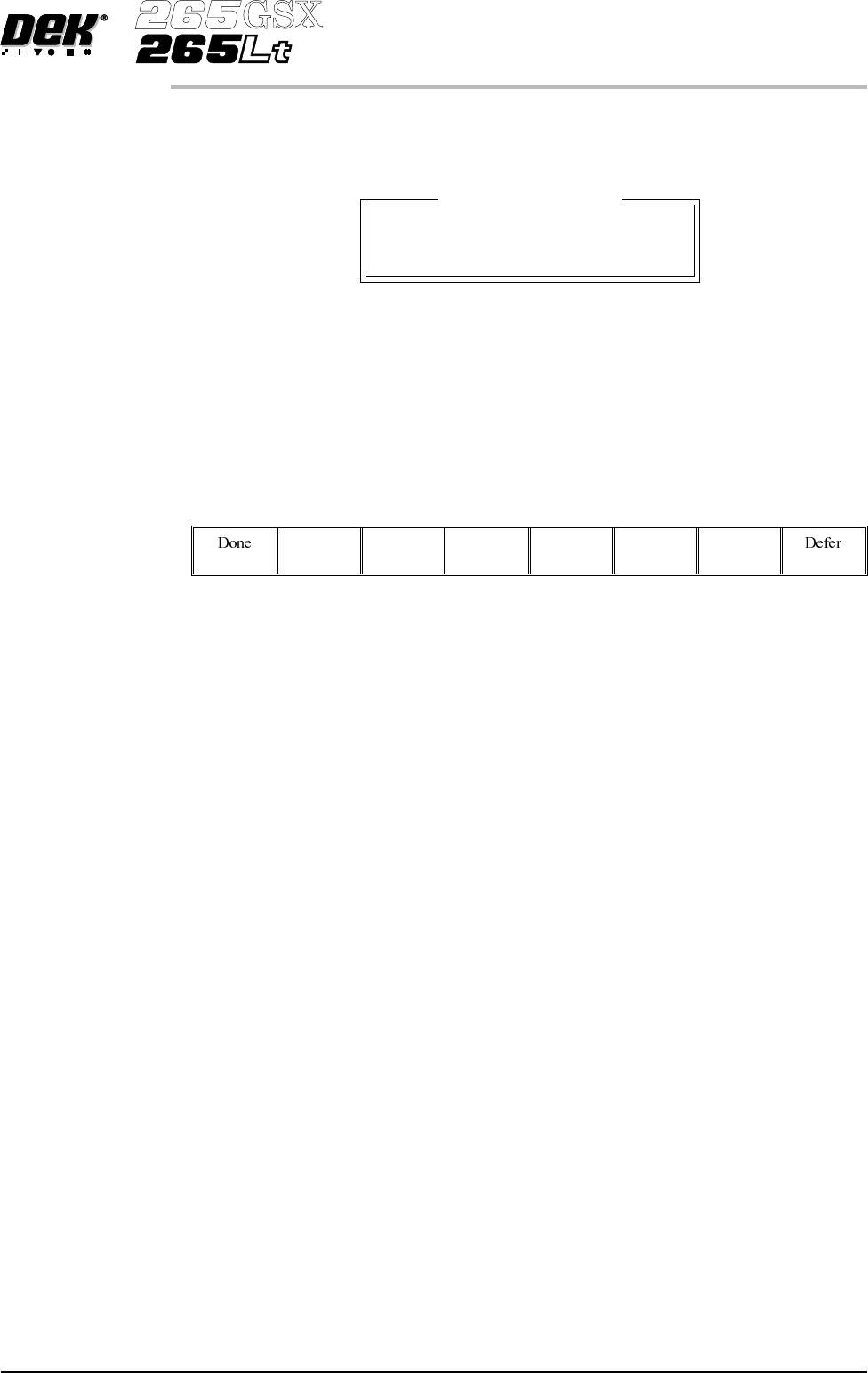
When enabled, if Run (F1) is pressed on the menu bar and a service is due, the
amber light on the tricolour beacon is illuminated. The following window is
displayed:
The message in the window varies dependent upon the type of service due. If a
period of one month or 45,000 cycles has elapsed, the message is as shown
above. If a period of six months or 260,000 cycles has elapsed, the message is
‘Six Monthly service is due’. If a period of one year or 520,000 cycles has
elapsed, the message is ‘Yearly service is due’.
The menu bar changes to the following:
The Done key updates the maintenance monitor data file, named service.dat, as
follows:
The service cycle counter is reset to zero.
The service number is incremented.
The last service date is reset to the current date.
The warning window is cleared, the amber beacon changes to green and the
printing run commences.
The Defer key does not update the maintenance monitor data file.
The warning window is cleared, the amber beacon changes to green and the
printing run commences. As the file has not been updated, the next time the Run
key is pressed the maintenance monitor window is displayed again. This routine
continues until the Done key is pressed.
If Maintenance Monitoring is disabled, left disabled for several service periods,
either calender or cycle or both, and enabled again:
Thenext time Run is pressed, the maintenancemonitor software determineshow
many service periods have been exceeded. From this information it determines
if any higher order servicing has been missed during the disabled period. If a
higher order service would have become due during the disabled period, that
service message is displayed.
Vacuum Hold Time This parameter introduces a time delay between raising the table to flex print
height and initiating Flatten Vac Delay.
Min 0.0 sec
Max 5.0 secs
Increment 0.1 sec.
Software Version 6 User Manual 2.31
SET PREFERENCES
PREFERENCES
Maintenance Monitor
Monthly service is due